

Every engineer who has watched a GitHub outage halt their team's deployments knows the feeling: your code, your CI/CD, and your review process all live in one place you do not control. Running your own self hosted git server fixes that. Your repositories stay online when GitHub goes down, your GitHub Actions minutes bill disappears, and your source code never leaves your own server.
I evaluated the three strongest open source git hosting platforms available today: Gitea, GitLab CE, and Gogs. All three are OSI-licensed, actively maintained, and deployable on a single VPS. Here is what each one does well and which one belongs on your server.
TL;DR: Gitea is the right choice for most self-hosted teams. It ships as a single Go binary, runs on 512MB RAM, supports GitHub Actions-compatible CI/CD through Gitea Actions, and has 55,000+ GitHub stars backing an active development community. GitLab CE is the right choice when your team needs the full DevSecOps platform including Kubernetes-native CI/CD and built-in security scanning. Gogs is worth considering only for hardware-constrained setups where Gitea's footprint is too large.
Key Takeaways:
- Best for most self-hosted teams: Gitea: MIT licensed, 55k stars, runs on 512MB RAM, GitHub Actions-compatible CI/CD via Gitea Actions
- Best for enterprise-scale teams: GitLab CE: the most complete DevSecOps platform in open source, with full CI/CD, security scanning, and Kubernetes integration
- Best for minimal hardware: Gogs: the original lightweight Go git service, runs on 256MB RAM, no built-in CI/CD but extremely light
Quick Comparison
| Tool | License | Min. RAM | CI/CD Built-in | GitHub Actions Compat | Best For |
|---|---|---|---|---|---|
| Gitea | MIT | 512MB | Yes (Gitea Actions) | Yes | Most teams |
| GitLab CE | MIT (CE core) | 4GB | Yes (GitLab CI) | No (own YAML format) | Enterprise teams |
| Gogs | MIT | 256MB | No | No | Minimal hardware setups |
How I Evaluated These Platforms
I scored each platform on five criteria that matter for self-hosted teams:
- Self-hosting ease: how quickly you can go from zero to a running instance with Docker or a binary
- Resource requirements: minimum RAM and CPU so you can right-size your server
- Feature set: repository management, code review, issue tracking, and CI/CD support
- GitHub Actions compatibility: whether your existing Actions workflows migrate without rewriting
- Community activity: release cadence, open issues, and contributor count as a proxy for long-term viability
1. Gitea: Best Lightweight Self-Hosted Git Server
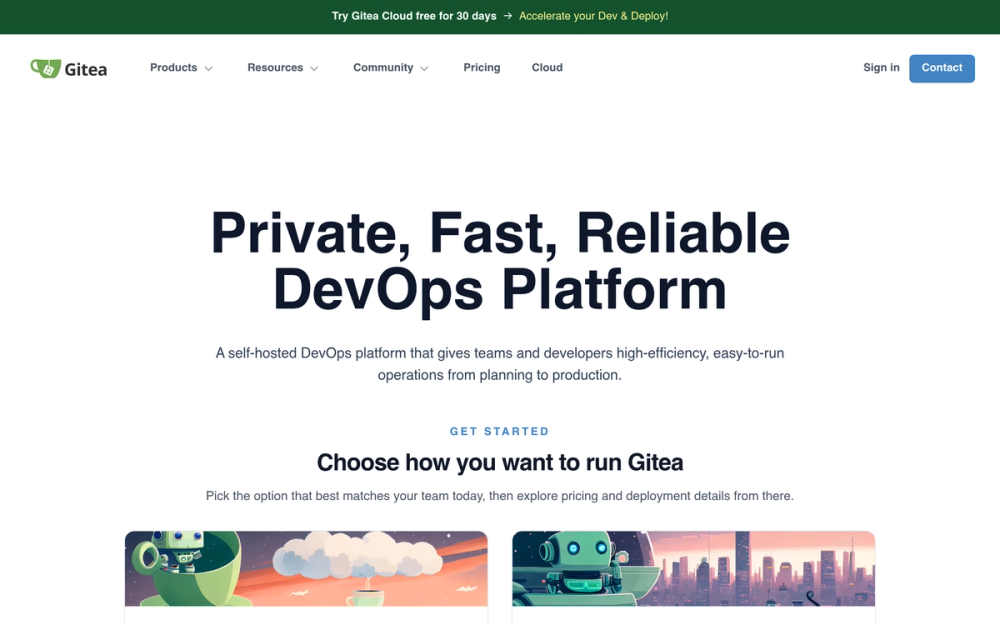
Best for development teams of any size that want a full-featured git server without a resource-heavy footprint.
Gitea started as a community fork of Gogs in 2016, motivated by the original project's slow release pace. In the years since, Gitea grew into the most popular standalone open source git server on GitHub with 55,000+ stars. The core bet: pack GitHub's core feature set into a single Go binary that runs anywhere from a Raspberry Pi to a Kubernetes cluster.
Gitea 1.21 (released late 2023) added Gitea Actions, which uses the same YAML syntax as GitHub Actions. Teams that already have GitHub Actions workflows can migrate many common pipelines with minimal changes, using the open source act_runner executor. That single feature closes the biggest practical objection to leaving GitHub: the CI/CD rewrite cost.
Key Features
- Single Go binary with no runtime dependencies: download, configure, run. Upgrade by replacing the binary.
- Gitea Actions: GitHub Actions-compatible CI/CD engine using the same YAML workflow format
- Full repository management: issues, milestones, pull requests, inline code review, wikis, and projects
- Package registry: supports NPM, PyPI, Maven, NuGet, Helm, Debian, and more
- Container registry: OCI-compatible Docker registry included with no extra setup
- Multi-provider OAuth2: sign in with GitHub, Google, GitLab, or any OpenID Connect provider
- LDAP and Active Directory integration: connects to existing enterprise identity infrastructure
- Gitea Cloud: managed SaaS option for teams that want hosted Gitea without operating it themselves
Pros
- Lowest operational overhead of any full-featured git hosting platform: update is one binary swap
- Gitea Actions means no GitHub Actions workflow rewrites for many standard pipelines
- Runs on a $6/month VPS or a Raspberry Pi 4
- Active release cadence: major releases several times per year with a large contributor base
- Built-in migration tool imports repositories from GitHub, GitLab, Bitbucket, and other Gitea instances, including issues and pull requests
Cons
- Gitea Actions runner (act_runner) must be deployed and maintained separately from the main server
- Fewer built-in security scanning features compared to GitLab CE: no SAST or DAST in core
- The managed Gitea Cloud option is newer and less proven than GitLab.com for teams that want SaaS
- Organization-level features are less mature than GitLab's group and subgroup hierarchy for large enterprises
License and Hosting
License: MIT. No CLA required for contributions.
Deployment options:
- Binary: download from gitea.com/releases, add a config file, run
- Docker:
gitea/giteaimage with official Docker Compose stack - Kubernetes: community Helm chart available
- Supported databases: SQLite (small teams or development), PostgreSQL, MySQL/MariaDB
Minimum requirements: 512MB RAM (1GB recommended), 1 CPU core
Best For
Gitea is the default answer for self-hosted git hosting. It fits teams of any size who want GitHub's core workflow: pull requests, code review, issues, and CI/CD. If you run other services on your VPS and need git hosting that stays small, Gitea belongs on your server.
View Gitea on Open Source Alternatives
2. GitLab CE: Best Full-Featured Self-Hosted DevSecOps Platform

Best for larger engineering teams that need built-in CI/CD with Kubernetes integration, security scanning, and a single platform for the complete software delivery lifecycle.
GitLab CE (Community Edition) is the open source version of GitLab's DevSecOps platform. Founded in 2011, GitLab pioneered putting your entire software delivery lifecycle under one tool: planning, coding, testing, security scanning, and deployment. The CE version includes the majority of that feature set at no cost.
The tradeoff is resource consumption. GitLab CE requires a minimum of 4 cores and 4GB RAM. On a team with real traffic, 8GB RAM is the practical floor. GitLab runs a web server, a background job queue (Sidekiq), a Ruby application server (Puma), a Git storage server (Gitaly), PostgreSQL, and Redis. It is not a single binary. It is a distributed application designed for enterprise scale.
Key Features
- GitLab CI/CD: the most feature-complete self-hosted CI/CD system available as open source, with parallel pipelines, artifact storage, environments, and deployment tracking
- GitLab Runners: self-hosted CI executors supporting Docker, Kubernetes, shell, and custom executors
- Container registry: integrated Docker image storage with retention policies
- Package registry: universal package repository for Maven, NPM, Helm, and other formats
- GitLab Pages: static site hosting built in
- SAST and dependency scanning (CE tier): basic security scanning without EE license
- Issue boards and milestones: Kanban boards with labels, milestones, and burndown charts
- GitLab API: comprehensive REST and GraphQL API for automation and integrations
- LDAP, SAML, and Kerberos authentication: enterprise identity integration
- Subgroups and nested namespaces: organize hundreds of repositories with hierarchical groups
Pros
- GitLab CI/CD is the reference implementation for self-hosted pipelines: more teams have existing GitLab CI knowledge than any other self-hosted CI format
- Comprehensive feature set means fewer third-party integrations to manage
- Security scanning in CE provides a baseline without requiring an EE license
- GitLab's API is well-documented and widely used: tooling and integrations are plentiful
- Consistent monthly release schedule with a documented upgrade path
Cons
- Resource requirements eliminate it from low-cost or shared VPS setups (4GB RAM minimum, 8GB recommended)
- Significantly more complex to operate than Gitea: more services, more configuration surfaces, more upgrade considerations
- CI/CD uses a different YAML format than GitHub Actions: migrating existing workflows requires rewriting
- Some features teams expect (Geo replication, advanced DORA metrics, enterprise security policies) are EE-only and require a paid license
- Slower startup and higher idle resource consumption than Gitea
License and Hosting
License: MIT Expat for CE core. The gitlabhq repository contains both CE and EE code; CE-tier files carry the MIT license. See gitlab.com for current license terms.
Deployment options:
- Omnibus package: all-in-one DEB/RPM installer that bundles all dependencies (most common)
- Docker: official
gitlab/gitlab-ceimage - Helm chart:
gitlab/gitlabfor Kubernetes deployments - Supported databases: PostgreSQL (required; MySQL/MariaDB support was removed in GitLab 12.1)
Minimum requirements: 4 cores, 4GB RAM (functional minimum); 8GB RAM recommended for real workloads
Best For
GitLab CE belongs on your server when your team already operates in the GitLab CI/CD paradigm, needs built-in Kubernetes deployment targets, or requires security scanning without adding a separate tool. It fits regulated industries where a single auditable DevSecOps platform matters more than operational simplicity.
Browse the full range of DevOps and CI/CD tools in the Open Source Alternatives directory.
View GitLab on Open Source Alternatives
3. Gogs: Best Minimal Self-Hosted Git Service
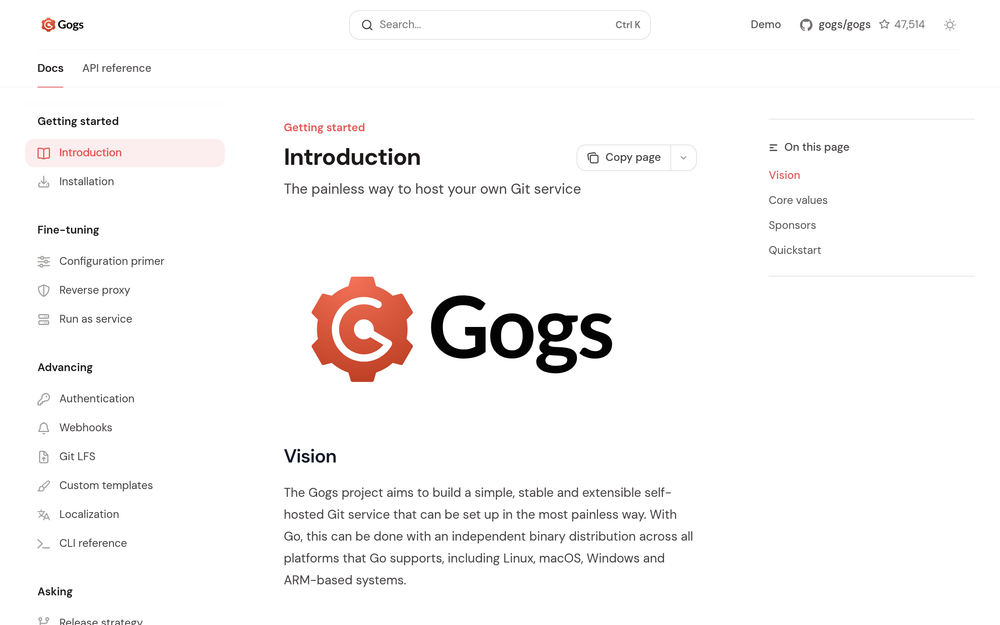
Best for solo developers or small teams on low-spec hardware who need basic git hosting without CI/CD overhead.
Gogs is the project that proved Go was the right language for a lightweight git service. Written starting in 2014, Gogs pioneered the single-binary approach to self-hosted git hosting. Gitea was forked from Gogs in 2016 when contributors wanted a faster release cadence and more governance. Today, Gogs remains functional and maintained, but the active development community has largely moved to Gitea.
Gogs fills a specific niche: it is the lightest option for hardware that cannot handle Gitea's 512MB footprint. On a Raspberry Pi with 256MB RAM or a constrained embedded system, Gogs can serve basic git hosting where Gitea would struggle.
Key Features
- Single Go binary: same deployment model as Gitea, runs with a config file and no external runtime
- Basic repository management: git hosting, web browsing, blame, and diffs
- Issues and milestones: lightweight issue tracking per repository
- Pull requests: basic merge request workflow
- Wikis: per-repository documentation
- Webhooks: push event notifications for external integrations
- Organization and team management: basic multi-user permission structure
- LDAP and Active Directory support: enterprise identity integration
Pros
- The lightest resource footprint of any full git service: runs on 256MB RAM or less
- Simple, stable codebase with few moving parts
- Familiar deployment model: one binary, one config file
- SQLite support for single-user setups without a separate database server
Cons
- No built-in CI/CD: requires an external CI system (Woodpecker CI, Jenkins) for pipeline automation
- No package or container registry
- Slower development pace than Gitea: infrequent releases mean slower bug fixes and fewer new features
- No GitHub Actions compatibility
- Missing Gitea's more mature features: package registry, container registry, Gitea Actions
License and Hosting
License: MIT. Fully open source.
Deployment options:
- Binary: download from gogs.io, configure, run
- Docker:
gogs/gogsofficial image - Supported databases: SQLite, PostgreSQL, MySQL/MariaDB, MSSQL
Minimum requirements: 256MB RAM, 1 CPU core
Best For
Gogs fits one specific scenario: your hardware cannot run Gitea (below 512MB RAM ceiling), you do not need built-in CI/CD, and you want a proven, stable git service without the churn of a fast-moving project. For any setup where Gitea runs comfortably, Gitea is the better long-term choice.
View Gogs on Open Source Alternatives
How to Choose Your Self-Hosted Git Server
The decision comes down to two variables: resources and requirements.
Choose Gitea when:
- You are starting a new self-hosted git setup
- Your server has 512MB to 8GB RAM for the git service
- You have existing GitHub Actions workflows you want to reuse
- You want a single platform for git, issues, and CI/CD without managing separate services
- You want low operational overhead
Choose GitLab CE when:
- Your team already uses GitLab CI/CD and you want to bring it on-premises
- You need Kubernetes-native CI/CD with environments and deployment tracking
- You require built-in security scanning without adding a separate tool
- You have a server with 8GB+ RAM and are prepared for a more complex deployment
Choose Gogs when:
- Your hardware has less than 512MB RAM for the git service
- You need only basic git hosting without issues, wikis, or CI/CD
- You specifically need the lightest possible footprint: Raspberry Pi, embedded hardware, or very constrained VPS
On Gitea vs GitHub:
If your concern is GitHub's pricing or reliability rather than data ownership, consider that Gitea can mirror your GitHub repositories and serve as a hot backup rather than a full replacement. Running both gives you redundancy without a hard migration.
Browse the full range of developer tools in the Open Source Alternatives directory.
Frequently Asked Questions
What is a self-hosted git server?
A self-hosted git server is software you run on your own hardware or VPS to store and manage Git repositories. Instead of pushing code to GitHub or GitLab.com, your code stays on your server. You get full control over access, uptime, and data. Gitea, GitLab CE, and Gogs are the most popular open source options for running your own self hosted git server.
Is a self-hosted git server hard to set up?
Gitea takes under 30 minutes from a fresh VPS. Download the binary, write a config file, and run it. Docker Compose makes it even simpler. GitLab CE takes longer: the Omnibus installer handles dependencies, but initial configuration and tuning take a few hours. Gogs is similar to Gitea in setup time.
Can Gitea run GitHub Actions workflows?
Gitea Actions (added in v1.21) uses the same YAML syntax as GitHub Actions. Many common workflows that use public marketplace actions migrate without changes. Workflows that depend on GitHub-hosted runner environments need equivalent Docker images on Gitea's act_runner. Some GitHub-specific features (GitHub Packages, GitHub Pages) have no direct equivalent in Gitea.
What is the difference between Gitea and Gogs?
Gitea is a fork of Gogs created in 2016. Both use the same Go binary model and share early codebase. Gitea has more features (CI/CD, package registry, container registry, OAuth2 provider), a larger contributor base, and a faster release cadence. Gogs runs on less RAM (256MB vs 512MB minimum) and is the better choice only when hardware constraints make Gitea impractical.
How much RAM does GitLab CE need?
GitLab's minimum is 4 cores and 4GB RAM. In practice, a GitLab instance serving a real team needs 8GB RAM. GitLab runs PostgreSQL, Redis, Gitaly, Sidekiq, and Puma concurrently. Running GitLab on 4GB RAM results in heavy swap usage and slow response times. If you have less than 8GB, use Gitea instead.
Is GitLab CE really free?
GitLab CE (Community Edition) is free. The open source version includes GitLab CI/CD, container registry, issue boards, merge requests, LDAP integration, and SAST scanning. Some advanced features (Geo replication, enterprise security policies, advanced DORA metrics) require the EE license, which has a per-user cost. For most self-hosted teams, CE is sufficient.
What happened to Forgejo?
Forgejo is a community fork of Gitea created in 2022 by members of the Codeberg project. It remains compatible with Gitea's feature set and is hosted on Codeberg rather than GitHub. Forgejo is a legitimate self-hosted git option for teams who prefer the Codeberg community's governance model. For the tools currently in the Open Source Alternatives directory, see Gitea and GitLab CE as the verified options.
Can I migrate from GitHub to a self-hosted git server?
Yes. Gitea has a built-in migration tool that imports repositories from GitHub, GitLab, Bitbucket, and other Gitea instances, including issues, pull requests, and labels. GitLab CE has a project import and export feature with a GitHub importer. After migration, update your local remote URLs with git remote set-url and redirect any CI/CD webhooks to the new server.
Can Gitea run on a Raspberry Pi?
Yes. Gitea's 512MB minimum RAM requirement fits a Raspberry Pi 3B+ or 4 with 1GB or more of RAM. Use a fast SD card or SSD for storage, since Git operations are disk-intensive. A Raspberry Pi 4 with 4GB RAM can host Gitea for a small team comfortably. Gogs runs on even less (256MB minimum) for more constrained Pi hardware.
What CI/CD tool should I use with Gogs?
Gogs has no built-in CI/CD. The most common pairings are Woodpecker CI (a lightweight CI server designed to work alongside Gitea or Gogs) and Jenkins (more resource-heavy but works with any git server via webhooks). Gitea Actions is not available on Gogs: if CI/CD is important for your team, use Gitea instead of Gogs.