

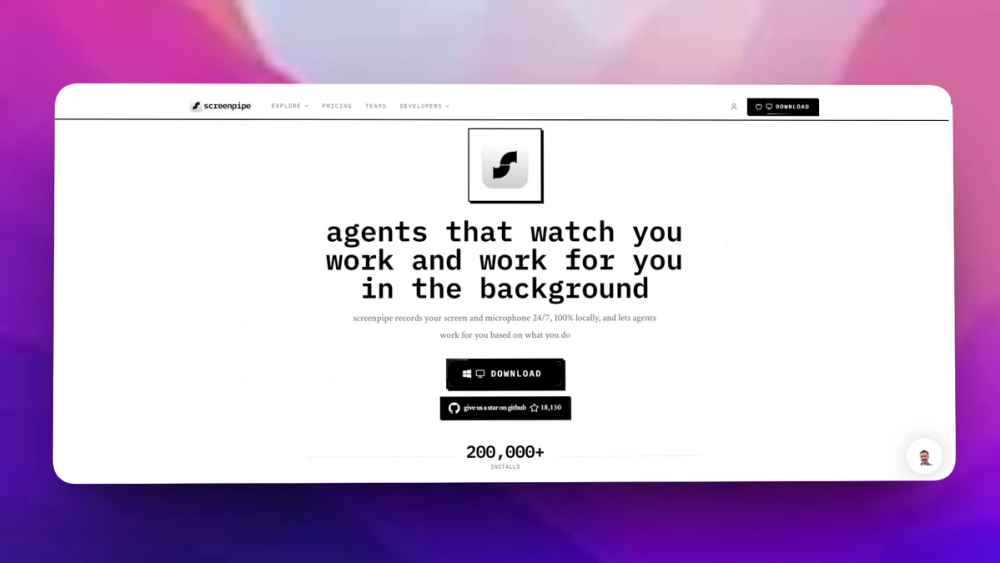
What Screenpipe does#
Screenpipe is an innovative tool designed to continuously record your screen and audio, providing a seamless way to automate tasks and enhance productivity. Built with a focus on privacy and local storage, Screenpipe ensures that all your data remains on your device, allowing you to create a searchable memory of your digital interactions.
Key Features:
- 24/7 Screen and Audio Recording: Capture everything you do on your computer without interruptions.
- Automation with Pipes: Use markdown files to create custom automations for tasks like meeting notes, CRM updates, and more.
- AI-Powered Search: Quickly find information from your recordings using natural language queries.
- Cross-Platform Support: Available for Windows, macOS, and Linux, making it accessible for a wide range of users.
- Open Source: Fully transparent and customizable, allowing developers to extend its capabilities.
Use Cases:
- Meeting Transcriptions: Automatically transcribe meetings and extract key action items.
- Time Tracking: Keep track of your work hours and activities effortlessly.
- Knowledge Management: Store and retrieve information from your screen history for better decision-making.
- Personal Finance Management: Monitor expenses and invoices directly from your screen activities.
With Screenpipe, you can enhance your productivity by automating mundane tasks and leveraging AI to manage your digital life effectively.
Who Screenpipe is for#
Developers building personal AI memory workflows
Use Screenpipe to capture local work context and build custom retrieval or automation around it.
Skip if
Skip if your organization cannot approve screen or microphone recording.
Researchers testing activity-based assistants
The project gives a local data pipeline for studying how agents can use desktop history.
Skip if
Skip if you need a polished consumer memory device with managed support.
The problem it solves#
Knowledge workers lose useful context every day: a command they ran, a meeting detail, a dashboard state, or a browser page that explained a decision. Proprietary AI memory products can capture some of this, but they raise privacy concerns because work activity and audio are highly sensitive.
Developers and researchers need a local-first way to capture, search, and build automations over their own activity without sending every screen and microphone event to a closed service.
How it solves it#
Local screen and audio capture
Records desktop context and microphone input for later search and automation use cases.
AI-searchable activity history
Turns captured work activity into a searchable memory layer so users can recover context from prior sessions.
Plugin and developer orientation
The project targets builders who want to create workflows on top of captured personal or team activity data.
Strengths and trade-offs#
Strengths
- Local-first privacy postureScreenpipe is attractive when the captured data is too sensitive for a proprietary cloud memory product.
- Hackable workflow layerThe open source project gives developers room to build custom automations and experiments around personal activity history.
Trade-offs
- -Sensitive data handling is still your responsibilityRecording screens and microphones creates major privacy obligations. Teams need consent, retention rules, and secure storage before deploying it broadly.
What it's built on#
- Languages
- JavaScriptRustSwiftTypeScript
- Frameworks
- Next.jsReact
FAQ#
Is Screenpipe open source?
Screenpipe publishes its code on GitHub. The synced GitHub metadata does not assert a standard SPDX license, so teams should verify license terms before commercial use.
What does Screenpipe record?
Screenpipe is designed around local screen and microphone capture so users can search and automate their activity history.
How does Screenpipe compare to Limitless?
Limitless is a proprietary AI memory product. Screenpipe focuses on an open, local-first capture pipeline for builders who want control over recorded data.
Similar open-source tools#

OpenYak
Local AI agent that enhances productivity with your own LLM

Atomic Bot
One-click OpenClaw installer and agent setup bot

Jan
Run open source LLMs on your own hardware with no cloud required

AnythingLLM
Chat with your documents using any LLM, private and self-hosted

Khoj
Self-hosted AI assistant that searches your notes and web

Scira
Open source AI search engine that retrieves cited sources