
Proprietary website builders make money by making leaving expensive. Wix charges $17–159/month and buries your content in proprietary blocks that don't export cleanly. Squarespace is $23–65/month with a mandatory annual commitment. Webflow starts at $14/month, but the tier designers actually need runs $39–79/month, and your site lives on their servers, under their terms, until you decide the pain of migrating is worth the savings.
Open source website builders break this model. You get visual editing, a real CMS, and the flexibility to deploy wherever you want: a $6/month VPS, Vercel, Netlify, or your own rack. The content is yours. The infrastructure is yours. When the vendor changes direction or raises prices, you don't care.
I evaluated six open source website builders for teams looking to escape Wix, Squarespace, or Webflow. Each takes a different approach to the visual-building problem. Below are the tools worth your time, ordered by recommendation strength for most teams, with honest assessments of where they fall short.
Browse the full No-Code & Low-Code and Web & App Development categories to see more self-hosted tools in these spaces.
TL;DR
- Ghost is the best pick for content sites, blogs, and newsletters: the most polished open source publishing platform with built-in memberships and email delivery.
- WordPress is the right call for eCommerce and maximum plugin flexibility; 43% of the web runs on it for a reason.
- Webstudio is the closest open source equivalent to Webflow, with a visual CSS editor that outputs clean semantic HTML.
- Puck lets development teams embed drag-and-drop visual editing into any existing Next.js application without a separate CMS service.
- TinaCMS adds visual editing to Markdown-based Git sites so non-technical editors can make changes without touching the Git workflow.
- GrapesJS is for teams building their own visual editor product: a 25.8k star framework that powers custom drag-and-drop builders across the web.
Key Takeaways:
- Best for content sites, blogs, and newsletters: Ghost: the most polished publishing platform with built-in membership and email
- Best for maximum flexibility: WordPress: 43% of the web runs on it for a reason, especially for eCommerce
- Best Webflow alternative: Webstudio: visual CSS-first builder that outputs clean semantic HTML
- Best React app visual editing: Puck: embed drag-and-drop into any Next.js project without a separate CMS service
- Best Git-based headless CMS: TinaCMS: Markdown + visual editing with full version history in your repo
- Best for low-code page templates: GrapesJS: 25.8k star framework that powers custom drag-and-drop builders
Quick Comparison
| Tool | Best For | License | Self-Hosted | Visual Editor | Difficulty |
|---|---|---|---|---|---|
| Ghost | Publications & newsletters | MIT | Yes | Card-based | Easy |
| WordPress | General websites & eCommerce | GPL v2+ | Yes | Gutenberg blocks | Easy to Advanced |
| Webstudio | Webflow replacement | AGPL-3.0 | Yes | CSS-first canvas | Intermediate |
| Puck | React app visual editing | MIT | Embedded | Drag-and-drop | Developer |
| TinaCMS | Jamstack & Git-backed sites | Apache-2.0 | Yes | Inline visual edit | Intermediate |
| GrapesJS | Custom builder framework | BSD 3-Clause | Embedded | Full drag-and-drop | Developer |
What to Look For in an Open Source Website Builder
A website builder is only worth switching to if it reduces friction without creating new dependencies. Four things matter most:
- Visual editing quality: can non-technical users make real changes without touching code or breaking things?
- Output quality: does the HTML/CSS meet modern performance and accessibility standards, or is it div soup?
- Self-hosting story: is there a one-command Docker deploy or a managed option with a clear self-host path?
- Export and portability: can you get your content out in a format you can actually use elsewhere?
The tools below pass all four checks. They differ in who they're built for and what tradeoffs they make.
1. Ghost: The Modern Publishing Platform

Best for creators, publications, and anyone running a content-driven site with memberships or newsletters.
Ghost is what you get when someone builds a publishing platform in 2026 instead of 2004. It handles the use cases that WordPress requires 15 plugins to cover: newsletter sending, paid memberships, SEO metadata, and a clean editor, all built in, all maintained by the same team.
The editor is card-based. You pick a card type (text, image, gallery, embed, product, button, callout) rather than writing raw HTML or navigating a complex toolbar. It's closer to Notion than to WordPress's Gutenberg, which makes it accessible to writers and non-technical team members. Ghost(Pro) offers managed hosting with full data export; self-hosting runs on the official Docker image in under 10 minutes.
Key Features
- Built-in newsletter delivery: connect your email list directly; no Mailchimp subscription required
- Native memberships and paid subscriptions: Stripe integration out of the box, no plugin needed
- Card-based editor with image optimization, embed support, and a clean writing experience
- Handlebars themes: lightweight, fast, and hundreds of free options in the Ghost marketplace
- Full data portability: JSON export works between Ghost(Pro) and self-hosted instances anytime
- Built-in SEO: automatic structured data, canonical URLs, XML sitemaps, and Open Graph tags
Pros
- Consistently faster than WordPress for content publishing (lighter architecture, fewer moving parts)
- Newsletter + membership without third-party services, removing Mailchimp's $20–300/month bill
- Clean JSON export means you can move your data whenever you want
- Active development: v6.36.0 released May 2026
Cons
- Built for content and media sites, not general business websites with complex requirements
- eCommerce is limited to digital products via Stripe; no physical goods or cart
- Themes require Handlebars knowledge for deep customization
- Less flexible than WordPress for arbitrary functionality needs
Self-Hosting
Ghost runs on Node.js with MySQL or SQLite. Official Docker image available. Ghost CLI handles installation, updates, and SSL. Memory footprint is roughly 200MB RAM at idle; a 1GB VPS is the practical minimum for production.
License: MIT | GitHub Stars: 52.7k | Active: Yes (weekly releases)
View Ghost on Open Source Alternatives
2. WordPress: The Proven General-Purpose Builder
Best for teams that need maximum plugin and theme ecosystem flexibility, especially for eCommerce.
WordPress powers 43% of the web because it can do almost anything with the right plugin combination. The Gutenberg block editor has improved substantially in recent versions, and Full Site Editing (FSE) brings header, footer, and template editing into the visual interface.
The trade-off is real: a production WordPress site typically accumulates 20+ plugins over time. That means 20+ potential security surfaces, update schedules, and compatibility issues to manage. Performance requires deliberate work: caching plugins, image optimization, and CDN configuration. WordPress gives you unlimited ceiling at the cost of ongoing maintenance. For eCommerce, WooCommerce is still the most battle-tested open source option available.
Key Features
- Gutenberg block editor: visual block-based editing with growing design capabilities per release
- Full Site Editing (FSE): control headers, footers, and templates visually without code
- 60,000+ plugins: eCommerce (WooCommerce), forms, SEO (Yoast, RankMath), membership, and more
- REST API: use WordPress as a headless CMS for React/Next.js frontends
- Multisite: manage multiple websites from a single WordPress installation
- Enormous theme ecosystem: thousands of free and premium themes covering every category
Pros
- Largest plugin and theme ecosystem of any open source CMS by a significant margin
- One-click installs available on virtually every managed hosting provider
- WooCommerce is the most production-tested open source eCommerce solution
- Community size means a solution to any problem already exists somewhere
Cons
- Plugin sprawl creates security and performance overhead that requires active management
- Gutenberg FSE still less capable than dedicated visual builders for design-heavy projects
- Default performance is poor without optimization plugins and CDN setup
- Core, theme, and plugin updates all require ongoing monitoring
Self-Hosting
WordPress runs on PHP + MySQL and is available on every major hosting provider with one-click installs. Docker images are available for teams who prefer container deployments. Minimum 512MB RAM; 1-2GB is recommended for production with a modest plugin load.
License: GPL v2+ | GitHub Stars: Subversion repository (no star count) | Active: Yes (regular core releases)
View WordPress on Open Source Alternatives
3. Webstudio: The Open Source Webflow
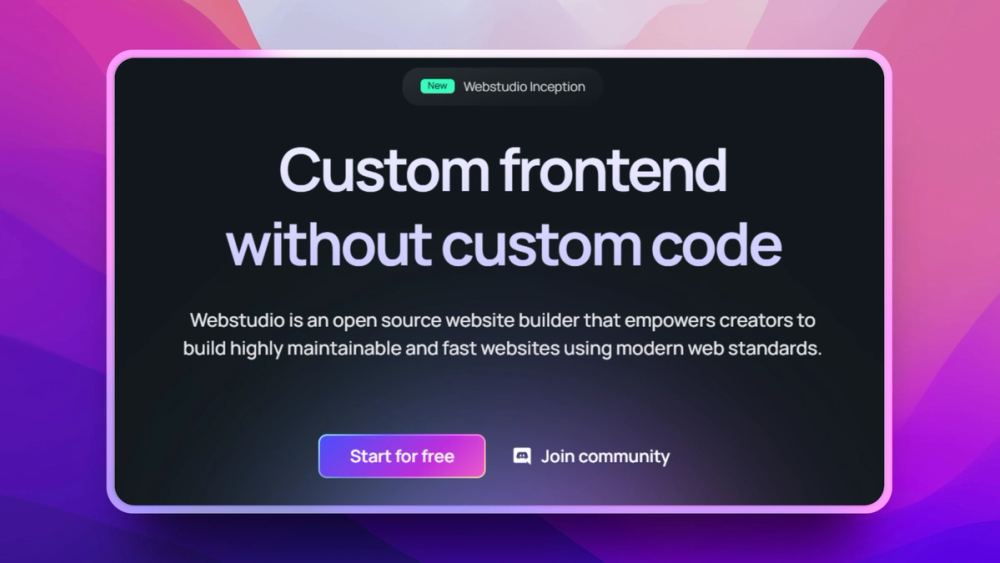
Best for designers and teams who want Webflow's visual CSS-building experience without the pricing and lock-in.
Webflow's moat is visual CSS editing: the idea that you could manipulate CSS properties directly in a design tool, with a live canvas showing exactly what you'll get. Webstudio takes that same approach and opens sources it under AGPL-3.0.
The editor quality is genuinely close to Webflow. You work with a live canvas, a CSS properties panel (flexbox, grid, spacing, typography), a component system with variants, and data bindings for dynamic content. The output is semantic HTML with clean CSS (no inline style bloat, no JavaScript-heavy render paths). It deploys anywhere that runs Node.js or accepts static output.
Key Features
- Visual CSS editor: direct manipulation of flexbox, grid, spacing, and typography with live preview
- Component system: create reusable component instances with variants and overrides
- Data bindings: connect to external data sources for dynamic pages and collections
- Design tokens: maintain consistent colors, fonts, and spacing across the entire site
- Built-in CMS: manage blog posts, products, team members, and other content types
- Cloud or self-hosted: Docker Compose for self-hosting; Webstudio Cloud for managed teams
Pros
- Closest open source equivalent to Webflow's design-to-code workflow for visual designers
- Semantic HTML output; no table layouts, no inline style pollution, no div soup
- Full data portability; self-hosting removes any Webstudio platform risk
- Active development team with regular releases
Cons
- Younger than Ghost or WordPress; ecosystem is still building
- Integration library is smaller than Webflow's at this stage
- Self-hosting requires more setup than Ghost CLI; PostgreSQL dependency adds ops overhead
- Some Webflow power features still in development
Self-Hosting
Webstudio provides Docker Compose configuration for self-hosting with PostgreSQL. A Webstudio Cloud managed option is available for teams who want to start hosted and self-host later.
License: AGPL-3.0 | GitHub Stars: 8.5k | Active: Yes
View Webstudio on Open Source Alternatives
4. Puck: Visual Editor for React Apps
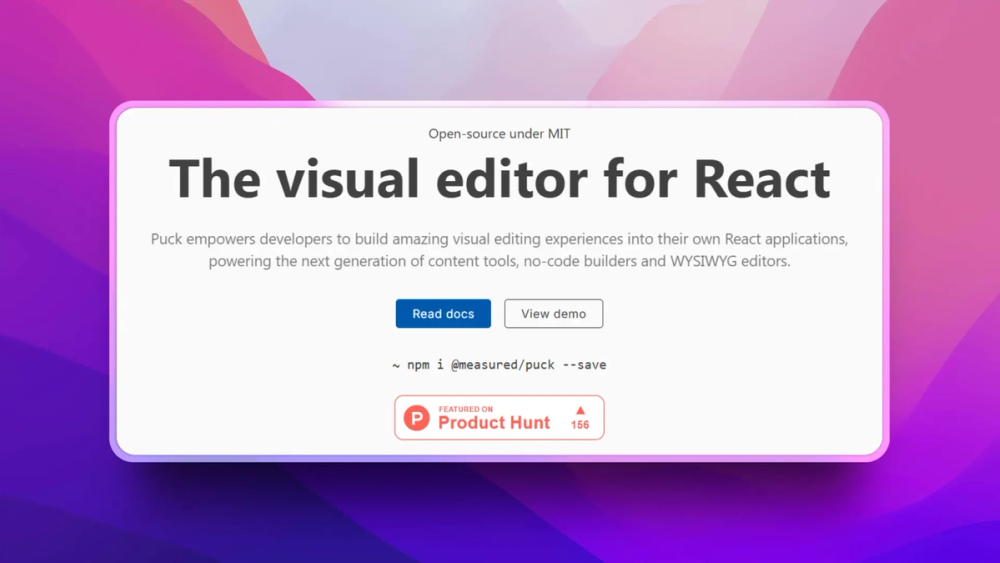
Best for development teams who want to give non-technical users drag-and-drop page editing inside an existing Next.js or React application.
Puck is not a standalone website builder. It's a visual editing library you embed into your own application. The pitch: your marketing team gets a drag-and-drop interface, your developers keep full control over components and data schema, and nobody has to manage a separate CMS service that drifts out of sync with your design system.
The architecture is clean. You define your design system's components in React code (a hero section, a pricing block, a testimonial row). Puck renders a drag-and-drop editor based on those definitions, with form controls for every prop. Non-technical users can compose pages from the approved component library without touching code, without being able to break the design system.
Key Features
- Component-based drag-and-drop: build pages from your own React components, not generic blocks
- Inline text editing: edit content directly on the canvas without switching to a form panel
- History management: full undo/redo with state tracking across the editing session
- Viewport preview: see mobile, tablet, and desktop layouts inside the editor
- Plugin architecture: extend with custom UI panels, custom fields, and third-party integrations
- Headless by design: bring your own storage backend, rendering layer, and deployment
Pros
- Visual editing inside your existing app with no separate CMS service to maintain
- Full TypeScript support with component prop type inference; no runtime surprises
- Stores JSON; no lock-in to any database or storage format
- 12.6k GitHub stars indicates strong community adoption for a relatively young library
Cons
- React/Next.js required; not for static HTML sites or non-React stacks
- No built-in CMS storage; you provide the database and API
- Developer setup time required to define your component library before non-technical users can use it
- API surface still evolving as the project matures
Self-Hosting
Puck is a library, not a service. You host your Next.js application the same way you already do. Zero additional infrastructure. Add it to an existing project: npm install @measured/puck.
License: MIT | GitHub Stars: 12.6k | Active: Yes
View Puck on Open Source Alternatives
5. TinaCMS: Git-Backed Visual Editing
Best for Jamstack teams and developers who want visual editing for Markdown-based sites without giving up Git-based workflows.
TinaCMS solves a specific problem: you have a Next.js or Astro site with Markdown content stored in Git, and your non-technical team members can't edit it directly. TinaCMS adds a visual editing interface on top of your existing files without changing your stack or adding a separate database. Content edits commit directly to your Git repository; your version history, branching workflow, and CI/CD pipeline all stay intact.
The inline editing experience is genuinely good. Editors click into content on the live page and modify it in place, with changes previewed in real time before they're committed. It works with Markdown, MDX, and JSON content files. TinaCloud provides a hosted GraphQL layer for teams who need multi-user collaboration without running a server.
Key Features
- Inline visual editing: click-to-edit content directly on the rendered page, no sidebar required
- Git-backed storage: every content change is a commit; full history, branching, and rollback built in
- Markdown and MDX support: works with existing content files, no migration required
- GraphQL content API: TinaCloud provides a hosted API for querying content across your site
- Rich text with custom blocks: structured content fields with Markdown or rich text as needed
- Framework-agnostic: Next.js, Astro, Gatsby, and other frameworks are all supported
Pros
- No database to manage; content lives in your Git repo alongside your code
- Non-technical editors get a visual interface without losing Git audit trails
- Self-hostable or use TinaCloud for the hosted data layer
- 13.3k GitHub stars and Apache-2.0 license; commercial-friendly and actively maintained
Cons
- Learning curve for initial configuration: defining your content schema takes developer time
- Real-time collaboration requires TinaCloud (the self-hosted path is single-user by default)
- Git-based workflow is a feature for developers and a source of confusion for teams not using Git
- Less suited for large content teams that need a full editorial workflow with review/approval stages
Self-Hosting
TinaCMS's editor runs in your Next.js or Astro app locally. TinaCloud provides the hosted data API for production multi-user use. A fully self-hosted option is available with the local filesystem backend for teams managing their own infrastructure.
License: Apache-2.0 | GitHub Stars: 13.3k | Active: Yes
View TinaCMS on Open Source Alternatives
6. GrapesJS: Build Your Own Visual Builder
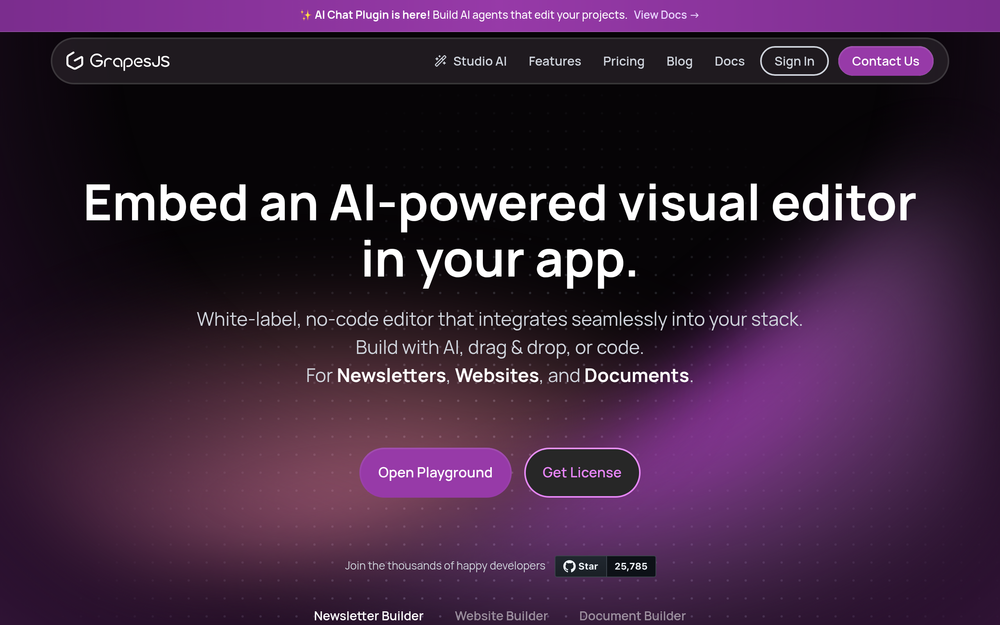
Best for developers who need a drag-and-drop page-builder framework they can embed into any application, CMS, or SaaS product.
GrapesJS is the 25.8k star open source framework that powers custom visual builders across the web. If you're building a SaaS product that needs an embeddable visual editor, building an internal tool for your content team, or want to add a template builder to an existing application, GrapesJS is the most battle-tested foundation available.
Unlike Puck (which is React-only), GrapesJS runs in vanilla JavaScript with no framework dependency. You define your blocks, components, and style rules; GrapesJS handles the drag-and-drop canvas, the layers panel, the style manager, and the HTML/CSS output. The BSD 3-clause license makes it usable in commercial products without GPL complications.
Key Features
- Framework-agnostic: vanilla JavaScript with no React, Vue, or Angular dependency
- Built-in style manager: CSS property controls for typography, spacing, and layout
- Layers panel: visual component tree for managing nested elements
- Plugin ecosystem: community plugins for forms, commerce, and CMS integrations
- Custom block library: define reusable content blocks with their own templates and style overrides
- Export to HTML/CSS: outputs clean, deployable markup without a runtime dependency
Pros
- 25.8k GitHub stars and 10+ years of production use across commercial SaaS products
- Vanilla JS means it embeds anywhere; no framework version conflicts to manage
- BSD 3-clause license is permissive for commercial use
- The largest open source page-builder framework community by developer adoption
Cons
- Not a ready-to-use website builder; you build the product layer yourself
- Steeper initial learning curve than turnkey builders like Ghost or WordPress
- React-native teams may prefer Puck's component-model approach over GrapesJS's block model
- UI aesthetics are functional but dated compared to commercial alternatives
Self-Hosting
GrapesJS is a JavaScript library. It runs wherever your web app runs; no separate infrastructure. Install via npm install grapesjs.
License: BSD 3-Clause | GitHub Stars: 25.8k | Active: Yes
GrapesJS is not yet listed in the Open Source Alternatives directory. Until it is, use the project's own resources: grapesjs.org and the GrapesJS GitHub repository.
Also Worth Considering

Silex: a free, open source visual static site builder from Silex Labs, a French non-profit. AGPL-3.0 licensed, generates standard HTML/CSS output, integrates with headless CMS backends. Best for agencies and freelancers building simple static sites without a backend. Lower star count (2.8k) but actively maintained with a committed community.
Grav: a flat-file PHP CMS with 15.5k GitHub stars and MIT license. No database required; content lives in Markdown files. Strong theming system and a plugin ecosystem. Best for developers who want a WordPress-level ecosystem without MySQL dependency. Not yet listed in our directory.
Which Website Builder Is Right for You?
| Your situation | Recommended tool |
|---|---|
| Blog, newsletter, or membership community | Ghost |
| eCommerce store needing maximum plugins | WordPress |
| Designer who wants Webflow without the price | Webstudio |
| React app that needs visual editing for marketing | Puck |
| Jamstack site with Markdown and Git workflows | TinaCMS |
| Building a custom SaaS visual editor | GrapesJS |
| Simple static site for a small agency | Silex |
The decision most teams face is actually between Ghost (fastest path to a production content site) and WordPress (maximum long-term flexibility). Ghost wins when publishing is the primary job. WordPress wins when you need eCommerce, deep integrations, or a plugin that doesn't exist elsewhere.
Hosting Your Open Source Website Builder
All tools in this list support self-hosting. The infrastructure requirements differ:
| Tool | Stack | Minimum RAM | Docker | Managed Option |
|---|---|---|---|---|
| Ghost | Node.js + MySQL/SQLite | 1GB | Yes | Ghost(Pro) |
| WordPress | PHP + MySQL | 512MB | Yes | Countless providers |
| Webstudio | Node.js + PostgreSQL | 1GB | Yes | Webstudio Cloud |
| Puck | Your existing Node.js app | Varies | Yes | Any host |
| TinaCMS | Your existing framework | Varies | Yes | TinaCloud |
| GrapesJS | Any web server | Minimal | Yes | Any host |
For teams that want the flexibility of open source without managing servers, Ghost(Pro) and Webstudio Cloud both offer managed hosting with full data export on request.
Frequently Asked Questions
What is the best open source website builder in 2026?
Ghost is the best open source website builder for most content-focused use cases: publications, blogs, newsletters, and membership communities. It has the most polished editing experience, the cleanest architecture, and the fastest path from setup to a production site. For general-purpose sites with eCommerce needs, WordPress is the answer. For teams that need visual CSS editing comparable to Webflow, Webstudio is the closest open source equivalent.
Can I migrate from Wix or Squarespace to an open source website builder?
Yes, though the process varies by tool. Ghost has an import tool that accepts WordPress XML exports, and Squarespace sites can often be rebuilt in Ghost or Webstudio in a few hours for content-only sites. Wix doesn't export cleanly, so you'll typically need to rebuild manually. Complex custom functionality, interactive forms, and app integrations require rebuilding regardless of which builder you move to.
Is Ghost actually free to use?
Ghost is free and open source (MIT license) to self-host. The software costs nothing. Ghost(Pro) managed hosting starts at $9/month for personal use and goes up based on email list size. For most teams, a $6–10/month VPS running the open source version delivers the same functionality as Ghost(Pro) at a fraction of the cost.
What is the difference between Puck and a traditional CMS?
Puck is a visual editing library, not a content management system. It handles the drag-and-drop editing interface and stores the page composition as JSON. It does not manage content storage, authentication, or deployment; you bring those. A traditional CMS like WordPress or Ghost handles all of that. Puck replaces the editing interface inside your existing React application without replacing your data layer.
Which open source website builder is best for SEO?
Ghost has the best built-in SEO defaults: automatic structured data, canonical URLs, XML sitemaps, Open Graph tags, and image optimization, all configured correctly out of the box without plugins. WordPress can match or exceed Ghost's SEO capability with the right plugins (Yoast or RankMath), but requires configuration. Webstudio outputs semantic HTML that scores well on technical SEO audits. For all three, on-page SEO quality still depends on your content.
Do I need a developer to use these tools?
Ghost: No. Non-technical users can run a Ghost site with Ghost(Pro) managed hosting without touching the command line. WordPress: Basic setup is no-code on managed hosts; production optimization requires technical knowledge. Webstudio: No for content editing; some technical comfort needed for initial self-hosted setup. Puck: Yes, a React developer must set up the component library first. TinaCMS: Yes for initial configuration; no for ongoing content editing once set up.
Can I build an eCommerce site with these open source builders?
WordPress with WooCommerce is the strongest open source eCommerce path available. WooCommerce handles product management, checkout, payments (Stripe, PayPal, and others), shipping, and inventory with thousands of extensions. Ghost supports digital product sales via Stripe but has no physical goods support or cart functionality. Webstudio, Puck, TinaCMS, and GrapesJS don't include eCommerce natively; you'd integrate a third-party cart.
What is the most self-hosted-friendly option?
Ghost and WordPress are the most mature self-hosting options: both have Docker images, one-command installers, large communities with hosting guides, and years of production deployments on commodity VPS hardware. Ghost CLI makes updates and SSL configuration straightforward. WordPress benefits from one-click installers on virtually every managed hosting provider. Webstudio requires more setup (PostgreSQL dependency) but has active Docker Compose documentation.
How does Webstudio compare to Webflow?
Webstudio delivers 80–90% of Webflow's design-to-code workflow at a fraction of the cost. Both use a live canvas with direct CSS property manipulation (flexbox, grid, spacing, and typography controls that map directly to CSS output). Key differences: Webstudio is AGPL-3.0 licensed and self-hostable; Webflow is proprietary with no self-host option. Webstudio's integration and template ecosystem is smaller at this stage. Webflow's team collaboration features are more mature. For teams whose primary requirement is Webflow-style visual building with data ownership, Webstudio is the right switch.
Is TinaCMS good for non-developers?
TinaCMS is good for non-developer content editors once a developer has set it up. The inline editing experience is genuinely intuitive: click into the page and edit in place, see changes live. The setup phase (configuring content schemas, deploying TinaCloud) requires developer time. Ongoing content editing after setup does not. Teams where developers do setup and non-technical users do daily editing find TinaCMS works well. Teams without a developer to do initial configuration should start with Ghost or WordPress instead.
What license should I look for in an open source website builder?
MIT and Apache-2.0 licenses are the most permissive for commercial use; no copyleft obligations on code you ship. GPL v2+ (WordPress) requires derivatives of WordPress itself to be GPL but doesn't affect your site's content or themes in typical usage. AGPL-3.0 (Webstudio, Silex) has stronger copyleft obligations: if you build a SaaS product with AGPL code you offer over a network, you must open-source your modifications. BSD 3-Clause (GrapesJS) is commercial-friendly. For most website owners, license differences are academic; for SaaS builders, AGPL vs. MIT matters significantly.
How do open source website builders compare on page speed?
Ghost consistently wins on raw performance benchmarks due to its Node.js architecture and lightweight theme system. WordPress requires deliberate optimization (caching plugins, image optimization, CDN) to compete; out of the box it's slower. Webstudio outputs clean semantic HTML that performs well; final scores depend heavily on your hosting and asset strategy. Puck and TinaCMS performance depends entirely on your Next.js or framework configuration. All tools can achieve Core Web Vitals "good" scores with appropriate setup.
Summary
The best open source website builder for your situation:
- Ghost is the right answer for content-first sites: publications, blogs, newsletters, and memberships. Fastest path to a polished, professional result with the least ongoing maintenance.
- WordPress is the right answer for maximum flexibility, particularly when you need eCommerce (WooCommerce), a specific plugin, or a hosting provider your team already uses.
- Webstudio is the right answer for design-heavy teams who want Webflow's visual CSS editing without Webflow's pricing or lock-in.
- Puck is the right answer for development teams who want to add visual page editing to an existing React application without a separate CMS service.
- TinaCMS is the right answer for Jamstack teams with Markdown-based content who want non-technical editors to make changes without breaking the Git workflow.
- GrapesJS is the right answer if you're building a visual editor into your own product and need a framework rather than a finished tool.
All six are production-ready and actively maintained. The decision comes down to your team's technical depth, your site's primary purpose, and whether you want maximum simplicity or maximum flexibility.