
Miro's free plan limits you to 3 boards. After that, it's $8/user/month (Team) or $16/user/month (Business) just to draw rectangles and sticky notes together. For a 10-person team using Miro for planning sessions, that's $960-1,920 per year.
FigJam is $5/user/month as an add-on, on top of your Figma subscription. Lucidchart is $9-22/user/month. Microsoft Whiteboard requires Microsoft 365.
The underlying technology (HTML canvas, WebRTC, CRDTs for conflict resolution) is all open source. The tools themselves don't have to be.
Open source whiteboard tools give you the same infinite canvas, sticky notes, shapes, connectors, and real-time collaboration, without per-seat pricing. You can self-host them on your own infrastructure for privacy, or use the free hosted versions and spend nothing. The tools covered here are MIT-licensed or similarly permissive. You own your data. You can run them forever without a licensing call from a vendor.
I compared the best open source whiteboard tools available in 2026. You can explore more whiteboard and diagramming tools in the Open Source Alternatives directory.
TL;DR: Excalidraw is the best open source whiteboard for most teams: zero friction, E2E-encrypted collaboration, no account required, 90k+ GitHub stars, MIT license. AFFiNE is the right choice if you want whiteboard and document workspace in one tool. For technical diagramming and flowchart work, draw.io (now diagrams.net) covers more complex diagram types. All three are free to use and self-hostable.
Key Takeaways:
- Best for quick team collaboration: Excalidraw: MIT, 90k+ stars, E2E encrypted, no account required
- Best whiteboard + document workspace: AFFiNE: MIT, 50k+ stars, offline-first, local-first
- Best for technical diagrams and flowcharts: draw.io: Apache 2.0, the most feature-complete diagramming tool
- Best for building whiteboard into your app: tldraw: 40k+ stars, React SDK (non-OSI commercial license; not in OSA directory)
Quick Comparison
| Tool | License | GitHub Stars | Self-Hosted | Real-Time Collab | Best For |
|---|---|---|---|---|---|
| Excalidraw | MIT | 90k+ | Yes | Yes (E2E encrypted) | Quick brainstorming, diagrams |
| AFFiNE | MIT | 50k+ | Yes | Yes | Whiteboard + docs workspace |
| draw.io | Apache 2.0 | 40k+ | Yes | Yes (VS Code) | Technical diagrams, flowcharts |
| tldraw | Non-OSI¹ | 40k+ | Yes | Yes | Embedding in React apps |
¹ tldraw uses a custom source-available license restricting commercial use; not listed in OSA directory.
What to Look For in an Open Source Whiteboard
Whiteboard tools sound simple, but they vary significantly in quality. Here's what determines whether a whiteboard is actually useful for team work:
- Responsiveness: does the canvas feel instant or laggy? Even 50ms of input latency kills creative flow during brainstorming
- Collaboration quality: real-time sync without conflicts, visible cursors showing team presence, handles network interruption gracefully
- Shape and object library: arrows, sticky notes, text, shapes, connectors with smart routing. How complete is the default library?
- Export options: PNG, SVG, PDF. Can you get your work out in the format you need for docs, presentations, and code comments?
- Embed and self-host: can you deploy it privately or integrate it into other tools? Critical for teams with data residency requirements
- No account friction: can collaborators join without creating accounts? Signup walls kill adoption at the team level
- Diagram type support: flowcharts, UML, entity-relationship diagrams, architecture diagrams, or just freeform sketching?
The Cost of SaaS Whiteboards at Scale
For a 20-person engineering team that uses a whiteboard tool 3 days per week, the annual cost of SaaS alternatives:
| Tool | 20-Person Team Annual Cost | Free Plan |
|---|---|---|
| Miro Team ($8/user/month) | $1,920/year | 3 boards max |
| Miro Business ($16/user/month) | $3,840/year | None |
| FigJam + Figma ($5 + $12/user/month) | $4,080/year | 3 files limit |
| Lucidchart Individual ($9/user/month) | $2,160/year | Limited shapes |
| Excalidraw (self-hosted) | ~$10/month VPS | Unlimited |
| AFFiNE (self-hosted) | ~$15/month VPS | Unlimited |
| draw.io (self-hosted) | ~$10/month or free | Unlimited |
Self-hosted whiteboards cost the VPS, typically $10-20/month for a team of any size. Miro and FigJam scale with headcount; open source tools don't.
1. Excalidraw: The Best Free Open Source Whiteboard
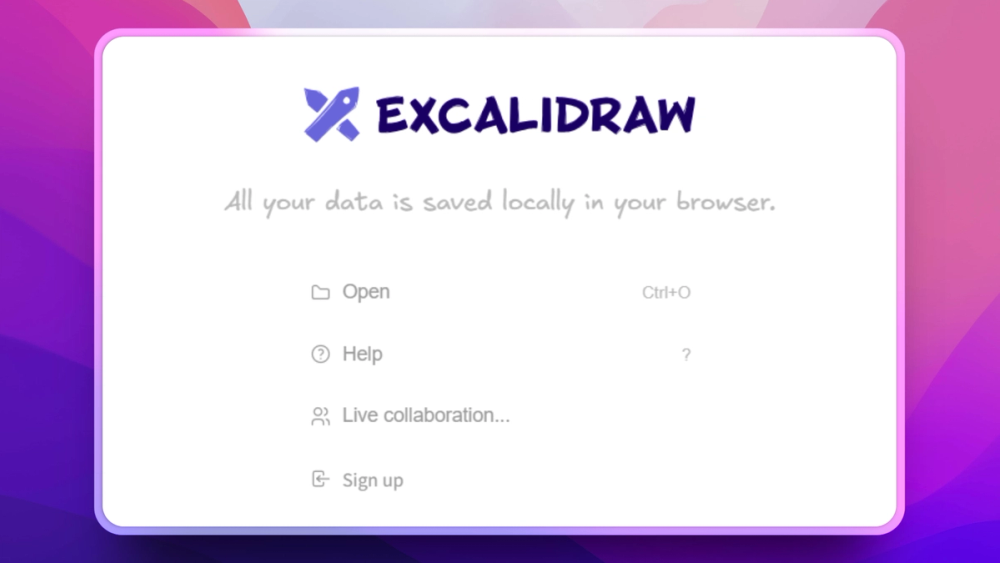
Best for teams who want a free, fast, privacy-respecting whiteboard without account registration or per-seat pricing.
Excalidraw is the most popular open source whiteboard tool by a wide margin, with 90,000+ GitHub stars, used by individual developers and enterprise engineering teams alike. The hand-drawn aesthetic makes diagrams feel approachable (removing the "this is a finished design" misinterpretation), the tool is genuinely fast, and the collaboration model is clever: end-to-end encrypted rooms where the server never sees your content.
The hosted version at excalidraw.com is free with no account required. Share a link, collaborate in real time, export to PNG or SVG. Done. The server only stores AES-GCM encrypted ciphertext; the decryption key lives in the URL fragment, which browsers never send to servers. Even if the excalidraw.com server were compromised, your diagrams would be protected.
For teams that need persistent rooms and team management, Excalidraw+ offers a $7/month hosted plan. For self-hosting, the MIT-licensed source code runs as a static web app, deployable to Cloudflare Pages, Netlify, Vercel, or any nginx server. The collaboration backend (excalidraw-room) is an optional Node.js WebSocket server you run separately.
Excalidraw has built an ecosystem of integrations: official integrations with Notion, Confluence, Obsidian, Logseq, and VS Code. Community-contributed shape libraries cover UI wireframing, AWS architecture, Kubernetes diagrams, and more.
Key Features
- Infinite canvas with distinctive hand-drawn aesthetic
- Shape library: rectangles, ellipses, diamonds, arrows, text, connectors, freehand drawing
- End-to-end encrypted collaboration: the server stores encrypted data it can never read
- No account required: share a link and collaborate immediately
- Export to PNG, SVG, JSON: the JSON format is a restorable source file
- Embeddable: drop into Notion, Obsidian, Confluence, and more via official integrations
- Community libraries: contributed shape libraries for UI wireframing, cloud architecture, UML
Pros
- Best "zero friction" collaboration: no signup, no credit card, just share a link
- E2E encryption is a genuine privacy feature, not marketing
- 90k+ stars and active community guarantee long-term maintenance
- MIT license: self-host, modify, redistribute without restriction
Cons
- Hand-drawn aesthetic isn't for everyone; diagrams look "sketchy" by design
- No template library as rich as Miro's
- Real-time collaboration requires session link sharing, with no persistent workspace without Excalidraw+
Self-Hosting
Static web app (React + Vite). Deploy to any static hosting. Optional: run excalidraw-room (Node.js WebSocket server) for the collaboration backend. Works entirely locally without the collaboration server.
License: MIT | GitHub Stars: 90k+
View Excalidraw on Open Source Alternatives
2. AFFiNE: Whiteboard + Document Workspace
Best for teams who want Miro-style whiteboard features integrated with a document workspace, where diagrams and written notes live in the same tool.
AFFiNE combines infinite canvas whiteboard features with a full document and note-taking workspace. You can start a brainstorm session on the whiteboard canvas, then continue the same project as a structured document, all within a single page, switching between "edgeless" canvas mode and structured page mode without losing content.
This integrated approach solves the "sync between Miro and Notion" problem. Instead of whiteboard in one tool and documentation in another, AFFiNE treats both as views of the same content blocks. Sticky notes on the canvas are the same objects as paragraphs in the page view.
AFFiNE is explicitly local-first: your data lives on your device, not a vendor's cloud. The desktop app (available for macOS, Windows, and Linux) works completely offline. Self-hosted sync is available via Docker Compose for teams that want cloud backup without giving data to AFFiNE's servers.
With 50,000+ GitHub stars and an active development pace, AFFiNE is maturing rapidly. The whiteboard mode is less feature-complete than Excalidraw for pure diagramming, but the unified workspace is genuinely useful for teams that move between planning and documentation.
Key Features
- Edgeless canvas mode: infinite whiteboard with shapes, connectors, freehand, sticky notes
- Page mode: structured document editor with the same blocks as the canvas
- Unified blocks: switch any content between canvas and page view without data loss
- Local-first architecture: full offline functionality, data stays on device
- Offline-first: works completely without internet connection
- Database blocks: table, kanban, and list views for structured data within documents
- Self-hosted sync: Docker Compose deployment for team collaboration without cloud dependency
- AI assistant: integrated AI for writing and summarization (optional)
Pros
- Unique integration of whiteboard + documents solves the Miro + Notion fragmentation
- Local-first means no mandatory cloud account and data portability you control
- Beautiful, modern interface that feels polished
- MIT license: fully open source with no commercial use restrictions
Cons
- Whiteboard feature set less mature than dedicated tools like Excalidraw for complex diagramming
- Mobile support still developing (desktop-first experience)
- Self-hosted sync requires more setup than Excalidraw's link-sharing model
- Database and collaboration features still maturing in some areas
Self-Hosting
Docker Compose deployment for the self-hosted AFFiNE server (sync + storage). AFFiNE Cloud free tier available with generous limits. Desktop apps for all platforms work entirely offline.
License: MIT | GitHub Stars: 50k+
View AFFiNE on Open Source Alternatives
3. draw.io: Technical Diagramming for Engineers
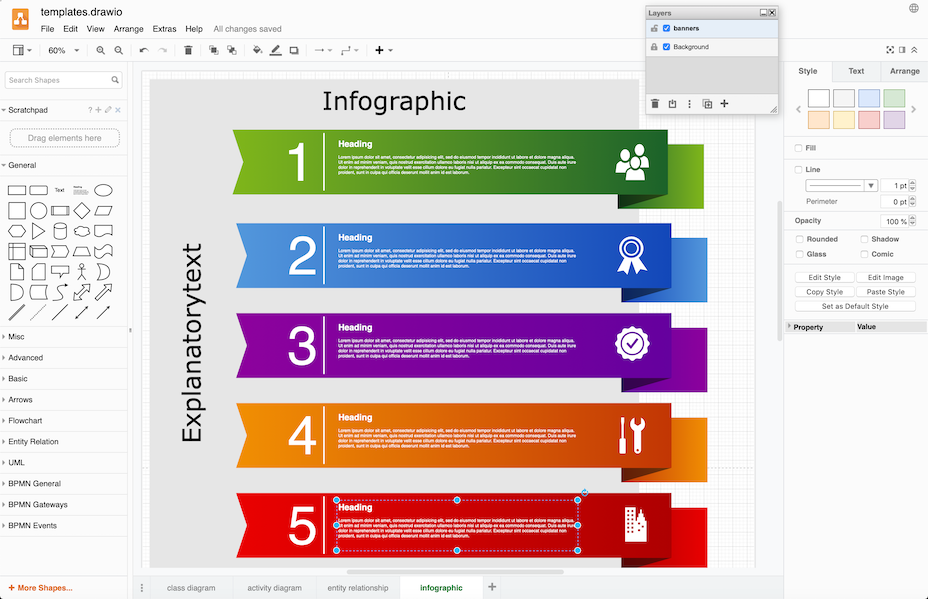
Best for engineering teams who need structured technical diagrams, including flowcharts, UML, entity-relationship diagrams, network topology, and architecture diagrams, rather than freeform sketching.
draw.io (now branded as diagrams.net) is a different kind of whiteboard tool. Where Excalidraw and AFFiNE excel at freeform brainstorming and sketching, draw.io is purpose-built for structured technical diagrams. It ships with hundreds of diagram templates and thousands of shapes: BPMN, UML, network topology, AWS/Azure/GCP architecture, Kubernetes, database entity-relationship, org charts, and more.
The tool has been around since 2005 and is one of the most widely used open source diagramming tools globally. It integrates with Confluence, Jira, GitHub, VS Code, and Google Drive. The VS Code integration adds real-time collaborative editing. The Confluence plugin is a direct alternative to Gliffy or Lucidchart within Atlassian's ecosystem.
draw.io works entirely in the browser, with no installation required. Files are saved as XML (.drawio files), which are version-controllable and renderable in GitHub preview. For teams that store technical diagrams in code repositories alongside the systems they describe, this is a significant practical advantage over screenshot-based approaches.
Key Features
- Extensive shape libraries: UML, BPMN, AWS/Azure/GCP, network, Kubernetes, ERD, org charts
- Template gallery: hundreds of pre-built diagram templates
- Multiple export formats: SVG, PNG, PDF, XML, HTML embed
- Integrations: Confluence, Jira, GitHub, VS Code, Google Drive, Notion
- Self-hosted: runs as a static web app or Docker container
- Version control-friendly: XML file format is diff-able and GitHub-renderable
- Offline use: runs fully in browser without internet after initial load
Pros
- Most complete shape library of any open source whiteboard/diagramming tool
- Excellent for technical architecture diagrams that need precise structure
- Long history (since 2005) and very large community
- Apache 2.0 license: true open source with broad commercial use rights
- Diagrams stored as XML are portable and version-controllable
Cons
- Interface is more complex than Excalidraw, with a learning curve for the shape library
- Freehand drawing is not a focus; it's better for structured diagrams than brainstorming
- Real-time multiplayer collaboration is limited compared to Excalidraw or AFFiNE
Self-Hosting
Static web app (HTML/JS). Deploy to any web server or CDN. Docker image available. VS Code extension for desktop use. Google Drive integration for cloud storage.
License: Apache 2.0 | GitHub Stars: 40k+
View draw.io on Open Source Alternatives
Which Whiteboard Tool Is Right for You?
| Use Case | Best Choice |
|---|---|
| Quick team brainstorm, no setup | Excalidraw |
| Need E2E privacy for sensitive diagrams | Excalidraw |
| Combined whiteboard + documentation workspace | AFFiNE |
| Technical flowcharts and architecture diagrams | draw.io |
| UML, BPMN, network topology diagrams | draw.io |
| Internal self-hosted whiteboard | Excalidraw or AFFiNE |
| Offline-first team workspace | AFFiNE |
| Confluence-integrated diagramming | draw.io |
| Embedding whiteboard in a React app | tldraw (note: non-OSI license) |
Self-Hosting Guide
All three OSI-licensed tools run on a single $10-20/month VPS or can be deployed to free static hosting:
Excalidraw: Static web app. Deploy the excalidraw repo to Cloudflare Pages, Vercel, or Netlify. For collaboration, also deploy excalidraw-room (Node.js WebSocket server). Most teams deploy just the static frontend and use the encrypted link-sharing for collaboration.
AFFiNE: Docker Compose deployment. Run docker-compose up to launch the AFFiNE sync server and storage backend. The desktop app can work with your self-hosted server or fully offline.
draw.io: Static HTML/JS web app. Copy the src directory to any web server. Also available as a Docker image for simpler deployment. No database required; diagrams are stored as files.
None of these tools require paying for a license to self-host. The only cost is the infrastructure.
Security considerations for self-hosted whiteboards: Run the whiteboard behind a VPN or with authentication if the boards contain sensitive information. Excalidraw's E2E encryption protects collaboration room content even when self-hosted, but the server still knows which IP addresses accessed which room. AFFiNE and draw.io self-hosted instances should be deployed behind authentication (nginx basic auth or a reverse proxy with SSO) if the content is not intended to be public. For teams with strong data residency requirements, all three tools can run in an air-gapped environment with no external network access.
Frequently Asked Questions
Is Excalidraw really free with no limits?
Yes. Excalidraw.com is completely free: unlimited boards, unlimited collaborators, no account required. The MIT-licensed source code is free to self-host. The only paid offering is Excalidraw+ ($7/month), a cloud workspace with persistent rooms and team management. Self-hosting via the open source repo costs nothing beyond infrastructure.
Can I use these tools offline?
Excalidraw works fully offline as a static web app (no server required for single-user use). AFFiNE is explicitly designed as an offline-first tool with full functionality without internet. draw.io also runs fully in-browser without internet after initial load. For collaboration, all three require a sync server connection, but solo use is fully offline.
How does Excalidraw's end-to-end encryption work?
Excalidraw collaboration rooms use AES-GCM encryption. The encryption key is included in the URL fragment (the #key part), which browsers never send to servers as part of HTTP requests. The server only stores encrypted ciphertext it cannot decrypt. Even if excalidraw.com's server were compromised, your diagrams would be protected; the attacker would only see unreadable ciphertext.
What is the difference between Excalidraw and draw.io?
Excalidraw is best for freeform brainstorming, quick sketches, and collaborative whiteboarding where the hand-drawn aesthetic helps lower the stakes of a rough diagram. draw.io is best for precise technical diagrams (UML, flowcharts, entity-relationship diagrams, architecture diagrams) where you need exact shapes, connectors with labels, and structured layouts. For most engineering teams, the tools complement each other rather than compete.
Can I embed these whiteboard tools in other apps?
Excalidraw has official integrations with Notion, Confluence, Obsidian, Logseq, and VS Code. It can be embedded as an iframe or as a React component. draw.io has Confluence and Jira plugins, a VS Code extension, and integrations with Google Drive and GitHub. AFFiNE is not primarily designed for embedding in other tools.
What about tldraw: why isn't it in the OSA directory?
tldraw is an excellent whiteboard canvas SDK for React developers. However, the current tldraw license (tldraw 1.0) is a custom source-available license that restricts commercial use without a paid license. It is not OSI-approved. OSA lists only OSI-approved open source tools (per OPE-151). For building whiteboard functionality into a commercial React application, tldraw requires a commercial license from the tldraw team.
Do these tools support real-time collaboration?
All three support real-time collaboration. Excalidraw's collaboration uses E2E-encrypted rooms: share a link and multiple users can edit simultaneously. AFFiNE uses its own sync protocol for real-time collaboration, available on AFFiNE Cloud or a self-hosted server. draw.io has real-time collaboration via the VS Code extension and Google Drive integration.
Can I export diagrams as SVG for use in documentation?
Yes, all three tools export to SVG. Excalidraw exports the current scene to SVG or PNG. draw.io exports to SVG, PNG, PDF, and HTML embed. AFFiNE exports pages and canvas content to SVG and PDF. draw.io's SVG export is particularly clean for technical diagrams that need to be included in documentation or presentations.
Are there templates available for common diagram types?
draw.io has the largest template library of the three tools: hundreds of pre-built templates for flowcharts, UML, BPMN, AWS/Azure/GCP architecture, network topology, Kubernetes, org charts, and more. Excalidraw has community-contributed shape libraries (available in the library browser) for UI wireframing, cloud architecture, and other common types. AFFiNE has templates for documents and some canvas layouts.
Can I migrate existing Miro or FigJam boards to an open source tool?
There is no direct import path from Miro or FigJam to Excalidraw, AFFiNE, or draw.io. Miro boards can be exported as PDF or PNG for archiving. For practical migration, most teams export existing boards as images and recreate active diagrams in the open source tool as projects naturally evolve. This sounds like friction, but in practice it rarely blocks adoption: most whiteboard content has a short active lifespan and teams start fresh rather than porting months of accumulated sticky notes. The more important long-term consideration is that data stored in a self-hosted open source whiteboard is always exportable and under your control, regardless of what the vendor does with pricing or features in the future.
What license do these tools use and can I use them commercially?
Excalidraw (MIT) and AFFiNE (MIT) have no commercial use restrictions. Self-hosting them for any commercial purpose is fully permitted. draw.io (Apache 2.0) is also free for commercial use. tldraw uses a custom non-OSI license that restricts commercial use; review the tldraw license at their GitHub repository before using it in a commercial product.