
Engineering teams sketching architecture
Excalidraw is quick for system diagrams and incident walkthroughs.
Skip if:
you need formal modeling notation with validation.

Open source alternative to Miro, FigJam, Lucidchart and Microsoft Whiteboard
Last verified
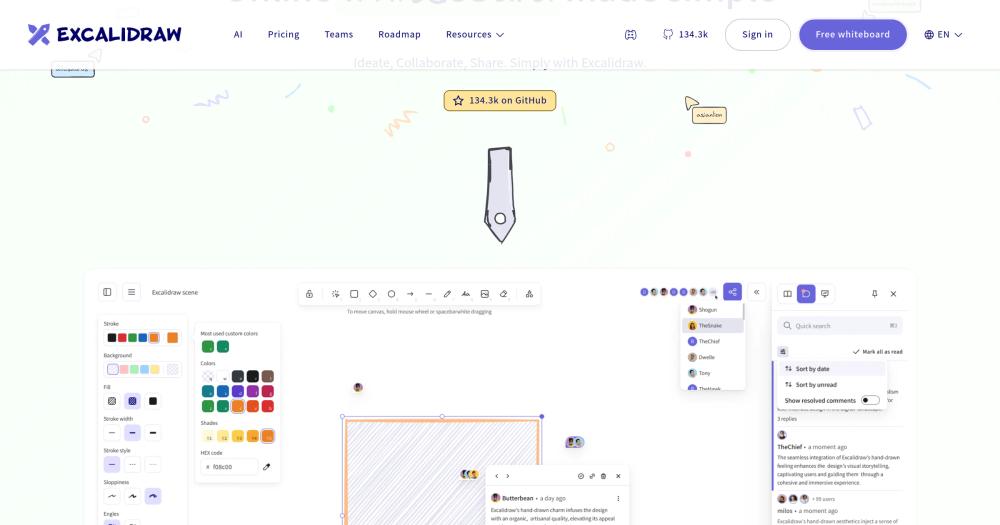
Collaborate on diagrams, wireframes, and whiteboards in an open source canvas with end-to-end encrypted sessions and MIT-licensed self-hosting.
Excalidraw is quick for system diagrams and incident walkthroughs.
you need formal modeling notation with validation.
the canvas supports fast wireframes and workshop sketches.
your workflow requires deep Figma integration and design-system components.
the npm package can add Excalidraw to internal tools.
you only need static diagrams exported from another app.
Whiteboard SaaS tools are useful until diagrams become sensitive, seat pricing grows, or exported files stop fitting the team's workflow. Product sketches, architecture diagrams, and incident notes often contain internal detail that should not live only inside a proprietary workspace.
Teams also need speed. For early diagrams, polished vector tools can slow down the conversation, while heavy collaboration suites add setup before anyone can sketch the idea.
Hand-drawn style canvas keeps diagrams informal enough for brainstorming, architecture sketches, and early wireframes.
Collaborative whiteboarding supports team sessions, with end-to-end encrypted collaboration noted by the project.
Browser-based editor works without installing a desktop design tool.
Embeddable `@excalidraw/excalidraw` package lets developers add the whiteboard to their own apps.
MIT license supports self-hosting, modification, and commercial embedding.
Deploy the Excalidraw client on any web server or edge host. For self-hosting with Docker, run the official image first, then add the optional room server if you want multiplayer collaboration on your own domain.

```bash
docker run --rm -p 3000:80 excalidraw/excalidraw:latest
git clone https://github.com/excalidraw/excalidraw-room.git
```Yes. Excalidraw is MIT licensed, and the editor is available as an open source project. The hosted product also offers paid options for additional team workflows.
Excalidraw can replace Miro for lightweight whiteboarding, architecture sketches, wireframes, and async visual notes. Miro remains stronger for large workshop programs, enterprise templates, and deep facilitation features.
Yes. The project publishes @excalidraw/excalidraw as an npm package for embedding the editor in web applications.

Alternative to Napkin AI
Editorial diagrams for Claude Code, no Figma or Mermaid required

Alternative to Eraser.io
Local-first AI diagramming tool for developers and builders

Alternative to Lucidchart
Create portable diagrams without vendor lock-in

Alternative to Figma
Figma
Open source collaborative UI design and whiteboard workspace

Alternative to SqlDBM
Free open source database diagram editor and visualizer

Alternative to CleanShot X
Free open-source screenshot and recorder for macOS
Run Excalidraw on your own server
Hostinger sets Excalidraw up as a one-click app on a VPS.
Deploy on HostingerFeatured

Alternative toClaude Managed Agents
Open-source agent deployment API. Self-host or use Omnara Cloud.

Alternative to Superhuman
AI email assistant that drafts replies and clears your inbox

Alternative to Grok Bot
AI teammates you own: your keys, your model, your machine.
The projects we add and every new guide. Free, unsubscribe any time.
 Claude Code to
  OpenCode
 Jira to
  Windshift
 Notion to
  AppFlowy
 Slack to
  Mattermost
 Linear to
  GitLab
 Wispr Flow to
  Handy
Handy CapCut to
  Concat
 Grok Bot to
  rakazo
 Superhuman to
  Inbox Zero
 Airtable to
  AITable
 Muse to
  OpenClaw
 Railway to
  Coolify
 GitHub Copilot to
  Cline
Cline Datadog to
  Netdata
 Microsoft Teams to
  Rocket.ChatConfluence to
  Docmost
 Pinecone to
  Qdrant
 Zapier to
  n8n
n8n Devin AI to
  OpenHands
 Firebase to
  Supabase
 1Password to
  KeePassXC
 Contentful to
  Strapi
 Adobe Premiere Pro to
  Shotcut
 ChatGPT to
  AnythingLLM


