

Who Chatwoot is for#
Startups replacing Intercom chat
Use Chatwoot when you need live chat and shared support inboxes without handing all support data to a hosted vendor.
Skip if:
Skip it if your team wants a fully managed customer engagement suite with vendor-run deliverability and enterprise support.
Support teams consolidating inboxes
Use Chatwoot when email, chat, and social messages need one operational queue with assignments and internal notes.
Skip if:
Skip it if your workflow depends on advanced call-center routing or deep enterprise CRM contracts.
The problem it solves#
Customer conversations often end up scattered across live chat, support email, social channels, and internal notes. Hosted helpdesks solve the routing problem, then introduce a new dependency: support data, customer history, and pricing all sit inside a vendor account. For early teams, seat-based billing can climb before support operations are mature enough to justify a large helpdesk contract.
The harder problem is control. Support transcripts contain billing details, user complaints, product requests, and sensitive operational context. Teams that need to own retention, hosting region, and integration behavior need a helpdesk they can operate closer to their own systems.
How it solves it#
Shared inbox across channels
Bring live chat, email, and social conversations into a single agent workspace. Support teams can route, assign, and respond without forcing customers into one channel.
Help center and self-service content
Publish knowledge base articles so common questions can be answered before they become tickets. This reduces repetitive agent work and gives customers a public support path.
Automation and AI-assisted support
Use automations, labels, assignment rules, and assistant features to triage conversations faster. The value is not replacing agents; it is keeping high-volume queues from turning into manual sorting work.
Strengths and trade-offs#
Strengths
- Self-hostable support stackUnlike Zendesk or Intercom, Chatwoot can run on infrastructure you control. That helps teams with customer-data residency needs, internal compliance requirements, or integration patterns that hosted helpdesks do not expose.
- Broad channel coverage without enterprise lock-inChatwoot covers the common support mix: website chat, email, social inboxes, and help center content. Teams can start with core support operations before committing to a larger customer engagement suite.
Trade-offs
- -Operations move to your teamSelf-hosting Chatwoot means your team owns upgrades, backups, email delivery, uptime, and scaling. Hosted support suites remain simpler when you want a vendor to absorb infrastructure and compliance operations.
Chatwoot vs alternatives#
Chatwoot vs Zendesk
Chatwoot is a stronger fit when a team wants shared inbox support, live chat, help center content, and social messaging with a self-hosted deployment option. Zendesk is stronger for teams that need a mature hosted support suite, enterprise procurement, vendor-run uptime, and a larger app marketplace. The practical choice is control versus managed depth: Chatwoot keeps the core support workflow closer to your infrastructure, while Zendesk reduces operational work.
What it's built on#
- Languages
- JavaScriptRuby
- Frameworks
- RailsVue
- Databases
- PostgreSQL
- Infrastructure
- Docker
- Cache
- Redis
FAQ#
What does Chatwoot replace?
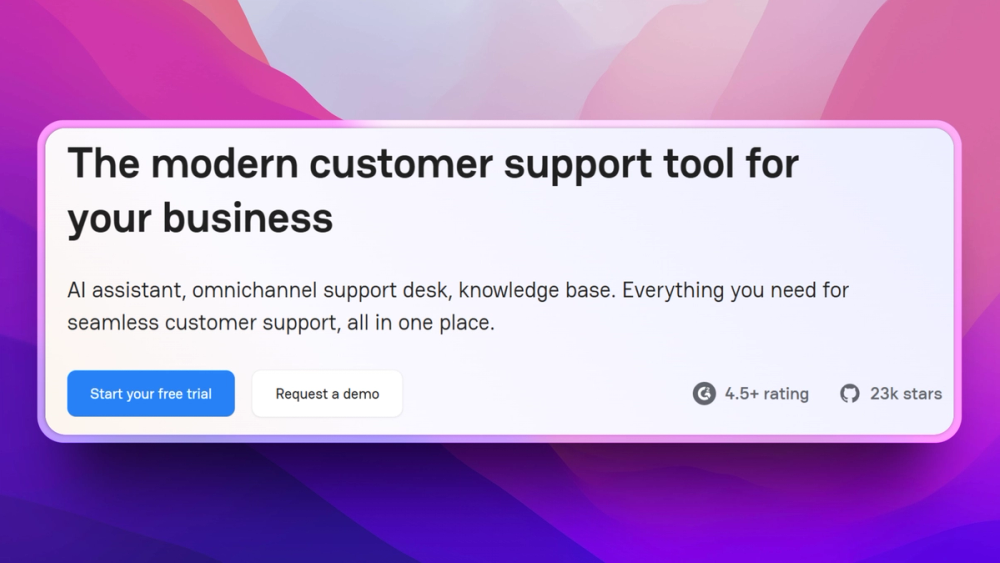
Chatwoot replaces the shared inbox, live chat, help center, and customer conversation parts of tools like Zendesk and Intercom. It is not a full CRM replacement by itself.
Is Chatwoot self-hosted?
Yes. Chatwoot offers a self-hosted path in addition to hosted options, so teams can run the support workspace on their own infrastructure when they need data ownership or deployment control.
What license does Chatwoot use?
This draft does not make a license claim because the current item record lists NOASSERTION rather than a verified SPDX license. Confirm the current upstream license before commercial redistribution or modified SaaS use.
Similar open-source tools#

UVdesk
Helpdesk and ticketing on PHP/Symfony with workflow automation

Vela
OpenStreetMap and Google data, no account, no Play Services

FckSignups
Open-source tools that work instantly, no signup required

Inbox Zero
AI email assistant that drafts replies and clears your inbox

WeKnora
Self-hosted knowledge base with RAG search, AI agent, and wiki

Diction
iOS keyboard with self-hosted speech-to-text, no word limits