

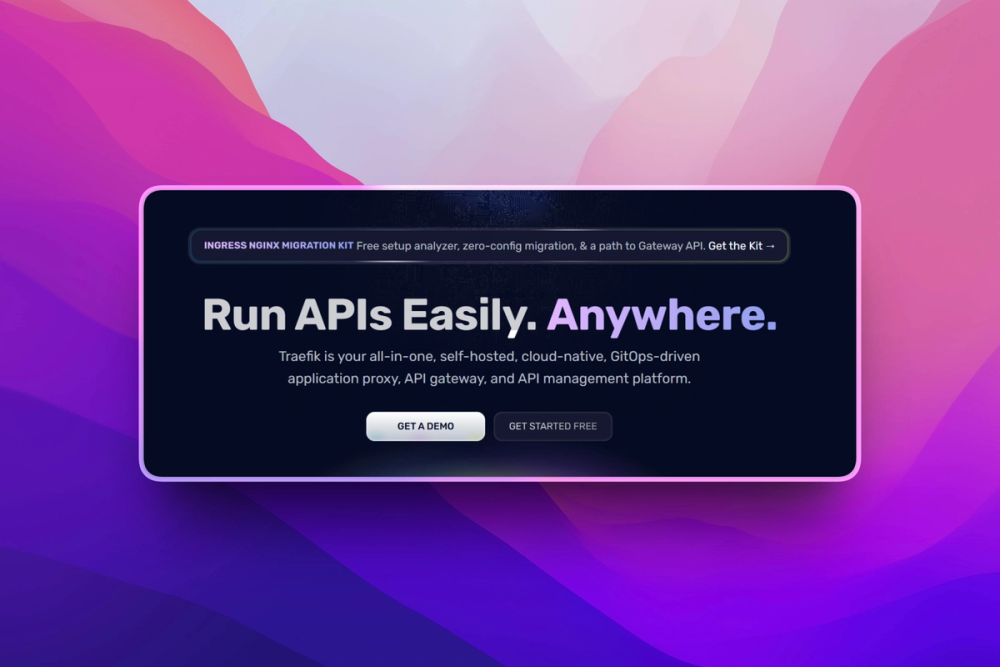
Who Traefik is for#
Platform engineers managing Kubernetes ingress
Use Traefik as a Kubernetes ingress controller through Gateway API, Kubernetes Ingress, or Traefik CRDs. It helps platform teams centralize routing, TLS, middleware, and service discovery while keeping route definitions in cluster-native resources.
Skip if:
Your cluster already standardizes on another ingress controller and you only need basic static HTTP routing. A migration adds operational work unless Traefik's discovery, TLS, or middleware model solves a current pain.
DevOps teams exposing Docker services
Use Traefik with Docker Compose or Docker Engine when self-hosted apps need host-based routing and automatic discovery from container labels. New services can publish routes without hand-editing a shared proxy file.
Skip if:
You run only one or two services on a single host and rarely change routes. Caddy or a small Nginx config may be simpler for that scale.
Teams replacing hand-edited Nginx configs
Use Traefik when proxy reloads, duplicated config snippets, and certificate scripts have become a deployment bottleneck. Service labels and provider-backed routing reduce the number of manual steps between deployment and public traffic.
Skip if:
Your Nginx setup depends on custom modules, hand-tuned caching, or low-level config patterns that Traefik does not replicate directly.
API teams needing multi-protocol edge routing
Use Traefik when one edge layer needs to route HTTP, HTTP/2, HTTP/3, TCP, UDP, WebSockets, and gRPC traffic. It fits teams that want infrastructure-native routing before adopting a larger API management platform.
Skip if:
You need a fully managed API product portal, billing, developer onboarding, or governance workflow. Traefik Proxy is the traffic layer, not a hosted API business platform.
The problem it solves#
Reverse proxy config becomes fragile when services change faster than operators can edit files. Container and Kubernetes teams add, scale, rename, and remove services throughout the day, but traditional proxy workflows still depend on static route definitions, reload steps, and separate certificate automation. The result is drift: a container is healthy, but the edge proxy does not know how to reach it.
The pain gets worse across mixed environments. Docker labels, Kubernetes resources, service registries, TLS certificates, observability hooks, and middleware rules all need to stay aligned. If each part lives in a different config workflow, platform teams spend time chasing routing mistakes instead of shipping reliable deployments.
How it solves it#
Automatic service discovery
Traefik watches providers such as Docker, Kubernetes, Swarm, Consul, etcd, ECS, and file configuration, then builds routes from the infrastructure state it sees. A Docker service can expose itself with labels, while Kubernetes teams can use Ingress, CRDs, or Gateway API resources.
Dynamic routing without restarts
Traefik updates routing configuration continuously as services start, stop, scale, or change. The README calls out configuration updates with no restarts, which matters when deployments happen many times per day.
Built-in TLS automation
Traefik can provision and renew certificates through ACME providers such as Let's Encrypt, including wildcard certificate support. Teams can route HTTPS traffic without maintaining a separate certbot workflow for each service.
Multi-protocol traffic handling
Traefik handles HTTP, HTTP/2, HTTP/3, TCP, UDP, WebSockets, and gRPC traffic. That lets one edge proxy cover browser apps, APIs, streaming connections, and lower-level services instead of splitting traffic across multiple tools.
Dashboard, metrics, and tracing
Traefik includes a dashboard plus metrics and tracing integrations for Prometheus, Datadog, InfluxDB, StatsD, OpenTelemetry, Jaeger, and Zipkin. Operators can inspect routers, services, middleware, and traffic behavior from the same proxy layer.
Strengths and trade-offs#
Strengths
- MIT license with simple deploymentTraefik ships under the MIT license as a Go binary and official Docker image. Teams can run the open source proxy on their own infrastructure without negotiating a commercial license for basic ingress, load balancing, and TLS automation.
- Discovery-first routing modelTraefik is built around provider APIs rather than static proxy files. Compared with manually edited Nginx configs, Docker labels and Kubernetes resources keep routing closer to the services that need exposure.
- Works across Docker and KubernetesTraefik fits local Docker Compose stacks, Kubernetes clusters, Docker Swarm, ECS, and service registries. That range helps teams keep one routing model while moving from a single host to orchestrated production environments.
- Open source core with commercial support availableThe core proxy is open source, while Traefik Labs sells support and higher-level products separately. Teams can start with the MIT proxy and add vendor support later if production operations require it.
Trade-offs
- -Provider access needs careTraefik's Docker quick start mounts `/var/run/docker.sock` so the proxy can discover containers. That access is convenient, but it is also sensitive infrastructure access, so production teams should scope it deliberately and follow the provider security guidance.
- -The insecure dashboard is for developmentThe Docker quick start enables `--api.insecure=true` to expose the dashboard on port 8080, and the docs explicitly warn not to use that flag in production. Production deployments need authenticated or otherwise restricted dashboard access.
- -Major upgrades need migration planningThe README warns users to check migration guides before major version upgrades because breaking changes can apply. Teams running older Traefik releases should budget time to review routers, middleware, providers, and certificate settings before upgrading.
- -Not a hosted API management suite by itselfTraefik Proxy handles routing, ingress, middleware, TLS, metrics, and load balancing. Teams that need a hosted control plane, API product lifecycle workflows, governance, or enterprise support may need Traefik Hub or another paid gateway on top.
Traefik vs alternatives#
Traefik vs AWS API Gateway and Kong Konnect
Traefik is closest to proprietary gateways when the core job is ingress, service discovery, TLS termination, middleware, and load balancing for infrastructure you run. AWS API Gateway and Kong Konnect are stronger fits when a team wants a managed control plane, vendor-hosted API management workflows, or less responsibility for operating the gateway layer.
| Criterion | Traefik Proxy | AWS API Gateway / Kong Konnect |
|---|---|---|
| License and hosting | MIT, self-hosted | Proprietary managed services |
| Service discovery | Docker, Kubernetes, Swarm, ECS, Consul, etcd, file providers | Usually configured through cloud or platform control planes |
| Protocol coverage | HTTP, HTTP/2, HTTP/3, TCP, UDP, WebSockets, gRPC | Varies by vendor and product tier |
| Best fit | Platform-owned routing for containers and clusters | Hosted API management, account-level governance, and vendor support |
Choose Traefik when your main pain is keeping edge routing synchronized with Docker, Kubernetes, or hybrid infrastructure. Choose a paid gateway when your team needs managed API lifecycle features more than direct control of the proxy runtime.
Quick start#
# docker-compose.yml
services:
  traefik:
    image: traefik:v3.7
    command:
      - "--api.insecure=true"
      - "--providers.docker=true"
      - "--entrypoints.web.address=:80"
    ports:
      - "80:80"
      - "8080:8080"
    volumes:
      - /var/run/docker.sock:/var/run/docker.sock
```

```bash
docker-compose up -dWhat it's built on#
- Languages
- GoTypeScript
- Frameworks
- React
- Infrastructure
- DockerKubernetes
FAQ#
Is Traefik open source?
Yes. Traefik Proxy is open source under the MIT license, and the official GitHub repository identifies MIT as the project license. Traefik Labs also sells commercial support and related products, but the core proxy can run self-hosted without a license fee.
How is Traefik different from Nginx?
Traefik reads routing configuration from providers such as Docker and Kubernetes, while Nginx commonly relies on static config files and reloads. Traefik is usually a better fit when services change often and the proxy needs to follow orchestrator state automatically.
Can Traefik run with Docker Compose?
Yes. The official Docker quick start uses a traefik service, exposes ports 80 and 8080, enables the Docker provider, and mounts the Docker socket for container discovery. Services can then publish routes with Traefik labels.
Can Traefik run on Kubernetes?
Yes. The official Kubernetes quick start covers Helm-based installation and exposes sample apps through Traefik resources. Traefik supports Kubernetes Ingress, Kubernetes CRDs, and Gateway API workflows.
Is `--api.insecure=true` safe for production?
No. The Docker quick start uses --api.insecure=true only to expose the dashboard during setup, and the docs warn not to enable that flag in production. Restrict dashboard access before using Traefik on a real network.
Similar open-source tools#

Nginx
Serve static files, proxy requests, terminate TLS, and cache content.

FckSignups
Open-source tools that work instantly, no signup required

CodeBoarding
Review code changes as architecture maps, not line diffs

servers
Open reference servers for connecting AI to external tools and data

FxEmbed
Rich X and Bluesky embeds for Discord and Telegram

jsreport
JavaScript report server with PDF, Excel, DOCX, and HTML output