
The best free open source CRM software runs on a $20/month VPS with unlimited users and zero licensing fees. Salesforce Enterprise costs $175 per user per month, or $21,000 per year for a 10-person team, before implementation, before training, before AppExchange add-ons. The Unlimited tier runs $350/user/month. Most teams start on a cheaper plan and migrate up once they realize what's missing.
HubSpot isn't softer on the wallet. The Sales Hub Professional plan runs $90 per seat per month, plus a mandatory $1,500 onboarding fee just to start. One HubSpot customer summed it up on a community forum: "To restrict features part way through the year and then ask us to pay to restore them feels like a slap in the face." That's a common story. You grow into the platform, then the platform grows the price.
The math in the other direction is dramatic. A self-hosted Twenty installation runs on a $20/month VPS, with unlimited users. That's $240 per year. The 10-person team paying $21,000 to Salesforce can switch, keep all pipeline data on their own servers, and save over $20,000 annually. One Twenty customer, AC&T, reported cutting CRM costs by 90% or more after switching from a proprietary platform to self-hosted Twenty.
I evaluated seven open source CRMs that can genuinely replace Salesforce or HubSpot for most teams. They span the full spectrum: a modern developer-first CRM with native AI-agent integration, a full-featured SMB platform with zero-code configuration, an enterprise-grade Salesforce fork used by 5 million organizations, a combined ERP+CRM for businesses that need invoicing alongside pipeline management, and a nonprofit-specific platform built over 20 years for membership and donor management.
TL;DR: Twenty (official site) is the top pick for most teams in 2026. It has 45,500 GitHub stars, Cloud workspaces ship with a native MCP server for AI-agent integration with Claude, ChatGPT, and Cursor, and starts at $9/user/month on the cloud or free when self-hosted. EspoCRM is the best runner-up for SMBs that want full CRM functionality (sales, marketing, and customer support) with zero-code admin configuration and no Docker experience required.
Key Takeaways:
- Top pick for most teams: Twenty: modern UI, native AI integration via MCP (Cloud), 45K+ GitHub stars, free self-hosted
- Best for enterprise features without coding: EspoCRM: most complete no-code customization of any open source CRM
- Best for Salesforce feature depth: SuiteCRM: AGPL-3.0 fork of SugarCRM, 5M+ users, full enterprise feature set
- Best ERP + CRM combo for SMBs: Dolibarr: all-in-one: invoicing, inventory, HR, and CRM in one modular platform
- Best for nonprofits: CiviCRM: purpose-built for associations, advocacy orgs, and fundraising
- Best for manufacturing teams: ERPNext: deep inventory, supply chain, and CRM integration on one framework
- Best free CRM for startups: Twenty self-hosted or EspoCRM self-hosted: both are zero-cost to license, run on commodity VPS hardware
Quick Comparison
| Tool | License | Self-Hosted | Setup Difficulty | Best For | GitHub Stars |
|---|---|---|---|---|---|
| Twenty | AGPL-3.0 + commercial | Yes (Docker) | Medium | Developer-led startups, Salesforce replacement | 45,500 |
| EspoCRM | AGPL-3.0 | Yes (Docker/LAMP) | Low to Medium | SMBs wanting zero-code setup | 2,900 |
| SuiteCRM | AGPL-3.0 | Yes (LAMP) | Medium to High | Enterprise feature depth, Salesforce parity | 5,400 |
| Dolibarr | GPL-3.0 | Yes (one-click) | Medium | SMBs needing CRM + invoicing + inventory | 7,200 |
| Odoo CE | LGPL-3.0 | Yes | Medium | Teams already on Odoo ERP | 50,500 |
| ERPNext | GPL-3.0 | Yes (Frappe) | Medium to High | Manufacturing and supply chain teams | 33,500 |
| CiviCRM | AGPL-3.0 | Via CMS plugin | Medium to High | Nonprofits, associations, advocacy orgs | N/A |
What to Look For in a Self-Hosted Open Source CRM
Not all open source CRMs are equivalent. Here's the criteria I used to evaluate these seven tools:
Data portability. Your CRM data should live in a standard relational database (PostgreSQL or MySQL) that you can query, export, or migrate without vendor involvement. Tools that lock data into proprietary formats create the same exit problem as Salesforce.
API access. A usable CRM has a full REST or GraphQL API. This is non-negotiable for connecting to email, calendar, marketing tools, and custom integrations. Some "free" tiers limit API access; read the fine print.
Self-hosting difficulty. Docker Compose setups are standard now. LAMP stack deployments require more configuration. Rate these on a realistic scale for a team with one developer or a technically capable ops manager, not a DevOps specialist.
No-code customization. Can a non-developer add a custom field, change a pipeline stage name, or modify a form layout? The best open source CRMs have full admin UIs. The worst require editing PHP files.
Active maintenance cadence. GitHub star count is a signal, but commit frequency, release cadence, and issue response time matters more for long-term risk. A CRM you can't upgrade safely becomes a liability.
1. Twenty: Best Overall Open Source CRM
Twenty has done something unusual in open source software: it built a genuinely modern product in a category dominated by aging PHP applications. At 45,500 GitHub stars, up from roughly 20,000 stars twelve months ago, and it is the fastest-growing CRM in this list. The community momentum is not just a vanity metric. It signals active contributors, faster bug fixes, and lower long-term abandonment risk.
The Twenty 2.0 release added the feature that no other CRM comparison article has covered: every Cloud workspace ships with a native MCP (Model Context Protocol) server. Claude, ChatGPT, Cursor, and other AI agents can interact directly with your CRM data through this integration. Ask your AI assistant to find all deals over $50K untouched in 30 days and draft follow-up emails. The MCP integration is not a plugin; it is built into every Cloud workspace.
View Twenty on Open Source Alternatives
Key Features
- Customizable data model: create custom objects and fields the same way Salesforce does, without the licensing bill
- Native MCP server (Cloud): AI agents connect directly to your CRM data for automated workflows
- API-first architecture: full GraphQL and REST APIs; every action in the UI is available via API
- Role-based access control: fine-grained permissions for team members, sales reps, and admins
- Docker Compose self-hosting: documented, reproducible deployment on any Linux VPS
- Twenty 2.0 SDK: build extensions and integrations on the platform
- Open roadmap: community votes drive feature prioritization
Pros
- Most modern UI of any self-hosted CRM, looks like a product built in 2025, not 2008
- Cloud MCP server is a genuine first-mover advantage for AI-workflow teams
- PostgreSQL backend: data in a standard, portable format with no vendor lock-in
- Transparent development: all discussion happens publicly on GitHub and Discord
- Cloud option ($9/user/month) means you don't have to self-host to get the benefits
Cons
- Younger project, less than three years old, with fewer battle-tested enterprise integrations than EspoCRM or SuiteCRM
- Marketing automation is still in development; if email campaigns and drip sequences are core to your sales motion, Twenty isn't ready yet
- MCP server currently confirmed for Cloud workspaces; self-hosted MCP availability is not documented
License & Hosting
License: Dual-licensed: core is AGPL-3.0; enterprise components carry a separate commercial license. Self-hosted deployments for internal use are not affected by commercial components for most use cases.
Self-hosting: Docker Compose. Requires a Linux VPS with at least 2 vCPU and 4GB RAM for a small team. Moderate difficulty; CLI comfort required but not DevOps expertise.
Managed options: Twenty Cloud (official), plus third-party managed hosting from Elestio and Railway.
Best For
Developer-led startups, SaaS companies, and teams replacing Salesforce that want Salesforce-depth customization without the licensing cost. If your sales process uses non-standard deal types, multiple pipelines, or custom object relationships: Twenty's data model handles it. If you want AI agents embedded in your CRM workflow through a managed Cloud plan, nothing else in this list comes close.
2. EspoCRM: Best for SMBs Who Want Zero-Code Setup
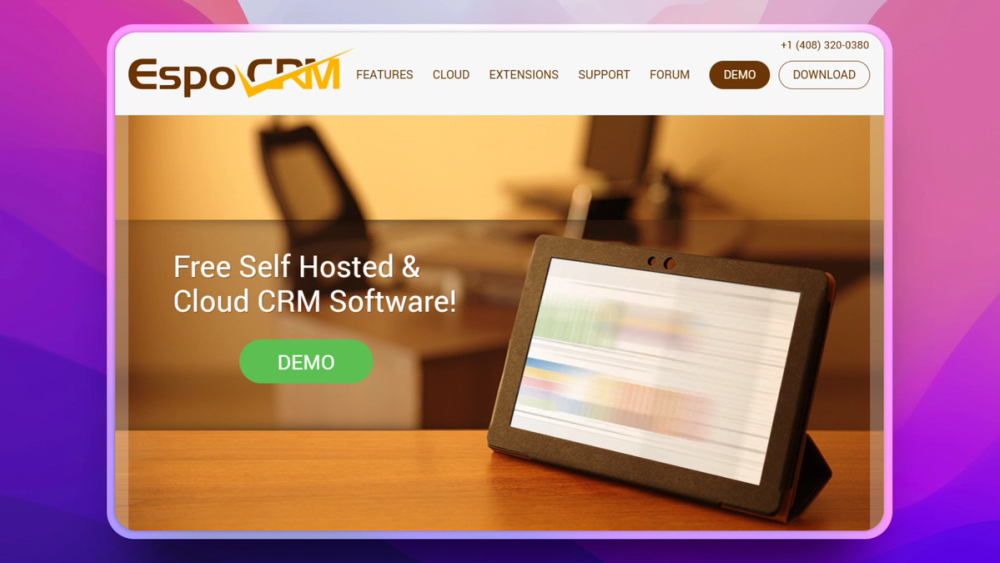
EspoCRM is the CRM I recommend most often to non-technical founders. It has been in production since 2014, covers the full customer lifecycle without plugins or paid add-ons for core functionality, and almost every configuration option is available through an admin panel, not a terminal.
View EspoCRM on Open Source Alternatives
Want to add a "Deal Source" dropdown to your opportunity form? Click, type, save. Want to build a workflow that assigns leads by territory? Visual workflow builder. Want a report showing pipeline value by stage by month? Report builder, no SQL. This is EspoCRM's specific strength: it assumes the administrator is not a developer.
Key Features
- Full sales pipeline: lead management, opportunity tracking, sales forecasting, quotes, and invoices
- Marketing automation: campaign creation, email marketing, target lists, and tracking
- Case management: support tickets, knowledge base, and self-service customer portal
- Visual workflow builder: triggers, conditions, actions, all configured in the admin UI without code
- Two-way email sync: IMAP/SMTP integration with email tracking and templates
- Role-based access control: team-level and field-level permission granularity
- 30+ language translations: strongest internationalization of any CRM in this list
Pros
- The no-code admin UI is the best of any open source CRM, rivaling paid platforms
- Covers sales, marketing, AND customer service in one installation
- Mature project: 12 years of production hardening across industries
- Active extension marketplace for integrations (VoIP, SMS, advanced reporting)
- Docker deployment works cleanly; PHP/MySQL stack is widely understood by hosting providers
Cons
- UI design is functional but dated, looking like enterprise software from 2018
- PHP stack may create friction for teams running modern JavaScript infrastructure
- Some advanced features (VoIP integration, advanced reporting modules) require paid extensions; review marketplace pricing before planning
- Reporting is solid but not as sophisticated as dedicated BI tools
License & Hosting
License: AGPL-3.0.
Self-hosting: Apache or Nginx + PHP, or Docker. Low-to-medium difficulty.
Managed option: EspoCRM Cloud.
Best For
Small and mid-size businesses that need full CRM coverage: sales pipeline, email marketing, and customer support, without a dedicated developer to configure and maintain it. If you are replacing HubSpot's full suite and want everything in one self-hosted platform with zero coding, EspoCRM is the right call.
3. SuiteCRM: Best Enterprise-Grade Open Source CRM
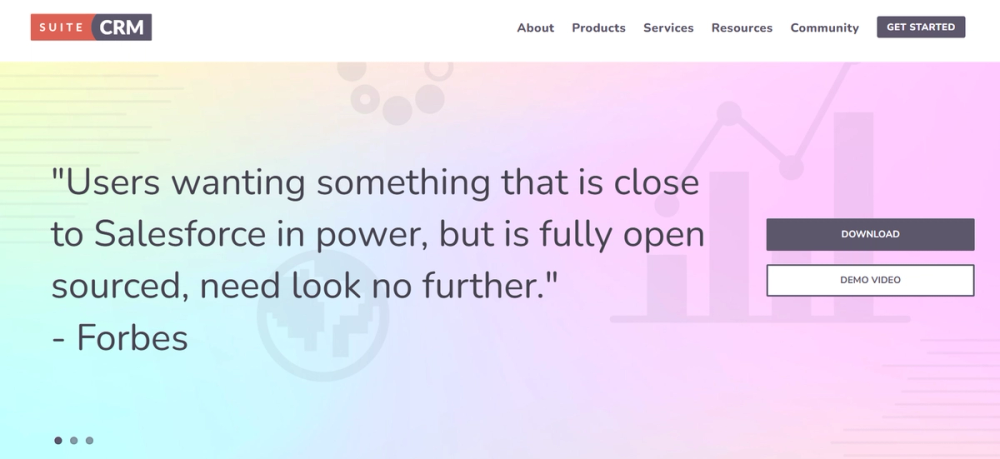
SuiteCRM was born from a crisis. In 2013, SugarCRM, then the dominant open source CRM, closed off its Community Edition and went fully proprietary. SalesAgility, a UK-based partner, forked the last open version and kept building. The result is SuiteCRM: the most feature-complete open source CRM available, with 5 million claimed users across enterprises, government agencies, and NGOs.
If your benchmark is Salesforce feature parity: not just the pipeline view, but reporting, project management, quoting, email automation, and mobile access, SuiteCRM is the closest match.
Key Features
- Complete sales automation: leads, accounts, contacts, opportunities, quotes, contracts, invoices
- AOS module: professional quoting and product catalog management
- Marketing module: email campaigns, campaign tracking, target lists, ROI reporting
- AOP module: complex scheduled reports with email delivery
- Project management: built-in project planning with Gantt views
- AOW module: multi-step workflow automation
- REST API: full API access
- Mobile-responsive web UI
Pros
- Deepest enterprise feature set of any CRM in this list, closest to Salesforce
- AGPL-3.0 license means it stays open forever; the SugarCRM closure scenario cannot repeat
- 5M+ users means large community, extensive documentation, and many solved deployment patterns
- Strong reporting module that rivals paid CRM dashboards
- Suitable for complex sales processes: multi-step approvals, product catalog, contract management
Cons
- Legacy PHP/jQuery codebase; the architecture shows its age even when the features do not
- UI is dated; not a tool that will impress prospects during a screen share
- Upgrade process between major versions can be painful; plan maintenance windows
- Self-hosting is genuinely medium-high difficulty; LAMP stack + extension management is non-trivial
License & Hosting
License: AGPL-3.0.
Self-hosting: LAMP stack (Apache, MySQL, PHP) or Docker. Medium-high difficulty.
Cloud option: SuiteCRM.io managed hosting.
Best For
Organizations with complex enterprise sales processes who need Salesforce-level feature depth and are committed to self-hosting. IT-backed deployments at companies of 50–500 employees. Teams migrating from Salesforce that want to preserve existing workflow complexity in an open source alternative.
4. Dolibarr: Best ERP + CRM in One
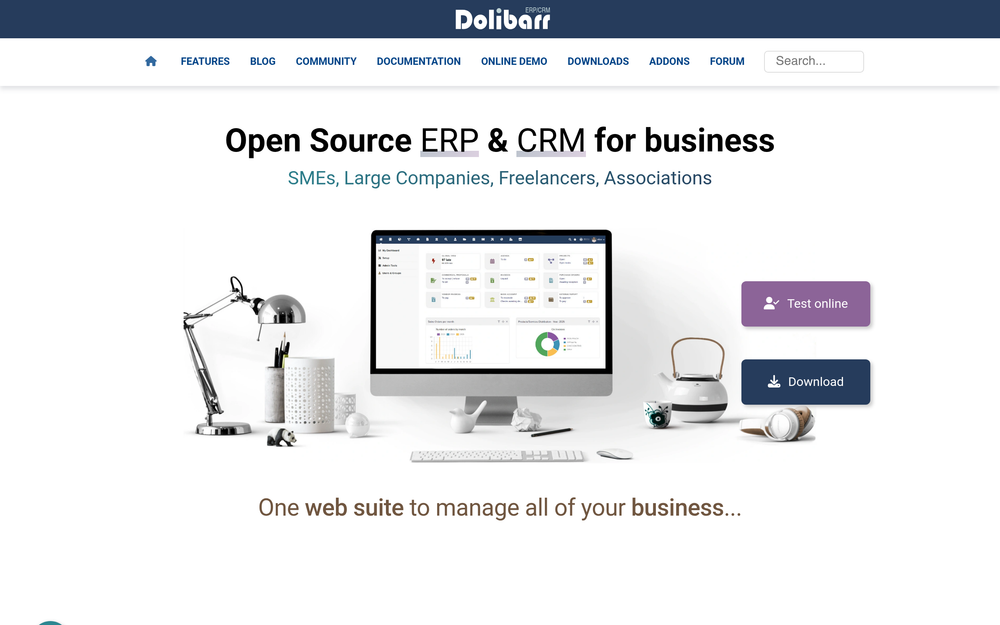
Dolibarr occupies a unique position: it is not primarily a CRM. It is a full SMB operating platform covering CRM, invoicing, accounting, inventory management, project management, HR, and e-commerce, all in one modular installation. The CRM module is solid but secondary to the full platform value.
Many SMBs do not need a best-in-class CRM. They need one system for their entire business. Dolibarr's modular architecture lets you enable only what you need. Start with CRM and invoicing. Add inventory management when the warehouse grows. Never pay per module.
Key Features
- CRM module: contacts, leads, opportunities, and pipeline management
- Invoicing and billing: quotes, orders, invoices, and payment tracking in one system
- Inventory management: product catalog, stock tracking, warehouse locations
- Accounting: general ledger, bank reconciliation, tax management
- Project management: tasks, milestones, and time tracking
- HR module: employee records, leave management, expense reports
- Modular architecture: enable or disable any module; no feature bloat
Pros
- True all-in-one for SMBs, eliminating the cost and friction of multiple disconnected tools
- One of the easiest self-hosting experiences in this list; DoliWamp installer for Windows, one-click options for Linux
- 600,000+ installations and 20+ years of production history
- GPL-3.0 license with no enterprise upsell; all modules are open
- Strong European user base with GDPR tooling and VAT handling baked in
Cons
- CRM features alone are not as deep as Twenty, EspoCRM, or SuiteCRM; if pure CRM is your priority, use a purpose-built tool
- UI is dated; functional but not modern
- Module quality varies; core modules (invoicing, CRM) are mature, but newer modules can feel unfinished
License & Hosting
License: GPL-3.0. All modules free.
Self-hosting: DoliWamp package for Windows, Bitnami stack or Docker for Linux. Medium difficulty.
Cloud options: DoliCloud (official), Dolistime, and regional hosters.
Best For
SMBs that want one system for their entire operation: CRM, invoicing, inventory, and accounting, without paying per user or per module. Especially strong for European businesses, service companies, and small manufacturing operations that need basic inventory alongside CRM.
5. Odoo Community Edition: Be Honest About the Limitations
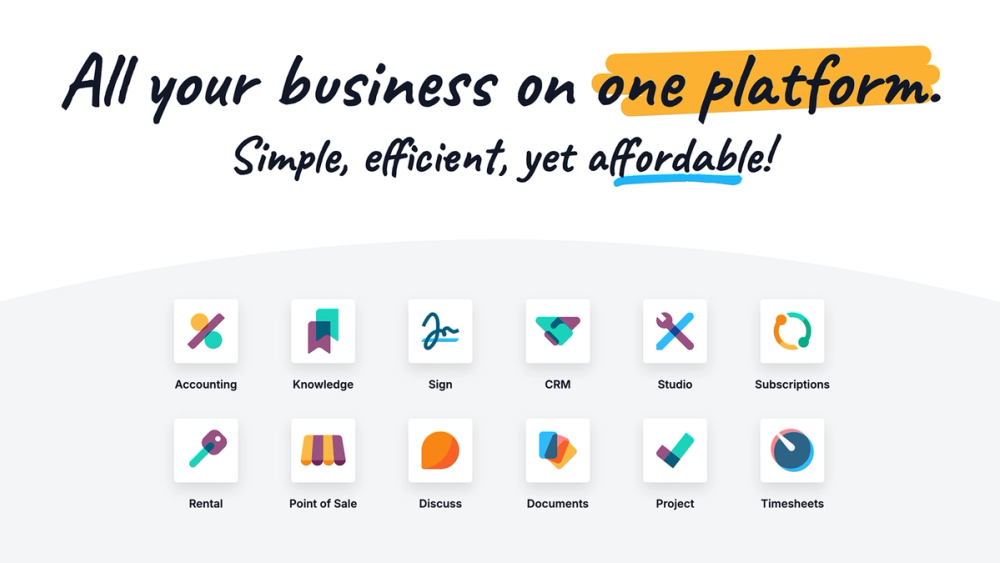
Odoo has 50,500 GitHub stars, more than any other tool in this article. It is one of the most technically impressive open source ERP systems ever built. The Python/PostgreSQL architecture is clean, the module system is elegant, and the Enterprise version competes with SAP and NetSuite.
But you need to know something before installing Community Edition expecting a Salesforce replacement: the Community Edition CRM is significantly limited.
Here is what Community Edition is missing that you will notice immediately:
- No mobile app: Enterprise only; Community gets a mobile-responsive web view, not a native app
- No email marketing or marketing automation: the Mass Mailing module is Enterprise
- No Studio: the no-code customizer for adding fields and building custom apps is Enterprise-only; Community customization requires writing Python
- No advanced reporting or dashboards: basic pivot views exist, but full reporting depth is Enterprise
- More limited API access in Community deployments
Most "best open source CRM" articles include Odoo and move on. The limitations above are why many teams who install Community expecting HubSpot eventually either upgrade to Enterprise or migrate elsewhere.
Key Features (Community Edition)
- Basic CRM pipeline: leads, opportunities, kanban view, basic pipeline management
- Contact management: customers, suppliers, and basic contact history
- Activity scheduling: calls, meetings, emails linked to records
- Basic reporting: pivot tables and simple dashboards
- REST API: available in Community
- Massive module ecosystem: 40,000+ apps in the Odoo marketplace (many are Enterprise-only)
Pros
- If your team already runs Odoo for ERP (accounting, manufacturing, inventory), adding the CRM module fits naturally into the same system
- Excellent technical architecture: Python, PostgreSQL, clean module system
- Well-defined upgrade path with annual releases and LTS versions
- Enterprise pricing is competitive if you need the full ERP+CRM stack
Cons
- Community Edition CRM is not a fair Salesforce or HubSpot alternative without Enterprise
- No no-code customization (Studio) in Community; every change requires a developer
- No mobile app in Community
- No marketing automation in Community
- The gap between Community and Enterprise is the widest of any tool in this list
License & Hosting
License: LGPL-3.0 (Community), Proprietary (Enterprise).
Self-hosting: Python + PostgreSQL. Medium difficulty.
Cloud options: Odoo.sh (official), third-party providers.
Best For
Teams already running Odoo for ERP that want to add CRM functionality within the same system. Not recommended as a standalone CRM replacement for Salesforce or HubSpot unless you are buying the paid plan, or unless you have a developer who can work around Community limitations.
6. ERPNext (and Frappe CRM): Best for Manufacturing Teams
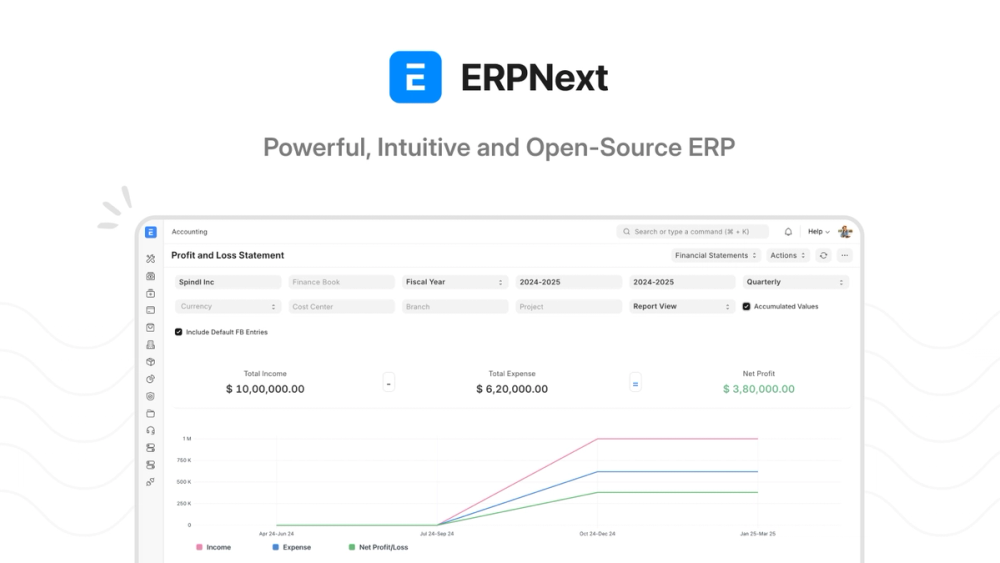
ERPNext is the open source ERP that manufacturing companies reach for when they outgrow spreadsheets. At 33,500 GitHub stars and built on the Frappe framework, it handles supply chain, manufacturing, warehouse management, accounting, HR, and CRM in one unified system. The key differentiator over Dolibarr is depth: ERPNext goes much further into manufacturing-specific workflows.
For CRM-only buyers, ERPNext is more than you need. But for teams where the sales pipeline connects directly to production orders, inventory allocation, and supply chain procurement, having all of that in one system eliminates an entire category of integration problems.
A lighter option within the same ecosystem: Frappe CRM is a standalone CRM application (~2,500 stars) built on the same Frappe framework. It delivers a cleaner CRM experience without the full ERP, and runs on Frappe Cloud at compute-based pricing with no per-seat charges.
Key Features
- CRM module: leads, opportunities, contacts, pipeline, and quotations
- Manufacturing integration: CRM deals connect directly to production orders and BOM (Bill of Materials)
- Inventory and warehouse management: stock levels, batch tracking, serial numbers
- Accounting module: full double-entry accounting, accounts receivable, tax compliance
- Purchase management: vendor management, purchase orders, supplier CRM
- HR and payroll: employee management, leave, attendance
- Frappe Cloud hosting: compute-based pricing with no per-seat fees
Pros
- No per-seat pricing on Frappe Cloud: compute-based pricing from $5/month regardless of user count
- Manufacturing, supply chain, and CRM in one system eliminates major integration complexity
- GPL-3.0 license, fully open; no Enterprise upsell for core modules
- Frappe CRM standalone is a lighter, more CRM-focused option in the same ecosystem
Cons
- Frappe framework has its own conventions and learning curve; onboarding a developer is harder than with standard Django or Node.js
- CRM is a secondary module in ERPNext; pure CRM teams are better served by Twenty or EspoCRM
- Complex self-hosting for teams without Frappe experience; Frappe Cloud is strongly recommended
License & Hosting
License: GPL-3.0.
Self-hosting: Frappe bench tool required. Medium-to-high difficulty without Frappe experience.
Managed option: Frappe Cloud, compute-based pricing, no per-seat fees.
Best For
Manufacturing, distribution, and supply chain companies that need CRM tightly integrated with production orders, inventory, and procurement. Teams that just need CRM without manufacturing should look at Twenty or EspoCRM first.
7. CiviCRM: Built for Nonprofits
CiviCRM is not a general-purpose CRM. It was built specifically for nonprofits, advocacy organizations, political campaigns, trade associations, and civic groups, and every design decision reflects that. After 20 years of development, it handles things no other CRM in this list touches: membership management, event registrations, pledge tracking, grant management, email blasts to 100,000+ recipients, and donation acknowledgment letters.
CiviCRM runs as a plugin for WordPress, Drupal, or Joomla, integrating with your existing website's CMS rather than standing alone. If your organization already runs WordPress or Drupal, CiviCRM extends it.
Key Features
- Constituent relationship management: members, donors, volunteers, event attendees, and advocates in one database
- Membership management: membership types, renewals, automated reminders, member-only access
- Event management: registration, waitlists, ticketing, and attendance tracking
- Fundraising and donations: pledge tracking, recurring giving, campaigns, and donor acknowledgment
- Email marketing: bulk email to segmented lists with open and click tracking
- Grant management: track grants received and distributed
- WordPress/Drupal/Joomla integration: single database, single login, unified web presence
Pros
- Purpose-built for nonprofit use cases: 20 years of feature development specifically for this audience
- AGPL-3.0 license; the platform itself is free
- 11,000+ organizations globally rely on it; mature, well-documented, large support community
- Covers everything Salesforce Nonprofit Cloud (NPSP) does: memberships, fundraising, advocacy, and is free to license
Cons
- Implementation is genuinely complex and expensive; budget $2,000–$10,000+ for a proper implementation with a certified partner
- Not appropriate for commercial CRM use; missing standard sales pipeline features
- Managed hosting adds $16–$22/month (CiviHosting.com; other partners may vary)
- Requires an existing WordPress/Drupal/Joomla site; not a standalone application
- UI modernization has lagged behind commercial platforms
License & Hosting
License: AGPL-3.0.
Self-hosting: Requires an existing CMS (WordPress/Drupal/Joomla). Medium-to-high difficulty.
Managed hosting: CiviHosting.com from $16/month; Tadpole, Compuco, and others from $25–$75/month.
Best For
Nonprofits, associations, advocacy organizations, political campaigns, and trade groups replacing Salesforce Nonprofit Cloud or paid CRM tools. If your organization needs membership management, pledge tracking, and event registration alongside donor CRM: nothing else in this list handles your specific use cases.
Open Source CRM as a Salesforce Alternative: Direct Feature Comparison
The most common reason teams evaluate open source CRM is Salesforce cost. Here is a direct feature-by-feature comparison between the top open source picks and Salesforce, without the usual hedging.
Pipeline management. Salesforce's pipeline views and opportunity tracking are matched by both Twenty and SuiteCRM. Twenty's kanban and list views are modern; SuiteCRM's are functional but dated.
Custom objects and fields. Salesforce's core strength is flexible data modeling. Twenty replicates this with a PostgreSQL-backed custom object system. EspoCRM handles it through a no-code admin panel. SuiteCRM supports it via module builder.
Workflow automation. Salesforce Flow is powerful. EspoCRM's visual workflow builder covers 80% of the same use cases with no code. SuiteCRM's AOW module handles multi-step automation for enterprise flows.
Email marketing. Salesforce Pardot starts at $1,250/month. EspoCRM includes email campaigns in the base installation. Twenty does not have this yet; treat it as a separate tool requirement.
Reporting and dashboards. Salesforce has excellent built-in analytics. SuiteCRM's AOP reporting module is the closest open source equivalent. Twenty's reporting is still maturing.
AppExchange / integrations. Salesforce's 8,000-app marketplace has no direct open source equivalent. All tools in this list have REST APIs and Zapier/n8n support. EspoCRM and SuiteCRM have extension marketplaces that cover VoIP, SMS, and vertical-specific integrations.
Mobile app. Salesforce has polished native iOS and Android apps. EspoCRM and SuiteCRM have mobile-responsive web views. Twenty Cloud has a mobile-responsive interface. Native mobile apps are a genuine gap in most open source CRM options.
Summary. For a 10–200 person sales team, Twenty or SuiteCRM covers 80–90% of what most Salesforce customers actually use. The remaining 10–20% (AppExchange integrations, Einstein AI, FedRAMP compliance) matters to enterprises with specific requirements. It rarely matters to the SMBs who make up most of Salesforce's customer base.
How to Choose: A Quick Decision Framework
The biggest mistake in choosing a CRM is picking the most-starred tool regardless of your actual use case. Here is the honest framework:
You are a developer-led startup or SaaS company. Choose Twenty. API-first, custom objects, Cloud workspaces with native MCP server for AI agent workflows. The 2025–2026 GitHub momentum makes it a safe long-term bet.
You are an ops manager who hates Docker and YAML. Choose EspoCRM. Almost everything is configurable through the admin panel. Cloud plans from $15/user/month mean you do not have to touch a server.
You need Salesforce-depth features and have a technical team. Choose SuiteCRM. Five million users, the deepest open source enterprise feature set available, AGPL license guarantees it stays open.
You need CRM + invoicing + inventory in one platform. For simpler operations, choose Dolibarr: easier to install, 20 years of stability. For manufacturing, choose ERPNext: deeper integration with production orders and warehouse management.
You are a nonprofit leaving Salesforce Nonprofit Cloud. Choose CiviCRM. Nothing else handles memberships, pledge tracking, and event registration together. Budget for a certified implementation partner.
Your team already uses Odoo for ERP. Add Odoo's CRM module. Just be honest about Community vs. paid plan: if you need mobile access, marketing automation, or no-code customization, you need the paid tier at €19.90+/user/month.
You are a small business or startup that needs a completely free CRM. Choose Twenty self-hosted or EspoCRM self-hosted. Both are free to license. Server infrastructure runs $20–40/month. EspoCRM is easier to set up without Docker experience; Twenty is more modern and better for teams expecting to grow their tech stack.
Browse all CRM tools in our CRM directory, or see where Twenty fits in the broader business stack in our best self-hosted apps roundup.
The Real Cost of "Free": TCO Breakdown
Self-hosted open source CRMs have real costs. Infrastructure, implementation time, and ongoing maintenance are not free. But the comparison to Salesforce makes the math compelling.
3-year total cost of ownership: 10-person team
| Tool | Self-Host Infra (3yr) | Implementation | Ongoing Maint. | 3-Year Total | vs. Salesforce Enterprise |
|---|---|---|---|---|---|
| Twenty (self-hosted) | $720–$1,440 | $2,000–$4,000 | $1,800–$5,400 | ~$4,500–$10,800 | Save $85,000–$130,000 |
| Twenty Cloud | $0 | $500–$1,500 | Minimal | ~$3,740–$4,740 | Save $90,000–$130,000 |
| EspoCRM (self-hosted) | $720–$1,440 | $2,000–$4,000 | $1,800–$5,400 | ~$4,500–$10,800 | Save $85,000–$130,000 |
| EspoCRM Cloud | $0 | $500–$1,500 | Minimal | ~$5,900–$6,900 | Save $88,000–$128,000 |
| SuiteCRM (self-hosted) | $720–$1,440 | $4,000–$8,000 | $3,600–$7,200 | ~$8,300–$16,600 | Save $78,000–$126,000 |
| Odoo Enterprise | $0 | $3,000–$8,000 | Minimal | ~$10,200–$15,200 | Save $80,000–$124,000 |
| Salesforce Enterprise | $0 | $5,000–$15,000 | $18,000–$54,000 | ~$86,000–$132,000 | N/A |
Notes on the math:
- Salesforce Enterprise: $175/user/month × 10 users × 36 months = $63,000 in licensing
- Self-hosted infrastructure: a 4 vCPU / 8GB RAM VPS from Hetzner, DigitalOcean, or Vultr runs $20–40/month
- Implementation assumes consulting at $100/hour; internal teams reduce this
- Ongoing maintenance: 2–5 hours/month for updates, backups, and customizations at $100/hour
- EspoCRM Cloud calculated at $15/user/month (Basic plan) × 10 users × 36 months = $5,400
- Odoo Enterprise calculated at €19.90/user/month Standard × 10 users × 36 months ≈ $8,200 + implementation
The most defensible option for a technical team is Twenty self-hosted: roughly $4,500–$10,800 over three years, versus $86,000–$132,000 for Salesforce Enterprise. The savings pay for a developer's salary.
FAQ
1. What is open source CRM software?
Open source CRM software is a customer relationship management system whose source code is publicly available under an open source license (GPL, AGPL, MIT, Apache, etc.). Anyone can read the code, modify it, and in most cases host it on their own infrastructure. "Open source" does not mean unfinished or unsupported; SuiteCRM has 5 million users and has been in production for over a decade. It means you are not locked into a vendor's pricing or infrastructure decisions.
2. Is open source CRM really free?
The software license is free. Running it is not. Server infrastructure costs $20–40/month for a small team; that is the main ongoing cost. The larger variable is implementation time: setting up a self-hosted CRM, migrating data, and configuring it for your sales process takes 20–80 hours of developer or technical-user time. At consulting rates, that is $2,000–$8,000 for first-time setup. Once running, maintenance is 2–5 hours per month. Compare that to Salesforce Enterprise at $21,000/year in licensing for 10 users; even accounting for implementation costs, self-hosted open source CRM is dramatically cheaper over three years.
3. Do I need to know how to code to use an open source CRM?
It depends on the tool. EspoCRM requires no coding for 90% of customization: custom fields, workflow automation, reports, and layout changes all happen in the admin panel. Twenty requires CLI comfort for self-hosting but no coding for daily use; Cloud removes even that. SuiteCRM has an admin panel for most configuration. Odoo Community Edition requires coding for any meaningful customization (Studio is not included). CiviCRM requires a technical consultant for initial implementation. If you want zero code involvement, EspoCRM Cloud or Twenty Cloud removes the server management overhead entirely.
4. Can open source CRM replace Salesforce or HubSpot?
For most small and mid-size businesses: yes. EspoCRM covers sales, marketing, and support, which is the same core as Salesforce. Twenty matches Salesforce's customization depth at the data model level. SuiteCRM covers the full enterprise feature set including quoting, contracts, and project management. Where open source CRMs fall short: Salesforce's AppExchange ecosystem (thousands of integrations), Einstein AI analytics, and compliance certifications (FedRAMP, HIPAA BAA) that large enterprises require. If your team is under 200 people and does not need those specific enterprise requirements, the open source options cover the use cases.
5. What is the best open source CRM for small businesses?
For most small businesses, EspoCRM is the right answer. It requires no coding, covers the full sales-marketing-support lifecycle, self-hosts on a standard VPS, and Cloud starts at $15/user/month (Basic, min 3 users). For developer-led small businesses that want a modern interface and AI agent integration, Twenty is the better pick; Cloud Pro starts at $9/user/month. For small businesses that need CRM alongside invoicing and inventory, Dolibarr eliminates the need for multiple tools. The worst mistake is choosing a tool that requires more technical expertise than your team has; you will spend more time fighting the platform than selling.
6. How long does it take to set up a self-hosted CRM?
For a developer comfortable with Docker: Twenty or EspoCRM can be running in 2–4 hours. Data import (CSV from HubSpot or Salesforce) adds another 2–4 hours depending on data volume. Custom fields and workflow configuration: 1–2 days depending on complexity. Full migration including team training: 1–2 weeks for a 10-person team. SuiteCRM and ERPNext take longer; expect 2–5 days of technical setup plus a week of configuration. CiviCRM for nonprofits is a multi-week project even with a consultant. Cloud-hosted options (Twenty Cloud, EspoCRM Cloud) eliminate server setup entirely; ready in minutes, then spend time on configuration.
7. What are the hidden costs of open source CRM?
The obvious cost is infrastructure ($20–40/month). The hidden costs:
- Implementation time: 20–80 developer hours for a proper setup; $2,000–$8,000 at consulting rates
- Data migration: exporting from Salesforce/HubSpot and cleaning data before import; plan 1–3 days
- Custom integrations: specific email providers, payment processors, or internal tools require developer time
- Upgrade effort: major version upgrades may require migration scripts; plan 4–8 hours twice a year
- Backup infrastructure: you own your backups; requires a plan and occasional testing
- Team training: switching CRM platforms requires education; factor 4–8 hours per person
None of these make open source CRM more expensive than Salesforce; the numbers above still strongly favor self-hosting. But treating "free software" as zero total cost leads to half-configured CRMs that nobody uses.
8. Can I migrate my data from HubSpot or Salesforce to an open source CRM?
Yes. The basic migration of contacts, companies, and deals is straightforward. Both HubSpot and Salesforce export to CSV, and every CRM in this list imports CSV. The harder work:
- Custom fields: map your Salesforce/HubSpot custom fields to equivalents in the new CRM before importing
- Workflow automations: rebuild automation rules in the new platform (no automated conversion exists)
- Email history: most tools import email history as notes, not as live email threads
- Integrations: reconfigure email provider, calendar sync, and other integrations in the new system
Budget 1–2 weeks for a full 10-person team migration including data, automations, integrations, and training.
9. What about support if something breaks?
Options:
- Community support: GitHub issues, Discord, forums. Response time varies. Twenty has an active Discord; EspoCRM has forums and a paid support tier.
- Paid support contracts: EspoCRM, SuiteCRM, and CiviCRM all offer paid support with SLAs.
- Implementation partners: certified partners for SuiteCRM, CiviCRM, ERPNext, and Dolibarr exist in most regions.
- Cloud plans: Twenty Cloud and EspoCRM Cloud include vendor support as part of the subscription.
The honest answer: self-hosted open source CRM requires someone on your team who can handle updates, debug Docker issues, and read error logs. For teams without technical staff, cloud plans eliminate most of this risk.
10. Is self-hosted CRM secure?
Self-hosted CRM can be more secure than SaaS, but only if managed correctly. Customer data stays on servers you control, not on Salesforce's or HubSpot's infrastructure. The requirements:
- Keep the CRM software updated; all tools in this list release security patches; apply them promptly
- Run HTTPS with a valid certificate (Let's Encrypt is free and automatic)
- Use strong passwords and enable two-factor authentication where available
- Implement regular, tested backups to an off-server location
- Restrict server access to necessary ports; run a firewall
Done correctly, a self-hosted CRM on a reputable VPS provider (Hetzner, DigitalOcean, AWS) is secure. Done incorrectly, with unpatched software, open ports, and no backups, it is not.
11. Which open source CRM has the most GitHub stars?
Odoo (full repository) has the most GitHub stars at 50,500, but that covers the entire Odoo ERP platform, not CRM alone. Twenty is the fastest-growing CRM-specific repository at 45,500 stars, up from approximately 20,000 twelve months ago. For CRM-specific tools, Twenty's trajectory is the most significant signal: a doubling of GitHub stars in 12 months reflects active development, growing community, and healthy ecosystem momentum.
12. What is the difference between open source CRM and proprietary CRM?
Four differences matter in practice:
- Data ownership: with self-hosted open source CRM, your data is on your servers. With Salesforce or HubSpot, your data lives on their infrastructure under their terms of service.
- Source code access: open source means you or a developer can read, audit, and modify the code. With proprietary software, the code is a black box.
- Pricing model: open source licenses have no per-seat fees. You pay for infrastructure and optionally for cloud hosting or support. Proprietary CRMs charge per user, per month, per feature tier.
- Vendor lock-in: open source CRMs let you export data in standard formats (CSV, SQL dumps) and migrate freely. Proprietary CRMs vary significantly in export accessibility, and switching costs are deliberately high.
The trade-off is responsibility: proprietary vendors handle updates, backups, uptime, and security. Self-hosted open source shifts that responsibility to you.
13. What is the best free open source CRM for startups?
The best free open source CRM for startups depends on your team's technical capacity. For developer-led startups, Twenty self-hosted is the top choice: modern UI, custom data model, API-first architecture, and free to license. It runs on a $20–40/month VPS with unlimited users. For startups without a developer on staff, EspoCRM Cloud starts at $15/user/month (minimum 3 users) and gives you a fully managed CRM with no server management. Both are dramatically cheaper than Salesforce Essentials at $25/user/month or HubSpot Starter at $20/user/month, which still lock you into per-seat pricing and vendor terms.
14. Is there a self-hosted CRM with no per-seat pricing?
Yes: every self-hosted option in this article has zero per-seat pricing. You pay for server infrastructure ($20–40/month for a 4-vCPU VPS), not per user. Twenty, EspoCRM, SuiteCRM, and Dolibarr all support unlimited users on a single self-hosted instance. The only cost that scales with users is server resources, not licensing. This is the primary financial advantage over Salesforce, HubSpot, and every other SaaS CRM: a 50-person team pays the same infrastructure cost as a 5-person team.
15. What open source CRM is best for nonprofits?
CiviCRM is the only purpose-built nonprofit CRM in this list, handling memberships, pledge tracking, event registrations, grant management, and donor acknowledgment. It covers the same use cases as Salesforce Nonprofit Cloud (NPSP) and is free to license. The trade-off: it requires a WordPress, Drupal, or Joomla website to run on, and a proper implementation costs $2,000–$10,000+ with a certified partner. For nonprofits with simple CRM needs and no complex membership or fundraising workflows, EspoCRM self-hosted is an easier starting point.
16. What CRM do insurance agencies use that is open source?
Insurance agencies need a CRM that handles policy tracking, renewal reminders, multi-line account management, and compliance documentation. SuiteCRM is the most commonly used open source CRM in insurance contexts: its AGPL-3.0 license, Salesforce-parity feature depth, custom modules, and community-built insurance extensions make it adaptable to agency workflows. EspoCRM is a lighter option that handles contact and opportunity tracking cleanly; custom fields can track policy numbers, renewal dates, and carrier information. Neither is purpose-built for insurance, but both are customizable enough to handle standard agency CRM requirements without per-seat licensing.