
Evernote started free. Then it limited free accounts to 2 devices and 60MB uploads per month. Then it raised prices again. The current Personal plan is $14.99/month (for a notes app). That's $180 per year to store text.
Notion is more generous at first, but the AI and team features that make Notion genuinely useful require the Plus plan at $8-15/user/month. For a 10-person team, that's $960-1,800 per year. And neither Evernote nor Notion lets you own your data in any meaningful way: your notes live on their servers, in proprietary formats, subject to their terms and their breach risk.
Open source note-taking apps take a different approach. Your notes stay local or on infrastructure you control. The storage format is typically Markdown, readable without any app, forever. The cost is either free or a one-time self-hosting setup.
TL;DR: Notesnook is the best all-around replacement for Evernote, with cross-platform support, end-to-end encryption, and a fully open source self-hosted sync server option. AppFlowy is the best team workspace replacement for Notion, with local-first storage and database views. For power users who want the deepest personal knowledge management system, SiYuan with its block-level references and open Markdown storage is unmatched.
Key Takeaways:
- Best Evernote replacement: Notesnook: E2E encrypted, cross-platform, self-hostable sync
- Best Notion alternative for teams: AppFlowy: databases, wikis, local-first, privacy-first
- Best for visual thinkers: AFFiNE: whiteboard + docs hybrid with infinite canvas
- Best for personal knowledge management: SiYuan: block-level references, open Markdown, extensible
- Best for simple, durable notes: Joplin: Markdown with E2E encryption and every sync option imaginable
Quick Comparison
| Tool | Best For | E2E Encryption | Self-Hosted Sync | Offline | License |
|---|---|---|---|---|---|
| Notesnook | Privacy-first notes | Yes | Yes | Yes | GPL v3 |
| AppFlowy | Team workspace | Partial | Yes | Yes | AGPL v3 |
| AFFiNE | Visual + docs | Partial | Yes | Yes | MIT |
| SiYuan | Power user PKM | Yes | Yes | Yes | AGPL v3 |
| Joplin | Simple reliable notes | Yes | Yes | Yes | MIT |
What to Look For in an Open Source Note-Taking App
Note-taking apps accumulate years of your work. Choosing wrong means an eventual migration, or years of frustration. Here's what actually matters:
Local-first architecture. Your notes should work without an internet connection and not require a server to read. If the company shuts down, your notes should still be accessible.
Open storage format. Markdown or another human-readable format you can use without the app. SQLite databases and JSON files are acceptable. Proprietary binary formats are not; they create the same lock-in you're trying to escape from Evernote.
Sync flexibility. Self-hosted server, S3, WebDAV, or Dropbox, not just their proprietary cloud. Multiple sync options mean you can move infrastructure without migrating your notes.
End-to-end encryption. Especially for cloud sync, where notes pass through external servers. Zero-knowledge E2E means even the sync provider cannot read your data.
Cross-platform support. Desktop, mobile, and web if needed. A notes app you only have on one device is not a notes app; it is a local scratch pad.
1. Notesnook: Best Privacy-First Evernote Replacement
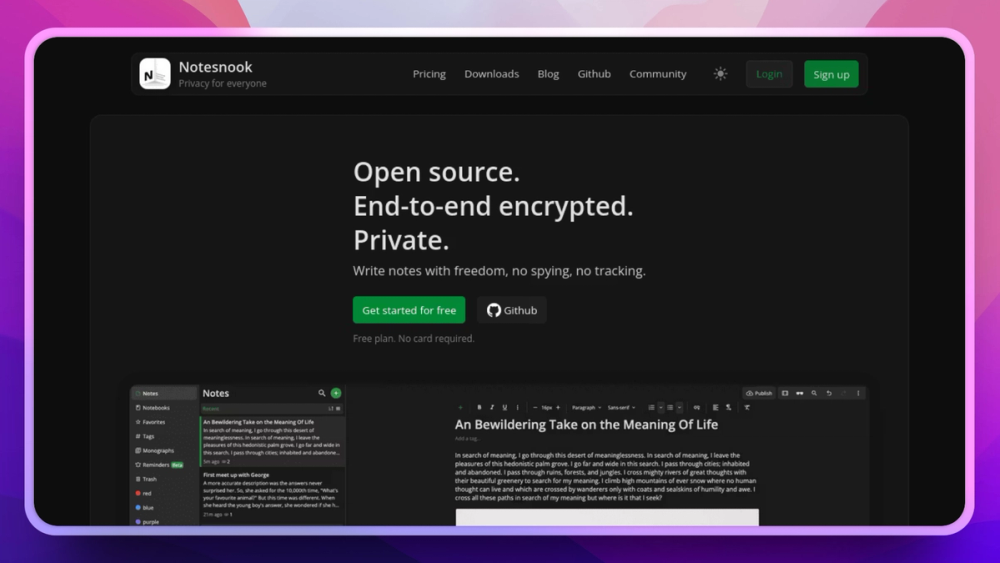
Notesnook is the most direct Evernote replacement on this list. It has apps for every platform: iOS, Android, macOS, Windows, Linux, and Web, syncs across all of them, and does it with end-to-end encryption by default. Even Notesnook's servers cannot read your notes.
The interface is clean and focused. You get rich-text editing (not just Markdown), notebooks, tags, reminders, and note sharing. The free tier is genuinely usable: unlimited notes, unlimited devices, and basic sync. Premium adds collaboration and advanced features at $4.49/month, a fraction of Evernote.
The standout feature is the self-hosted sync option: Notesnook Sync runs on your own server (Docker, MIT license) and you point the official apps at it. You get polished clients with zero server trust.
Key Features
- Zero-knowledge E2E encryption for all notes and sync
- Cross-platform apps: iOS, Android, macOS, Windows, Linux, Web
- Rich-text editor with tables, embeds, and attachments
- Notebooks, tags, reminders: full organizational system
- Self-hosted sync server (Notesnook Sync, MIT-licensed, Docker)
- Note sharing via encrypted links
Pros
- Most polished note-taking UX of any open source/private app
- E2E encryption on by default; not an optional toggle
- Free tier is genuinely useful with unlimited notes and devices
- Self-hosted option for teams needing full data sovereignty
Cons
- No offline-first local storage; sync server required for multi-device access
- Database/relational features not as powerful as Notion or AppFlowy
- Premium features require a subscription
License & Hosting
License: GPL v3 (client), MIT (sync server). Self-hosting via Docker.
View Notesnook on Open Source Alternatives
2. AppFlowy: Best Open Source Notion Alternative for Teams
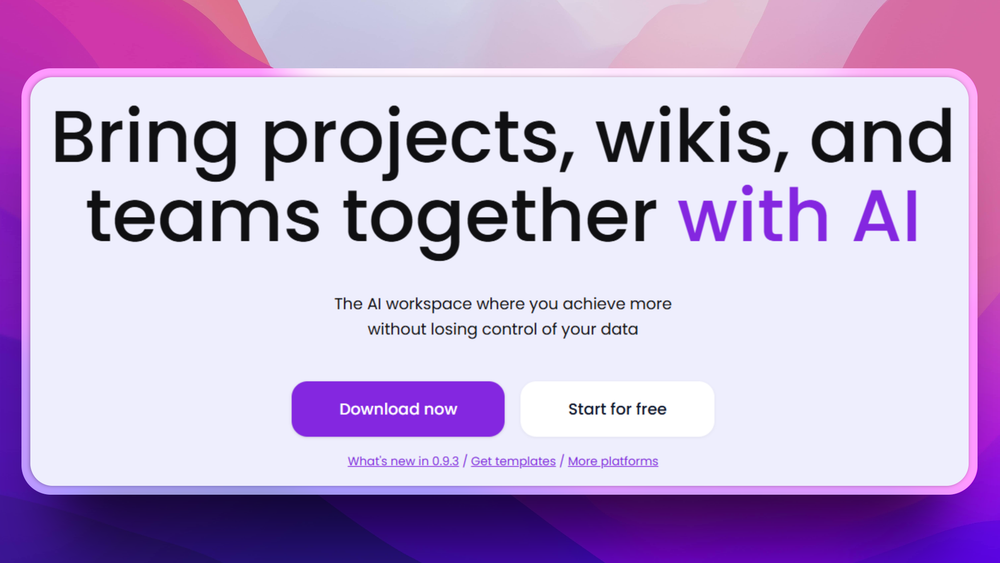
AppFlowy is built as a direct Notion alternative and is the most feature-complete option for team use. The core workflow mirrors Notion: pages, databases, calendars, and kanban boards organized in a sidebar hierarchy. The critical difference is local-first architecture: your data is stored on your machine by default, and sync is opt-in.
AppFlowy stores data locally first. Sync happens via AppFlowy Cloud (their hosted option) or self-hosted AppFlowy Cloud (open source). Nothing leaves your machine unless you send it somewhere.
Key Features
- Grid, calendar, kanban, and gallery database views
- Rich document editor with Markdown support
- AI features: summarize, generate, translate (bring your own API key)
- Local-first: all data stored locally, sync optional
- Self-hosted cloud via AppFlowy Cloud (open source)
- Cross-platform: macOS, Windows, Linux, iOS, Android
Pros
- Closest open source equivalent to Notion's workspace structure
- Local-first design means it works without internet, always
- Active development with frequent feature additions
- Free to self-host; AppFlowy Cloud has a generous free tier
Cons
- Database features still maturing compared to Notion (fewer formula types, view options)
- Mobile apps less polished than desktop
- Self-hosted cloud setup requires Docker and some technical knowledge
- Plugin ecosystem not as mature as Notion's
License & Hosting
License: AGPL v3. Self-hosting via Docker.
View AppFlowy on Open Source Alternatives
3. AFFiNE: Docs + Whiteboard in One
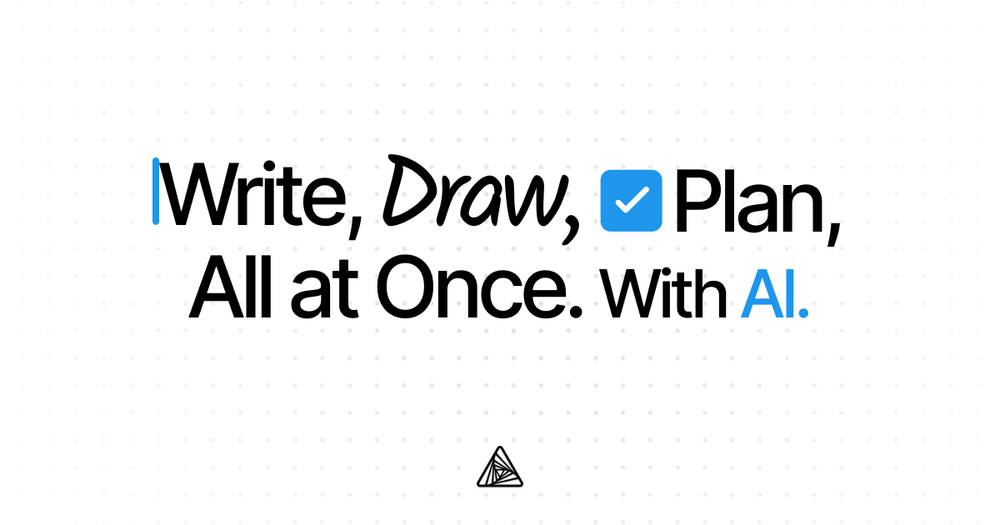
AFFiNE solves a problem no other tool on this list addresses: mixed text notes and visual thinking in the same file. It combines a document editor with an Excalidraw-style infinite canvas, seamlessly switching between structured text and freeform spatial thinking.
The "edgeless" canvas mode lets you arrange blocks, draw connections, embed documents inside diagrams, and think spatially. The "page" mode is a structured document editor. Both modes work on the same underlying data, so you can start a document and continue it visually without switching tools.
Key Features
- Dual-mode editing: page (structured docs) and edgeless (infinite canvas)
- Whiteboard features: freehand drawing, shapes, arrows, mind maps
- Rich document blocks: text, images, code, tables, embeds
- Local-first with optional self-hosted or AFFiNE Cloud sync
- Database views: table, kanban, and list (growing)
- Export to PDF, Markdown, images
Pros
- Unique whiteboard + docs combination in a single tool
- Genuinely beautiful interface; best visual design of any open source notes app
- Local-first with no mandatory cloud account
- Rapidly developing with active GitHub community (43K+ stars)
Cons
- Less mature than Notesnook or Joplin for pure note-taking workflows
- Mobile apps still in development
- Database features less complete than AppFlowy
- Can feel overwhelming for simple note-taking needs
License & Hosting
License: MIT. Self-hosting available.
View AFFiNE on Open Source Alternatives
4. SiYuan: Best Personal Knowledge Management System
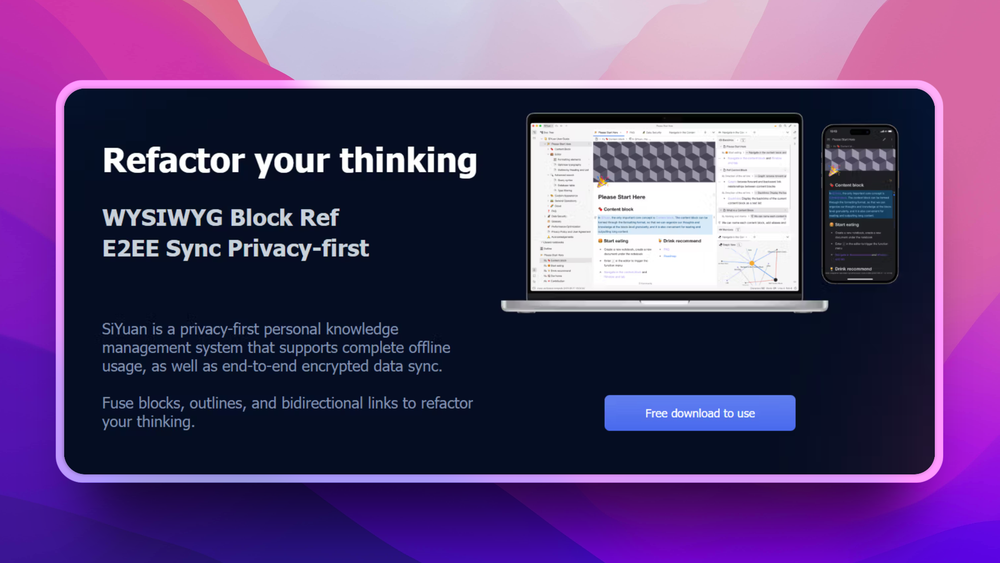
SiYuan is the most opinionated tool on this list, in the best way. It is designed for serious personal knowledge management (PKM) workflows. Every content block has a unique ID you can reference from anywhere in your notes. Bi-directional links, block references, and a graph view let you build a genuine knowledge network rather than a flat folder of documents.
The storage format is human-readable Markdown with JSON metadata. You own every file. Sync works via S3, WebDAV, or Resilio Sync, with no proprietary sync server required (though SiYuan offers a paid sync service for convenience).
If you've used Obsidian and want something with more structure, or if you've tried Roam Research but don't want to pay $165/year for a proprietary web app, SiYuan is the answer.
Key Features
- Block-level references: link to any paragraph, heading, or list item
- Bi-directional links and graph view for PKM workflows
- Local file storage in open Markdown format with JSON sidecar files
- Multiple sync options: S3, WebDAV, self-hosted, or SiYuan Sync
- End-to-end encryption for synced data
- Extensible via plugins and themes; large community
- Full-text search with regex support
Pros
- Best PKM workflow of any open source note-taking app
- True local-first; no cloud required, ever
- Open storage format (Markdown files) survives app abandonment
- Strong plugin ecosystem for power users
Cons
- Steeper learning curve than Notesnook or Joplin
- Understanding the block/reference model takes time to internalize
- Mobile apps exist but are less polished than desktop
- Self-hosted sync server is a Docker setup, not a one-click install
License & Hosting
License: AGPL v3 (client), custom license (sync server).
View SiYuan on Open Source Alternatives
5. Joplin: The Reliable Workhorse
Joplin has been around since 2017 and has earned a reputation for being the most reliable option in this space. It is not flashy. It does exactly what a notes app should do: stores Markdown notes, syncs them reliably across devices, and encrypts them end-to-end.
The note list is hierarchical (notebooks and sub-notebooks), tags work well, and full-text search is fast. The built-in web clipper saves articles from browsers directly to Joplin. Sync works with Dropbox, OneDrive, Nextcloud, WebDAV, S3, or a self-hosted Joplin Server, giving you the maximum sync flexibility of any tool here.
Joplin is completely free. There is no premium tier for the desktop or mobile apps. You pay only for whatever sync infrastructure you choose, and most options (Dropbox basic tier, a small VPS for Joplin Server) cost nothing or very little.
Key Features
- Markdown notes with live preview
- End-to-end encryption for sync
- Multiple sync options: Dropbox, OneDrive, Nextcloud, WebDAV, S3, Joplin Server
- Web clipper extension for Firefox and Chrome
- Plugin ecosystem for power users
- Desktop, mobile, and terminal clients
Pros
- Most battle-tested and stable option on this list; 8+ years in production
- Works with any WebDAV/S3 storage, offering maximum sync flexibility
- Completely free with no premium tier to worry about
- Simple enough for non-technical users, flexible enough for power users
Cons
- UI looks dated compared to Notesnook or AFFiNE
- No native database or table features
- Real-time collaboration not supported
- Less active development pace than newer tools like AFFiNE or AppFlowy
License & Hosting
License: MIT. Joplin Server is open source and self-hostable via Docker.
View Joplin on Open Source Alternatives
How to Choose the Right Open Source Notes App
The wrong choice here is picking the most feature-rich tool regardless of how you actually take notes. Here's the direct framework:
You want to replace Evernote with something private and equally polished. Choose Notesnook. It has the same cross-platform apps and reliable sync as Evernote, plus E2E encryption by default. The self-hosted sync option means you can remove even Notesnook's servers from the equation.
You want to replace Notion for your team. Choose AppFlowy. It mirrors Notion's workspace structure (docs, databases, kanban, calendars) with local-first storage and no per-seat pricing for self-hosted deployments.
You think visually and want to mix notes with diagrams and mind maps. Choose AFFiNE. No other tool on this list lets you move between a structured document and an infinite whiteboard on the same content.
You want serious personal knowledge management with block references, bi-directional links, and graph views. Choose SiYuan. It's the open source equivalent of Roam Research, with better data portability and no subscription pricing.
You just want reliable, no-nonsense Markdown notes with maximum sync flexibility. Choose Joplin. It's been doing exactly this since 2017 and doesn't ask for your credit card.
Browse all note-taking apps in our directory.
Migrating from Evernote or Notion
The migration question is usually what stops people from switching. Here's the honest answer:
From Evernote: Joplin has a built-in Evernote importer that handles the .enex export files. Basic notes, notebooks, and attachments migrate cleanly. Notesnook also imports from Evernote. Formatting fidelity is good for simple notes; complex tables and embedded content may need cleanup.
From Notion: Notion exports to Markdown (individual pages) or a zipped folder of Markdown files. AppFlowy can import this. Database structures (filters, views, formulas) do not translate automatically; you rebuild those in the new app. Plan 1-3 hours to re-create your most important database views after migration.
From Obsidian: SiYuan reads standard Markdown files, so an Obsidian vault imports directly. Links and backlinks may need updating to SiYuan's reference format.
FAQ
What is the best open source Evernote alternative?
Notesnook is the most direct Evernote replacement: it has similar cross-platform apps, sync, and organizational features, with end-to-end encryption and an open source sync server. Joplin is a strong second choice for simpler needs.
Can I self-host the sync for these apps?
Yes. All five support self-hosted sync. Notesnook has Notesnook Sync (Docker, MIT). AppFlowy has AppFlowy Cloud (Docker, AGPL). AFFiNE supports self-hosting. SiYuan supports WebDAV and S3 storage. Joplin supports WebDAV and a self-hosted Joplin Server (Docker).
Are my notes truly private with these apps?
Notesnook, SiYuan, and Joplin all offer end-to-end encryption where data is encrypted on your device before sync. AppFlowy and AFFiNE store locally first, with cloud sync options. For maximum privacy, combine local-first storage with a self-hosted sync server and E2E encryption enabled.
Which apps work completely offline?
All five work offline as local-first applications. Notes are accessible without an internet connection, and sync happens when connectivity is restored.
Can I import notes from Evernote or Notion?
Joplin has a built-in Evernote importer. AppFlowy can import Notion-exported Markdown. Notesnook imports plain text and basic formats. Migration quality varies; complex Notion databases don't always convert cleanly and require manual reconstruction.
Is there a free option that doesn't require self-hosting?
Joplin is completely free with no subscription; pair it with a free Dropbox or OneDrive account for sync. AppFlowy Cloud and AFFiNE Cloud have free tiers. Notesnook has a free tier with limited sync features.
Do these apps support real-time collaboration?
AppFlowy and AFFiNE are the best options for real-time collaboration. Notesnook supports sharing notes via encrypted links. Joplin and SiYuan are primarily single-user tools, though SiYuan notes can be shared via a self-hosted server.
What format do these apps store notes in?
Joplin, SiYuan, and AFFiNE use Markdown as the base format. AppFlowy uses a custom JSON format but exports to Markdown. Notesnook uses an internal encrypted format with export to Markdown, HTML, and PDF. For long-term durability, Markdown-native tools are most future-proof.
Which app has the most GitHub stars?
AFFiNE has the most GitHub stars at 43K+ and growing rapidly. AppFlowy and Joplin (source on GitHub) are both established with large star counts. GitHub momentum is a useful signal for long-term project health.
Do any of these apps have AI features?
AppFlowy includes AI features (summarize, generate, translate content) using your own API key, with no data sent to a third party without your consent. AFFiNE is adding AI features. SiYuan has a plugin ecosystem that includes AI integrations. None of these use proprietary AI models that upload your notes without permission.