

Who Notesnook is for#
Professionals storing sensitive notes
Notesnook fits lawyers, journalists, clinicians, consultants, and researchers who need notes that remain private across devices.
Skip if:
Skip it if your main need is shared project documentation or a collaborative team wiki.
Privacy-focused users leaving Evernote
Users can move toward a note app where encryption, open source clients, and data ownership are primary design goals.
Skip if:
Use Evernote or Notion if you value broad integrations and workspace features more than cryptographic privacy.
The problem it solves#
Notes often contain sensitive material: client details, research, legal notes, medical information, credentials, interview notes, and personal journals. If the note service can read the content or lock it behind a proprietary sync system, privacy depends on vendor promises rather than cryptography and portability.\u000A\u000AMany popular note apps also mix note-taking with broad workspace features, which can make privacy, export, and offline reliability harder to reason about. Privacy-focused users need a focused notes app where encryption and ownership are central.
How it solves it#
End-to-end encrypted notes
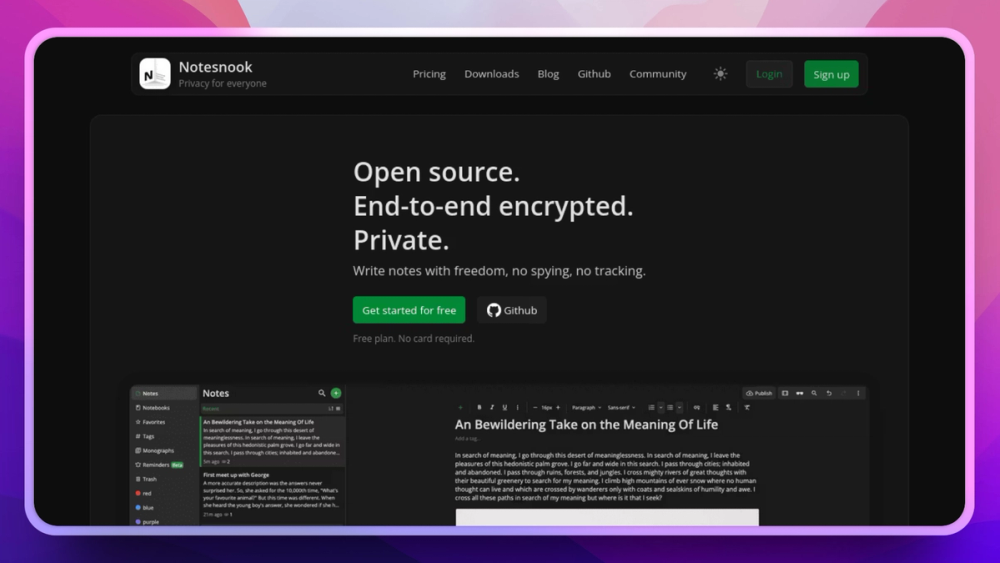
Notesnook encrypts note content so the service provider cannot read private notes. This is the key difference from many general productivity workspaces.
Open source client apps
The repository includes open source app code across desktop, web, and mobile surfaces. Users and teams can inspect the privacy-critical parts of the note-taking stack.
Self-hostable sync server
Notesnook supports a self-hosted sync path for users who want control over where encrypted note data is stored. This reduces dependence on a single hosted provider.
Strengths and trade-offs#
Strengths
- Privacy is a product boundaryNotesnook puts encryption and private sync at the center instead of treating privacy as an add-on. That makes it a better fit for sensitive personal and professional notes.
- Focused alternative to workspace bloatNotesnook is designed for notes rather than project management, databases, and team wikis. Users who want private writing and retrieval do not need to adopt a larger workspace system.
Trade-offs
- -Not a Notion-style team workspaceNotesnook is strongest for private notes. Teams needing relational databases, public docs, project boards, and rich collaborative workspaces should choose a different tool.
- -Self-hosting adds sync responsibilityRunning the sync server means owning uptime, backups, TLS, and upgrades. Many users will prefer the hosted sync option even if they value open source clients.
Notesnook vs alternatives#
Notesnook vs Evernote
Notesnook and Evernote both store notes across devices, but Notesnook centers end-to-end encryption and open source clients while Evernote is a proprietary hosted productivity product.
| Criterion | Notesnook | Evernote |
|---|---|---|
| License | GPL-3.0 repository | Proprietary SaaS |
| Encryption | End-to-end encrypted notes | Hosted proprietary service model |
| Hosting | Hosted sync or self-hosted sync server | Managed SaaS |
| Best fit | Sensitive private notes | Broad hosted note capture and organization |
Notesnook is the better choice when privacy and source transparency matter. Evernote is still stronger when users want a mature hosted workflow with broad integrations and minimal setup.
What it's built on#
- Languages
- JavaJavaScriptTypeScript
- Frameworks
- ReactReact Native
- Tooling
- esbuild
FAQ#
Is Notesnook end-to-end encrypted?
Yes. Notesnook is built around end-to-end encrypted note storage. That means note content is designed to remain unreadable to the service provider.
Can I self-host Notesnook?
Yes. Notesnook provides a self-hostable sync server path. Self-hosting gives more control over where encrypted data is stored, but it also requires operations work.
How does Notesnook compare to Evernote?
Notesnook prioritizes encrypted private notes and open source clients, while Evernote provides a mature hosted productivity product with broad capture and organization features. Choose Notesnook for privacy; choose Evernote for hosted convenience.
Similar open-source tools#

Joplin
Open source note-taking app with Markdown and sync support

Trilium.cc
Self-hosted hierarchical notes with backlinks and encrypted sync

Zettlr
Open source Markdown editor for researchers and academics

Standard Notes
End-to-end encrypted notes with 100+ extensions and themes

claude-obsidian
Self-organizing AI second brain for Obsidian, plain Markdown

Anytype
Local-first knowledge OS with E2E encryption and P2P sync