

Who AppFlowy is for#
Founders replacing Notion for an internal operating system
Use AppFlowy to keep product plans, wikis, tasks, and lightweight databases in a workspace your team can self-host as it grows. The combination of docs, databases, and AI makes it a practical Notion replacement for ownership-focused teams.
Skip if:
You need every Notion database feature, integration, and design polish today.
Privacy-sensitive teams building a knowledge base
Use AppFlowy when customer notes, operating docs, or client project details should stay under your infrastructure or local device control. Offline mode and self-hosting reduce dependence on a proprietary workspace vendor.
Skip if:
Your team does not want to maintain Docker services or internal workspace infrastructure.
Personal knowledge workers who want local-first notes
Use AppFlowy as a desktop and mobile workspace for notes, tasks, and documents that can work offline. Local AI support is useful when you want AI help without defaulting every prompt to a hosted workspace.
Skip if:
You only need a simple markdown editor or plain local files.
Technical teams customizing workspace behavior
Use AppFlowy when the ability to inspect, fork, and adapt a Flutter and Rust codebase matters more than polished SaaS convenience. The project fits teams that want building blocks, not only a finished hosted app.
Skip if:
You want a no-maintenance hosted workspace with vendor-managed integrations.
The problem it solves#
Teams often build their operating system inside Notion, then discover that their project plans, wikis, tasks, and AI-assisted notes live inside a proprietary workspace they cannot fully control. That creates real friction for privacy-sensitive teams, founders managing client data, and builders who want local access when the network or vendor account is not available.
The pain is not just cost. It is the tradeoff between convenience and ownership: hosted workspaces make collaboration easy, but they limit self-hosting, offline-first workflows, source-level customization, and control over how AI touches private notes and documents.
How it solves it#
AI workspace for projects and wikis
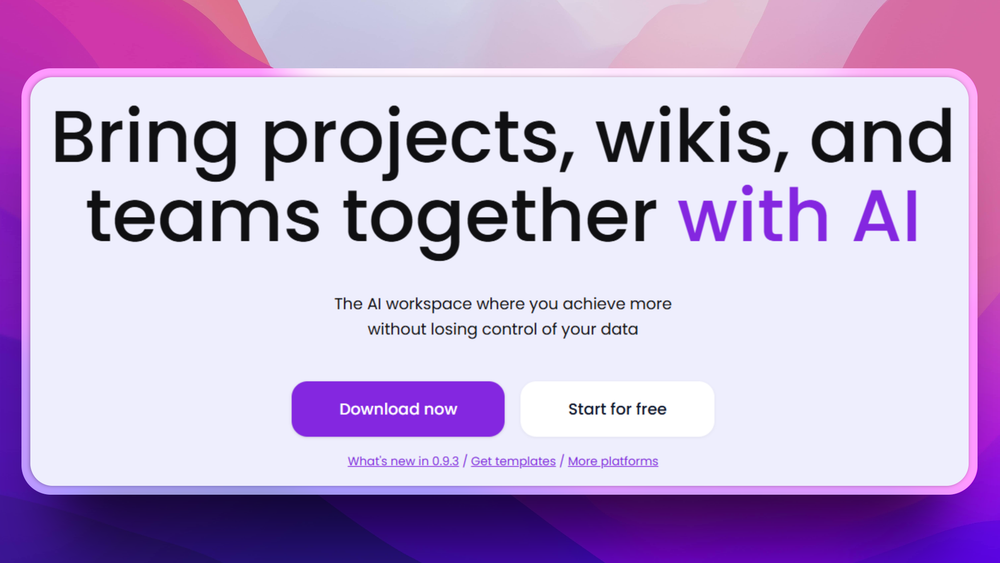
Combines docs, wikis, tasks, databases, and AI assistance in one workspace. The product site highlights AI chat, writing help, table autofill, contextual answers across pages, and project/wiki collaboration.
Self-hosting with AppFlowy Cloud
Supports running AppFlowy Cloud on your own server with Docker-based deployment. The official deployment docs describe a single-machine setup that exposes HTTP or HTTPS and routes /api, /ws, /web, /pgadmin, /minio, and /portainer.
Offline-first desktop workflow
The product site states that AppFlowy has a 100% offline mode and can remain local, then sync as required. That matters for users who want access to notes and tasks without depending on a hosted workspace connection.
Local and hosted AI model options
AppFlowy advertises local model support for privacy-focused AI work, along with cloud model choices. That gives teams more control over whether workspace context stays on-device or goes through an external AI provider.
Native apps across devices
The README links desktop downloads for macOS, Windows, and Linux, mobile apps for iPhone and Android, and alternate desktop distribution channels including Flathub and Snapcraft.
Strengths and trade-offs#
Strengths
- Data ownership is the core betAppFlowy was built because the team saw data security and one-size-fits-all limits in Notion-style workspaces. Unlike Notion, AppFlowy gives technical teams a self-hosting path and source code access under AGPLv3.
- Better fit for private AI workflowsThe product site emphasizes on-device AI, local models, and contextual AI across workspace pages. That makes AppFlowy stronger than a hosted-only workspace when sensitive notes, tasks, or project docs should stay closer to the user.
- Works as a personal app and team workspaceAppFlowy covers local desktop use, mobile access, and self-hosted collaboration through AppFlowy Cloud. Teams can start with the app experience and move toward hosted collaboration when they are ready to operate the server side.
- Honest scope versus NotionThe README explicitly says AppFlowy does not claim to outperform Notion in functionality and design today. That clarity helps users evaluate it as an ownership-first alternative, not a perfect clone.
Trade-offs
- -Not full Notion parityThe AppFlowy team says it does not claim to outperform Notion in functionality or design today. Choose it for ownership, privacy, and self-hosting first, not because every mature Notion workflow will transfer unchanged.
- -Self-hosting takes real operations workAppFlowy Cloud deployment depends on Docker and multiple services behind HTTP, WebSocket, auth, storage, admin, and database routes. Small teams without basic server administration skills should expect setup and maintenance work.
- -AGPLv3 affects modified network servicesAppFlowy is distributed under AGPLv3. That license is friendly for self-hosting and internal use, but teams modifying and offering the software over a network need to understand the source-sharing obligations.
- -AI privacy depends on model choiceLocal AI keeps more context on the user's machine, while cloud AI providers can send workspace context outside local infrastructure. Teams should choose model settings based on their own privacy requirements.
AppFlowy vs alternatives#
AppFlowy vs Notion
AppFlowy and Notion both organize docs, wikis, tasks, and project data in a shared workspace. The main difference is ownership: Notion is a polished proprietary SaaS product, while AppFlowy is AGPL-licensed software with offline use, local AI options, and a self-hosting path through AppFlowy Cloud.
AppFlowy is the better choice when data ownership, local work, self-hosting, and source-level control matter more than maximum feature maturity. It fits technical teams that want a Notion-like workspace without giving a vendor full control over workspace data.
Notion is still the safer choice when a team needs the most mature hosted product experience today. The AppFlowy README is clear that AppFlowy does not yet claim to beat Notion on functionality or design, so teams with complex existing Notion databases, deep integrations, or low tolerance for self-hosting work should test migration carefully before switching.
Quick start#
# Run the AppFlowy desktop client with Docker
docker run --rm \
  -v $HOME/.Xauthority:/root/.Xauthority:rw \
  -v /tmp/.X11-unix:/tmp/.X11-unix \
  -v /dev/dri:/dev/dri \
  -v /var/run/dbus/system_bus_socket:/var/run/dbus/system_bus_socket \
  -v appflowy-data:/home/appflowy \
  -e DISPLAY=${DISPLAY} \
appflowyio/appflowy_client:mainWhat it's built on#
- Languages
- C++DartRust
- Frameworks
- Flutter
FAQ#
Is AppFlowy open source?
Yes. The main AppFlowy repository is distributed under AGPLv3, and the README links the license directly. AGPLv3 is a copyleft license, so teams that modify and run AppFlowy as a network service should review the source-sharing requirements before shipping changes.
Can AppFlowy replace Notion?
AppFlowy can replace Notion for notes, wikis, tasks, databases, and privacy-focused team workspaces. It is not a perfect one-for-one clone, and the AppFlowy README states that the project does not claim to outperform Notion in functionality or design today.
Can I self-host AppFlowy?
Yes. The README links an official self-hosting path, and the AppFlowy Cloud deployment docs describe Docker-based deployment on a server. Expect to operate several services, including the backend, WebSocket route, auth, storage, admin UI, and database tooling.
Does AppFlowy work offline?
Yes. The product site states that AppFlowy supports a 100% offline mode and can remain local, then sync as required. That makes it useful for personal notes and workspace data that must remain available without a live hosted connection.
What AI options does AppFlowy support?
AppFlowy supports AI features for chat, writing, tables, and contextual answers across pages. The product site highlights both local models and cloud model choices, so teams can choose between convenience and stricter local control.
Similar open-source tools#

Anytype
Local-first knowledge OS with E2E encryption and P2P sync

Outline
Team wiki and knowledge base with realtime collaboration

AFFiNE
Local-first workspace combining docs, whiteboards, and notes

Typemill
Flat-file CMS: write Markdown, publish docs and user manuals

Docmost
Self-hosted collaborative wiki and documentation tool

Logseq
Privacy-first knowledge base with outliner and graph view