
Adobe Premiere Pro costs $22.99/month, which is $275 per year to edit videos. Final Cut Pro is $299 upfront and only runs on macOS. DaVinci Resolve markets itself as "free" but puts HDR grading, multi-GPU rendering, AI tools, and team collaboration behind a $295 Studio paywall. If you're on Linux, neither Premiere nor Final Cut even runs.
Open source video editors have closed the gap faster than most people realize. Shotcut, the most popular open source editor by GitHub stars with nearly 14,000, just shipped a new release on April 30, 2026. Kdenlive handles 4K multi-track timelines with proxy editing. Blender runs professional film production compositing pipelines. None of them watermark your exports, lock features behind subscriptions, or expire after a trial.
I researched 5 open source video editors across editing workflows ranging from YouTube content and short films to VFX pipelines and batch rendering. Here's which one fits your needs.
TL;DR: Shotcut is the most actively maintained open source video editor in 2026 with nearly 14,000 GitHub stars and a release just days ago; start here for cross-platform editing. Kdenlive is the better choice if you need a more polished interface closer to Adobe Premiere Pro. OpenShot is the easiest path in for beginners. Blender is unmatched if your workflow involves compositing, VFX, or 3D.
Key Takeaways:
- Most popular and most active: Shotcut: 13,900 GitHub stars, v26.4 released April 30, 2026, cross-platform
- Best Premiere Pro replacement: Kdenlive: multi-track, proxy editing, VST audio, customizable workspace
- Easiest for beginners: OpenShot: drag-and-drop, 400+ transitions, 3D titles, 5,700 GitHub stars
- Best for VFX, compositing, and 3D: Blender: node-based compositing, motion tracking, 18,300 GitHub stars
- Best for Linux/GNOME users: Pitivi: native GNOME integration, GStreamer backend, nanosecond precision trimming
Quick Comparison
| Tool | License | GitHub Stars | Platforms | Best For | 4K Support |
|---|---|---|---|---|---|
| Shotcut | GPL-3.0 | 13,900 | Linux, Windows, macOS | Cross-platform editing, active devs | Yes |
| Kdenlive | GPL-3.0 | 5,000 | Linux, Windows, macOS, BSD | Professional NLE workflow | Yes (proxy) |
| OpenShot | GPL-3.0 | 5,700 | Linux, Windows, macOS | Beginners and students | Yes |
| Blender | GPL-3.0 | 18,300 | Linux, Windows, macOS | VFX, compositing, 3D | Yes |
| Pitivi | LGPL-2.1 | 239 | Linux | GNOME-native Linux editing | Yes |
How I Evaluated These Editors
I scored each editor on five factors that matter for real video work:
- Active maintenance: commit frequency, release cadence, community responsiveness in 2025–2026
- Editing capability: multi-track support, keyframe animation, effects library, audio mixing
- 4K and proxy workflows: can you actually edit 4K footage without a $3,000 workstation?
- Ease of use: realistic learning curve for the target audience
- Format support: input/output codecs, containers, hardware codec compatibility
One thing I tracked that most roundups skip: GitHub stars as a maintenance signal. A project with 100 stars and a commit from two years ago is a liability, not a recommendation.
1. Shotcut: The Most Popular and Most Active Open Source Editor
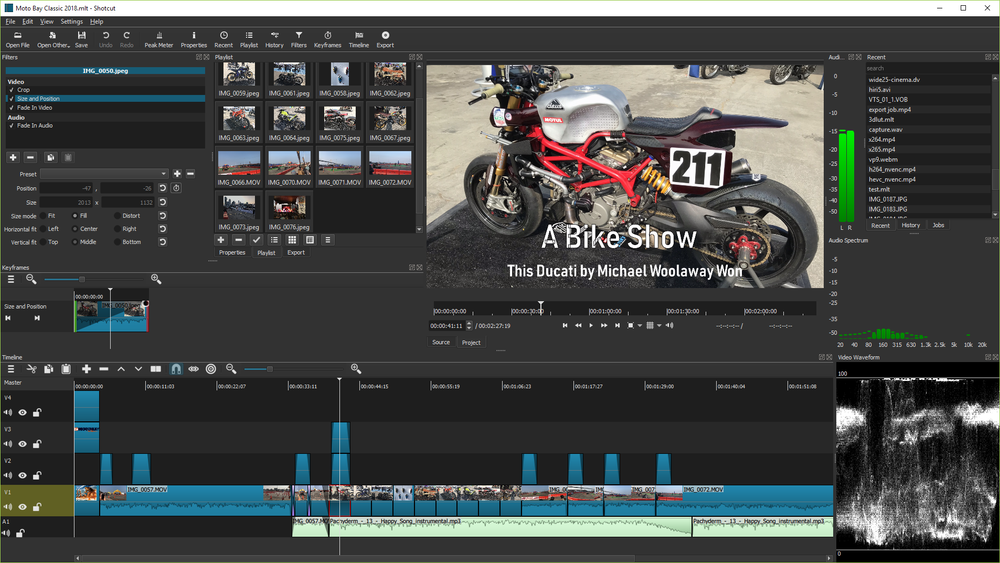
Best for anyone who wants the most actively maintained cross-platform open source video editor.
Shotcut has 13,900 GitHub stars, nearly three times Kdenlive's count and more than twice OpenShot's. That gap has widened over the past year. The project released v26.4 ("All the Small Things") on April 30, 2026. That's four days ago. Very few open source projects at this scale ship this consistently.
The architecture is what makes Shotcut unusual. Unlike most NLEs that force you to convert footage to a project format before editing, Shotcut edits natively: no import step, no format conversion. The multi-format timeline is its signature feature: different resolutions and frame rates coexist in the same project. This matters when you're mixing footage from a phone, a mirrorless camera, and a screencast.
View Shotcut on Open Source Alternatives
Key Features
- Native editing: no format conversion before starting, works with footage as-is
- Multi-format timeline: mix resolutions and frame rates within the same project
- FFmpeg backend: hundreds of supported codecs and container formats
- Hardware-accelerated encoding and decoding: NVIDIA NVENC, AMD VCE, Intel QSV, Apple VideoToolbox
- Blackmagic Design SDI and HDMI support: for professional monitoring hardware
- Built-in screen capture and webcam recording
- 4K+ resolution support up to 8K
- Drag-and-drop with thumbnail playlist for fast asset management
- Non-destructive filter history: every filter change is recorded and reversible
Pros
- Most popular open source video editor by GitHub stars; strongest community signal for long-term maintenance
- Native editing eliminates the import step that slows down other editors
- Hardware acceleration works across all major GPU vendors (NVIDIA, AMD, Intel, Apple)
- Professional hardware support (Blackmagic SDI/HDMI) at zero cost
- Releases consistently; not abandon-ware
Cons
- UI is less polished than Kdenlive for complex multi-track projects
- Multi-format timeline is powerful but can confuse users expecting a standard timeline model
- Fewer built-in motion graphics tools than you'd find in Premiere
License & Hosting
- License: GPL-3.0
- Platforms: Linux, Windows, macOS
- Install: Direct download from shotcut.org, or Flatpak/Snap on Linux
Best For
Cross-platform teams and individual creators who want the most actively maintained open source editor. If you're starting fresh with no investment in another editor's workflow, start with Shotcut.
2. Kdenlive: The Best Premiere Pro Replacement
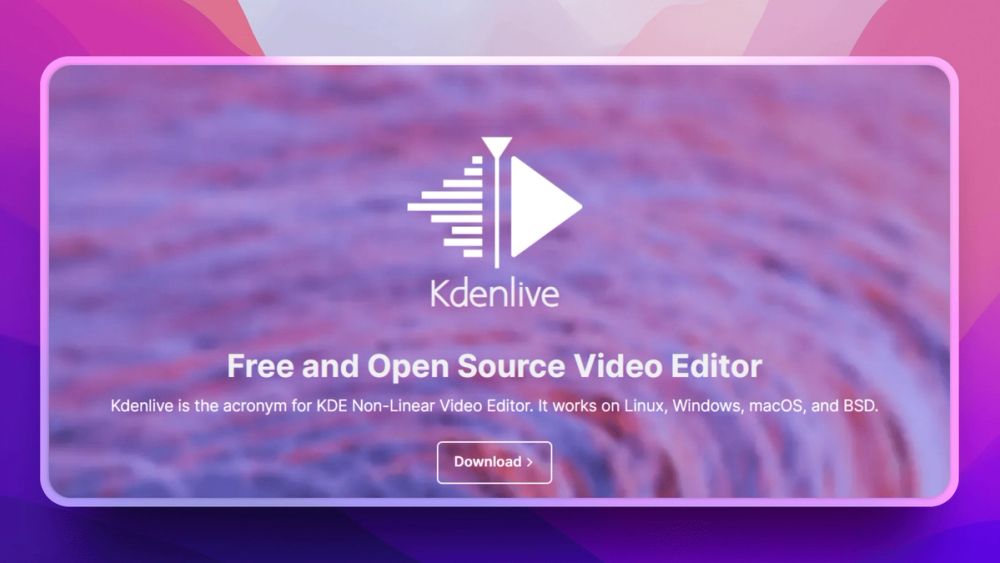
Best for intermediate to advanced editors transitioning from Adobe Premiere Pro.
Kdenlive (KDE Non-Linear Video Editor) is what most editors mean when they say "open source Premiere Pro." The layout is familiar: media bin on the left, timeline at the bottom, preview monitor in the center. The effects library, audio mixer, and keyframe editor are all where you'd expect them. If you've spent years in Premiere, Kdenlive's muscle memory transfer is the most direct of any open source editor.
The proxy editing workflow is Kdenlive's practical edge for 4K work. Create low-resolution proxies for smooth timeline scrubbing, then swap in the full-resolution source files automatically at export. On mid-range hardware, this is the difference between a usable 4K workflow and constant dropped frames.
View Kdenlive on Open Source Alternatives
Key Features
- Multi-track editing with unlimited video and audio tracks
- 200+ built-in effects and transitions with per-parameter keyframe animation
- Proxy editing: create working copies for smooth 4K timeline scrubbing
- Audio mixing with per-track levels, sends, and VST plugin support
- Customizable workspace: panels and toolbars rearrange to match any workflow
- Real-time preview without pre-rendering most effects
- Titler with templates for lower thirds, credits, and motion titles
- Nested sequences for organizing complex projects
Pros
- Most familiar interface for Premiere Pro users; fastest transition path
- Proxy editing makes 4K workflows smooth on modest hardware
- VST plugin support in audio is unusual for open source editors
- Cross-platform with full support on Linux, Windows, macOS, and BSD
- Active KDE community with predictable release cadence
Cons
- Steeper learning curve than Shotcut or OpenShot for new editors
- Historically less stable on Windows than Linux (each release improves this)
- No built-in 3D or compositing; use Blender for that
- Color grading tools are functional but not DaVinci-level
License & Hosting
- License: GPL-3.0
- Platforms: Linux, Windows, macOS, BSD
- Install: Package manager on Linux, installer on Windows/macOS, Flatpak/Snap
Best For
YouTubers, indie filmmakers, and teams leaving Adobe Premiere. If you need multi-track editing with professional effects and proxy support, and you want the closest open source equivalent to Premiere's workflow, start here.
3. OpenShot: The Easiest Open Source Editor
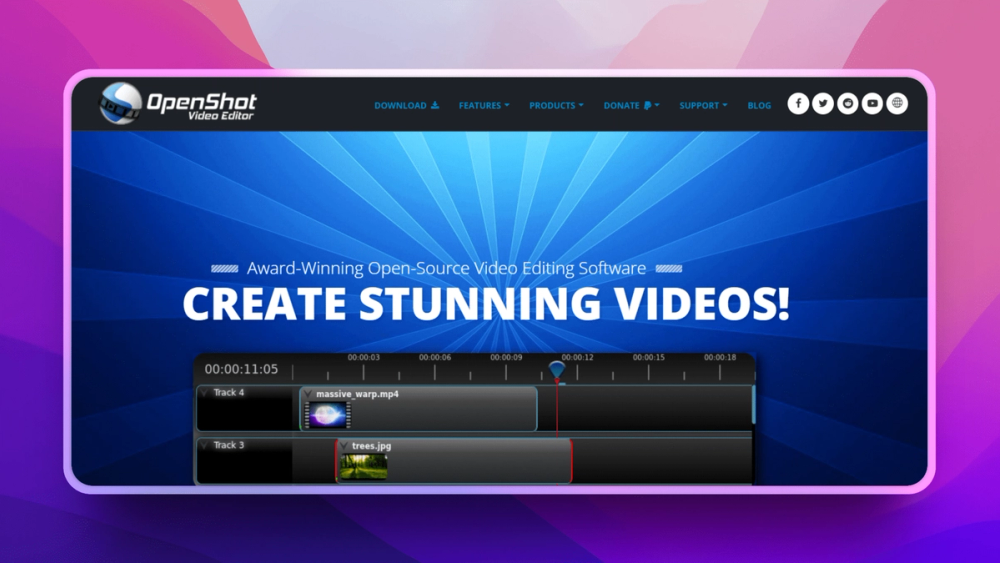
Best for first-time editors and anyone who needs to get something done in under 10 minutes.
OpenShot's job is simple: get people editing video without a learning curve. The interface is clean. Clips drag from the media bin onto the timeline. Transitions drop between clips. The titler is right there. For YouTube videos, school projects, family memories, and quick social content, OpenShot gets you from footage to finished file faster than any other editor on this list.
The v3.5.1 release (April 8, 2026) added stability improvements and expanded format support. OpenShot uses the same FFmpeg backend as Shotcut and Kdenlive, which means it handles virtually any video format you throw at it.
View OpenShot on Open Source Alternatives
Key Features
- Drag-and-drop editing: clips go directly from the bin to the timeline
- 400+ transitions with preview and customizable duration
- 3D animated titles via built-in Blender integration; unique for a beginner editor
- Unlimited tracks for layering video, audio, and graphics
- GPU-accelerated rendering for faster exports
- FFmpeg backend handles virtually any video format
- AI-powered stabilization for shaky footage
- JSON project format enables scripting and automation via API
Pros
- Lowest learning curve of any editor on this list; most people are editing within 5 minutes
- Built-in tutorials walk through basic workflows
- 3D title integration with Blender gives beginners access to professional-looking titles
- Consistent cross-platform UI across Linux, Windows, and macOS
Cons
- Performance degrades noticeably with complex, multi-layer timelines
- No proxy editing; 4K footage can stutter on slower machines
- Fewer advanced effects than Kdenlive or Shotcut
- Crash history on large projects (improved in recent releases but still reported)
License & Hosting
- License: GPL-3.0
- Platforms: Linux, Windows, macOS
- Install: Direct installer, AppImage on Linux
Best For
First-time editors, students, and anyone who needs quick edits without investing in learning a complex tool. If you're just trimming clips and adding some music and titles, OpenShot gets there fastest.
4. Blender: The VFX and Compositing Powerhouse
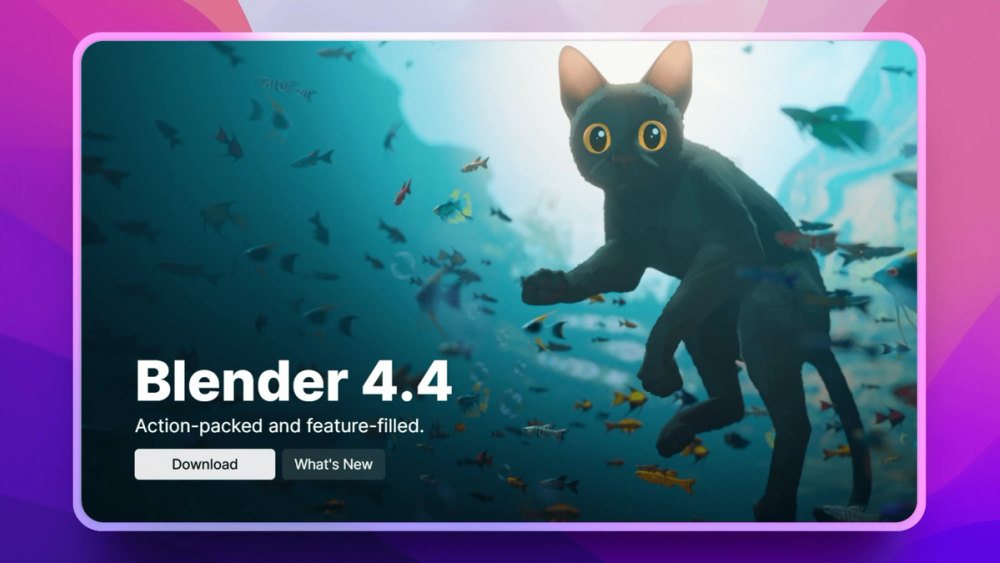
Best for creators who need compositing, motion tracking, or 3D integration alongside editing.
Blender's Video Sequence Editor (VSE) is not the reason most people download Blender. But for editors who need compositing, motion tracking, or 3D graphics, and want everything in one pipeline, Blender is in a different category from every other tool on this list.
The real value is the pipeline integration. You can track camera motion, model a 3D replacement object, composite it into your footage, and output a finished video without leaving Blender. Film studios and VFX houses use this pipeline for professional productions. The Blender Foundation lists credits on feature films. At 18,300 GitHub stars and a commit two days ago, this is one of the most actively developed creative tools in open source.
View Blender on Open Source Alternatives
Key Features
- Video Sequence Editor (VSE): multi-track timeline with effects strips, transitions, and audio mixing
- Node-based compositing: non-destructive image processing at any resolution
- Motion tracking: camera tracking, object tracking, and planar tracking
- 3D integration: render CG elements directly into your video timeline
- Grease Pencil: 2D animation within 3D scenes
- Cycles and EEVEE renderers for photorealistic and real-time rendering
- Python scripting for automation and custom pipelines
- Geometry Nodes for procedural effects
Pros
- The only tool on this list with integrated 3D, compositing, and motion tracking
- Studio-quality VFX pipeline used in professional productions
- Massive community; thousands of tutorials, add-ons, and courses
- Constant development backed by Blender Foundation and major sponsors (AMD, Epic, Google, Meta)
Cons
- The VSE is secondary to Blender's 3D tools; simple cuts are harder than they should be
- Very steep learning curve; Blender's UI is powerful but requires real investment to learn
- Not the right choice for straightforward editing; use Kdenlive or Shotcut for that
- Resource-intensive; needs a capable GPU for smooth compositing work
License & Hosting
- License: GPL-3.0
- Platforms: Linux, Windows, macOS
- Install: Direct download, Steam, Snap, package managers
Best For
VFX artists, motion designers, and creators who need editing, compositing, and 3D in one pipeline. If you're just cutting clips, this is overkill. If your workflow involves any visual effects, tracking, or 3D, Blender has no open source equal.
5. Pitivi: The Native GNOME Video Editor
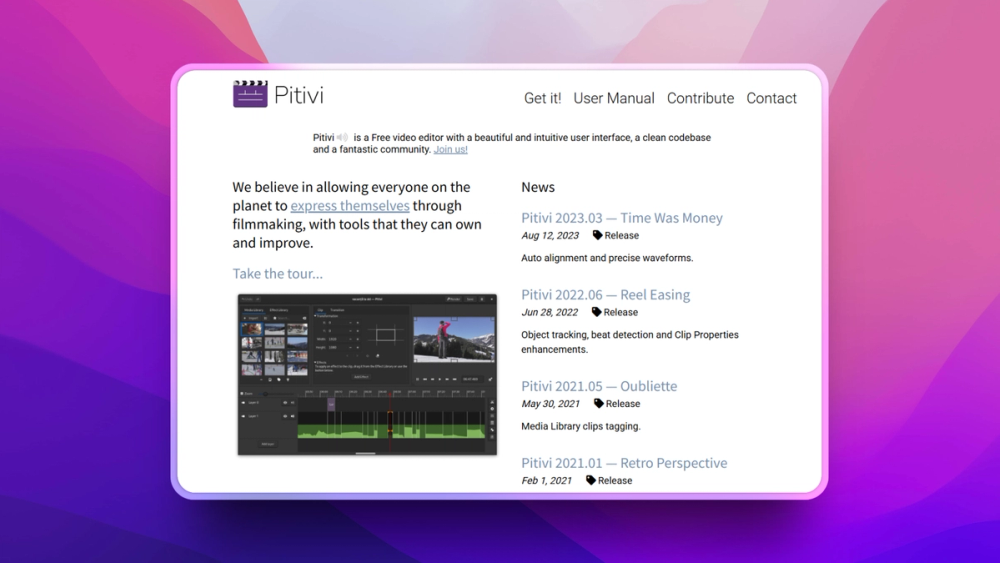
Best for Linux users who want a clean, native-feeling editor that integrates with their desktop environment.
Pitivi is built on GStreamer, the same multimedia framework that powers most of the Linux desktop's media playback. This gives Pitivi near-universal format support through GStreamer's plugin system without needing to install anything extra. Hardware codec acceleration works through GStreamer's VA-API and NVDEC backends.
The community is small, at 239 GitHub stars. I'm being transparent about that. Pitivi is not trying to be Kdenlive or Shotcut. It's trying to be the right editor for GNOME Linux users who want something that feels like it belongs on their desktop. If that's you, it delivers.
View Pitivi on Open Source Alternatives
Key Features
- GStreamer backend: near-universal format support with hardware codec acceleration
- Multi-track editing with unlimited audio and video tracks
- Nanosecond-precision trimming for exact cut points
- Visual effects and transitions including speed effects
- Python plugin extensibility for custom effects and workflows
- Command-line rendering for scripted export pipelines
- GNOME desktop integration: follows GNOME HIG, works with GNOME's app ecosystem
Pros
- Tightest Linux desktop integration of any editor on this list
- GStreamer handles virtually any format without manual codec installation
- Clean, intuitive interface that doesn't overwhelm new users
- Nanosecond trimming is genuinely useful for precise edit points
Cons
- 239 GitHub stars; small community, which means fewer tutorials and slower bug fixes
- Linux-only in practice; no meaningful macOS or Windows support
- Fewer built-in effects and transitions than Kdenlive, Shotcut, or OpenShot
- Not suited for complex VFX or compositing workflows
License & Hosting
- License: LGPL-2.1
- Platforms: Linux (primary)
- Install: Flatpak (recommended), distribution packages
Best For
Linux users who want a clean, GNOME-native editing experience for everyday video work. If you're on Ubuntu, Fedora, or Arch and want an editor that feels native to your desktop, Pitivi is the natural choice.
How to Choose the Right Open Source Video Editor
For most people: Start with Shotcut. It's the most actively maintained, most popular by stars, and works consistently on Linux, Windows, and macOS.
If you're switching from Premiere Pro: Use Kdenlive. The workspace layout and workflow conventions are closest, and proxy editing makes 4K manageable.
If you've never edited video before: OpenShot gets you editing in minutes without any learning investment.
If you do VFX, 3D, or compositing: Blender is the only open source tool that brings editing, compositing, motion tracking, and 3D into one pipeline.
If you're a Linux/GNOME user who wants a clean, native experience: Pitivi integrates with your desktop and handles formats through GStreamer without configuration.
The honest answer on DaVinci Resolve: It's more capable than anything on this list for professional color grading, and the free version is genuinely useful. But it's not open source; you cannot inspect, modify, or redistribute the code. If that matters to your workflow, the editors above are your options.
Frequently Asked Questions
Which open source video editor is closest to Adobe Premiere Pro?
Kdenlive is the closest match. It has multi-track editing, keyframe animation, proxy editing, a configurable effects library, and audio mixing with VST support, which covers the same core workflow as Premiere. The workspace is customizable to approximate Premiere's layout. You'll miss Adobe's Dynamic Link ecosystem, but Kdenlive with Blender covers most workflows that would otherwise require After Effects.
Is DaVinci Resolve open source?
No. DaVinci Resolve is free in its base version, but it is not open source; you cannot view, modify, or redistribute the source code. The Studio version costs $295. If your workflow, licensing requirements, or operating system demands truly open source software, the editors in this article are your options.
Can I edit 4K video with free open source editors?
Yes. Shotcut, Kdenlive, OpenShot, and Blender all support 4K editing. For smooth 4K scrubbing on mid-range hardware, Kdenlive's proxy editing is essential; it creates low-resolution working copies for timeline editing and swaps in the full-resolution source at export. Shotcut's hardware-accelerated decoding (NVENC, VCE, Intel QSV) also helps. Without proxy editing or hardware acceleration, 4K timeline scrubbing will stutter on most consumer hardware.
Do open source video editors export without watermarks?
Every editor on this list exports without watermarks, time limits, or feature restrictions. This is the fundamental difference between open source editors and "freemium" tools like CapCut's desktop app or older versions of iMovie. The full editor is free, not a trial tier.
Which open source video editor is best for YouTube?
Shotcut or Kdenlive depending on your needs. Shotcut is faster to set up and handles YouTube-typical mixed-format footage well. Kdenlive is better if your workflow involves multi-camera editing, complex audio, or 4K proxy editing. Both export directly to YouTube-optimized H.264/HEVC formats. For very simple edits (cuts, titles, music), OpenShot gets there faster.
Is Kdenlive better than Shotcut?
It depends what you optimize for. Shotcut has more GitHub stars (13,900 vs 5,000), more consistent recent releases, and a simpler native-editing model. Kdenlive has a more refined UI for complex multi-track work and the workspace customization that Premiere Pro users expect. Shotcut wins on raw community momentum; Kdenlive wins on NLE polish.
What is the easiest open source video editor for beginners?
OpenShot. The drag-and-drop interface requires no learning investment. The built-in tutorial walks through the basics. For simple edits (cut clips, add transitions, add titles, export), most people are done in 10 minutes without reading documentation.
Can I use GPU acceleration with open source editors?
Yes. Shotcut supports hardware-accelerated encoding and decoding across NVIDIA NVENC, AMD VCE, Intel QSV, and Apple VideoToolbox. Kdenlive supports GPU-accelerated rendering for export. Blender's Cycles renderer is heavily GPU-optimized with CUDA, OpenCL, and Metal. Pitivi gets hardware acceleration through GStreamer's VA-API and NVDEC backends. OpenShot has GPU-accelerated rendering for export but not for timeline preview.
What video formats do open source editors support?
All editors with FFmpeg or GStreamer backends handle virtually every format: MP4, MOV, AVI, MKV, WebM, and their common codec combinations. Shotcut, Kdenlive, OpenShot, and Blender all use FFmpeg. Pitivi uses GStreamer. Both support hundreds of codec/container combinations. Format support is effectively not a decision factor between these tools; they all handle common media.
Can I use open source video editors on a Chromebook?
If your Chromebook supports Linux apps (most modern models via Crostini), you can install Kdenlive, Shotcut, OpenShot, or Pitivi through Flatpak or your Linux distribution's package manager. Performance depends on your Chromebook's hardware; Kdenlive's proxy editing significantly helps on lower-spec machines. Blender requires more resources and may run slowly on entry-level Chromebooks.
Is Blender good for video editing without the 3D features?
For basic cuts and timeline editing, Blender's Video Sequence Editor is functional but slower to use than Kdenlive, Shotcut, or OpenShot. The UI is designed around Blender's 3D paradigm; if you're not using the 3D features, that complexity works against you. Use Blender for video editing only when compositing, motion tracking, or 3D integration is part of your workflow. For everything else, pick a dedicated NLE.
Are open source video editors good enough for professional work?
Yes, with caveats. Blender has production credits on professional films. Kdenlive handles 4K multi-track timelines used in independent productions. Where open source editors fall short: Adobe's tightly integrated multi-app ecosystem (Dynamic Link, Lumetri's specific color science, third-party plugin libraries) and some advanced broadcast-specific tooling. For YouTube, indie film, corporate video, documentary, and VFX, open source is production-ready.