

Most articles comparing Prometheus vs Grafana get the framing wrong from the start. These two tools do not compete. Prometheus scrapes and stores your metrics; Grafana reads those metrics and draws the dashboards. Choosing between them is like choosing between a database and a query interface.
That said, the question behind the search is real: which tool do you set up first, do you actually need both, and when is there a simpler path? I researched both tools in depth and this guide answers all three.
TL;DR: Run Prometheus if you need to collect system or application metrics. Add Grafana on top when you need dashboards beyond Prometheus's built-in expression browser. For most teams going into production, you want both. For a side project or homelab monitoring three services, Uptime Kuma gets you to "is it up?" in ten minutes without configuring a single exporter.
Key Takeaways
- Prometheus is the metrics backend: it scrapes, stores, and alerts on time-series data
- Grafana is the visualization frontend: it queries Prometheus and 150+ other sources, then renders dashboards
- Neither tool replaces the other; they cover different layers of the same open source observability stack
- Most production Kubernetes environments deploy both via the kube-prometheus-stack Helm chart in a single command
- For simple uptime monitoring with no metrics depth required, Uptime Kuma or Coroot are faster to operate
Quick Comparison: Prometheus vs Grafana
| Criteria | Prometheus | Grafana |
|---|---|---|
| Role | Metrics backend (collect, store, alert) | Visualization frontend (query, dashboard, alert) |
| License | Apache-2.0 | AGPL-3.0 |
| GitHub Stars | ~64,000 | ~73,700 |
| Data Storage | Yes (embedded TSDB) | No (queries external sources) |
| Alerting | Yes (Alertmanager) | Yes (Grafana Alerting, separate) |
| Data Sources | Prometheus only | 150+ (Prometheus, Loki, SQL, cloud, etc.) |
| Dashboards | Basic expression browser | Full interactive dashboards |
| Self-Host Difficulty | Moderate | Low |
| Best For | Collecting and querying metrics | Visualizing metrics from any source |
Prometheus: The Metrics Backend
Prometheus is the de facto standard for metrics collection in cloud-native environments. It originated at SoundCloud in 2012 and became one of the first projects to graduate from the Cloud Native Computing Foundation (CNCF), alongside Kubernetes.
Its core job: scrape metrics from your infrastructure at a configurable interval, store them in a time-series database, and evaluate alert rules against that data.
How Prometheus Works
Prometheus uses a pull model. At a configurable interval (the default is 1 minute; most production teams configure 15-30 seconds), it reaches out to HTTP endpoints on your servers, containers, and applications and reads their current metrics. Those metrics look like this:
http_requests_total{method="GET", status="200"} 1234
node_memory_MemAvailable_bytes 4294967296Your application exposes a /metrics endpoint (or you run an exporter sidecar). Prometheus scrapes it. PromQL lets you query across all of it.
PromQL: The Query Layer
PromQL is Prometheus's query language. It takes some learning but unlocks powerful questions:
rate(http_requests_total[5m]): requests per second over the last 5 minuteshistogram_quantile(0.99, rate(http_request_duration_seconds_bucket[5m])): 99th percentile response timesum by (service) (container_memory_usage_bytes): memory per service
These queries power both alert rules and the graphs Grafana renders.
Alertmanager
Prometheus evaluates alert rules and fires to Alertmanager, which handles routing (who gets paged for what), grouping (batching related alerts), silencing, and deduplication. Alertmanager sends to Slack, PagerDuty, email, OpsGenie, and many more.
What Prometheus Does Well
- Single binary, minimal dependencies, runs anywhere
- Kubernetes-native: kube-state-metrics and node-exporter give you full cluster visibility out of the box
- 1,000+ community exporters for MySQL, Redis, Postgres, Nginx, JVM, and most common software
- Apache-2.0 license: no copyleft obligations, fork-friendly, safe for any commercial deployment
- CNCF graduated: actively maintained with strong stability guarantees
Where Prometheus Falls Short
- The built-in UI is functional but not dashboard-quality: fine for one-off PromQL debugging, not for daily ops
- No log or trace storage (metrics only; add Loki for logs, Tempo for traces)
- Single-node by default: at high metric volume you need Thanos or Grafana Mimir for horizontal scale
- Alert rules live in YAML files; no visual editor without Grafana
Best for: teams that need to monitor infrastructure, applications, or Kubernetes clusters and want to own the full metrics pipeline.
View Prometheus on Open Source Alternatives
Grafana: The Visualization Layer
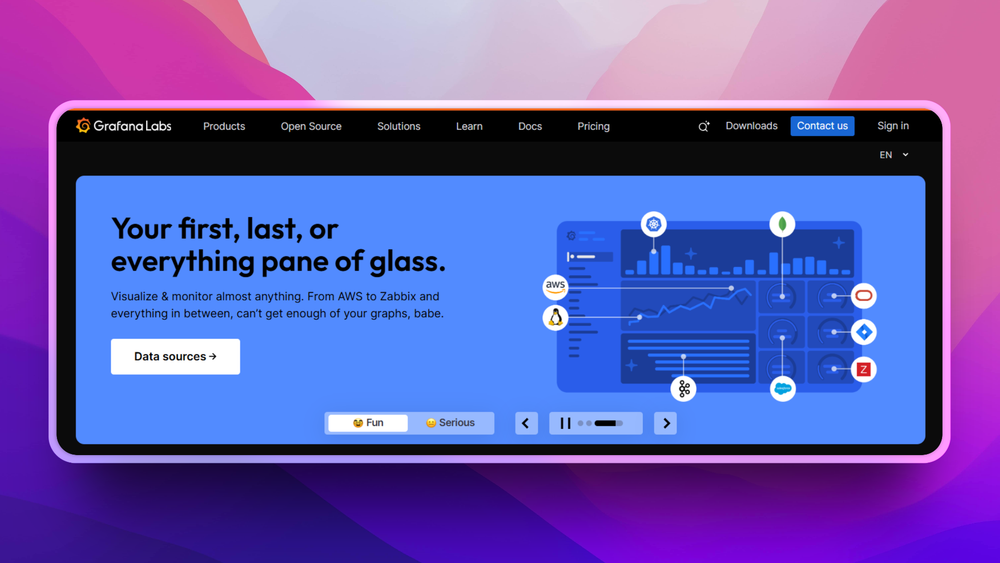
Grafana is the leading open source dashboarding and observability platform. With 73,700+ GitHub stars, it is one of the most-starred projects on GitHub and the default choice for visualizing Prometheus data.
Grafana does not store metrics. It connects to data sources (Prometheus, Loki, Elasticsearch, MySQL, PostgreSQL, InfluxDB, CloudWatch, Datadog, and 140+ more) and renders what they return into panels, dashboards, and alerts.
What Grafana Does
Open a Grafana dashboard and you get:
- Time-series graphs with configurable resolutions
- Heatmaps, stat panels, bar gauges, tables, geomap
- Template variables: dropdowns that let you switch between services, environments, or regions without editing the dashboard
- Annotated events (deploy markers, incidents) overlaid on any graph
- Cross-source dashboards: Prometheus metrics alongside Postgres query latency in the same view
Grafana Alerting
Grafana has its own alerting engine, separate from Prometheus Alertmanager. You can write alert rules in the UI against any data source, not just Prometheus. Teams running multiple backends (Prometheus for infra, Elasticsearch for app logs) can centralize alert management in Grafana rather than juggling multiple alerting systems.
Note: Grafana Alerting and Prometheus Alertmanager can coexist. Most Kubernetes setups use both.
The License Situation
Grafana switched from Apache-2.0 to AGPL-3.0 in 2021. AGPL is an OSI-approved copyleft license and meets Open Source Alternatives' standards. For self-hosting, AGPL changes nothing practical: download, run, use freely. The copyleft clause applies if you distribute a modified Grafana as a service to external customers, which most self-hosters never do.
Grafana's most advanced features (SAML SSO, enhanced LDAP sync, fine-grained Role-Based Access Control, data source caching) are proprietary and live behind Grafana Enterprise or Grafana Cloud. The OSS version covers the vast majority of self-hosted use cases fully.
What Grafana Does Well
- Connect to 150+ data sources: move between teams, backends, or cloud providers without switching dashboards
- Thousands of community-shared dashboards at grafana.com/grafana/dashboards: download a ready-made Kubernetes dashboard in under a minute
- Provision dashboards as code via YAML for GitOps workflows
- Plugin ecosystem: additional visualization types and data source connectors
- Low operational overhead: stateless service, scale horizontally, straightforward container deployment
Where Grafana Falls Short
- Useless without a data source: it renders nothing on its own
- Advanced auth features cost money at scale (enterprise tier)
- Dashboard sprawl is a real risk: teams tend to accumulate hundreds of dashboards that no one maintains
- AGPL-3.0 creates obligations if you build a product on top of Grafana (vs Apache-2.0 Prometheus)
Best for: teams that want rich, cross-source dashboards and don't want to be locked into one metrics backend.
View Grafana on Open Source Alternatives
Head-to-Head: Key Differences
Data Collection vs. Visualization
Prometheus actively pulls data. Grafana passively displays it. This is the central distinction. If you disable Prometheus, your metrics collection stops. If you disable Grafana, your metrics keep accumulating; you just lose the dashboards until you restore it.
This means Prometheus carries the reliability weight. If your Prometheus instance goes down or fills its disk, you lose metrics. Grafana going down is a minor inconvenience.
Alerting: Which Engine Should You Use?
Both tools have alerting. The practical guidance:
- Use Prometheus Alertmanager for infrastructure and availability alerts where you want conditions evaluated close to the data source, and where deduplication and silencing logic is complex.
- Use Grafana Alerting when you need to alert on non-Prometheus sources (logs, databases, business metrics), or when you want a single UI for all alert management.
- Use both in Kubernetes environments: Prometheus Alertmanager handles cluster alerts; Grafana Alerting handles application-layer alerts from multiple sources.
Grafana can import Prometheus alert rules and fire to the same Alertmanager, so the two systems are not mutually exclusive.
Community and Ecosystem
Prometheus is a CNCF graduated project with a deeply integrated ecosystem. Every Kubernetes distribution, every major cloud provider's managed Kubernetes offering, and most cloud-native tooling assumes Prometheus metrics format. The OpenMetrics standard is directly descended from Prometheus exposition format.
Grafana has a broader commercial ecosystem. Grafana Labs employs around 1,000 people and ships paid products (Grafana Cloud, Grafana Enterprise, Grafana Loki, Grafana Tempo, Grafana Mimir). This means faster development velocity but also a stronger commercial pull toward paid tiers.
Self-Hosting Complexity
Prometheus alone requires:
- Run Prometheus container or binary
- Configure
prometheus.ymlwith scrape targets - Install exporters on servers (node_exporter is standard)
- Write alert rules
- Run Alertmanager
Grafana alone (connected to an existing Prometheus):
- Run Grafana container
- Add Prometheus as a data source (UI, 30 seconds)
- Import or build a dashboard
Full stack from scratch: 30-90 minutes depending on environment. The kube-prometheus-stack Helm chart collapses this to one helm install command for Kubernetes teams.
When to Use Both Together
This is the right answer for most teams beyond the homelab stage. The two tools cover complementary layers:
- Prometheus handles collection, storage, and infrastructure alerting
- Grafana handles visualization, cross-source correlation, and team-facing dashboards
Standard self-hosted open source monitoring stack:
[Servers / Containers / K8s nodes]
     |  (HTTP scrape, configurable interval)
     v
[Prometheus + Alertmanager]
     |  (PromQL queries)
     v
[Grafana dashboards]
     |  (notifications)
     v
[Slack / PagerDuty / Email]When to deploy this stack:
- You're running more than three servers or a Kubernetes cluster
- You need per-service memory, CPU, error-rate, and latency visibility
- Your team wants historical dashboards spanning hours to months
- You need to correlate infrastructure metrics with application metrics
- You want to track SLOs (service-level objectives) over time
Kubernetes shortcut: The kube-prometheus-stack Helm chart installs Prometheus, Grafana, Alertmanager, node-exporter, and kube-state-metrics with pre-built dashboards in a single command:
helm repo add prometheus-community https://prometheus-community.github.io/helm-charts
helm install kube-prometheus-stack prometheus-community/kube-prometheus-stackMost self-hosted Kubernetes environments run this chart or a fork of it.
When to Use Something Simpler
Not every team needs the full Prometheus + Grafana stack. Two open source tools cover the simpler cases well.
Uptime Kuma: For "Is It Up?" Monitoring
Uptime Kuma is a self-hosted monitoring tool that checks whether your endpoints are reachable and notifies you when they're not. It runs in a single Docker container with a low resource footprint.
It monitors: HTTP/HTTPS, TCP, DNS, ping, Docker containers, databases. It generates a public status page. It sends notifications via 90+ integrations.
Setup time: under ten minutes. No exporters, no PromQL, no YAML alert rules.
Choose Uptime Kuma instead of Prometheus + Grafana when:
- You run a personal site or small side project with under five services
- You need "is it up?" but not "why is it slow?"
- You don't have time to configure exporters and tune alert thresholds
- Your team has no one who wants to maintain a metrics stack
Uptime Kuma also exposes a Prometheus-compatible /metrics endpoint, so teams can start with Uptime Kuma and add Prometheus later as their needs grow.
Coroot: For Kubernetes Observability Without Manual Instrumentation
Coroot uses eBPF to auto-discover your service topology and collect metrics, logs, and traces without requiring you to add exporters to every service. It detects anomalies automatically using SLO-based analysis and shows metrics, logs, and traces in a single UI.
Choose Coroot instead of building the full Prometheus + Grafana stack when:
- You're on Kubernetes and want observability without configuring exporters per service
- Your team is small and doesn't want to write and maintain PromQL alert rules
- You want auto-detected anomalies rather than manually defined thresholds
Coroot integrates with Prometheus as a data source, so it can complement rather than replace an existing Prometheus deployment.
The Verdict
For production infrastructure (servers, Kubernetes, microservices): Deploy both Prometheus and Grafana. Use kube-prometheus-stack on Kubernetes or set them up as individual containers. This is the standard, battle-tested stack used by most cloud-native teams.
For multi-source observability (metrics, logs, business data): Grafana is not optional. It is the only tool in this stack that speaks to more than one data backend. If you need Prometheus metrics alongside application logs or SQL queries in the same dashboard, you need Grafana.
For alerting on infrastructure: Use Prometheus Alertmanager. It has the most mature deduplication, silencing, and routing logic for infrastructure alerts.
For simple uptime monitoring (side projects, personal homelab, small teams): Skip the full stack and use Uptime Kuma. It costs ten minutes of setup and runs on a $5 VPS.
For Kubernetes observability without manual instrumentation: Try Coroot first. Its eBPF approach eliminates the per-service exporter configuration that makes Prometheus + Grafana heavyweight for smaller teams.
FAQ
Is Prometheus better than Grafana?
They are not comparable as "better or worse": they do different things. Prometheus collects and stores metrics. Grafana visualizes metrics from Prometheus and other sources. Asking which is better is like asking whether a database or a reporting tool is better. You need both for a complete monitoring setup.
Do you need both Prometheus and Grafana?
For production infrastructure monitoring: yes, you generally want both. Prometheus handles data collection, storage, and alerting. Grafana handles dashboards and visual analysis. You can run Prometheus without Grafana (using its built-in expression browser for queries), but most teams add Grafana quickly because the UX difference is significant.
Can Grafana work without Prometheus?
Yes. Grafana connects to 150+ data sources: Elasticsearch, MySQL, PostgreSQL, InfluxDB, CloudWatch, Datadog, and many others. You can run Grafana with no Prometheus at all. That said, Prometheus is Grafana's most common data source in self-hosted environments.
What is the difference between Grafana Alerting and Prometheus Alertmanager?
Prometheus Alertmanager evaluates alert rules against Prometheus metrics and routes notifications. It is mature, with strong deduplication and silencing logic. Grafana Alerting is a separate engine that can alert on any Grafana data source (not just Prometheus) and provides a visual UI for writing alert rules. Most Kubernetes setups use both: Alertmanager for infrastructure alerts, Grafana Alerting for application-layer and multi-source alerts.
How do I self-host Prometheus and Grafana?
The fastest path on Kubernetes is the kube-prometheus-stack Helm chart, which installs both tools plus Alertmanager and node-exporter in one command. For a standalone Docker setup, run docker run prom/prometheus and docker run grafana/grafana, configure Prometheus scrape targets in prometheus.yml, then add Prometheus as a data source in Grafana. Total setup time: 30-60 minutes.
Is Grafana free?
The OSS version (AGPL-3.0) is free and covers most self-hosted use cases: dashboards, alerting, all the major data source plugins. Advanced features (SAML SSO, enhanced LDAP sync, fine-grained access control, data source caching) require Grafana Enterprise or Grafana Cloud paid plans. Grafana Cloud has a free tier with 10,000 metrics, 50GB logs, and 14 days of data retention.
Is Prometheus free?
Yes. Prometheus is Apache-2.0 licensed with no paid tiers. The project is entirely open source and maintained by the CNCF community. Grafana Labs offers managed Prometheus-compatible hosting (Grafana Cloud / Grafana Mimir) for teams that want to avoid operating the stack themselves.
What is PromQL?
PromQL is Prometheus's query language. It lets you filter, aggregate, and transform time-series metrics. Examples: rate(http_requests_total[5m]) returns per-second request rate; sum by (pod) (container_memory_usage_bytes) returns memory per Kubernetes pod. Grafana uses PromQL to query Prometheus data and render graphs. There is a learning curve, but Grafana's query builder provides a no-code interface for common queries.
When should I use Uptime Kuma instead of Prometheus?
Use Uptime Kuma when you only need external availability monitoring ("is my site reachable?") and don't need system-level metrics or historical performance dashboards. Uptime Kuma runs in a single container and takes under ten minutes to set up. The Prometheus + Grafana stack is worth the overhead when you're running more than three services, need per-second metric granularity, or need to debug performance regressions.
Is Prometheus part of Kubernetes?
Prometheus is not part of Kubernetes itself, but it is the de facto standard for Kubernetes monitoring. The kube-prometheus-stack chart is the standard way to monitor Kubernetes clusters. Most cloud providers' managed Kubernetes offerings (EKS, GKE, AKS) have first-party integrations with Prometheus. The OpenMetrics standard, descended from Prometheus's exposition format, is natively supported by Kubernetes components.
What are open source alternatives to the Prometheus + Grafana monitoring stack?
Coroot provides integrated metrics, logs, and traces with eBPF-based auto-discovery and is a strong choice for Kubernetes teams that want less configuration overhead. Uptime Kuma covers the simpler "uptime and status page" use case with minimal setup. For full-stack observability with a single binary, VictoriaMetrics is a drop-in Prometheus-compatible backend that uses less disk and memory at high metric volume.
Can I replace Grafana with something else?
Yes. Prometheus has a built-in expression browser at /graph for ad-hoc queries. Netdata provides real-time metrics dashboards without Prometheus. Kibana serves a similar role if your metrics stack is Elasticsearch-based. Grafana is the standard choice because of its multi-source support, community dashboard library, and plugin ecosystem. For most self-hosters, there is no reason to look elsewhere.