

Who Uptime Kuma is for#
Developers monitoring production APIs and web apps
Developers running services that need instant alerts when an endpoint returns errors or becomes unreachable. Uptime Kuma posts to Slack or Discord within 20 seconds of a failure, with no per-monitor pricing constraints regardless of how many services you track.
Skip if:
You need multi-region checks to distinguish a regional network issue from a global outage, or require documented SLA reports for contractual compliance.
Solo developers and homelab operators self-hosting multiple services
Individuals running multiple self-hosted services, from Nextcloud to Gitea to Plex, who want one dashboard to track all of them without paying for a SaaS monitoring plan. A single Uptime Kuma instance covers every service with a unified notification setup.
Skip if:
Your monitoring server and monitored services share the same host or network segment, meaning a single failure takes down both the watcher and the watched.
Small teams replacing Uptime Robot's free plan
Teams that have outgrown Uptime Robot's 50-monitor cap or 5-minute check interval and want to self-host with 20-second checks, unlimited monitors, and no monthly cost. The migration path is straightforward: export your Uptime Robot monitor list and recreate them in Uptime Kuma.
Skip if:
You need distributed global checks from multiple continents, which Uptime Robot's paid plans provide and Uptime Kuma does not.
Ops teams building a customer-facing status page
Teams that need a public status page mapped to a custom domain, showing real-time service health, without paying for StatusPage.io or Atlassian Statuspage. Uptime Kuma's built-in status page feature creates a readable page directly from your existing monitors.
Skip if:
You need incident management workflows, subscriber email notifications on incident creation, or integrations with ticketing systems like Jira or PagerDuty for incident lifecycle tracking.
The problem it solves#
Commercial uptime monitoring services like Uptime Robot and Pingdom charge monthly fees that scale with the number of monitors, and free tiers cap you at 50 monitors with 5-minute check intervals. Your monitoring data lives on someone else's servers, meaning you cannot audit the alert history or adapt it to your infrastructure without paying for a plan upgrade.
The deeper issue is lock-in: if your monitoring service goes down, changes its pricing, or discontinues a feature, your alerting disappears with it. Many teams stitch together multiple free-tier accounts to cover all their endpoints, which becomes unmanageable as the number of services grows.
How it solves it#
Multi-protocol endpoint monitoring
Monitors HTTP(s), TCP ports, DNS records, WebSocket connections, ping, Docker container health, and game server status from a single dashboard. Each monitor type has its own configuration, so you can check a raw TCP port alongside an HTTPS endpoint with keyword matching in the same interface.
90+ notification channels
Sends alerts through Slack, Discord, Telegram, Pushover, email via SMTP, PagerDuty, Opsgenie, Gotify, and over 90 other services. Each monitor can have separate notification channels configured independently, so a database monitor can page on-call while a marketing site monitor sends a Slack message.
20-second check intervals
Runs checks as frequently as every 20 seconds. Uptime Robot's free plan checks every 5 minutes, meaning a 4-minute 59-second outage could go undetected. The shorter interval matters for services where availability SLAs are measured in minutes.
Public status pages with custom domains
Generates public-facing status pages that display real-time health for selected monitors. You can create multiple status pages and map each to a custom domain, so customers see yourstatus.yourcompany.com rather than a third-party service URL.
TLS certificate expiry tracking
Tracks SSL/TLS certificate expiry dates for monitored HTTPS endpoints and surfaces the days-remaining count in the dashboard. Certificate monitoring runs alongside uptime monitoring with no separate setup.
Two-factor authentication and proxy support
Includes built-in TOTP-based 2FA for the admin interface and supports outbound proxy configuration for monitoring internal services not reachable from the public internet.
Strengths and trade-offs#
Strengths
- No per-monitor limits on self-hosted installsA single self-hosted instance runs unlimited monitors at no cost. Uptime Robot's free tier caps at 50 monitors; Pingdom's cheapest plan starts at $10/month for 10 monitors. For teams monitoring dozens of microservices, APIs, and cron jobs, the cost difference compounds quickly.
- MIT license with full data ownershipMIT licensed, so you can run it commercially, modify it, and keep all uptime history and alert logs on your own infrastructure. No data leaves your server unless you configure a notification channel that requires it.
- Single-container Docker deploymentDeploys with one Docker command and a single volume mount. No separate database to manage, no Redis dependency, no multi-service compose stack required for a basic install. A usable monitoring instance is running in under five minutes on any server with Docker.
- Active project with a large self-hosting communityOne of the most widely deployed self-hosted monitoring tools, with releases maintained by the original author and a large community on Reddit (r/UptimeKuma) and GitHub Issues. The active issue tracker and regular releases reduce the risk of abandonment that affects smaller open source projects.
Trade-offs
- -Checks run from a single location onlyAll monitors run from your server, so Uptime Kuma cannot tell you whether a site is down globally or only unreachable from your server's network location. Paid services like Pingdom and Uptime Robot (paid plans) run checks from multiple geographic regions. If your monitoring server and your services share the same network or host, a host-level failure takes out both.
- -No SLA reports or analytics exportsUptime Kuma shows uptime percentage and ping history charts in the dashboard, but does not generate SLA compliance reports, trend analysis, or exportable uptime logs. Teams that need documented uptime evidence for contractual SLAs will need to export data manually or use a separate tool.
- -No high-availability or clustering modeDesigned as a single-instance tool with no built-in clustering or failover. If the monitoring server goes down, monitoring stops. Running Uptime Kuma on a separate server from the services it monitors is the minimum mitigation; a highly available setup requires external orchestration.
Uptime Kuma vs alternatives#
Uptime Kuma vs Uptime Robot
Uptime Robot and Uptime Kuma overlap directly: both monitor HTTP endpoints and alert when services go down. The key difference is deployment model. Uptime Robot is a managed SaaS with no self-hosted option; Uptime Kuma runs on your own server.
| Feature | Uptime Kuma | Uptime Robot |
|---|---|---|
| License | MIT | Proprietary |
| Self-hosting | Yes | No |
| Monitor limit (free) | Unlimited | 50 |
| Check interval | 20 seconds | 5 minutes (free) |
| Multi-region checks | No | Yes (paid plans) |
| SLA reports | No | Yes (paid plans) |
| Price | Free (server cost only) | Free tier / $7+/mo paid |
Uptime Kuma is the better choice for teams that need unlimited monitors, shorter check intervals, or full data ownership on their own infrastructure. Uptime Robot is worth choosing when you need multi-region health checks to distinguish regional from global outages, or when you need SLA report exports for contractual compliance requirements.
Uptime Kuma vs Pingdom
Pingdom is a professional uptime monitoring service with multi-location checks, transaction monitoring, and reporting dashboards. Unlike Pingdom, Uptime Kuma does not run checks from multiple geographic locations, and it does not include synthetic transaction monitoring or root cause analysis.
| Feature | Uptime Kuma | Pingdom |
|---|---|---|
| License | MIT | Proprietary |
| Self-hosting | Yes | No |
| Multi-region checks | No | Yes |
| Synthetic transactions | No | Yes |
| Price | Free (server cost only) | $10+/mo |
Pingdom is the better choice when your team needs global check coverage, transaction monitoring for checkout flows or login pages, or built-in reporting for customer SLA commitments. Uptime Kuma covers the core availability monitoring use case at no recurring cost and is sufficient for most developer and small-team monitoring needs.
Quick start#
```bash
# Docker Compose (recommended)
mkdir uptime-kuma
cd uptime-kuma
curl -o compose.yaml https://raw.githubusercontent.com/louislam/uptime-kuma/master/compose.yaml
docker compose up -d
```

```bash
# Docker single command
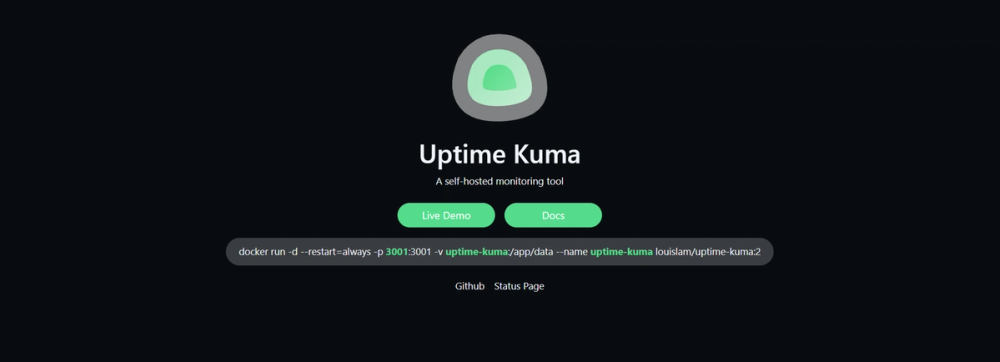
docker run -d --restart=always -p 3001:3001 -v uptime-kuma:/app/data --name uptime-kuma louislam/uptime-kuma:2
```

```bash
# Node.js (non-Docker, requires Node >= 20.4)
git clone https://github.com/louislam/uptime-kuma.git
cd uptime-kuma
npm run setup
pm2 start server/server.js --name uptime-kuma
```

Access the dashboard at http://localhost:3001 after startup.What it's built on#
- Languages
- JavaScriptTypeScript
- Frameworks
- ExpressSocket.IOVue
- Databases
- MongoDBMySQLPostgreSQL
- Infrastructure
- Docker
- Messaging
- KafkaWebSocket
- Cache
- Redis
FAQ#
Is Uptime Kuma free to use?
Yes. Uptime Kuma is MIT licensed and free to self-host on your own server. There is no paid tier, no per-monitor fee, and no cloud subscription. The only cost is the server you run it on, which can be a small VPS or a machine you already own.
How does Uptime Kuma compare to Uptime Robot?
Uptime Robot's free plan limits you to 50 monitors with 5-minute check intervals and stores data on Uptime Robot's servers. Uptime Kuma runs on your infrastructure with no monitor limits, 20-second check intervals, and full data ownership. The tradeoff is that Uptime Robot's paid plans offer multi-region checks and SLA exports that Uptime Kuma does not provide.
Can Uptime Kuma monitor services behind a firewall?
Yes. Because Uptime Kuma runs on your own server, it can reach any endpoint accessible from that server, including internal APIs, databases, and private services not exposed to the public internet. The proxy configuration option extends this to services reachable only through a specific network proxy.
What notification services does Uptime Kuma support?
Uptime Kuma supports over 90 notification channels, including Slack, Discord, Telegram, Pushover, email via SMTP, PagerDuty, Opsgenie, Gotify, ntfy, and webhook. Each monitor can have its own notification configuration, so different services can alert different teams or channels.
Does Uptime Kuma support Docker container monitoring?
Yes. Uptime Kuma can monitor the health status of Docker containers running on the same host by connecting to the Docker socket. If a container stops or enters an unhealthy state, Uptime Kuma triggers an alert through your configured notification channels.
Similar open-source tools#

Prometheus

RuView
Intelligent AI agents for real-world applications

Sentry
Real-time error tracking with performance monitoring and traces

ClawTrace
Visualize agent execution trees and track token costs per step

Kener
Open source status page built with SvelteKit and SQLite

ClawMetry
Real-time observability dashboard for AI coding agents