
The best self-hosted password manager is one that runs on a server you own, stores credentials only where you choose, and gives you full visibility into what happens to your data. In November 2022, LastPass told its users that attackers had stolen encrypted vault backups: not just metadata, but the actual vaults. For users with weak master passwords, that meant saved credentials were at risk. LastPass had over 30 million registered users at the time.
That breach made one thing clear: when you store your passwords with a cloud service, you are trusting that service with your most sensitive data. If they get breached, your data is in attacker hands whether you delete your account afterward or not.
Self-hosting a password manager removes that dependency. Your vault lives on a server you control. No third party stores it. No breach at a vendor's data center puts your credentials at risk.
The tradeoff is real: you own the uptime, the backups, and the updates. But for developers, sysadmins, and teams that already run their own infrastructure, that tradeoff is worth making.
TL;DR: Vaultwarden (GitHub) is the right pick for most individuals and small teams. It runs full Bitwarden features in a single Docker container using under 50MB of RAM, works with all official Bitwarden clients, and costs nothing beyond your VPS bill. Use official Bitwarden if you need SSO, SCIM provisioning, or enterprise audit logs. Choose KeePass (specifically KeePassXC) if you want completely offline credentials with no server attack surface. Passbolt is the best option for teams that need GPG-encrypted credential sharing with compliance requirements.
Key Takeaways
- Vaultwarden runs the full Bitwarden feature set in under 50MB of RAM; official Bitwarden needs 2GB minimum
- All five tools in this list are OSI-approved open source and free to self-host
- Self-hosting gives you complete control over backups, retention, and data residency
- KeePass requires no server at all; your encrypted file syncs via Nextcloud, Syncthing, or any file service
- For teams needing SSO and directory sync, official Bitwarden is the only option in this list
Quick Comparison: Self-Hosted Password Managers
| Tool | License | Self-Hosting Difficulty | Best For | RAM at Idle |
|---|---|---|---|---|
| Vaultwarden | AGPL-3.0 | Low (single container) | Individuals + small teams | Under 50MB |
| Bitwarden | AGPL-3.0 | Medium (multi-service) | Teams needing SSO/SCIM | 2GB+ |
| KeePass | GPL-2.0 / GPL-3.0 | None (file-based) | Offline-first individuals | None |
| Passbolt | AGPL-3.0 | Medium (GPG setup) | Teams, compliance | 1GB+ |
| Psono | Apache-2.0 | Medium (Compose) | Developer teams | 512MB+ |
Vaultwarden
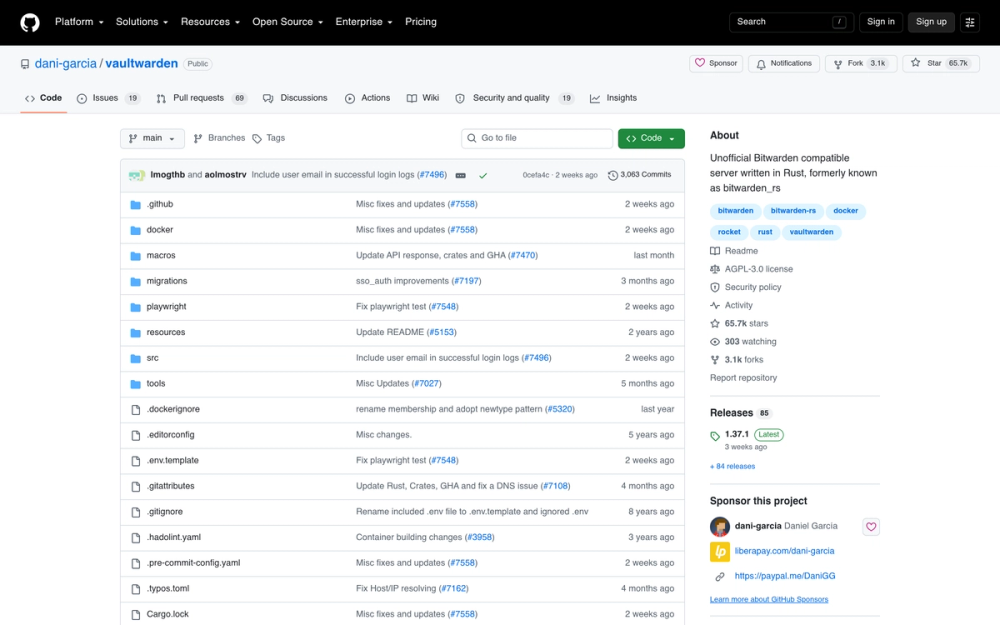
Vaultwarden is an unofficial Bitwarden-compatible server written in Rust. It implements the full Bitwarden API, which means you can use any official Bitwarden client (browser extensions for Chrome, Firefox, Edge, and Safari; iOS and Android apps; the desktop app; and the CLI) without modification. The server speaks the same protocol.
The reason Vaultwarden exists: the official Bitwarden server requires a minimum of 2GB of RAM and runs as a stack of 6+ Docker services. Vaultwarden runs everything in a single Rust binary using under 50MB of RAM. That means you can run it on a Raspberry Pi 4, a $4/month VPS, or alongside a dozen other services on a small home server.
With 59K+ GitHub stars as of 2026, Vaultwarden has earned its place as the de facto self-hosted password manager for individuals and small teams.
Key Features
- Full Bitwarden client compatibility: works with all official browser extensions, mobile apps, and desktop clients; no third-party clients needed
- Under 50MB RAM at idle: runs comfortably on a Raspberry Pi 3B+ or a 1GB VPS alongside other services
- TOTP/2FA support: built-in authenticator code storage for all saved logins
- Emergency access: lets a trusted contact request access to your vault if you are incapacitated
- Organizations and sharing: supports Bitwarden's organization model for sharing credentials between trusted users
- Bitwarden Send: encrypted, expiring file and text sharing
- Single Docker container: one-command deployment with Docker Compose
Pros
- The full Bitwarden UX on a fraction of the resource budget
- Works with the same Bitwarden apps your team already knows; zero client migration
- Very active development: frequent commits, responsive issues, clear release notes
- AGPL-3.0 license: copyleft protects the community fork
- Runs on hardware you already have; no dedicated VM required
Cons
- Community project: not backed by Bitwarden Inc.; no vendor SLA
- Not suitable for enterprise compliance requiring a vendor relationship
- If Bitwarden changes its API in a breaking way, Vaultwarden users wait for the community patch
- Multi-user organization support works well for small trusted teams but is not designed for managed enterprise fleets
License and Hosting
- License: AGPL-3.0
- Self-hosting: Low: single Docker container,
docker compose up -dcompletes in under 10 minutes; HTTPS via Traefik or nginx reverse proxy required - Managed hosting: None officially
Best For
Vaultwarden is the right choice for individuals, families, and small teams (under 20 people) who want full Bitwarden features on minimal hardware. If you already run a VPS or home server and want to move your credentials off 1Password or LastPass, start here.
View Vaultwarden on Open Source Alternatives
Bitwarden
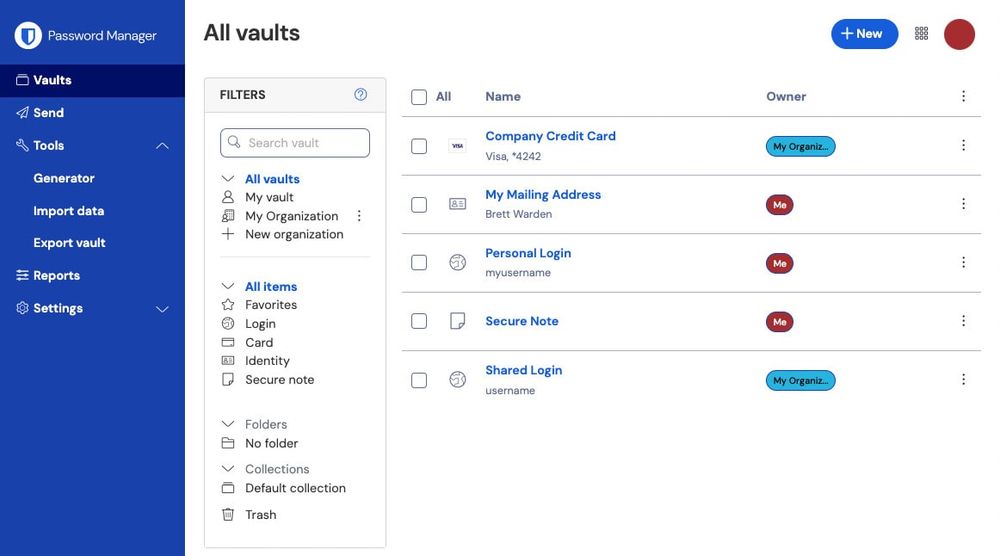
Bitwarden is the official open source password manager. The server is AGPL-3.0; the clients are GPL-3.0. Bitwarden Inc. develops and funds it through cloud and enterprise subscriptions.
The self-hosted version is free for unlimited users. You get the same client apps as Vaultwarden since they share the same API. The difference is the server: Bitwarden runs as a multi-container Docker Compose stack with dedicated services for the API, identity, admin interface, notifications, events, and database. That stack needs at least 2GB of RAM on Linux (4GB on Windows) and is the reason most individuals choose Vaultwarden instead.
Where Bitwarden earns its place is in organizations with 20+ users: SSO via SAML and OIDC, SCIM user provisioning, directory sync (Active Directory, Azure AD, Okta, JumpCloud), audit event logs, and a dedicated system administration portal. Vaultwarden does not offer these.
Getting started with official Bitwarden is straightforward if you have the hardware: download the install script (bitwarden.sh), run ./bitwarden.sh install, configure your domain and SSL, and ./bitwarden.sh start. The full install guide is at bitwarden.com/help/self-host-bitwarden.
Key Features
- Full enterprise SSO: SAML 2.0 and OIDC integration with Okta, Azure AD, Google Workspace, and more
- SCIM provisioning: automate user onboarding and offboarding via your identity provider
- Audit event logs: full log of every credential access, modification, and sharing event
- Organizations with granular controls: collections, groups, and role-based access control
- Bitwarden Secrets Manager: machine identity and secrets injection for CI/CD pipelines
- Self-hosted admin portal: manage users, organizations, and billing without touching the CLI
- Annual third-party security audits: Bitwarden Inc. publishes penetration test reports publicly
Pros
- Vendor-backed: a company to hold accountable; SLA available with enterprise contracts
- The only option in this list with official SSO and SCIM (mandatory for large team deployments)
- Same client apps that Vaultwarden users rely on; zero retraining for team members
- Regular independent security audits add accountability that community projects lack
Cons
- 2GB RAM minimum on Linux; 4GB on Windows; Docker Engine 26.0+ required
- Multi-service stack is more complex to update, monitor, and troubleshoot than Vaultwarden
- SSO and SCIM require an enterprise license key (not free on self-hosted); core credential management is free
- Heavier operational overhead for small teams that do not need SSO
License and Hosting
- License: AGPL-3.0 (server), GPL-3.0 (clients)
- Self-hosting: Medium: Docker Compose multi-service stack; installation script provided; plan for 2GB+ RAM; HTTPS required
- Managed cloud: $10/year (personal), $40/year (family), $6/user/month (Teams)
Best For
Bitwarden self-hosted is the right choice for organizations with 20+ users, anyone requiring SSO or SCIM, and teams that need a vendor relationship and published audit reports for compliance. If you are evaluating this for a company IT deployment, official Bitwarden is the correct starting point.
KeePass
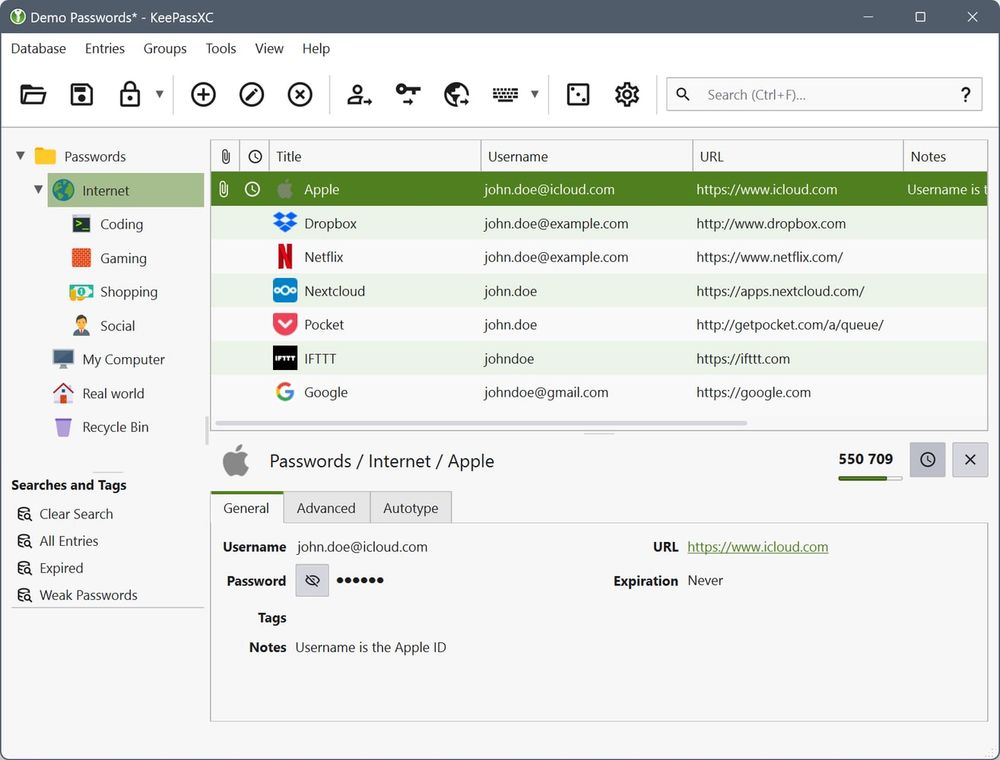
KeePass is the longest-standing option in this list and the most architecturally different from the others. There is no server. Your passwords live in an encrypted .kdbx file on your device. You sync that file however you want: via Syncthing, Nextcloud, a USB drive, or any file storage you trust.
KeePass (the original, by Dominik Reichl) runs on Windows and requires .NET. KeePassXC is the recommended cross-platform fork: it runs natively on Windows, macOS, and Linux with no .NET dependency. For mobile, KeePassDX (Android, GPL-3.0) and Strongbox (iOS, GPL-3.0) open the same .kdbx format. The KeePassXC-Browser extension handles autofill in Chrome, Firefox, and Edge.
The security model is fundamentally different from the other tools here. With Vaultwarden or Bitwarden, you have a server: if it is compromised, your encrypted vault could be exfiltrated. With KeePass, there is no server. The encrypted file exists only where you put it. If you keep it offline, no network attacker can reach it.
Key Features
- No server attack surface: encrypted file is the only artifact; no API, no web interface, no server process to compromise
- AES-256 + Argon2 encryption: industry-standard key derivation and cipher; independently reviewed
- Cross-platform via KeePassXC: native apps for Windows, macOS, and Linux; same
.kdbxfile works on all - Browser autofill: KeePassXC-Browser extension handles autofill for Chrome and Firefox without exposing the full database to the browser process
- TOTP built-in: KeePassXC includes TOTP code generation inside the same encrypted vault
- Key file + master password: optional two-factor unlock requiring both a physical key file and your password
- Import from common formats: Bitwarden, LastPass, 1Password, and others
Pros
- No server to maintain, update, or secure
- Works completely offline; no network connection required
- Sync via your existing tools (Nextcloud, Syncthing, even rsync)
- GPL-2.0 / GPL-3.0 license with decades of independent security review
- Free forever with no subscription or cloud component
Cons
- No built-in sync server: syncing across devices requires a separate solution
- Team credential sharing requires manually passing files or using a shared file location; no per-user access control or revocation
- No web vault: you need the native app or browser extension on every device
- Mobile apps are third-party and not officially maintained by the KeePassXC team
- Emergency access requires planning outside the tool itself
License and Hosting
- License: GPL-2.0 (KeePass original), GPL-3.0 (KeePassXC fork, or GPL-2.0 at your option)
- Self-hosting: None required: the encrypted file is the artifact; sync via any file service
- Managed hosting: Not applicable
Best For
KeePass (KeePassXC) is the right choice for individuals who want offline-first, zero-server credential storage with maximum privacy. It is also a strong option for security researchers, journalists, or anyone whose threat model includes a compromised server. It is not suitable for teams that need shared access with access revocation.
View KeePassXC on Open Source Alternatives
Passbolt
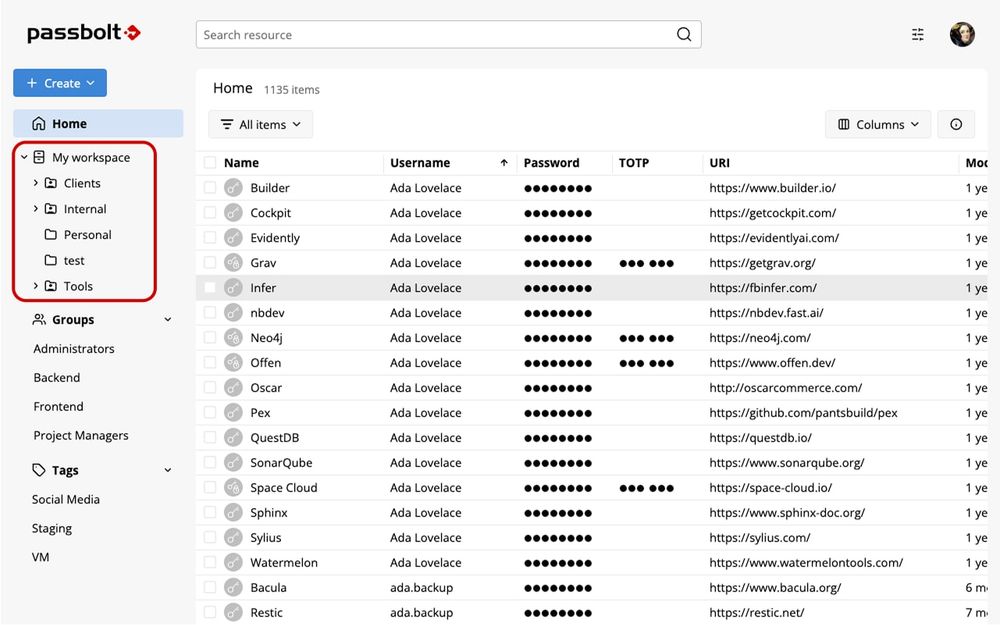
Passbolt takes a different approach to shared credentials: it uses GPG/OpenPGP encryption where every user has their own GPG key pair. When you share a password with a teammate, Passbolt encrypts a copy of it with their public key. The server stores only GPG-encrypted blobs. The server never sees a plaintext credential.
This architecture has a meaningful security property: even if an attacker compromises the Passbolt server, they get only encrypted data that cannot be decrypted without each user's private GPG key. Contrast this with systems where server compromise could expose decryption capabilities.
The Community Edition is free, open source under AGPL-3.0, and supports unlimited users. You get the browser extension, REST API, and core sharing workflows. Passbolt Pro ($5/user/month or $49/month for up to 10 users) adds SSO, LDAP/AD integration, MFA enforcement, and priority support.
Key Features
- GPG client-side encryption: each credential is encrypted to each recipient's public key before leaving the browser; server stores only ciphertext
- Team-first sharing model: designed from day one for credential sharing within organizations
- Browser extension required: Chrome, Firefox, and Edge; the extension handles key management and decryption
- REST API and CLI: full API for automation; CLI client available
- AGPL-3.0 CE with unlimited users: no per-seat restrictions on the community tier
- Docker and package installs: Docker Compose, Debian/Ubuntu .deb packages, and an official AWS AMI
- Role-based access control: group-based permissions for credential collections
Pros
- GPG-based architecture: server holds no plaintext; server breach does not directly expose credentials
- Unlimited users on the Community Edition with no artificial feature ceiling
- Well-documented Docker setup with official Passbolt CE images
- Audit trail in CE: every access and modification is logged
Cons
- Setup complexity is higher than Vaultwarden: PostgreSQL/MariaDB, PHP, and GPG key infrastructure must be correctly configured
- GPG key management adds friction: every user needs a GPG key; lost private keys can mean lost access
- Browser extension is mandatory: no web-vault-only access
- Smaller community than Bitwarden-ecosystem tools (~4.5K stars)
- Mobile support exists but is less polished than Bitwarden's apps
License and Hosting
- License: AGPL-3.0 (Community Edition)
- Self-hosting: Medium: Docker Compose available; also native packages; requires HTTPS and valid GPG key infrastructure; plan 1 to 2 hours for first-time setup
- Managed cloud: $49/month for up to 10 users; $5/user/month beyond that
Best For
Passbolt is the right choice for teams that need a GPG-based encryption architecture for compliance, where credential sharing between members is the primary use case, and in regulated industries (legal, healthcare, finance) that need the server to provably hold only encrypted data.
View Passbolt on Open Source Alternatives
Psono
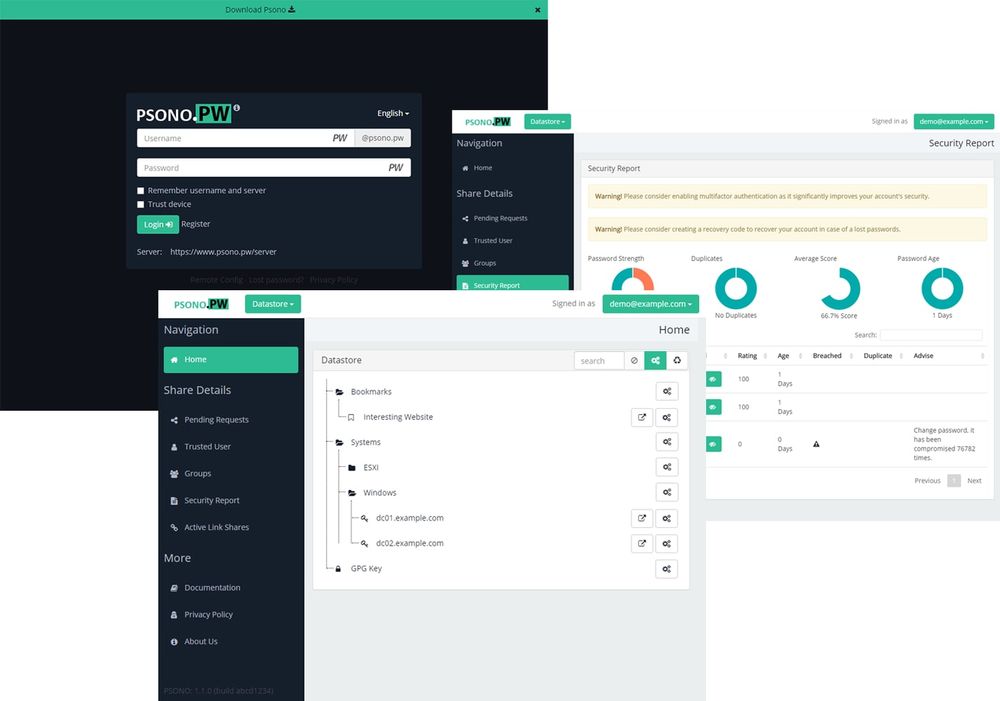
Psono is a team and enterprise secrets manager licensed under Apache-2.0. The Apache license is more permissive than the AGPL used by the other tools in this list: you can embed or deploy Psono in commercial products without triggering copyleft obligations. That matters for enterprises whose legal teams flag AGPL for internal use.
Like Passbolt, Psono uses client-side encryption (AES-256-GCM) so the server stores only ciphertext. Unlike Passbolt, it does not require GPG key infrastructure per user: keys are derived per-user at login, which reduces the GPG key management burden while preserving the architecture of a server that never sees plaintext.
The Community Edition is completely free. Psono Enterprise is free for up to 10 users, then €2/user/month. A fully managed Psono SaaS option is available at €3/user/month.
The REST API is one of Psono's genuine strengths. It covers the full credential lifecycle and supports CI/CD secret injection, which makes Psono a practical choice for developer teams that want automation built into their tooling rather than bolted on.
Key Features
- Apache-2.0 license: commercial-friendly; no AGPL copyleft concerns for enterprise deployments
- Client-side AES-256-GCM encryption: server stores only encrypted data; credentials never transmitted in plaintext
- Docker Compose deployment: official setup with PostgreSQL backend; documented and maintained
- Browser extensions: Chrome, Firefox, Edge; autofill and inline credential access
- REST API: full API for automation, scripting, and CI/CD secret injection
- Team sharing with access control: folders, teams, and per-entry permissions
- Audit logs: access and modification tracking included in Community Edition
Pros
- Apache-2.0 license is the least restrictive in this list; enterprise legal teams commonly prefer it over AGPL
- Client-side encryption: server never sees plaintext; architecture is auditable
- REST API coverage is strong; preferred by teams that need automation or CI/CD integration
- Simpler key management than Passbolt: no per-user GPG keys required
Cons
- Smaller community than Bitwarden-ecosystem tools (~1.2K GitHub stars); fewer third-party guides
- Mobile apps are less polished than Bitwarden or KeePass alternatives
- Fewer independent public security audits than Bitwarden
- Some advanced enterprise features (reporting, priority support) require the paid tier
License and Hosting
- License: Apache-2.0 (Community server and clients)
- Self-hosting: Medium: Docker Compose; PostgreSQL required; similar complexity to Passbolt but without GPG setup
- Managed cloud: €3/user/month (SaaS); Enterprise self-hosted is free up to 10 users, then €2/user/month
Best For
Psono suits developer teams and enterprises that need the Apache-2.0 license, a clean API for automation, and client-side encryption without GPG key management complexity. If your legal team has flagged AGPL and you need something beyond a file-based vault, Psono is worth evaluating.
View Psono on Open Source Alternatives
How I Evaluated These Tools
I looked at five factors for each tool:
- Resource requirements: can it run on a $6/month VPS alongside other services, or does it need dedicated infrastructure?
- Setup complexity: how long does it take to go from zero to a working vault with HTTPS?
- Client coverage: browser extension, mobile app, desktop app, and CLI availability
- Team features: sharing, access control, audit logs, and user management at scale
- License: OSI-approved open source; any copyleft implications worth noting
I did not rank on feature count or design aesthetics. I ranked on whether each tool solves the actual problem: keeping your credentials under your control.
How to Choose the Right Self-Hosted Password Manager
Choose Vaultwarden if: you are an individual or small team (under 20 people), you already run a VPS or home server, and you want full Bitwarden UX with minimal resource overhead. This is the right starting point for most people reading this article.
Choose Bitwarden (official) if: your organization needs SSO integration with Okta, Azure AD, or Google Workspace; SCIM provisioning; or audit logs that meet compliance requirements. Bitwarden's enterprise features are not available in Vaultwarden.
Choose KeePass (KeePassXC) if: you want offline-first, zero-server credential storage where no network attacker can reach your vault. Ideal for security researchers, journalists, or individuals who want maximum control over where their data physically exists.
Choose Passbolt if: you are running a team deployment and want GPG-based architecture where the server provably cannot decrypt your credentials. Good fit for teams in regulated industries where the encryption model must be independently verifiable.
Choose Psono if: your legal or compliance team requires Apache-2.0 over AGPL, you need a clean REST API for CI/CD integration, and you prefer not to manage GPG key infrastructure.
Quick Decision Matrix
- Running on a Raspberry Pi or cheap VPS? Use Vaultwarden
- Need SSO and SCIM for 50+ users? Use official Bitwarden
- Want zero server attack surface? Use KeePassXC
- Need GPG-based encryption for a regulated team? Use Passbolt
- Legal flagged AGPL? Use Psono
FAQ
What is the best self-hosted password manager?
Vaultwarden is the best self-hosted password manager for most individuals and small teams. It runs the full Bitwarden feature set in a single Docker container using under 50MB of RAM, works with all official Bitwarden apps, and takes under 10 minutes to set up. For teams needing SSO or compliance features, official Bitwarden is the better choice.
What is the difference between Vaultwarden and Bitwarden?
Bitwarden is the official open source password manager developed by Bitwarden Inc. Vaultwarden is an unofficial, community-maintained server that implements the same Bitwarden API. Both work with the same Bitwarden client apps. The key difference is resource usage: Vaultwarden uses under 50MB of RAM; official Bitwarden needs a minimum of 2GB. Vaultwarden does not support enterprise features like SSO or SCIM.
Is Vaultwarden safe to use?
Vaultwarden is generally considered safe for personal and small-team use. It uses the same encryption model as official Bitwarden (AES-256 with Argon2 key derivation) and its source code is publicly auditable on GitHub. The main security consideration is that it is a community project without vendor-backed security audits. You are responsible for keeping the server updated and securing your deployment (HTTPS, strong admin credentials, regular backups).
Can I self-host Bitwarden for free?
Yes. The official Bitwarden server is free to self-host for unlimited users. You need a server with at least 2GB of RAM (Linux) and Docker. Enterprise features like SSO and SCIM require a paid license key, but core credential management and team sharing are free.
Can I use official Bitwarden clients with Vaultwarden?
Yes. All official Bitwarden browser extensions, mobile apps, desktop apps, and CLI tools work with Vaultwarden by pointing them at your self-hosted server URL. No modification is needed. The clients accept a custom server URL in their settings.
How much RAM does self-hosted Bitwarden need?
Official Bitwarden requires a minimum of 2GB of RAM on Linux and 4GB on Windows (with Docker Desktop). For production use with multiple concurrent users, 4–8GB is recommended. Vaultwarden uses under 50MB of RAM at idle.
Is KeePass better than Bitwarden for self-hosting?
It depends on your threat model. KeePassXC has no server attack surface because there is no server: the encrypted file lives only where you put it. Bitwarden and Vaultwarden have a server component that could theoretically be compromised. KeePass does not scale to teams; Bitwarden does. If you are an individual who wants maximum control over where your data physically exists, KeePass is a strong choice. For teams, Bitwarden or Vaultwarden is more practical.
How do I sync KeePass passwords across devices?
KeePassXC stores passwords in a .kdbx file that you sync with any file synchronization tool. Common approaches: Syncthing (peer-to-peer, no third party), Nextcloud (self-hosted cloud), or any cloud storage you trust. The file is AES-256 encrypted, so syncing via external storage is reasonably safe if your master password is strong.
Is Passbolt free to use?
The Passbolt Community Edition is free and open source (AGPL-3.0) with unlimited users. It covers core credential management and team sharing. Passbolt Pro ($5/user/month or $49/month for up to 10 users) adds SSO, LDAP/AD integration, advanced MFA enforcement, and priority support.
Is self-hosting a password manager secure?
Self-hosting a password manager is secure if you follow operational security basics: use HTTPS with a valid certificate, keep the server patched, use strong admin credentials, enable 2FA on all vault accounts, and take regular encrypted backups. The main risk in self-hosting is operational (misconfiguration, unpatched software, poor backup hygiene) rather than architectural. These risks are manageable and, for many users, preferable to trusting a third-party cloud service.
What happened to LastPass and why should I consider self-hosting?
In November 2022, attackers breached LastPass and stole encrypted vault backups. The company confirmed that both vault data and metadata (URLs, usernames) were taken. While the vaults were encrypted, users with weak master passwords faced real exposure. The incident demonstrated that centralized cloud storage of sensitive data concentrates risk at a single point. Self-hosting distributes that risk: your vault is only as exposed as your own server and your operational security.
What open source license does Vaultwarden use?
Vaultwarden uses the GNU Affero General Public License version 3 (AGPL-3.0). This is an OSI-approved copyleft license. If you modify Vaultwarden and run it as a service accessible over a network, you must make your modified source code available to users.