

Who Passbolt is for#
IT teams centralizing shared passwords
Passbolt fits teams replacing spreadsheets or ad hoc password sharing with a proper shared vault and access model.
Skip if:
You only need an offline personal password database.
Security-conscious startups
Self-hosting gives small teams control over where credential data lives while still supporting collaboration.
Skip if:
You do not have anyone to maintain the database, backups, and application updates.
The problem it solves#
Team passwords often end up in chat messages, spreadsheets, browser sync accounts, or a password vault controlled entirely by a vendor. That creates security risk and makes it harder to review who can access shared infrastructure credentials.
A team password manager needs more than personal vault storage. It has to support secure sharing, onboarding, offboarding, roles, and reliable deployment because credentials are a business-critical control point.
How it solves it#
Team credential sharing
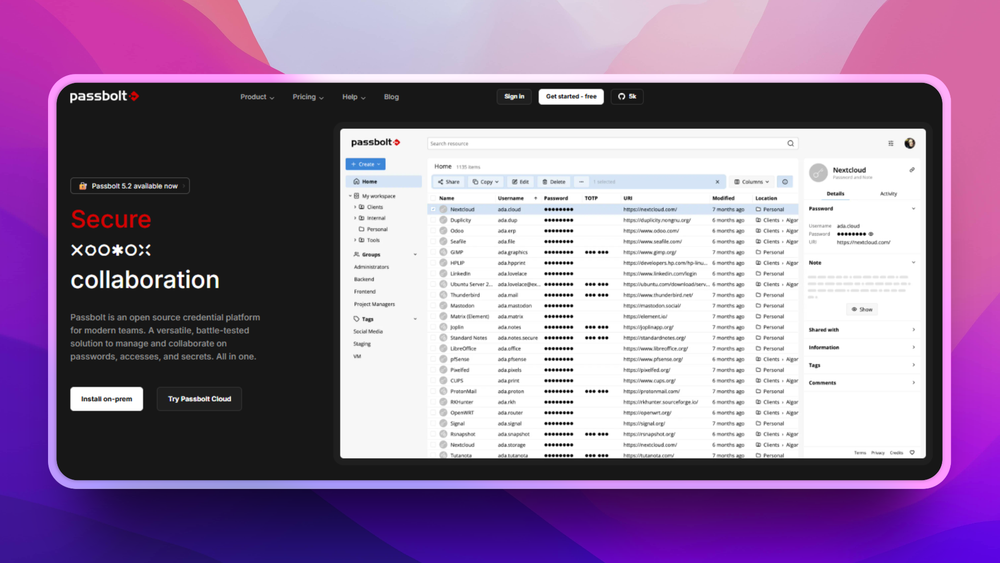
Passbolt lets team members store and share credentials securely, which addresses collaboration rather than only personal password storage.
Docker deployment path
The passbolt_docker repository provides Docker-based setup guidance, including Docker Compose usage and a MariaDB or MySQL requirement.
Community edition source
The repository focuses on getting started with Passbolt CE, giving teams a source-available path before evaluating hosted or enterprise editions.
Strengths and trade-offs#
Strengths
- Built for teams, not just individualsPassbolt's core positioning is secure credential sharing among team members, which is the hard part missing from simple local password databases.
- Self-hosted password controlCredential stores contain keys to production systems. Passbolt lets organizations operate the vault on their own infrastructure rather than placing all team secrets in a closed SaaS.
Trade-offs
- -Database-backed service maintenancePassbolt requires a running database and server maintenance. Teams need a backup and upgrade process because password vault downtime can block operations.
Quick start#
docker-compose -f docker-compose/docker-compose-ce.yaml upWhat it's built on#
- Languages
- PHP
FAQ#
What is Passbolt used for?
Passbolt is used to store and share team credentials securely. It is aimed at organizations rather than only individual password storage.
Can Passbolt be self-hosted with Docker?
Yes. Passbolt Community Edition has a Docker-based getting-started path.
Does Passbolt need a database?
Yes. Passbolt requires MariaDB or MySQL for the Docker setup.
Similar open-source tools#

Bitwarden

KeePassXC
Cross-platform open source password manager with browser plugin

Psono
Self-hosted password manager for teams with enterprise SSO

Passwordcockpit
Self-hosted team password manager with role-based access

Password Safe
Store passwords in an encrypted local database, no cloud account

Vaultwarden
Self-hosted Bitwarden-compatible password management