Open Source Alternatives LogoOpen Source Alternatives
AlternativesBlogAdvertise
Open Source Alternatives LogoOpen Source Alternatives

Stay Updated

Subscribe to our newsletter for the latest news and updates about Alternatives

Open Source Alternatives LogoOpen Source Alternatives

Handpicked Open Source Alternatives to Paid Softwares

Product
  • Search
  • Categories
  • Tag
  • Sign In
Resources
  • Blog
  • Collection
  • Submit
  • Advertise your tool
Company
  • Privacy Policy
  • Terms of Service
  • Refund Policy
  • Sitemap
Copyright © 2026 All Rights Reserved.
Home/Categories/Cloud & Hosting/Appwrite
icon of Appwrite

Appwrite

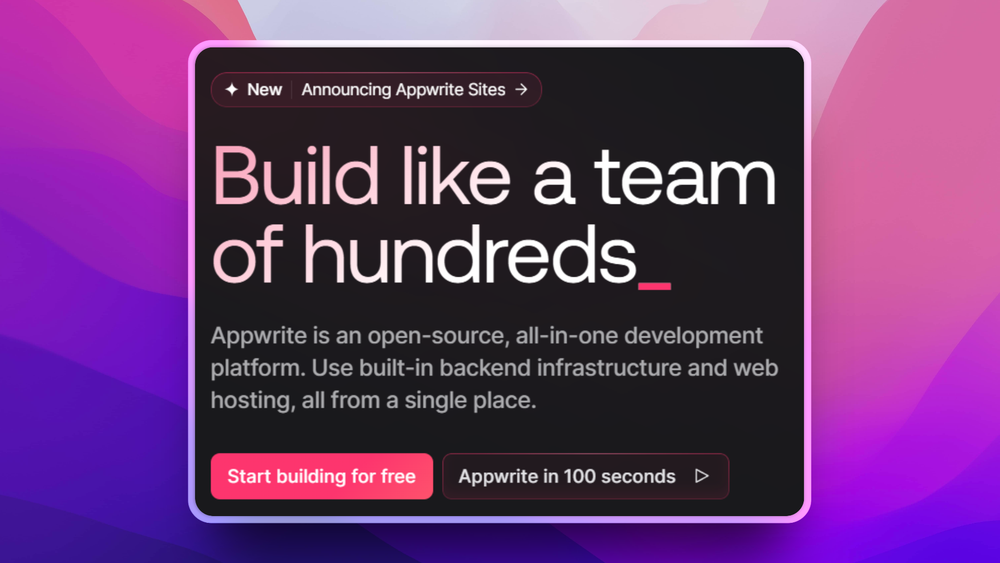
Open source alternative to Firebase, AWS Amplify and Back4App

Appwrite is a self-hosted Firebase alternative with authentication, databases, storage, functions, and real-time messaging for building modern apps quickly.

56.1K stars
TypeScript
BSD-3-Clause
Active this month
Visit websiteGitHub repo
image of Appwrite
Contents
  1. 01Who Appwrite is for
  2. 02The problem it solves
  3. 03How it solves it
  4. 04Strengths and trade-offs
  5. 05Appwrite vs alternatives
  6. 06Install and self-host
  7. 07Tech stack
  8. 08FAQ
  9. 09Similar open-source tools
TL;DR

Appwrite is a self-hosted Backend-as-a-Service platform that replaces Firebase and AWS Amplify, bundling authentication, databases, file storage, serverless functions, and real-time messaging into a single Docker deployment. Licensed BSD-3-Clause. Best for developer teams who want integrated backend services without vendor lock-in or per-operation pricing.BSD-3-Clause · TypeScript · 56.1K stars · Active this month

who it's for

Who Appwrite is for#

Indie developers shipping SaaS products without a backend team

Appwrite provides auth, database, and storage through a single SDK without requiring a backend engineer. A solo developer can ship a full-featured web app with user accounts, file uploads, and real-time features by connecting the JavaScript SDK to a self-hosted Appwrite instance, skipping the need to configure Cognito, S3, and DynamoDB as separate AWS services.

Skip if:

Your SaaS requires complex relational data with joins and transactions. Appwrite's document database does not support SQL joins; teams with heavy relational requirements are better served by Supabase or a dedicated PostgreSQL setup.

Mobile teams building cross-platform apps with Flutter or React Native

Official Flutter and React Native SDKs let mobile teams use Appwrite auth, storage, and real-time subscriptions without writing custom API endpoints. Push notification delivery through the messaging module removes the need for a separate FCM/APNs integration layer on top of the backend.

tech stack · detected from GitHub

What it's built on#

Languages
JavaScriptPHPSwiftTypeScript
Frameworks
Next.jsReact
Infrastructure
Docker
frequently asked

FAQ#

Is Appwrite free to use?
How does Appwrite compare to Firebase?
Can Appwrite handle production workloads?
also worth a look

Similar open-source tools#

Modelence

Modelence

Full-stack framework for building production-ready web apps

401TypeScript

Repository

Stars
56.1K
Forks
5.4K
License
BSD-3-Clause
Latest
1.9.0
Last commit
25 days ago
Last verified
May 18, 2026
Repo
appwrite/appwrite ↗

Additional details

Language
TypeScript
Open issues
888
Contributors
426
First release
2019

Categories

Cloud & HostingBackend DevelopmentDeveloper ToolsWeb & App Development

Tags

Developer ToolsAPI InfrastructureSelf HostedAuthenticationCloud NativeDatabaseBaaS

Skip if:

Your app requires offline-first sync with automatic conflict resolution. Appwrite does not offer a local-first sync mechanism comparable to Firebase Firestore's offline persistence mode.

Startups migrating off Firebase to reduce costs and vendor dependence

Teams whose Firebase bills have grown unpredictably can migrate to Appwrite to shift from per-operation pricing to fixed server costs. Appwrite's data model is similar to Firestore (document collections with permission scopes), making migration more incremental than a full rewrite of the data layer.

Skip if:

Your team has no one comfortable with Docker and server administration. Appwrite Cloud mitigates this, but full cost savings require self-hosting, which carries ongoing maintenance responsibility.

Developers building AI-enabled applications with agent integrations

Appwrite's functions runtime and SDK support for MCP-compatible agents (Claude, OpenAI, Cursor) lets developers wire backend storage, auth, and messaging into AI application workflows without building custom middleware. The serverless functions layer handles integration between AI agent calls and Appwrite's data services.

Skip if:

Your application requires vector storage or embedding search. Appwrite does not include native vector database capabilities; RAG or semantic search workloads need a separate vector store paired with the Appwrite backend.

the problem

The problem it solves#

Building backend infrastructure from scratch takes weeks away from product work. Authentication flows, file storage, database connections, and serverless function pipelines each require separate services, separate billing, and separate maintenance cycles. Teams on Firebase or AWS Amplify trade that complexity for vendor dependence: pricing that scales unpredictably, data locked inside proprietary systems, and no path to self-hosting if requirements change.

The problem sharpens at scale. Firebase's Blaze plan charges per read, write, and delete operation, making cost forecasting difficult for read-heavy applications. AWS Amplify requires provisioning and managing IAM permissions across Cognito, S3, DynamoDB, and Lambda separately. Developers who want the convenience of an integrated backend platform, without the lock-in, have historically had limited options.

how Appwrite solves it

How it solves it#

Multi-provider authentication with MFA

Ships with 30+ sign-in methods including email/password, OAuth2 providers (Google, GitHub, Apple, and more), phone/SMS OTP, anonymous sessions, and JWT tokens. Multi-factor authentication is built in and session management is handled server-side, with no third-party auth service required.

Document database with real-time subscriptions

Provides a document-oriented database with collection-level permissions, attribute indexing, and real-time event subscriptions via WebSocket. Clients subscribe to collection or document events and receive updates pushed from the server, removing the need to poll for data changes.

File storage with encryption and image transformation

Stores files with automatic compression, AES-256 encryption at rest, and on-delivery image transformations (resize, crop, format conversion). Permissions are scoped per bucket and per file. Storage backends include local disk and S3-compatible providers.

Serverless functions in 13+ runtimes

Runs custom backend logic in Node.js, Python, PHP, Ruby, Go, Dart, Swift, and more. Functions trigger on HTTP requests, Appwrite internal events (user signup, file upload, database change), or scheduled cron jobs. Execution logs and history are visible in the Appwrite console.

Integrated messaging for push, email, and SMS

Sends push notifications (APNs, FCM), emails (Mailgun, Sendgrid, SMTP), and SMS (Twilio, Vonage, Textmagic) through a single messaging API. Topics let you segment subscribers for targeted delivery without managing a separate notification service alongside your backend.

strengths · trade-offs

Strengths and trade-offs#

Strengths

  • BSD-3-Clause license with no usage restrictionsThe BSD-3-Clause license permits commercial use, modification, and redistribution without requiring source disclosure. Unlike Firebase (proprietary) or tools under AGPL (which requires sharing modifications when running a modified version as a service), Appwrite's license imposes no usage restrictions on self-hosted deployments.
  • Single Docker deployment for the full backend stackOne Docker command brings up the complete Appwrite stack: API server, database, storage, functions runtime, and messaging. This contrasts with AWS Amplify, which requires provisioning separate AWS services (Cognito, DynamoDB, S3, Lambda) and managing IAM permissions across all of them before writing a single line of application code.
  • SDK coverage across web, mobile, and backend runtimesOfficial SDKs cover React, Next.js, Vue, Angular, iOS (Swift), Android (Kotlin), Flutter, and server-side runtimes including Node.js, Python, PHP, Go, and Rust. Most Firebase competitors offer a subset of these; Appwrite's breadth lets a cross-platform team use consistent APIs across all targets from the same backend instance.
  • Predictable infrastructure cost at scaleSelf-hosted Appwrite costs are bounded by server capacity, not by operation count. Firebase's Blaze plan charges per database read, write, and delete, which creates unpredictable bills for read-heavy applications. With Appwrite on a fixed server, the marginal cost of additional reads is zero beyond the base server cost.

Trade-offs

  • -Requires at least 2 CPU cores and 4GB RAMAppwrite's Docker stack is not lightweight. Documented minimums are 2 CPU cores, 4GB RAM, and 2GB swap. A shared $5/month VPS will not run it reliably. You need a dedicated instance on providers such as DigitalOcean, AWS, or Hetzner with at least a 2-core plan before expecting a stable deployment.
  • -Self-hosting transfers the maintenance burden to your teamYou are responsible for upgrades, backups, SSL certificate renewal, and uptime monitoring. Appwrite Cloud exists as a managed option, but teams that self-host for cost savings need someone comfortable with Docker and server administration. Firebase and AWS Amplify handle all infrastructure concerns on your behalf.
  • -No offline-first sync for mobile clientsFirebase Firestore has built-in offline persistence with automatic conflict resolution when connectivity returns. Appwrite does not offer a comparable local-first sync mechanism. Mobile apps that require offline data access and sync need to implement their own caching layer or choose a backend that ships this capability.
  • -Document database does not support SQL joins or transactionsAppwrite's database is document-oriented, not relational. Applications with complex relational data models requiring multi-table joins or ACID transactions are not well served by Appwrite's data layer. Teams with those requirements are better served by Supabase (PostgreSQL-backed) or a dedicated relational database alongside a lighter auth layer.
versus alternatives

Appwrite vs alternatives#

Appwrite vs Firebase

Firebase and Appwrite cover nearly identical surface area: user authentication, document databases, file storage, serverless functions, and real-time event subscriptions. The primary differences are ownership model and cost structure.

FeatureAppwriteFirebase
LicenseBSD-3-ClauseProprietary
Self-hostingYesNo
Database typeDocument (collections)Document (Firestore)
Pricing modelFixed server costPer operation (variable)
Offline syncNoYes (Firestore)
install · self-host

Install and self-host#

bash
```bash
# Self-hosted (Docker, Unix/macOS)
docker run -it --rm \
    --publish 20080:20080 \
    --volume /var/run/docker.sock:/var/run/docker.sock \
    --volume "$(pwd)"/appwrite:/usr/src/code/appwrite:rw \
    --entrypoint="install" \
    appwrite/appwrite:1.9.0
```

After the interactive setup wizard completes, access the Appwrite console at `http://localhost` (or your configured domain).

Minimum requirements: 2 CPU cores, 4GB RAM, 2GB swap, Docker Compose v2.

One-click deployments are also available on DigitalOcean, Akamai Compute, and AWS Marketplace.

Yes, with appropriate server sizing. The documented minimum for a stable deployment is 2 CPU cores and 4GB RAM. Production workloads with significant concurrent traffic benefit from dedicated instances or Appwrite's multi-instance configuration for horizontal scaling. Appwrite has been in production use since 2019 and version 1.9.0 is the current stable release.

What does Appwrite use internally for its database?

Appwrite uses MariaDB for storing collections and documents, Redis for caching and real-time pub/sub, and InfluxDB for usage metrics. The database engine is abstracted behind the Appwrite API: you interact with collections and documents through the SDK or REST API rather than directly with MariaDB. You select the storage backend during the interactive install wizard.

Does Appwrite handle SSL and custom domains automatically?

Yes. The self-hosted setup includes a built-in Traefik reverse proxy that provisions SSL certificates via Let's Encrypt when you configure a custom domain during installation. No separate nginx or Caddy configuration is required for basic HTTPS on a self-hosted deployment.

Supabase

Supabase

Open source Firebase: Postgres database, auth, and file storage

102.3KTypeScriptApache-2.0
Nhost

Nhost

Firebase alternative: GraphQL, Postgres auth, and file storage

9.2KGoMIT
Encore

Encore

Auto-generate infrastructure from your TypeScript or Go code

12KGoMPL-2.0
Manifest

Manifest

One YAML file gives your app auth, CRUD, storage, and admin UI

6.9KTypeScriptMIT
InsForge

InsForge

Backend-as-a-service platform built for AI coding agents

9.7KTypeScriptApache-2.0

Yes. The self-hosted version is open source under the BSD-3-Clause license and free to run on your own infrastructure with no usage limits or per-operation fees. Appwrite Cloud offers a free starter tier with usage caps, with paid plans above that. Most development and small-production workloads run comfortably on a self-hosted instance once a qualifying server is provisioned.

Appwrite covers the same core services: authentication, document databases, file storage, and serverless functions. The key differences are ownership and cost structure. Appwrite is self-hosted (or optionally cloud-hosted) with no per-operation pricing, while Firebase is Google-managed and charges per read, write, and delete on its Blaze plan. Appwrite's database is document-oriented like Firestore, so the data model translates directly, but Firebase has a larger ecosystem of third-party integrations and offline sync that Appwrite does not match.

VendorAppwrite Inc. + communityGoogle

Appwrite is the stronger choice when cost predictability matters, when data cannot leave your infrastructure, or when you need consistent SDK coverage across Flutter, iOS, Android, and multiple server runtimes from a single platform. Firebase is the better choice when you need offline-first sync for mobile clients (Firestore's strongest differentiator), when you are already deep in the Google Cloud ecosystem, or when your team has no capacity for server maintenance.

Appwrite vs AWS Amplify

AWS Amplify is the closest enterprise-tier comparison. Both provide auth, storage, functions, and APIs, but Amplify provisions native AWS services (Cognito, S3, DynamoDB, Lambda) under the hood, while Appwrite runs as a self-contained Docker stack.

FeatureAppwriteAWS Amplify
LicenseBSD-3-ClauseProprietary
Self-hostingYesNo
Setup complexityModerate (Docker wizard)High (AWS ecosystem)
Cost modelFixed server costAWS service pricing
Vendor lock-inLowHigh

Appwrite is a better fit for teams that want integrated backend services without learning the full AWS service surface. AWS Amplify is the stronger choice for teams already committed to AWS infrastructure, needing tight IAM policy control, or building applications that integrate deeply with other AWS services (SQS, SNS, RDS).