
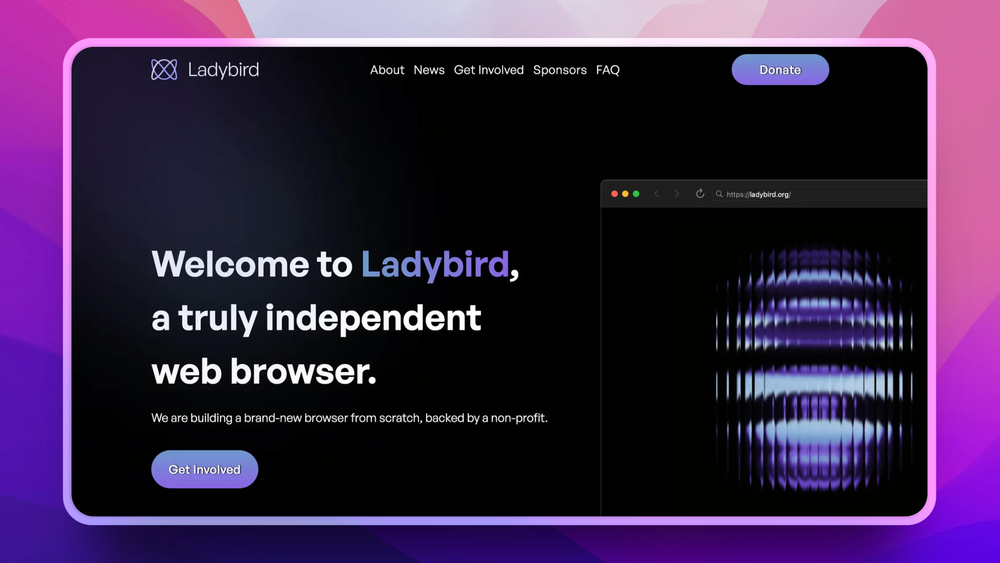
Who Ladybird is for#
Browser-engine developers adding standards support
Use Ladybird to work directly on rendering, JavaScript, WebAssembly, networking, media, and IPC components without navigating Chromium or Gecko's existing engine architecture. The project points contributors toward WPT failures and small first patches.
Skip if:
You need a stable browser for normal work rather than a codebase to improve.
Web standards researchers testing engine diversity
Run sites or WPT cases against a new independent implementation to find assumptions that only hold in Chromium, WebKit, or Gecko. Ladybird gives researchers another engine target, even while compatibility remains early.
Skip if:
Your test plan requires production-grade compatibility or vendor-supported browser channels.
Privacy advocates supporting non-corporate browsers
Track or contribute to a browser project backed by a nonprofit and explicitly built without search deals, ads, data collection, or user monetization. Ladybird fits people who care about long-term web independence more than immediate daily use.
Skip if:
You need a polished privacy browser today. Firefox, Tor Browser, or Brave are more mature choices for daily browsing.
Systems programmers learning browser internals
Study a modern browser codebase with clearly named components such as LibWeb, LibJS, LibWasm, RequestServer, ImageDecoder, and WebContent. The source build and contribution docs make it a useful learning environment for C++, Rust migration work, and web engine architecture.
Skip if:
You want a small tutorial browser. Ladybird is a large real project, not a beginner-only teaching codebase.
The problem it solves#
Browser choice is narrower than it looks: Chrome, Edge, Brave, and Opera depend on Chromium, Safari depends on WebKit, and Firefox depends on Gecko. When most users and web developers rely on a small set of engines, browser bugs, web compatibility decisions, and business incentives concentrate in a few organizations.
That concentration matters to developers, standards contributors, and privacy-focused users who want more independent implementations of the open web. A browser with no search deals, no ad business, and no inherited engine code gives the ecosystem another target to test against, but it also needs contributors who understand that the project is still pre-alpha software.
How it solves it#
New browser engine from scratch
Builds its own standards-based browser engine instead of forking Blink, WebKit, or Gecko. The official site positions Ladybird as a new engine, not a fork, which makes it useful for developers who care about browser-engine diversity.
Multi-process browser architecture
Runs a main UI process, several WebContent renderer processes, an ImageDecoder process, and a RequestServer process. Each tab has its own sandboxed renderer process, while image decoding and network connections run out of process.
Homegrown web stack
Includes LibWeb for rendering, LibJS for JavaScript, LibWasm for WebAssembly, LibTLS and LibHTTP for transport, plus graphics, media, Unicode, event-loop, and IPC libraries inherited from SerenityOS components.
Developer-focused source build
Uses the official Meta/ladybird.py helper to build and run from source. The project documents Linux, macOS, WSL2, BSD, and other Unix-like build paths, with Qt, AppKit, GTK 4, and Android UI work depending on target platform.
Nonprofit governance
Operates under the Ladybird Browser Initiative, a 501(c)(3) nonprofit. The website states that Ladybird has no default search deals, no data collection, no ads, and no user monetization.
Strengths and trade-offs#
Strengths
- Independent from ChromiumLadybird does not reuse Blink, WebKit, Gecko, or another browser engine. That makes it one of the few serious attempts to add a new implementation to a browser market where many familiar products share Chromium underneath.
- No user monetization modelThe official website says Ladybird has no default search deals, crypto tokens, ads, or data collection. That governance model reduces the business incentives that often shape proprietary browser behavior.
- Permissive licenseLadybird is BSD-2-Clause licensed according to the README and GitHub metadata. The license is compatible with commercial use, forks, internal experiments, and downstream redistribution with minimal restrictions.
- Strong fit for browser contributorsThe contribution docs point new contributors toward WPT failures, profiling, issue triage, and small first patches. That gives technically skilled developers practical entry points into browser-engine work.
Trade-offs
- -Pre-alpha statusThe README states that Ladybird is pre-alpha and only suitable for developers. It is not ready to replace Chrome, Safari, Edge, or Firefox for ordinary daily browsing.
- -Source build requiredTrying Ladybird today means building from source with a modern C++23 compiler, Rust, CMake 3.30 or newer, Qt6 or native UI dependencies, and platform-specific packages. There is no simple consumer installer path in the official docs.
- -Platform support is unevenThe website targets Linux and macOS first. Windows support uses WSL2 today, native Windows remains experimental, and the website says mobile is not a current priority.
- -Contributor project, not finished productLadybird is most valuable when you want to help test, debug, or build a browser engine. Teams that need managed policies, extension compatibility, enterprise support, or guaranteed site compatibility should use a mature browser.
Ladybird vs alternatives#
Ladybird vs Chrome and Firefox
Ladybird overlaps with Chrome and Firefox at the browser level, but it is solving a different problem today. Chrome is a mature Chromium-based browser tied to Google's ecosystem, Firefox is a mature Gecko-based browser from Mozilla, and Ladybird is a pre-alpha independent browser engine built from scratch.
| Criteria | Ladybird | Chrome | Firefox |
|---|---|---|---|
| Engine lineage | New engine, not a fork | Chromium / Blink | Gecko |
| License | BSD-2-Clause | Proprietary browser with open source components | Open source |
| Governance | 501(c)(3) nonprofit | Mozilla | |
| Daily use readiness | Pre-alpha, developer-focused | Mature | Mature |
| Monetization model | No ads, data collection, or search deals stated by project | Google ecosystem and search business | Search partnerships and Mozilla services |
Choose Ladybird when you want to contribute to browser-engine diversity, test web standards against a new implementation, or support a nonprofit browser project before it reaches consumer readiness. Choose Chrome or Firefox when you need extension compatibility, enterprise policies, broad website compatibility, sync, mobile support, and a browser you can rely on today.
Install and self-host#
git clone https://github.com/LadybirdBrowser/ladybird.git
cd ladybird
./Meta/ladybird.py runWhat it's built on#
- Languages
- C++JavaScriptPythonRust
FAQ#
Is Ladybird ready for daily browsing?
No. The README says Ladybird is pre-alpha and only suitable for developers. Use it today for testing, contribution, and browser-engine research rather than as your primary browser.
How is Ladybird different from Chrome or Edge?
Ladybird is not based on Chromium. Chrome and Edge use Google's browser engine lineage, while Ladybird is building a new standards-based engine from scratch with nonprofit governance and no user monetization model.
What license does Ladybird use?
Ladybird uses the BSD-2-Clause license according to the README and GitHub metadata. That permissive license allows use, modification, and redistribution with minimal conditions.
Can I build Ladybird on Windows?
Yes, but WSL2 is the supported Windows path in the official build docs. Native Windows builds are described as experimental and limited, so Windows users should expect more setup friction than Linux or macOS users.
How do I try Ladybird?
Clone the GitHub repository and run ./Meta/ladybird.py run after installing the documented build prerequisites. The official website shows that command path, and the build docs list platform-specific packages for Linux, macOS, Windows with WSL2, BSD, and other Unix-like systems.
Similar open-source tools#
LibreWolf
Privacy-hardened Firefox fork with all telemetry removed
Brave
Block ads and trackers by default in a Chromium-based browser
Midori Browser
Fast private browser with tracker blocking and DNS-over-HTTPS
Falkon
Speed-first browser for KDE Plasma with built-in ad blocking
Iridium Browser
Chromium-based browser with enhanced privacy and security
Floorp
Firefox fork with advanced privacy controls and UI customization

