
KDE power users
Konqueror fits users who want one KDE application for web pages, files, previews, and network locations.
Skip if:
You do not use KDE or want a browser with the largest extension marketplace.

Open source alternative to Microsoft Edge and Google Chrome Enterprise
Last verified
Manage web pages, local files, and remote paths in one KDE-native browser and file manager.
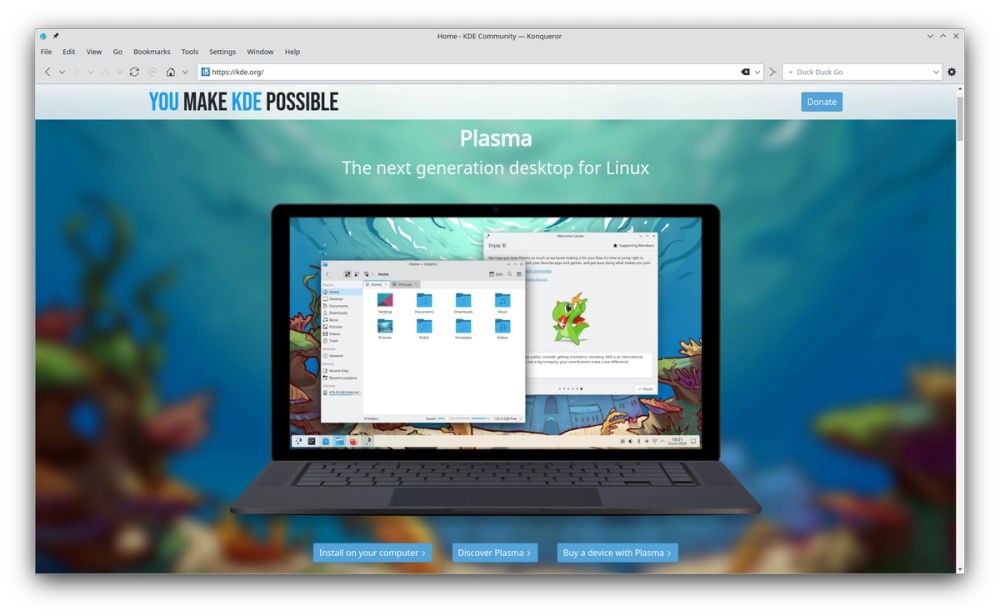
Konqueror fits users who want one KDE application for web pages, files, previews, and network locations.
You do not use KDE or want a browser with the largest extension marketplace.
The multi-protocol model helps administrators and technical users move between local and remote resources.
Your work happens mostly inside SaaS web apps.
Desktop workflows often split web pages, local files, remote folders, previews, and documentation across separate apps. That fragmentation slows down users who work inside a desktop environment all day and want consistent navigation.
Konqueror addresses that older but still useful pattern: one KDE application for browsing the web, moving through files, opening network paths, and previewing content without constantly changing context.
Konqueror combines web browsing with local and network file navigation, which suits KDE users who prefer a unified desktop workflow.
The app fits KDE conventions, services, and file-preview behavior better than a standalone cross-platform browser.
Konqueror supports browsing beyond basic web pages, including file and network locations that matter in desktop administration work.
Konqueror is a KDE application that works as both a web browser and a file manager.
Konqueror is best for KDE users who value desktop integration and multi-protocol navigation.
Konqueror can browse the web, but its value comes from combining browser, file manager, preview, and KDE integration features.

Alternative to Google Chrome
Open source browser from Mozilla with privacy by default

Alternative to CleanMyMac X
Mac cleaner, app uninstaller, disk analyzer, and system monitor

Alternative to iStat Menus
One menu bar icon replacing a dozen paid macOS apps

Open-source tools that work instantly, no signup required

Alternative toCleanMyMac
Free up Mac disk space with no account and no telemetry.

Alternative to Zapier
Self-hosted agents that watch the web and trigger automations
Featured

Alternative to Grok Bot
AI teammates you own: your keys, your model, your machine.

Alternative to Superhuman
AI email assistant that drafts replies and clears your inbox

Alternative toClaude Managed Agents
Open-source agent deployment API. Self-host or use Omnara Cloud.
The projects we add and every new guide. Free, unsubscribe any time.
 Claude Code to
  OpenCode
 Jira to
  Windshift
 Notion to
  AppFlowy
 Slack to
  Mattermost
 Linear to
  GitLab
 Wispr Flow to
  Handy
Handy CapCut to
  Concat
 Grok Bot to
  rakazo
 Superhuman to
  Inbox Zero
 Airtable to
  AITable
 Muse to
  OpenClaw
 GitHub Copilot to
  Cline
Cline Datadog to
  Netdata
 Microsoft Teams to
  Rocket.Chat
 Pinecone to
  Qdrant
 Zapier to
  n8n
n8n Devin AI to
  OpenHands
 Firebase to
  Supabase
 1Password to
  KeePassXCConfluence to
  Docmost
 Contentful to
  Strapi
 Adobe Premiere Pro to
  Shotcut
 ChatGPT to
  AnythingLLM
 LangSmith to
  Langfuse


