
- Full team workspace with databases? AppFlowy maps closest to Notion's feature set: block editor, relational databases, kanban, and AI, all self-hosted on Docker with no per-seat pricing.
- Graph-based notes and bidirectional links? Logseq stores your knowledge graph as plain Markdown files on your local disk, so your data never depends on any vendor.
- Offline-first with real data ownership? SiYuan keeps everything in a local database with optional end-to-end encrypted cloud sync, giving you Notion-style structure without Notion's servers.

Open-source alternatives guide
Best Open Source Notion Alternatives
Most people looking for a Notion alternative are not unhappy with Notion itself. They want their notes in files they control, or they need the workspace to run inside their own network. I wrote this for the second group especially. I compared 9 open source tools on how much of Notion's block editor and database model they actually reproduce, how painful the export and import path is, and what self-hosting costs you in ongoing maintenance. A few come genuinely close on the editing experience. Others trade that polish for plain Markdown on disk, which is the right trade if you are optimising for longevity rather than features. I have said plainly where each one falls short, because the gap usually matters more than the feature list.
TL;DR
Pain points
Why people leave Notion
The practical reasons teams compare Notion with open-source alternatives before they migrate.
Notion raised its prices again in 2024. The free plan limits workspaces to 1,000 blocks per member, the Plus plan costs $10 per user per month, and the Business plan runs $18 per user per month. For a team of 15, the monthly bill lands between $150 and $270 before you add Notion AI, which tacks on another $10 per user per month. That is $300-420 per month for a wiki with a database layer.
The pricing model has shifted multiple times since 2020. Notion introduced block limits, then removed them for personal accounts, but team accounts still face per-seat compounding costs. Enterprise pricing requires annual commitments and custom contracts. Teams that budgeted for Notion three years ago now pay significantly more for the same features.
Vendor lock-in is the deeper problem. Notion uses a proprietary block format with no universal export standard. The Markdown export Notion provides is lossy: database relations lose their references, inline database views become static CSV snapshots, toggle blocks flatten to plain text, and callout blocks strip their icons. After years of building in Notion, migrating out requires manual reconstruction of anything more complex than a document page.
Data sovereignty is a third concern for teams in regulated industries or privacy-sensitive contexts. Every word your team writes in Notion lives on Notion's servers, subject to their terms of service, their uptime record, and their pricing decisions. You have no path to self-host or air-gap a Notion deployment, regardless of your security requirements.
Performance at scale is a fourth pressure point. Large databases with thousands of rows, nested page hierarchies deeper than four levels, and workspaces with many concurrent users all show load time degradation. Notion's web-first architecture means the client fetches from the server on every view. Mobile performance is consistently slower than desktop, which creates friction for teams that rely on Notion on the go.
These four pain points compound over time. The organizations most likely to evaluate open source alternatives are those paying $200-500 per month for a team workspace, facing a migration from a tool they can no longer control, or operating under data residency requirements that Notion cannot satisfy.
At a glance
Quick comparison
| Name | License | Best For |
|---|---|---|
| AppFlowy | AGPL-3.0 | Full Notion replacement for small teams |
| AFFiNE | MIT | Docs, whiteboards, and databases in one workspace |
| Outline | BSL 1.1 | Polished team wiki and internal knowledge base |
| Macro Docs | AGPL-3.0 | Markdown-native docs that agents and teammates edit together |
| Docmost | AGPL-3.0 | Simple self-hosted team documentation |
| Logseq | AGPL-3.0 | Personal knowledge graph with bidirectional links |
| SiYuan | AGPL-3.0 | Privacy-first local knowledge base with E2EE sync |
| Anytype | ASAL | Local-first workspace with typed objects |
| Joplin | AGPL-3.0 | Markdown notes with flexible self-hosted sync |
Pricing model
Free: 1,000 blocks/member; Plus $10/user/month; Business $18/user/month
All 9 tools free to self-host; hosting a team of 10 costs $10-20/month total on a VPS, not per seat.
License
Proprietary; no source access or self-hosting
AGPL-3.0 fully clean (AppFlowy, Macro Docs, Logseq, SiYuan); open core with proprietary components (AFFiNE, Docmost, Joplin); BSL 1.1 (Outline, not OSI); ASAL (Anytype, not OSI).
Hosting model
Cloud-only; no self-hosted option
All 9 can be self-hosted; AppFlowy, AFFiNE, SiYuan, Logseq, Joplin run fully offline without a server.
Data portability
Markdown/CSV export with relation loss and lossy block formatting
AppFlowy, Logseq, Joplin, SiYuan store in open formats; no vendor export step needed to access your data.
Real-time collaboration
Yes, built-in across all plans
Outline and Docmost: strong. AppFlowy: maturing. AFFiNE: local-first sync. Others: limited or single-user.
AI features
Notion AI: $10/user/month add-on
AppFlowy: built-in AI with your own API key. AFFiNE: writing AI. Others: minimal or none.
Database views
Grid, board, calendar, gallery, timeline, formula fields
AppFlowy (grid/board/calendar), AFFiNE (grid/board), Anytype (typed collections). Others: document-only.
Mobile apps
iOS and Android with full feature access
Joplin, SiYuan, Anytype, AppFlowy: capable mobile apps. Outline and Docmost: web-only.
Editorial ranking
9 Best Open Source Notion Alternatives (Ranked)

Rank 1
AppFlowy
Full Notion replacement for small teams
77.5K stars6.1K forksDartAGPL-3.0
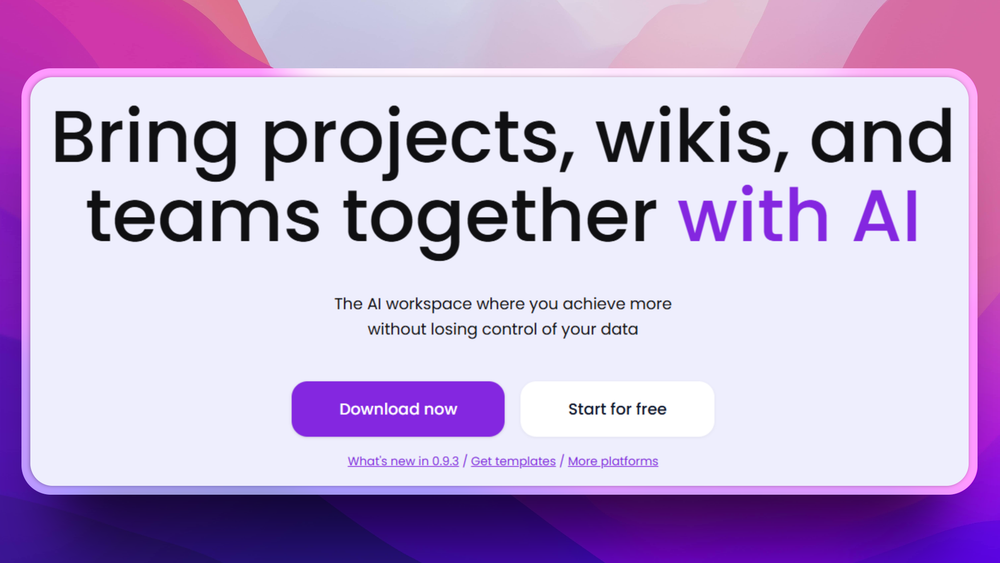
AppFlowy is the most direct open source replacement for Notion's workspace model. It covers documents, relational databases, kanban boards, a calendar view, and an AI writing assistant, all in one self-hosted application.
Key Features
- Block-based editor: nested pages with the same drag-and-drop block model Notion users expect, including toggles, callouts, code blocks, and embeds.
- Relational databases: grid, board, and calendar views over the same dataset, with linked-database references between tables.
- Team spaces & permissions: workspace-level and space-level access controls, plus per-page sharing for outside collaborators.
Pros
- Self-hosted and open source: your data and configuration stay on your own infrastructure regardless of plan, with no vendor access to your workspace.
- Production-grade database layer: grid, board, and calendar views handle thousands of rows without UI lag, the strongest data-view story of any tool here.
Cons
- Real-time multiplayer trails Notion: simultaneous editing of the same block by 5+ users still produces occasional sync conflicts that need manual resolution.
- No formula fields: the field type does not exist yet; formula-heavy Notion setups have no equivalent in AppFlowy. Relation fields do exist and work across tables.
License & Hosting
Self-hosting: Docker self-host AGPL-3.0 for the core codebase. SSO and advanced permissions require the paid Team or Enterprise plan on both cloud and self-hosted deployments. Self-host the open-source build on any Linux server via Docker. Source: github.com/AppFlowy-IO/AppFlowy.
Best For
Teams of 2 to 20 that want a Notion-compatible workflow with databases and AI, full self-hosting control, and a clear open source codebase. The safest first migration for teams that use Notion heavily for structured data.

Rank 2
AFFiNE
Docs, whiteboards, and databases in one workspace
73.6K stars5.4K forksTypeScriptMIT

AFFiNE combines a block-based document editor, a freeform whiteboard canvas, and relational databases. The three modes share the same object model: a sketch on the whiteboard can become a page, and a page can embed into a database.
Key Features
- Edgeless whiteboard + docs: switch a page between document mode and infinite-canvas mode; shapes, text, and frames live in the same file as written content.
- Block editor with rich types: code blocks, embeds, callouts, math, and slash-commands match Notion's authoring feel.
- Database views: grid and board views over collections, with the option to embed a database inside any document or whiteboard.
Pros
- The whiteboard is a real differentiator: product designers and engineers who currently split work between Notion and Figma/Miro can collapse it into one tool with no context switching.
- Trivial setup for solo users: the desktop app works with no server, no Docker, and no account; install and write.
Cons
- Team collaboration is less polished than AppFlowy or Outline: presence indicators and comment threads exist but feel rough compared to mature wikis.
- Databases lack formula and rollup: no calculated fields and no multi-hop relations; Notion power-users will lose this workflow.
License & Hosting
Self-hosting: Offline or Docker self-host The editor and core codebase are MIT licensed; the backend package (packages/backend) is under the AFFiNE Enterprise Edition licence and requires a valid paid subscription for production team use. Run fully offline on desktop or self-host via Docker for team sync; team self-hosting beyond the free tier (10+ seats) starts at $10 per seat per month. Source: github.com/toeverything/AFFiNE.
Best For
Small teams and individuals who work visually: combining written notes, diagrams, and structured data in one workspace. Best for early-stage product teams and designers who currently split work between Notion and Figma or Miro.

Rank 3
Outline
Polished team wiki and internal knowledge base
40.9K stars3.6K forksTypeScript
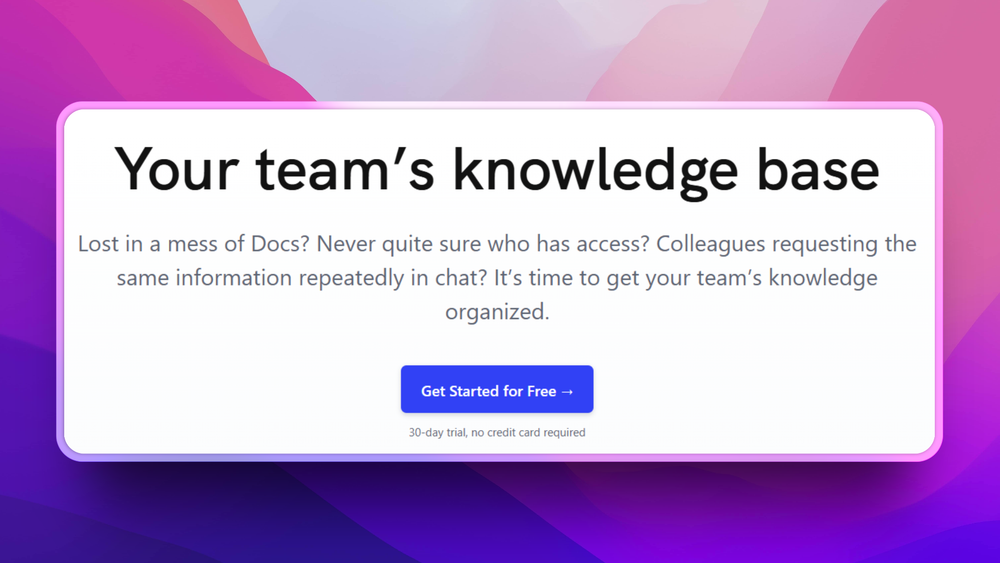
Outline is a team knowledge base and wiki focused on document quality and discoverability. It offers real-time collaborative editing, structured document collections, Slack and GitHub integrations, and AI-assisted full-text search.
Key Features
- Real-time collaborative editor: presence cursors, inline comments, and conflict-free simultaneous editing on the same document.
- Structured collections: nested page hierarchies organized into collections with per-collection permissions, mirroring how engineering and product teams already think about docs.
- Slack & GitHub integrations: search Outline from Slack, unfurl links inline in channels, and link GitHub issues into docs.
Pros
- The most polished editor on this list: feels closer to Notion's reading and writing surface than any other self-hosted option here.
- Slack workflow is built-in, not bolted on: teams who run on Slack can search and share docs without leaving chat, which dramatically increases doc adoption.
Cons
- BSL 1.1 is not OSI-approved: internal use is unrestricted, but any commercial offering where third parties create their own teams and documents is blocked until the license converts to Apache 2.0.
- No database views at all: no grid, board, or calendar; Outline is a wiki, not a workspace, and teams that lived in Notion databases will need a second tool.
License & Hosting
Self-hosting: Docker self-host BSL 1.1 (source-available; internal use unrestricted; competing hosting services restricted; converts to Apache 2.0 on 2030-07-13 or four years after a version's first public release, whichever comes first). Self-host on Docker with PostgreSQL and Redis required; S3-compatible storage is optional (file storage defaults to local disk). Source: github.com/outline/outline.
Best For
Engineering and product teams that need a polished internal documentation wiki. If your Notion use was primarily docs and meeting notes rather than databases, Outline is the strongest self-hosted option. Verify BSL 1.1 compliance before redistribution.

Rank 4
Macro Docs
Markdown-native docs that agents and teammates edit together
4.7K stars458 forksRustAGPL-3.0
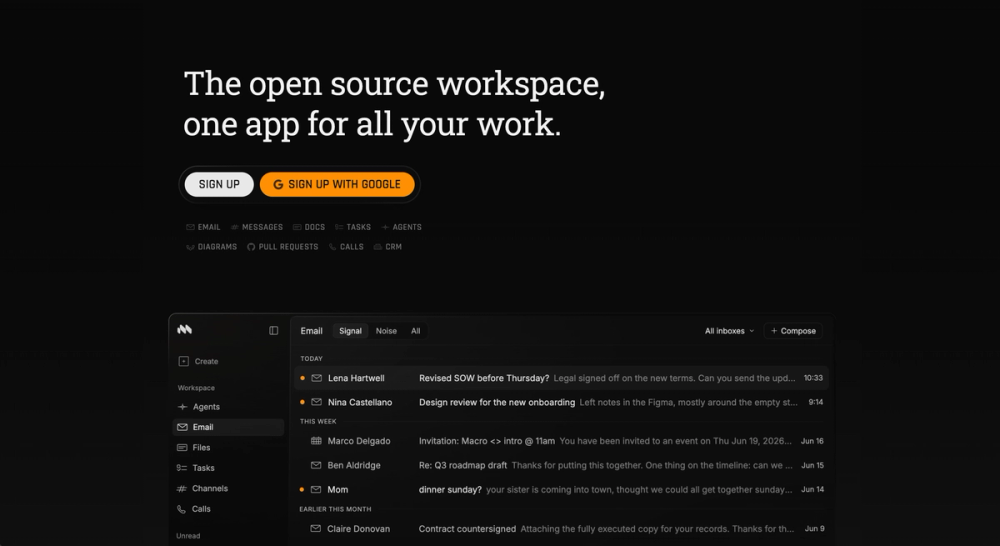
As an open source Notion alternative, Macro Docs keeps documents markdown-native and lets both teammates and agents work in the same page.
Key Features
- Markdown-native documents: plain markdown that stays exportable and yours, with properties for status, assignee, dates, and links alongside each doc.
- Real-time editing on CRDTs: teammates edit the same line without thrashing, and inline comment threads keep discussion in the document.
- Full version history: every document keeps its history, so you can restore or fork any past version.
- Agent-editable pages: agents draft or revise a doc with a live cursor you can watch, using context from the wider workspace.
Pros
- Open format, not a proprietary store: docs are markdown you can export, avoiding the lock-in of Notion's closed block format.
- References stay live: @mention people, docs, tasks, and channels, and search reaches across the workspace and connected sources.
Cons
- Properties are not full relational databases: status, assignee, dates, and entity references (linking to people, docs, tasks, and projects) cover most needs, but there are no rollups and no formula fields, so rollup-dependent or formula-heavy Notion setups will not port cleanly.
- Docs arrive with a whole workspace: one seat carries email, chat, tasks, calls, and CRM too, so adopting the editor means adopting the rest.
License & Hosting
Macro Docs is fully open source under AGPL-3.0, not open core, and you can self-host it under the AGPLv3. The Enterprise tier adds managed self-host deployment with SSO, HIPAA, and FedRAMP.
Best For
Teams who want Notion-style docs that agents and teammates edit together beside chat and tasks. Teams leaning on relational databases and formulas will fit better with AppFlowy.

Rank 5
Docmost
Simple self-hosted team documentation
22K stars1.7K forksTypeScriptAGPL-3.0
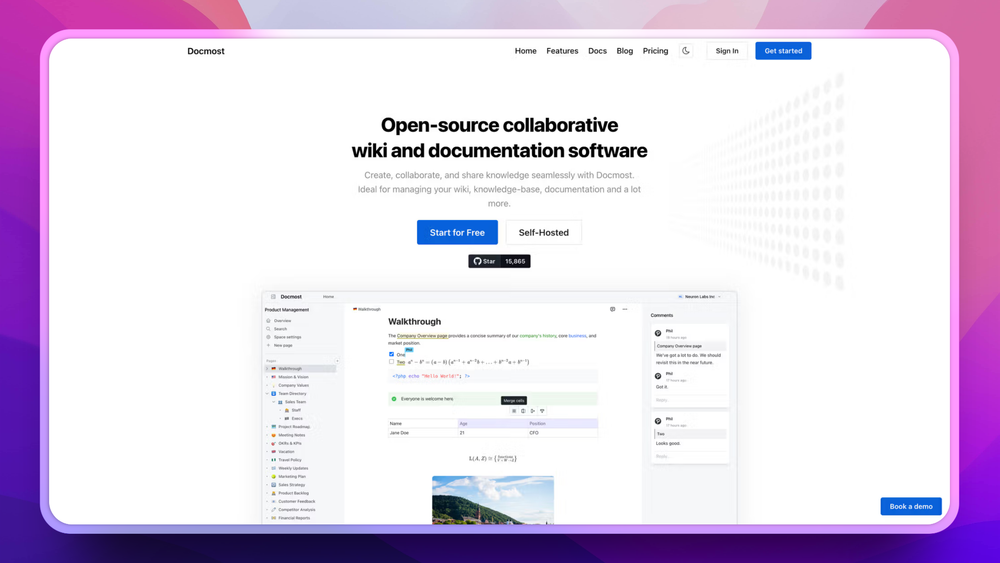
Docmost is a self-hosted collaborative wiki and documentation platform. It provides a rich-text editor, nested page hierarchies, team spaces with access controls, page comments, real-time collaboration, and full-text search. The design is deliberately simple: it does team docs well without trying to replicate every Notion feature.
Key Features
- Rich-text editor with nested pages: block-style authoring with the standard set Notion users expect; headings, lists, tables, code, and embeds.
- Three-tier permission model: workspace, space, and page-level access controls cover most team scenarios without an over-complicated ACL UI.
- Real-time collaboration: presence indicators and conflict-free simultaneous editing on the same page.
Pros
- Fastest self-host setup in this list: start-to-running Docker Compose stack takes under 15 minutes on a $5 VPS, competitive even with managed signup flows.
- Clean AGPL-3.0 community edition: the free open-source build has no BSL-style restrictions; enterprise extensions (EE packages) are separate and proprietary.
Cons
- Structured data views require a paid licence: Bases (Table and Kanban views with typed properties, filters, sorts, and formulas) are available in the Business and Enterprise tiers only; the free community edition is document and wiki only.
- No offline mode: there is no desktop or mobile app with offline editing; bad networks block writing entirely.
- No bidirectional links: backlinks and graph views are not part of the model, so personal-knowledge-management workflows do not translate.
License & Hosting
Self-hosting: Docker self-host AGPL-3.0 community core; enterprise extensions (apps/server/src/ee, apps/client/src/ee, packages/ee) are under a proprietary Docmost Enterprise licence. Runs on Docker with PostgreSQL and Redis required; S3-compatible storage is optional (local disk is the default for file attachments). Source: github.com/docmost/docmost.
Best For
Teams of 5 to 30 people whose Notion use was mainly shared documentation and meeting notes rather than structured databases. The fastest migration path from Notion to a self-hosted team wiki.

Rank 6
Logseq
Personal knowledge graph with bidirectional links
45.3K stars2.8K forksClojureAGPL-3.0
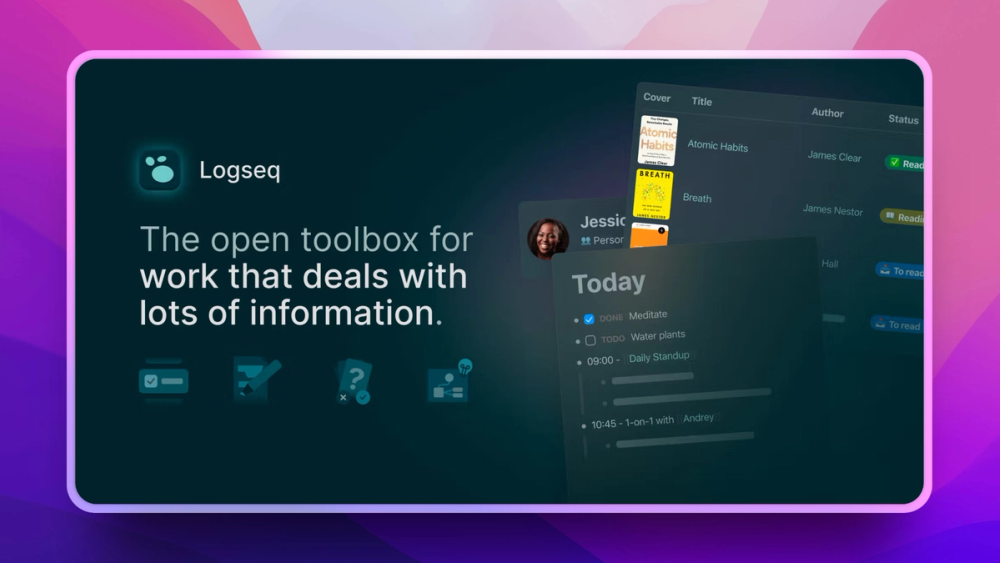
Logseq is an outliner and knowledge base built around bidirectional links, graph views, and daily journal pages. Every block is a node in your knowledge graph. Pages and blocks reference each other, creating a navigable map of connections that linear doc tools cannot replicate. Legacy file graphs store content as plain Markdown files on local disk; the newer DB version persists to SQLite and supports real-time collaboration (currently alpha and invite-only).
Key Features
- Outliner-based document model: every line is a block; collapse, expand, and re-parent blocks freely across pages.
- Bidirectional page and block links: [[page]] links work in both graph types and build backlinks automatically; the ((block-ref)) block-reference syntax is specific to file graphs.
- Interactive graph view: visualize the knowledge graph by tag, page, or block reference; click to navigate.
Pros
- Maximum data portability for file graphs: plain Markdown files on disk open in any text editor without migration. The DB graph stores content in SQLite; Markdown export is available but does not capture block properties or timestamps.
- Graph view surfaces invisible connections: bidirectional links automatically build a map of how your notes relate, exposing patterns that folder structures hide.
Cons
- The outliner model is a real switch from Notion: every line is a block, so freeform documents written as prose paragraphs require deliberate effort and feel awkward.
- Multi-user collaboration is early-stage: the file graph has no sharing; the DB version includes real-time collaboration (RTC), but it is alpha and invite-only with no team permissions model yet.
- DB-version transition is ongoing: the file graph has moved to a separate repository (github.com/logseq/og); the DB version is the active development path. Expect continued format changes.
License & Hosting
Self-hosting: Local-first AGPL-3.0. Local-first: no server required. Source: github.com/logseq/logseq.
Best For
Individual knowledge workers and researchers building a personal knowledge graph over time. Not a team collaboration tool. Best for people who used Notion as a personal second brain rather than a shared workspace.

Rank 7
SiYuan
Privacy-first local knowledge base with E2EE sync
46.8K stars3.1K forksTypeScriptAGPL-3.0
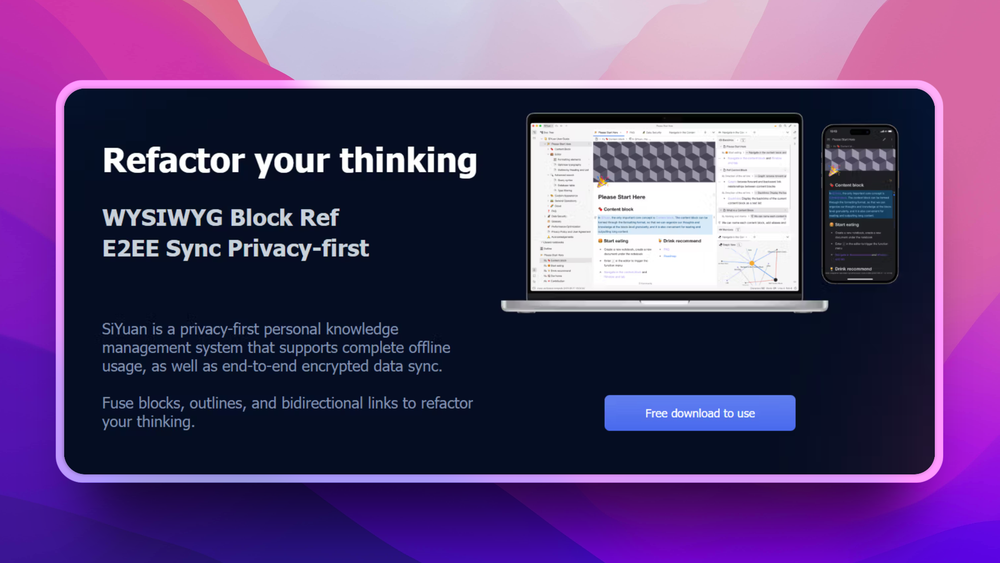
SiYuan is a local-first block-based knowledge management system. It stores documents as .sy JSON files in the workspace folder, with SQLite as a query index for fast search. Optional end-to-end encrypted cloud sync means the server sees only ciphertext. Features include bidirectional links, block-level references, full-text search, spaced repetition, and a plugin API.
Key Features
- Block-level references: cite a specific sentence inside a long page, not just the page itself; finer-grained than any Notion link.
- Local JSON file storage: documents are saved as .sy JSON files in the workspace folder; SQLite provides fast full-text search without a network round-trip.
- End-to-end encrypted sync: the official cloud sync server stores only ciphertext; SiYuan's operators cannot read your notes.
Pros
- E2EE is built in, not bolted on: the sync server only ever sees ciphertext, the strongest privacy guarantee of any tool in this list.
- Block-level citation beats page-level linking: referencing a specific sentence inside a long doc preserves context far better than Notion's page links.
Cons
- English translation lags Chinese releases: UI strings and documentation default to Chinese; the community translation typically trails by a release or two.
- Single-user focused: no real-time collaboration and no team workspaces; a self-hosted Docker deployment can be shared with a small group via an access authorisation code, but per-user permissions do not exist.
License & Hosting
Self-hosting: Local/self-host AGPL-3.0. Documents are stored locally as .sy JSON files. The official Docker image lets you self-host the SiYuan app at no cost; syncing to S3 or WebDAV is a paid PRO feature, and third-party sync services are explicitly unsupported. Source: github.com/siyuan-note/siyuan.
Best For
Privacy-conscious individuals who want a Notion-like block structure with guaranteed data ownership and E2EE sync. Best for personal knowledge archives rather than shared team workspaces.

Rank 8
Anytype
Local-first workspace with typed objects
8.9K stars591 forksTypeScript
Anytype is a local-first workspace that combines documents, databases (called collections), and a type system for modeling any kind of object: notes, tasks, people, books, projects. Each object type gets custom fields.
Key Features
- Object type system with custom schemas: define your own types (Book, Project, Person) with custom fields, not just generic pages.
- Collections as databases: structured lists of typed objects with grid and gallery views.
- Peer-to-peer end-to-end encrypted sync: devices talk directly when on the same network; an encrypted relay handles devices behind NAT, but Anytype never sees plaintext.
Pros
- The strongest data-modeling story for personal use: typed objects let you build a personal CRM, reading list, or project tracker that linear note tools cannot represent.
- E2EE peer-to-peer sync is genuinely private: even Anytype's relay sees only ciphertext, matching SiYuan's privacy guarantee with simpler setup.
Cons
- ASAL license is not OSI-certified: the source is public and personal use is free, but commercial use and redistribution are restricted; legal review is non-trivial for companies.
- The type system takes weeks to internalize: Notion lets you write immediately; Anytype's "model your domain first" approach is powerful but slows the initial learning curve significantly.
License & Hosting
Self-hosting: Local/self-sync Any Source Available License (ASAL): source code is public but not OSI-certified; commercial use and redistribution require authorization. Self-host the sync backend using the MIT-licensed any-sync stack (any-sync-dockercompose). The client middleware (anytype-heart) is separately ASAL-licensed. Source: github.com/anyproto/anytype-ts.
Best For
Individuals and small teams who want strong data ownership with local-first sync. Anytype now offers collaboration features and a Business tier with SSO and an admin panel. Verify ASAL compliance with your legal team before deploying in a commercial or regulated environment.

Rank 9
Joplin
Markdown notes with flexible self-hosted sync
56.8K stars6.3K forksTypeScript
Joplin is a Markdown-first note-taking application with notebooks, tags, end-to-end encrypted sync, and an extensible plugin system. Sync backends include Nextcloud, Dropbox, WebDAV, S3, or a self-hosted Joplin Server. Desktop apps for macOS, Windows, and Linux plus mobile apps for iOS and Android cover core note-taking; the iOS app supports only recommended plugins, and some features such as biometric lock are mobile-only.
Key Features
- Markdown editor with notebooks and tags: hierarchical notebooks plus orthogonal tags, both indexed in full-text search.
- Sync backend of your choice: Nextcloud, Dropbox, OneDrive, WebDAV, S3, or self-hosted Joplin Server; switch backends without exporting first.
- Built-in end-to-end encryption: E2EE applies to every supported sync backend, so even Dropbox or S3 only ever stores ciphertext.
Pros
- Sync flexibility is unmatched: you pick the backend, change it later, and never depend on Joplin's infrastructure for the canonical copy.
- Markdown export always available: notes are authored in Markdown syntax and can be exported to readable .md files at any time, so content is never trapped in a proprietary format.
Cons
- No databases, no kanban, no relational data: Joplin is a note app, not a workspace; Notion structured-data workflows do not translate at all.
- No real-time collaboration: simultaneous editing is impossible; conflicts on the same note across devices produce duplicate copies that need manual merging.
- The default editor lags Notion's block experience: drag-and-drop reordering and rich-block inserts feel less fluid than Notion's writing surface.
License & Hosting
Self-hosting: WebDAV/Nextcloud/S3 or Joplin Server AGPL-3.0 for the apps. Joplin Server is under the Personal Use License, which permits personal non-commercial use only; commercial or team self-hosting requires Joplin Server Business. The free self-host path for sync is WebDAV, Nextcloud, or S3. Source: github.com/laurent22/joplin.
Best For
Individual users migrating from Notion's note-taking side rather than its database side. Best for writers, researchers, and developers who want permanent Markdown files with flexible cross-device sync.
Decision framework
How to choose
Use this section to narrow the Notion replacement by team size, hosting model, license, and migration difficulty.
Start with your primary use case. If your team uses Notion mainly as a shared wiki for documentation, meeting notes, and project specs, go to Outline or Docmost first. Both are purpose-built team wikis with polished editors, real-time collaboration, and straightforward Docker deployment.
If your team uses Notion's database layer heavily for task tracking, content calendars, or custom structured data, AppFlowy is the safest first migration. It covers the most Notion use cases with active development and a mature database implementation.
If you are a solo user who wants a personal knowledge base with long-term data ownership, Logseq or SiYuan are worth evaluating. In file-graph mode, Logseq stores notes as plain Markdown; the newer DB graph mode uses a local SQLite file, so your data stays local in either case. SiYuan adds more structure through block-level references and end-to-end encrypted sync.
If your Notion use was primarily individual note-taking with some Markdown writing, Joplin is the lowest-friction migration. It imports Notion exports natively and has flexible sync backend options.
For teams with visual design or product workflows, AFFiNE covers a use case Notion's editor does not: collaborative diagrams and written specs in the same canvas without switching apps.
License guidance for compliance teams: Four tools are fully OSI-approved: AppFlowy, Macro Docs, Logseq, and SiYuan (all AGPL-3.0, no proprietary extensions). Three carry open-core carve-outs: AFFiNE's backend is under a proprietary Enterprise Edition licence; Docmost's enterprise extensions (EE packages) are proprietary; Joplin's server uses a Personal Use License that bars commercial and team use. Outline uses BSL 1.1 and Anytype uses ASAL 1.0, neither OSI-certified. For fully clean OSI-approved open source with no carve-outs, filter to those four.
Team size guidance: For teams under 10, any of the tools work with basic infrastructure. For teams of 10 to 50, Outline and AppFlowy have the access control and multi-user features the scale requires. For teams over 50, self-hosting infrastructure and maintenance become the primary deciding factor alongside feature fit.
Start with a trial sprint: Run one team project or a personal knowledge archive in your chosen tool for two weeks before committing to a full migration. Most of these tools have desktop apps that work without any server setup, making evaluation fast.
If your Notion workspace is really the hub of a wider workflow, Macro Docs takes a different path: it keeps Notion-style markdown docs but folds them into one AI-native workspace with chat, tasks, and email, all sharing a memory layer its agents can act on. It is the pick for teams that want to collapse Notion plus several other tools into a single app, rather than swap Notion for another standalone wiki. Its tag-based databases are lighter than Notion's relational tables, so data-heavy setups still map better to AppFlowy.
Complete directory list
All alternatives to Notion
AppFlowy
FreeOpen source Notion alternative with AI, self-hosted
Key differentiator
Full Notion replacement for small teams
77.5K stars6.1K forksDartAGPL-3.0
AFFiNE
FreeLocal-first workspace combining docs, whiteboards, and notes
Key differentiator
Docs, whiteboards, and databases in one workspace
73.6K stars5.4K forksTypeScriptMIT
Joplin
FreeOpen source note-taking app with Markdown and sync support
Key differentiator
Markdown notes with flexible self-hosted sync
56.8K stars6.3K forksTypeScript
SiYuan
FreeBlock-based notes with backlinks and end-to-end encrypted sync
Key differentiator
Privacy-first local knowledge base with E2EE sync
46.8K stars3.1K forksTypeScriptAGPL-3.0
Logseq
FreePrivacy-first knowledge base with outliner and graph view
Key differentiator
Personal knowledge graph with bidirectional links
45.3K stars2.8K forksClojureAGPL-3.0
Outline
FreeTeam wiki and knowledge base with realtime collaboration
Key differentiator
Polished team wiki and internal knowledge base
40.9K stars3.6K forksTypeScript

Trilium.cc
FreeSelf-hosted hierarchical notes with backlinks and encrypted sync
Key differentiator
Trilium Notes is an open source hierarchical personal knowledge base with rich note editing, code blocks, relation maps, and end-to-end encrypted sync
38.4K stars2.6K forksTypeScriptAGPL-3.0

Huly
FreeOne open source workspace to replace Jira, Slack, and Notion
Key differentiator
Manage planning, chat, docs, and GitHub-linked operations in one open source workspace built to replace Jira, Slack, and Notion
27.9K stars2.2K forksTypeScriptEPL-2.0
Docmost
FreeSelf-hosted collaborative wiki and documentation tool
Key differentiator
Simple self-hosted team documentation
22K stars1.7K forksTypeScriptAGPL-3.0

Tolaria
FreeOrganize your notes with Markdown and Git integration
Key differentiator
Manage Markdown knowledge bases with Tolaria, a local-first desktop app with Git-native version history, block editing, and AI-ready note workflows
20.1K stars1.4K forksTypeScriptAGPL-3.0

LifeOS
FreeAI-powered life operating system for goal achievement
Key differentiator
Manage life and work with an AI harness moving you from current to ideal state
19.4K stars2.5K forksTypeScriptMIT

claude-obsidian
FreeSelf-organizing AI second brain for Obsidian, plain Markdown
Key differentiator
Build a self-organizing knowledge graph in Obsidian with Claude Code
15.5K stars1.5K forksPythonMIT

Notesnook
FreeEnd-to-end encrypted open source note-taking, cross-platform
Key differentiator
Secure private notes with end-to-end encrypted sync across desktop, mobile, and web
14.8K stars1K forksTypeScriptGPL-3.0

Zettlr
FreeOpen source Markdown editor for researchers and academics
Key differentiator
Write citation-ready Markdown notes and papers locally with a GPL-licensed editor built for researchers, students, and long-form writers
13.8K stars862 forksTypeScriptGPL-3.0
Migration
Migration notes for leaving Notion
Exporting from Notion is the first step. Go to Settings > My account > Export all workspace content and choose Markdown & CSV format. Notion packages all your pages as Markdown files and all your databases as CSV files inside a ZIP archive.
What exports cleanly: Standard text blocks, headings, bullet lists, numbered lists, code blocks, and image files (embedded as local file references). Database rows export as CSV with column headers matching your property names.
What breaks in the export: Inline database views embedded inside document pages lose their live connection and become static CSV snapshots. Toggle blocks flatten to plain text with no visual toggle wrapper. Callout blocks lose their icon and background color. Multi-select properties export as comma-separated text strings. Relation fields export as text names rather than references, so linked-record relationships do not survive.
AppFlowy migration: AppFlowy has a Notion import function in the app under Import > Notion. Point it at your export ZIP. The importer handles nested pages and common block types. Expect 30 to 60 minutes of cleanup on pages with complex database embeds or heavily nested content.
AFFiNE migration: AFFiNE supports Markdown import. Plain document pages migrate cleanly. Whiteboard and database blocks require manual recreation.
Joplin migration: Joplin has a direct Notion import under File > Import > Notion. It reads the export ZIP and creates matching notebooks. This is one of the cleanest migration paths for pure note-taking content; the importer handles nested pages reliably.
Logseq migration: Logseq does not have a Notion-specific importer. Copy the exported Markdown files into your Logseq graph folder and they appear as pages. Heading hierarchy and some formatting may need cleanup after import.
SiYuan migration: SiYuan accepts Markdown file imports through its Import panel. Upload the exported folder. Database entries require manual reconstruction as SiYuan blocks.
Outline and Docmost migration: Both accept Markdown bulk imports through their respective import UIs. Pages with complex Notion formatting need manual editing after import.
Image handling: Notion embeds images as local file references inside the Markdown. Import the full export folder, not just the individual .md files, or the images will not resolve. Verify a sample of image-heavy pages after import before committing to the new tool.
Time estimate: A personal Notion workspace with 100 to 300 pages typically migrates in 2 to 4 hours including cleanup. A team workspace with extensive databases and embedded views should plan a 1 to 2 day migration sprint.
Macro Docs migration: Connect Notion under Settings, then ask an agent to import; Macro Docs recreates your pages as markdown-native documents and preserves the folder structure. Notion's relational databases and formulas do not carry over cleanly, so budget cleanup on structured content, the same as with AppFlowy.
FAQ
Notion alternatives FAQ
Is AppFlowy a good Notion alternative for teams?
Yes. AppFlowy is the closest open source match to Notion's team workspace model. It has documents, relational databases (grid, board, and calendar views), team spaces, and AI assistance, all self-hosted. The main caveat: real-time collaborative editing is still maturing, and large teams doing heavy simultaneous editing may encounter occasional sync lag. For most small teams, this is not a practical problem.
Can I self-host these Notion alternatives?
All nine tools in this guide can be self-hosted. AppFlowy, Docmost, Outline, and AFFiNE have Docker-based deployment guides; enterprise features on AFFiNE and Docmost require paid licences above the free tier. Macro Docs is an AGPL-3.0 licensed server application that supports self-hosting. Logseq is local-first and requires no server. Joplin syncs for free via WebDAV, Nextcloud, or S3; Joplin Server is limited to personal non-commercial use under its Personal Use License. SiYuan and Anytype store data locally with optional sync servers. A $5-10 per month VPS handles most single-team deployments, eliminating Notion's per-seat pricing entirely.
Do these open source Notion alternatives support real-time collaboration?
It depends on the tool. Outline, Docmost, and Macro Docs have reliable real-time collaborative editing; Macro Docs uses CRDT-powered documents so multiple people can type in the same line simultaneously, with offline changes replaying on reconnect. AppFlowy's collaboration is functional and improving with each release cycle. AFFiNE syncs changes across devices as a local-first tool rather than a server-first collaborative editor. Logseq, SiYuan, and Joplin are single-user tools with sync rather than true real-time collaboration.
How do I import my data from Notion into these tools?
Export from Notion at Settings > Export all workspace content, choosing Markdown & CSV. AppFlowy and Joplin have direct Notion import built into their apps. AFFiNE, Logseq, SiYuan, Outline, and Docmost accept Markdown file imports. Complex databases and embedded views require manual cleanup after import. Plain document content migrates cleanly across all tools.
Are these tools actually open source?
Four of the nine tools are straightforwardly OSI-approved: AppFlowy, Macro Docs, Logseq, and SiYuan, all under AGPL-3.0. Three more use open-core models: AFFiNE, Docmost, and Joplin each have proprietary enterprise or server components that affect self-hosting above the free tier. Two are not OSI-certified: Outline (BSL 1.1, free for internal use, converts to Apache 2.0 in July 2030) and Anytype (ASAL 1.0, free for non-commercial use). For personal use or internal team deployments, all nine work without restriction at the free tier. If your legal team requires clean OSI certification with no carve-outs, stick to those four.
What is the closest free alternative to Notion?
AppFlowy is the closest feature-for-feature free alternative. It has documents, databases, kanban, and AI, all free when self-hosted. AFFiNE is a strong second with a more visual workflow and a simpler setup for personal use. For note-taking without databases, Joplin is free, easy to set up, and requires no server for personal use.
Do any of these alternatives support AI features?
AppFlowy has the most integrated AI: writing assistant, summarization, and Q&A that uses your own API key (OpenAI or compatible), keeping AI costs under your control. AFFiNE offers AI for writing assistance. SiYuan integrates with OpenAI's API through settings. Logseq, Docmost, Outline, and Joplin have minimal or no built-in AI currently.
Which open source Notion alternative has the best mobile app?
Joplin and SiYuan have the most mature and stable mobile experiences. AppFlowy's iOS and Android apps are functional and improving. AFFiNE has mobile apps in active development. Anytype's mobile app is polished. Macro Docs ships an iOS app, but Android is not yet available; the web app is mobile-friendly in the meantime. Outline and Docmost are primarily web applications with no dedicated native mobile app.