

Who Standard Notes is for#
Individuals storing sensitive notes
Standard Notes fits personal journals, private research, and sensitive notes where encryption matters more than visual workspaces.
Skip if:
Choose Obsidian or Logseq if local markdown and linking are more important than encrypted sync.
Small teams needing private shared notes
Teams can use Standard Notes when the priority is secure text storage, not project management or document databases.
Skip if:
Skip it if you need rich collaborative docs, comments, task boards, or deep integrations.
The problem it solves#
Notes often contain passwords hints, medical details, work plans, journal entries, and private research. Many mainstream note apps sync that content through proprietary cloud services where encryption, export, and account policy are controlled by the vendor.
Encrypted notes reduce that risk, but they also narrow the product scope. Users should decide whether they need private writing and sync, or a broad workspace with databases, task boards, and deep collaboration.
How it solves it#
End-to-end encrypted notes
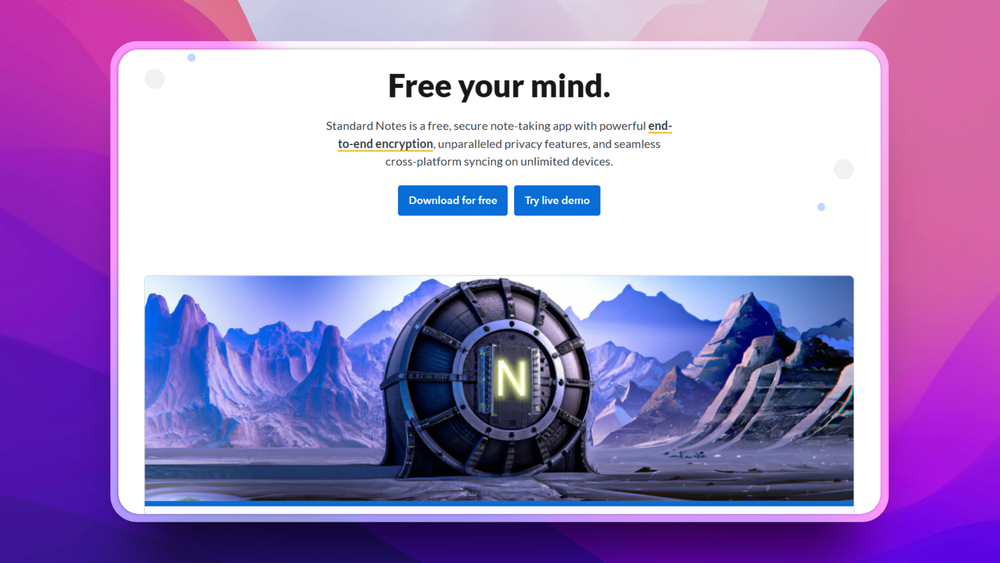
Standard Notes focuses on protecting note content with end-to-end encryption, making privacy the core product promise.
Cross-device note app
The app is designed for everyday note taking across devices rather than only local markdown files.
Self-hosted note sync option
Standard Notes documents public source code and the ability to self-host your own server, giving privacy-focused users an ownership path beyond the hosted service.
AGPL-3.0 app license
The GitHub app repository reports AGPL-3.0 licensing, which teams should review before modifying hosted deployments.
Strengths and trade-offs#
Strengths
- Privacy is the main design goalStandard Notes is a better fit for sensitive personal notes than general workspace apps where encryption is secondary.
- Simpler than full knowledge workspacesIts notes-first model avoids the complexity of databases, boards, and page-builder workflows for users who mostly need secure writing.
- Long-term note ownership postureOpen code, export awareness, and self-hosting options make it attractive for users who do not want private notes locked in a proprietary-only system.
Trade-offs
- -Less flexible than Notion-style workspacesStandard Notes is not the best tool for project dashboards, relational databases, or collaborative docs. Its strength is secure notes.
- -Self-hosting needs careful securityRunning encrypted note infrastructure yourself still requires secure deployment, updates, backups, and account protection.
Standard Notes vs alternatives#
Standard Notes vs Evernote
Standard Notes and Evernote both help users capture notes across devices. Standard Notes prioritizes end-to-end encryption and privacy; Evernote prioritizes a managed productivity app with richer capture, organization, and integrations.
Standard Notes is the better fit when private writing and encrypted sync matter most. Evernote is still better when users need web clipping, advanced organization, OCR-style workflows, and a mature managed app experience.
What it's built on#
- Languages
- JavaScriptTypeScript
- Tooling
- Webpack
FAQ#
Is Standard Notes encrypted?
Yes. Standard Notes is built around end-to-end encrypted note storage.
Can Standard Notes replace Notion?
Only for private notes. It does not replace Notion's databases, project dashboards, and broad workspace collaboration.
What license does Standard Notes use?
The app repository reports AGPL-3.0 licensing.
Similar open-source tools#

Joplin
Open source note-taking app with Markdown and sync support

Notesnook
End-to-end encrypted open source note-taking, cross-platform

Trilium.cc
Self-hosted hierarchical notes with backlinks and encrypted sync

Zettlr
Open source Markdown editor for researchers and academics

Memos
Self-hosted note timeline with per-memo privacy, zero telemetry

Reflect Open
Local-first Markdown notes for Mac and iPhone, no account required