

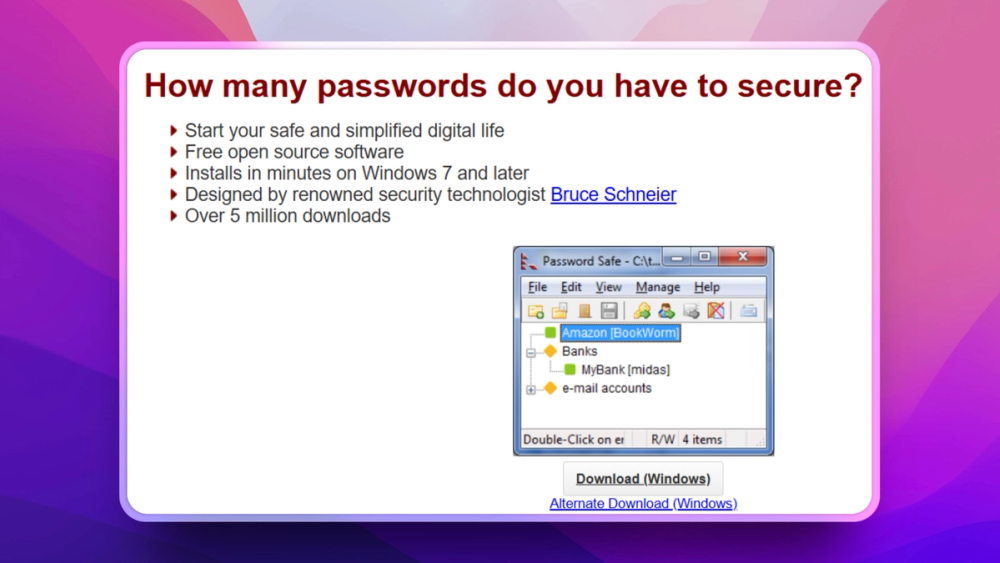
Who Password Safe is for#
Individuals wanting offline passwords
Password Safe fits users who want a local encrypted password database and do not want a cloud account.
Skip if:
You need automatic multi-device sync, browser autofill, or team sharing controls.
Security-sensitive desktop users
The simple vault model is useful when passwords should stay in a local file under the user's backup and device-control process.
Skip if:
You cannot reliably back up and protect the database file.
The problem it solves#
Many password managers now assume cloud sync, browser accounts, team sharing, and subscription features. Some users and organizations need the opposite: a local encrypted vault that does one job and does not require a hosted account.
Offline password storage reduces vendor dependency, but it also puts responsibility for backups and device access on the user. The best fit is a user who values simplicity and understands how to protect the database file.
How it solves it#
Encrypted local database
Password Safe stores passwords in an encrypted file unlocked by a single master password.
Simple clipboard workflow
Password Safe supports Windows, macOS, Linux packages, and FreeBSD.
Desktop platform support
Password Safe supports Windows, macOS, Linux packages, and FreeBSD.
Strengths and trade-offs#
Strengths
- Focused offline designPassword Safe is intentionally simpler than cloud team vaults. That makes it attractive for users who want local encrypted storage without account infrastructure.
- Security lineagePassword Safe traces back to the original design by Bruce Schneier, which gives the project a clear security-history signal.
Trade-offs
- -No built-in cloud convenienceAn offline database avoids cloud lock-in but leaves sync, backups, and recovery to the user. Teams needing shared access controls should consider a team password manager.
What it's built on#
- Languages
- CC#C++
FAQ#
How does Password Safe store passwords?
Password Safe stores passwords in an encrypted database file unlocked by one master password.
Does Password Safe require a cloud account?
No. Password Safe is designed around local encrypted password storage rather than a hosted account.
Is Password Safe good for teams?
It is better for individual offline vaults. Teams that need sharing, roles, and offboarding should use a team password manager.
Similar open-source tools#

Bitwarden

KeePassXC
Cross-platform open source password manager with browser plugin

Passbolt
Open source team password manager with sharing and audit

Psono
Self-hosted password manager for teams with enterprise SSO

Passwordcockpit
Self-hosted team password manager with role-based access

Vaultwarden
Self-hosted Bitwarden-compatible password management