

Who Anytype is for#
Privacy-focused individuals building a personal knowledge base
Anytype stores notes, journals, and research entirely on your device with zero-knowledge encryption. Local account creation means you control your encryption keys from the start, with no cloud dependency for the core experience. This is the primary use case the product is designed and optimized for.
Skip if:
Skip if you need real-time collaborative editing with multiple simultaneous contributors. Anytype's peer-to-peer sync is not designed for concurrent multi-user editing in the way Notion handles it, and shared workspaces with heavy collaboration may surface limitations.
Non-commercial teams replacing Notion or Confluence
Small teams, open source projects, and non-profit organizations can use Anytype as a shared wiki and task tracker with no seat fees. The ASAL license permits this use without restriction. Offline-first means the workspace stays accessible during network outages.
Skip if:
Skip if your team's work qualifies as commercial and your sync network is not on the Allowed Networks list. Commercial use under ASAL requires verified network authorization, so companies replacing Confluence for paid-product work must check license compliance before relying on Anytype.
Developers building integrations on a local-first data store
The gRPC API exposes Anytype's object model for automation and custom tooling. Developers can build workflows on top of the local vault without sending data to an external service. The any-sync protocol is documented and the sync layer is not a black box.
Skip if:
Skip if your integration requires data in standard SQL or flat JSON formats. Anytype uses its own object model and protocol, so the integration surface is narrower than a headless CMS or a conventional database-backed tool.
The problem it solves#
Most knowledge management tools store your data on vendor-controlled servers. You pay per seat, accept their pricing changes, and depend on their uptime. When a platform changes block limits or raises prices, there is no portable export path that fully preserves structure and formatting.
The privacy challenge runs deeper than cost. Proprietary services like Notion, Coda, and Roam Research process your content on their servers to power search and collaboration features. For individuals and teams handling sensitive research, client notes, or personal knowledge bases, there is no self-hosted path on these commercial platforms and no guarantee that the vendor cannot access your data.
How it solves it#
Local, on-device encryption
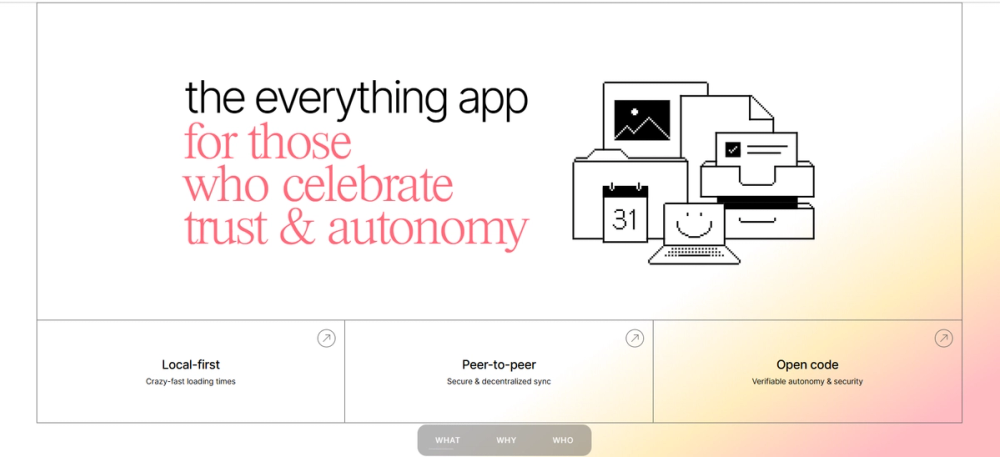
Every object in your vault is encrypted on your device before any sync occurs. Only you hold the encryption keys: neither Any Association nor any sync server can read your content. This is enforced structurally by the any-sync protocol, not just a privacy policy claim.
Peer-to-peer sync across devices
Devices on the same local network sync directly without routing data through a central server. When an internet-connected backup node is used, traffic is encrypted end-to-end so the node handles ciphertext only. Sync works offline and on local networks without depending on Any's hosted infrastructure.
Block-based editor with multiple database views
Pages are built from composable blocks: text, images, code, embeds, and inline databases. Database views include Table, Kanban, Gallery, and Graph, so the same data set can be displayed in different formats depending on your workflow. Custom Types let you define your own object schema.
Cross-platform desktop and mobile clients
The desktop client runs on macOS, Windows, and Linux, built with Electron and TypeScript. Mobile apps for iOS and Android provide the same vault access with native touch and scroll, and both work fully offline.
gRPC API and extensible AI Agents layer
A gRPC API exposes Anytype's object model for custom integrations and automation. An experimental AI Agents layer (documented in AGENTS.md in the repo) allows building AI-assisted workflows on top of the local data store without sending data to an external service unless you configure one.
Strengths and trade-offs#
Strengths
- Zero-knowledge privacy by designEncryption happens on-device before data leaves your machine. The sync layer never handles plaintext. This is a structural guarantee enforced by the protocol, meaning it holds even if Any Association's servers are compromised. Notion and Confluence both process content server-side with no equivalent guarantee.
- No per-seat fee for personal and non-commercial usePersonal and non-commercial self-hosting is free with no block limits, no seat caps, and no feature tiers. Teams on commercial platforms like Notion pay $8 to $16 per user per month for features that are unrestricted in Anytype for qualifying use cases.
- Offline-first with no server dependencyThe vault lives entirely on your device. Notes, tasks, and databases work with no internet connection. Sync is additive: it works when available but is never required. This makes Anytype usable during network outages where Notion or Confluence would be inaccessible.
- Self-hostable sync infrastructureThe any-sync protocol is published and the sync backend can be self-hosted independently of Any Association's servers. Non-commercial teams can run their own node and operate entirely outside Any's hosted service, with no vendor dependency on the sync layer.
Trade-offs
- -Commercial use restricted to authorized networksThe ASAL permits commercial use only on networks expressly authorized by Any Association (the Allowed Networks list at networks.any.coop). Authorization can be withdrawn on reasonable notice. Companies self-hosting a sync node for commercial work must verify their network's authorized status and monitor it over time. This restriction does not exist in MIT or Apache-licensed tools.
- -Source-available license, not OSI-approved open sourceASAL is source-available rather than OSI-certified open source. You can read and modify the code, but redistribution and commercial use carry the restrictions above. Forks must carry the same ASAL terms, so the code cannot be relicensed or incorporated into permissively licensed projects.
- -Multi-step build process with significant prerequisitesBuilding from source requires cloning two repositories (anytype-ts and anytype-heart), installing bun, fetching prebuilt middleware binaries via a shell script, generating protobuf bindings, and then running the platform-specific dist command. Linux additionally requires system packages for the protobuf compiler.
- -Database feature maturity behind Notion and AirtableWith 205 open GitHub issues at the time of writing, Anytype has a visible backlog. Formula support and rollups in databases are less mature than in Notion or Airtable. Teams that depend on calculated columns or complex relational views should evaluate the current state before migrating from a more established tool.
Anytype vs alternatives#
Anytype vs Notion
Both tools offer block-based pages, relational databases, and collaborative wikis. The core difference is data custody: Notion stores all content on its servers; Anytype stores data on your device with end-to-end encryption.
| Feature | Anytype | Notion |
|---|---|---|
| License | ASAL 1.0 (source-available) | Proprietary |
| Data location | Local device (encrypted) | Notion's servers |
| Self-hosting | Client and sync node: yes | No |
| Pricing (team use) | Free for non-commercial | $8 to $16 per user per month |
| Formula support | Limited | Full formulas and rollups |
Anytype is the stronger choice when data privacy is the primary requirement: encrypted local storage with zero-knowledge sync is not available in any Notion tier. Notion is still the better fit when you need mature formula support, a large template library, or real-time collaborative editing with many simultaneous users.
Anytype vs Confluence
Many teams evaluating Anytype are looking for a self-hosted replacement for Confluence that removes Atlassian's per-seat cost and cloud dependency.
| Feature | Anytype | Confluence |
|---|---|---|
| License | ASAL 1.0 (source-available) | Proprietary |
| Self-hosting | Client and sync: yes | Data Center only (high cost) |
| Pricing | Free for non-commercial | $5.75+ per user per month |
| End-to-end encryption | Yes | No |
| Integration ecosystem | Limited | Extensive (Jira, 1,000+ apps) |
For non-commercial teams, Anytype is a practical Confluence replacement for documentation and wikis. For commercial teams that need Jira integration, compliance tooling, or a large plugin ecosystem, Confluence remains the stronger fit.
Anytype vs Roam Research
Both tools target personal knowledge management with a graph view of connected notes. Roam Research charges $15 per month and stores data on its servers; Anytype is free for personal use and stores data locally.
Anytype's graph view shows connections between objects in the vault. Roam's bidirectional links and block-level transclusion are more mature for the networked-thought workflow. Anytype covers more surface area (databases, kanban, tasks) while Roam focuses on outliner-style note-taking. If daily notes and bidirectional linking are your primary workflow, Roam's feature depth is greater; if you want a broader workspace with local encryption and no subscription fee, Anytype is the stronger personal choice.
Quick start#
Install the Anytype desktop client by building from source with bun and the project's setup scripts.
```bash
git clone https://github.com/anyproto/anytype-ts.git && cd anytype-ts
bun install
./update.sh ubuntu-latest amd
bun run dist:linux
```What it's built on#
- Languages
- JavaScriptTypeScript
- Frameworks
- React
FAQ#
Is Anytype free to use?
Personal and non-commercial use is free with no block limits, no seat caps, and no feature paywalls. The ASAL license grants unrestricted use for personal and non-commercial self-hosting. A free backup sync node is provided by Any Association; running your own sync node is also permitted for non-commercial use.
Is Anytype open source?
Anytype's source code is publicly available and can be read, modified, and built, but it is not OSI-certified open source. It is licensed under the Any Source Available License 1.0 (ASAL). Personal and non-commercial use is unrestricted; commercial use is permitted only on networks authorized by Any Association, and that authorization can be withdrawn on reasonable notice.
How does Anytype sync data across devices?
Anytype uses the any-sync peer-to-peer protocol to sync data directly between devices on a local network without a central server. For sync across the internet, it uses an encrypted backup node (hosted by Any or self-hosted by you). The backup node only handles encrypted ciphertext; your plaintext content never leaves your device unencrypted.
Can I self-host Anytype?
Yes. The desktop client stores all data locally on macOS, Windows, or Linux with no server dependency. You can also self-host the any-sync infrastructure (the sync backend) on your own server for full control over backups and sync. Building from source requires bun, the anytype-heart repository, and protobuf tooling.
How does Anytype compare to Notion for team use?
Anytype covers the same core use cases as Notion: block-based pages, databases, kanban boards, and wikis. Key differences: Anytype stores data locally with end-to-end encryption while Notion stores data on its servers; Anytype has no per-seat pricing for personal and non-commercial use while Notion charges $8 to $16 per user per month on team plans. Notion has a more mature feature set including formulas and rollups that Anytype is still developing.
Similar open-source tools#

AFFiNE
Local-first workspace combining docs, whiteboards, and notes

Outline
Team wiki and knowledge base with realtime collaboration

AppFlowy
Open source Notion alternative with AI, self-hosted

Logseq
Privacy-first knowledge base with outliner and graph view

SiYuan
Block-based notes with backlinks and end-to-end encrypted sync

Typemill
Flat-file CMS: write Markdown, publish docs and user manuals