
Engineering knowledge base
Document architecture decisions, runbooks, meeting notes, and API references in one Git-backed workspace.

Open source alternative to Roam Research, Notion and Confluence
Last verified
Manage developer knowledge in local Markdown notes with hierarchies, backlinks, schemas, and publishing inside VS Code.
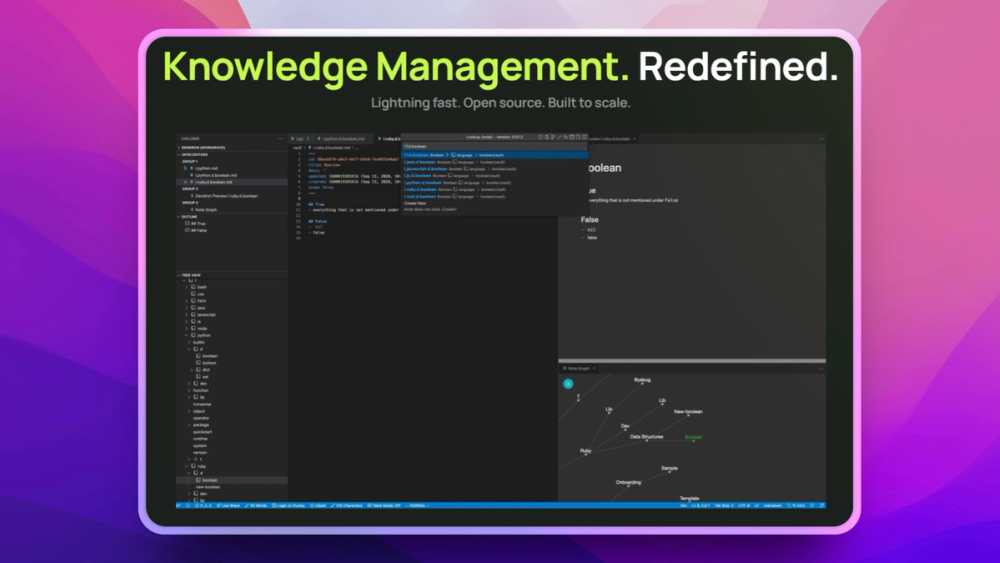
Document architecture decisions, runbooks, meeting notes, and API references in one Git-backed workspace.
Track research, daily notes, and long-term learning in Markdown with stronger structure than a generic notes app.
Many note apps break down as knowledge bases grow, making it hard to retrieve, refactor, and standardize technical notes across projects and teams. Dendron tackles that scale problem with hierarchical Markdown notes, schemas, backlinks, and Git-native workflows inside VS Code.
Model notes with consistent structures, reusable templates, and predictable navigation as a vault grows.
Trace relationships between notes and rename or reorganize content without leaving broken links behind.
Store notes as Markdown in Git and publish selected vaults as static sites you control.
Dendron and Notion both help organize knowledge, but Dendron uses local markdown files and a developer-native VS Code workflow. Notion uses a proprietary cloud workspace with polished collaboration, databases, and templates.
Dendron is the better fit when plaintext, git history, and editor-native structure matter most. Notion is still the better fit when nontechnical teams need easy collaboration, comments, mobile apps, and active product development.
Dendron is best for developers and technical teams who want a local-first Markdown knowledge base inside VS Code, with structure that can scale beyond casual note-taking.
Dendron favors local files, Git workflows, and editor-centric writing, while Notion and Confluence offer more polished hosted collaboration for broader business teams.
Yes. Notes live as Markdown files in your own repository, and published vaults can be deployed as static sites on infrastructure your team controls.
#1 in the Notion guide
Full Notion replacement for small teams
#2 in the Notion guide
Docs, whiteboards, and databases in one workspace
#3 in the Notion guide
Polished team wiki and internal knowledge base
#4 in the Notion guide
Markdown-native docs that agents and teammates edit together
Featured

Alternative toClaude Managed Agents
Open-source agent deployment API. Self-host or use Omnara Cloud.

Alternative to Grok Bot
AI teammates you own: your keys, your model, your machine.

Alternative to Superhuman
AI email assistant that drafts replies and clears your inbox
The projects we add and every new guide. Free, unsubscribe any time.
 Claude Code to
  OpenCode
 Jira to
  Windshift
 Notion to
  AppFlowy
 Slack to
  Mattermost
 Linear to
  GitLab
 Wispr Flow to
  Handy
Handy CapCut to
  Concat
 Grok Bot to
  rakazo
 Superhuman to
  Inbox Zero
 Airtable to
  AITable
 Muse to
  OpenClaw
 GitHub Copilot to
  Cline
Cline Datadog to
  Netdata
 Microsoft Teams to
  Rocket.Chat
 Pinecone to
  Qdrant
 Zapier to
  n8n
n8n Devin AI to
  OpenHands
 Firebase to
  Supabase
 1Password to
  KeePassXCConfluence to
  Docmost
 Contentful to
  Strapi
 Adobe Premiere Pro to
  Shotcut
 ChatGPT to
  AnythingLLM
 LangSmith to
  Langfuse


