

Who diagrams.net is for#
Architecture and infrastructure diagrams
Use diagrams.net to document services, networks, cloud resources, deployment flows, and system boundaries in files that engineering teams can review and version.
Skip if:
Skip it if your team mainly needs freeform ideation boards with facilitation features.
Process and documentation diagrams
Create flowcharts, BPMN diagrams, ERDs, and support diagrams for runbooks, onboarding docs, product specs, and incident reviews.
Skip if:
Skip it if your diagrams must live exclusively inside a paid collaboration suite.
The problem it solves#
Technical diagrams often become long-lived documentation artifacts, but many hosted diagramming tools keep them inside paid workspaces and proprietary collaboration systems. That creates friction when teams need offline access, repository-based documentation, data residency control, or a low-cost way for many contributors to view and edit diagrams. diagrams.net solves this by treating diagrams as portable files and supporting browser, desktop, and self-hosted workflows, so teams can place architecture maps and process diagrams beside the systems they describe.
How it solves it#
Portable diagram files
Store diagrams as local files, Git-tracked assets, or documents in your own cloud storage instead of locking them inside a vendor workspace.
Technical diagram libraries
Use shape libraries and templates for flowcharts, UML, BPMN, entity-relationship diagrams, network maps, cloud architecture, and process documentation.
Browser, desktop, and self-hosted modes
Run diagrams.net in the browser, use the desktop app offline, or host it internally for teams with network, privacy, or data residency requirements.
Strengths and trade-offs#
Strengths
- Best fit for engineering documentationdiagrams.net is strongest when diagrams need to sit beside code, runbooks, design docs, or architecture decisions and remain editable over time.
- Low-friction adoptionTeams can start with the hosted editor, move files into Git or cloud storage, and later self-host without changing the diagram format.
Trade-offs
- -Less workshop-oriented than Mirodiagrams.net supports collaboration through integrations, but it is not built around sticky-note workshops, facilitation timers, or broad product-discovery canvases.
diagrams.net vs alternatives#
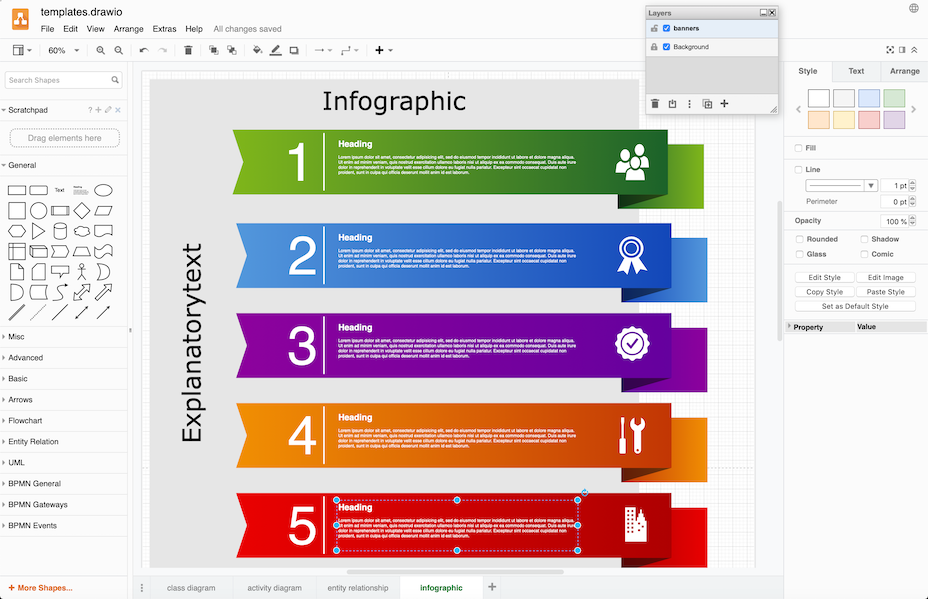
diagrams.net (formerly draw.io) is an open source diagramming tool and self-hosted alternative to Lucidchart, Microsoft Visio, and Miro for creating technical diagrams, flowcharts, and architecture maps.
vs Lucidchart: Lucidchart is a cloud-based SaaS tool with per-user monthly pricing and diagrams stored on Lucid's servers. diagrams.net stores files locally or in your own cloud storage (Google Drive, OneDrive, GitHub), with no per-seat fees and no data-residency concerns. Lucidchart has richer real-time multi-user collaboration and a polished UX, but diagrams.net covers the full range of technical diagram types, including UML, ERDs, BPMN, and network maps, at zero licensing cost.
vs Microsoft Visio: Visio requires a Microsoft 365 subscription and is Windows-centric, with files in a proprietary .vsdx format. diagrams.net is cross-platform, runs in any browser or as an offline desktop app, and stores diagrams as XML that remains readable without proprietary software. For teams outside the Microsoft ecosystem or those needing portable, vendor-neutral files, diagrams.net is the natural replacement.
vs Miro: Miro is an online whiteboard platform built for brainstorming, design sprints, and visual collaboration, with diagramming as one feature among many. It charges per editor and requires a persistent internet connection. diagrams.net is purpose-built for structured technical diagrams and can run offline or be self-hosted for air-gapped environments, making it the better fit for engineering and architecture documentation workflows.
What it's built on#
- Languages
- JavaJavaScript
FAQ#
Is diagrams.net open source?
Yes. The main draw.io repository is public on GitHub under the Apache-2.0 license, which allows commercial use, modification, and distribution under the license terms.
Can diagrams.net be self-hosted?
Yes. Teams can self-host diagrams.net for internal use, and individuals can use the desktop app for offline diagramming without sending files to a hosted workspace.
What paid tools does diagrams.net replace?
diagrams.net is most often compared with Lucidchart, Microsoft Visio, EdrawMax, and Miro when teams need technical diagrams without per-seat pricing or proprietary file storage.
Similar open-source tools#

diagram-design
Editorial diagrams for Claude Code, no Figma or Mermaid required

OpenFlowKit
Local-first AI diagramming tool for developers and builders

ChartDB
Free open source database diagram editor and visualizer

Excalidraw
Open source whiteboard for hand-drawn style diagrams

modly
Generate 3D models from images or prompts, entirely offline

Fluent-Qt
Fluent UI component library for Qt Widgets in C++17 and Python