

Who Flameshot is for#
Developers documenting UI bugs
Use Flameshot when engineers need to mark exact UI defects, blur sensitive fields, and paste annotated screenshots into GitHub, Linear, Jira, or chat.
Skip if:
Skip it if the team needs a managed screenshot library with role-based access and review workflows.
Designers and support teams sharing quick feedback
Use Flameshot for fast annotated screenshots where speed and privacy matter more than polished video capture or cloud collaboration.
Skip if:
Skip it if your workflow depends on vendor-hosted templates, screen recordings, or formal training docs.
The problem it solves#
Visual feedback breaks down when screenshots require a paid desktop suite, a browser extension, or a hosted annotation service. Developers need to blur secrets, point at exact pixels, and attach annotated captures to issues without adding another vendor account to the workflow. Support and QA teams face the same problem when every bug report needs a clear image but the toolchain is split across capture, markup, and upload steps.
The risk is not just cost. Screenshots often contain customer data, staging URLs, feature flags, or credentials. A local annotation workflow reduces the chance that sensitive captures pass through a third-party cloud just to add arrows and labels.
How it solves it#
Interactive capture and markup
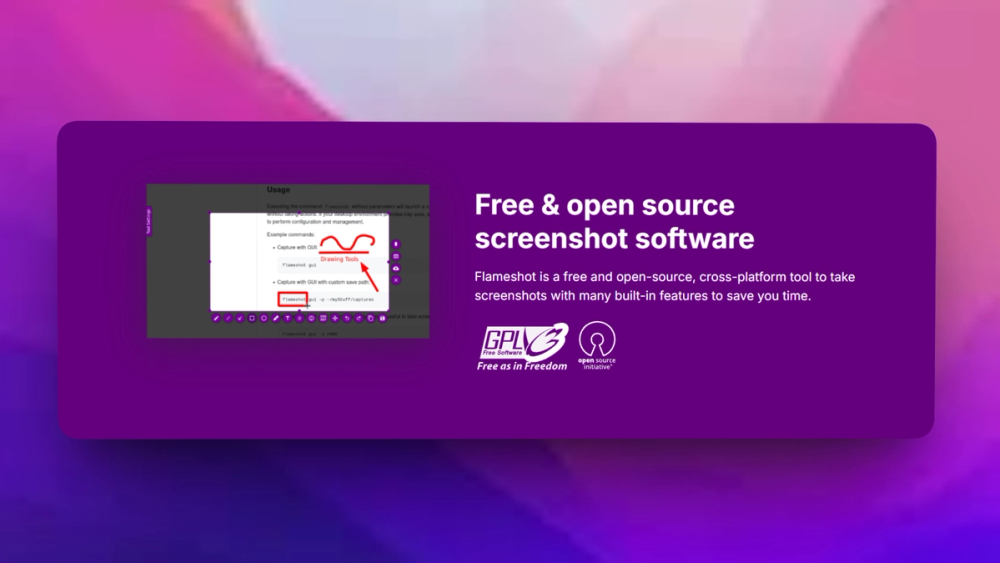
Capture a region, window, or full screen and annotate it immediately with arrows, text, boxes, blur, highlights, and freehand drawing. That keeps bug reports and design notes in one desktop workflow instead of bouncing through separate image editors.
Configurable save and copy flow
Send captures to the clipboard, save them locally, or route them through the upload flow your team already uses. The workflow fits issue trackers and chat tools because the image stays under the user's control until they decide where it goes.
Command-line friendly capture
Flameshot includes CLI options for teams that script repeat captures, bind custom shortcuts, or standardize desktop setups across Linux workstations. That matters for QA and documentation workflows where repeatability beats a one-off screenshot button.
Strengths and trade-offs#
Strengths
- Local-first screenshot handlingUnlike Snagit-style hosted workflows, Flameshot can keep capture and annotation local until the user exports the image. That is useful when screenshots include private dashboards, unreleased UI, customer names, or internal system paths.
- GPL-3.0 desktop utilityThe GPL-3.0 license gives teams source access and redistribution rights under a clear copyleft model. Linux teams can audit the desktop utility, package it through their usual channels, and avoid per-seat screenshot licensing.
Trade-offs
- -Desktop utility, not a team repositoryFlameshot handles capture and annotation well, but it does not replace Snagit's training assets, asset library, or vendor-managed collaboration features. Teams still need their own storage, issue tracker, or documentation workflow for long-term sharing.
Flameshot vs alternatives#
Flameshot vs Snagit
Flameshot is the better fit when the requirement is local screenshot capture, quick annotation, blur, and export from a developer or support desktop. Snagit remains stronger when a team needs vendor-managed training assets, polished screen recording, templates, and centralized content workflows. Choose Flameshot for private, local markup; choose Snagit when managed documentation production matters more than open source control.
What it's built on#
- Languages
- C++
FAQ#
What does Flameshot replace?
Flameshot can replace the basic screenshot capture and annotation parts of Snagit or CleanShot X. It is strongest for local image markup, not for managed asset libraries, screen recording, or vendor-hosted training workflows.
Is Flameshot self-hosted?
Flameshot is not a server product. You install it as a desktop app and run capture and annotation locally on the user's machine, which gives teams local control over screenshot handling.
What license does Flameshot use?
Flameshot uses GPL-3.0. That license supports source access and redistribution, with copyleft obligations if you distribute modified versions.
Similar open-source tools#

Capso
Free open-source screenshot and recorder for macOS

ShareX
Screenshot and record with 80+ upload destinations on Windows

Kap
Open source screen recorder for macOS with web tech

PDF4QT
Open source PDF editor and viewer for Windows and Linux

LiVES
Live video editing and VJ performance tool for GNU/Linux

rakazo
AI teammates you own: your keys, your model, your machine.