

Who Drivebase is for#
Teams managing files across cloud providers
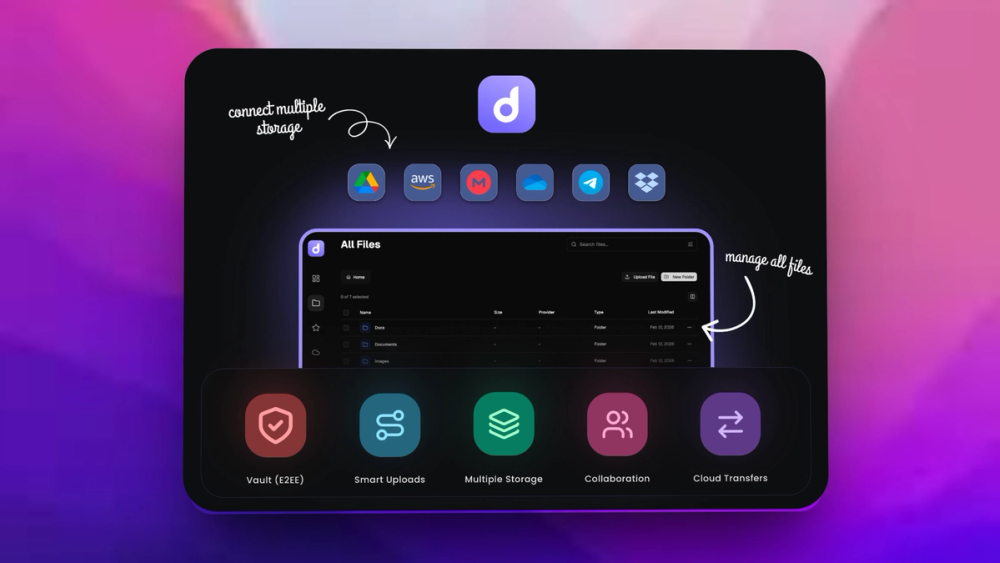
Drivebase fits groups that move files between Google Drive, S3, local storage, and other backends often enough to need one workspace.
Skip if:
Your organization uses one storage provider and its native UI already covers every workflow.
Self-hosters consolidating personal storage
Drivebase helps technical users manage several storage locations without giving a hosted third party another file-management account.
Skip if:
You need enterprise DLP, records retention, or legal hold features.
The problem it solves#
Files often live across several storage providers because teams accumulate Google Drive folders, S3 buckets, local archives, and shared systems over time. Moving or finding files becomes a provider-by-provider chore.
A unified file workspace reduces context switching, but it must handle provider credentials and transfers carefully. Teams need control over where the app runs and how storage connections are managed.
How it solves it#
Multi-provider file browsing
The README says Drivebase connects providers such as Google Drive, S3, and local filesystem under one interface.
Self-hosted deployment model
Drivebase positions itself as self-hosted, giving teams a way to keep the file-management layer under their own infrastructure.
File transfer and management
The README describes browsing, uploading, transferring, and managing files across providers without visiting each service separately.
Strengths and trade-offs#
Strengths
- Cloud-agnostic file workspaceDrivebase is strongest for teams that use several storage backends and want one interface instead of provider-specific tabs and tools.
- Useful self-hosted control pointRunning Drivebase yourself can keep file operations, credentials, and provider connections closer to internal infrastructure.
Trade-offs
- -Storage credentials become criticalA unified file manager centralizes access to several providers. Teams need strong credential storage, audit practices, and least-privilege setup before production use.
What it's built on#
- Languages
- TypeScript
- Frameworks
- React
- Runtimes
- BunNode.js
- Infrastructure
- Docker
- Cache
- Redis
FAQ#
What storage providers does Drivebase connect?
The README mentions Google Drive, S3, local filesystem, and more as connected storage providers.
Is Drivebase self-hosted?
Yes. The README describes Drivebase as an open-source, self-hosted platform.
What license does Drivebase use?
The repository does not clearly expose a license in the available public metadata. Teams should confirm the license before adopting Drivebase.
Similar open-source tools#

ownCloud

Nextcloud

LocalSend
Free cross-platform file sharing over local network, no cloud

OpenCloud
File sync for organizations with data sovereignty and S3 storage

FckSignups
Open-source tools that work instantly, no signup required

Esp32 C3 Adblock
Pi-hole-style DNS ad-blocker on a $2 ESP32-C3 board