

Who Goose is for#
Developers running local agent workflows
Use Goose to inspect files, call tools, and execute multi-step coding or research tasks from a local environment.
Skip if:
You only want inline code completion inside an IDE.
Teams testing model-provider flexibility
Route agent work through different model providers without hard-coding the workflow to one vendor.
Skip if:
Your company requires a single centrally managed AI vendor product.
The problem it solves#
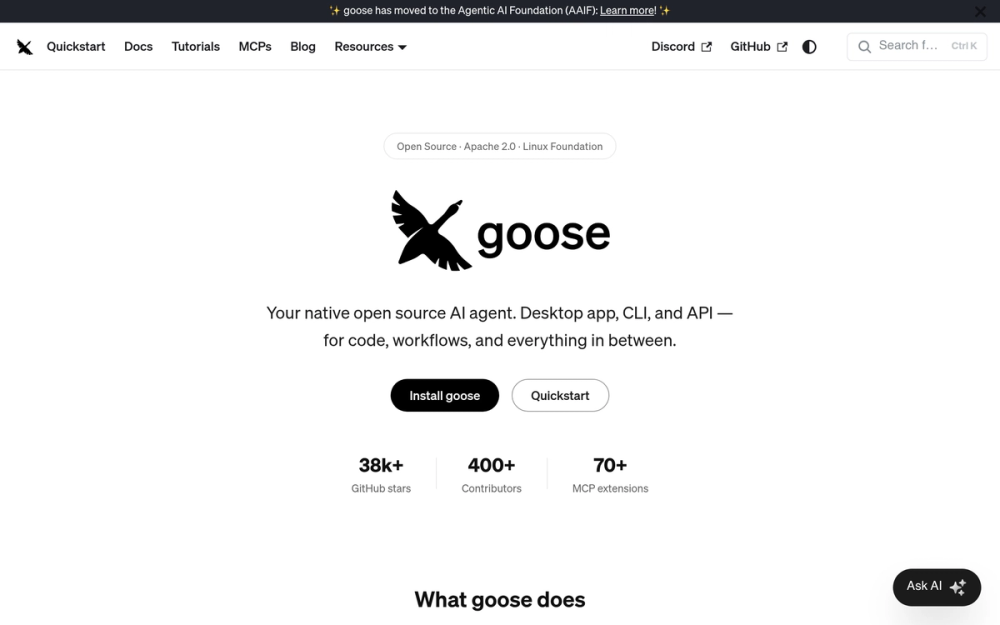
AI coding assistants often stop at suggestions, leaving developers to wire context, commands, tools, and follow-up actions manually. Teams that want an agent to inspect files, run tasks, and connect to local or remote tools need a runtime they can control.
How it solves it#
Desktop, CLI, and API surfaces
Goose can run as a native desktop app, a terminal workflow, or an embeddable API, so teams can choose the agent interface that fits the job.
Multi-provider model support
The README names Anthropic, OpenAI, Google, Ollama, OpenRouter, Azure, Bedrock, and more, reducing lock-in to one model vendor.
Extension-based tool access
Goose connects to 70+ extensions through an open standard, letting the agent act across development and operations tools.
Strengths and trade-offs#
Strengths
- Useful beyond code suggestionsGoose targets research, writing, automation, data analysis, and code workflows rather than only autocomplete.
- Local runtime with provider choiceDevelopers can choose models and run the agent closer to their own workstation and tools.
Trade-offs
- -Agent autonomy needs guardrailsA tool-running agent can change files or call systems, so teams need review, permissions, and execution boundaries.
- -Hosted agents may require less setupVendor-managed agents can be easier when account management and execution isolation matter more than local control.
Goose vs alternatives#
Goose vs hosted AI agent products
Goose is better when an agent needs to run locally, use the team's approved model provider, and connect to development tools through open extensions. Hosted products such as GitHub Copilot, Devin, and Claude Code can be easier when centralized billing, account administration, and vendor-managed execution matter more than local control.
Choose Goose for editor-agnostic workflows that run from a desktop app or CLI, especially when the team wants to test local models, custom extensions, or repeatable engineering automations. Choose a paid hosted agent when procurement, managed isolation, and shared admin controls are the primary requirements.
Quick start#
Goose can be installed as a desktop app or CLI. For a local CLI setup on macOS with Homebrew, install the official precompiled package, then confirm the binary is available in your shell.

```bash
brew install block-goose-cli
goose --version
```

For Linux or direct installer setup, use the official AAIF stable installer from the Goose releases page.What it's built on#
- Languages
- JavaScriptPythonRustTypeScript
- Frameworks
- React
FAQ#
How is Goose different from Copilot?
Goose is an agent runtime with desktop, CLI, API, model-provider, and extension support. Copilot is primarily an IDE assistant and code-completion product.
Can Goose use local models?
The README lists Ollama among supported providers, so local-model workflows are part of the intended model-provider mix.
Is Goose open source?
Yes. Goose reports Apache-2.0 in GitHub metadata.
Similar open-source tools#

OpenCode
OpenCode is an open-source AI coding agent that assists developers in

jcode
Next-gen coding agent harness for efficient workflows

OpenHands
Delegate scoped coding tasks in isolated, reviewable agent sessions

garden-skills
Production-ready agent skills for Claude Code, Cursor, and Codex

fx
Native Zig CLI coding agent, 7.8 MiB, any AI model.

codex
OpenAI's terminal coding agent, Apache-2.0 licensed