

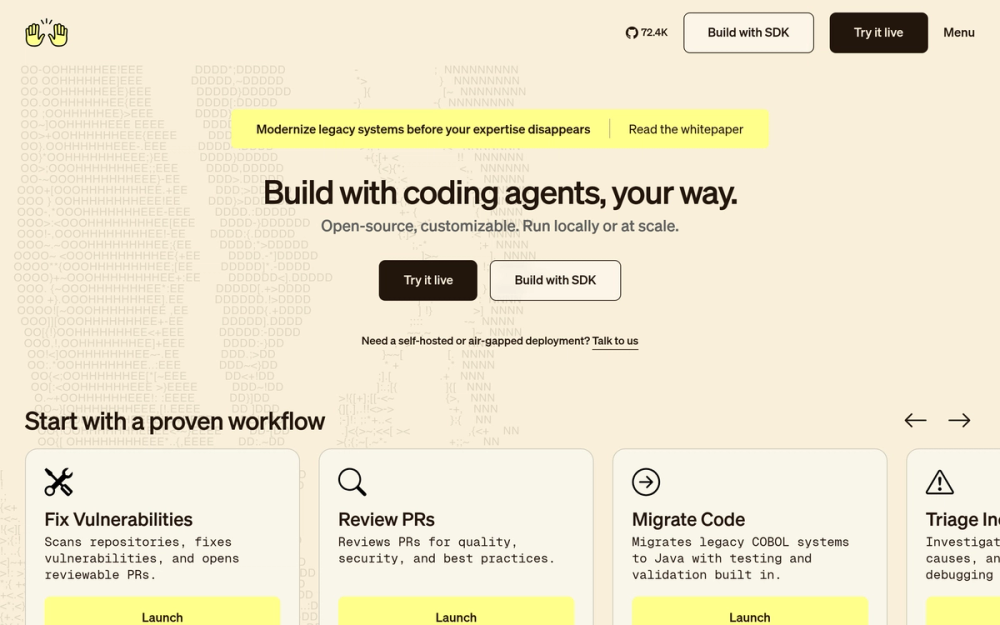
Who OpenHands is for#
Developers delegating bounded repo tasks
Use OpenHands for work such as adding tests, fixing small bugs, migrating one module, or reproducing a failing command. The agent can edit files and run commands while the developer reviews the final diff.
Skip if:
Skip if the task has unclear requirements, no testable outcome, or needs product judgment before implementation.
Engineering managers clearing maintenance backlog
Use OpenHands to process scoped issues that are important but repetitive, such as dependency fixes, vulnerability patches, and PR review chores. Reviewable outputs make it easier to keep humans in the approval loop.
Skip if:
Skip if your team does not have time to review agent output. Autonomous work still needs code review and verification.
AI platform engineers building custom coding agents
Use the Software Agent SDK when the default CLI or GUI is not enough. Teams can define specialized agents, tool sets, and workflows for internal developer automation.
Skip if:
Skip if you only need a consumer coding assistant. The SDK path adds engineering overhead that small teams may not need.
Enterprises evaluating self-hosted coding agents
Use OpenHands when source visibility, VPC deployment, and integration with existing engineering systems matter. The enterprise path supports Kubernetes deployment and team controls for larger organizations.
Skip if:
Skip if you need a fully managed SaaS experience with no infrastructure ownership. OpenHands Cloud is available, but self-hosting shifts operational work to your team.
The problem it solves#
AI coding assistants are useful for snippets, but real backlog work usually requires editing multiple files, running commands, reading failures, and trying again. Closed hosted coding agents can help with that workflow, but they leave teams with less visibility into the runtime, less control over model choice, and fewer options for running work near their own repositories.
Teams evaluating autonomous coding agents need a way to delegate bounded engineering work without turning every task into a black box. The hard part is not only generating code. The hard part is giving the agent a real workspace, letting it execute safely, and keeping the output reviewable by a human engineer.
How it solves it#
Local CLI and GUI workflows
Runs as a terminal CLI or a local web GUI, so developers can choose the workflow that matches the task. The docs support `uv tool install openhands --python 3.12`, `openhands`, and `openhands serve` for GUI mode.
Docker sandbox execution
Runs agent work inside a Docker sandbox for isolation and reproducibility. Teams can mount the current repository with `openhands serve --mount-cwd` or configure `SANDBOX_VOLUMES` when the agent needs write access to a workspace.
Composable software agent SDK
Provides a Python SDK for defining agents in code, running them locally, or scaling them through hosted infrastructure. This is useful when teams want custom coding agents rather than only the packaged CLI or GUI.
Model-agnostic LLM configuration
Supports Claude, GPT, and other LLM providers through settings in the CLI or GUI. Local model setups are also documented, with the caveat that agent-style tasks need capable hardware and instruction-following models.
Cloud and enterprise deployment paths
Offers OpenHands Cloud for hosted use and an enterprise option for self-hosting OpenHands Cloud in a customer VPC via Kubernetes. Cloud adds integrations such as Slack, Jira, and Linear, plus multi-user controls.
Strengths and trade-offs#
Strengths
- MIT-licensed core codeThe main OpenHands code outside the `enterprise/` directory is MIT licensed, and the README states that the core `openhands` and `agent-server` Docker images are fully MIT licensed. That gives teams more auditability than a closed hosted agent.
- More deployment choice than hosted-only agentsOpenHands can run through CLI, local GUI, OpenHands Cloud, or an enterprise VPC deployment. That range matters for teams comparing Devin-style agents but needing local runs, private infrastructure, or a path from trial use to production.
- Built for executed engineering tasksOpenHands is positioned around fixing vulnerabilities, reviewing PRs, triaging incidents, and opening reviewable PRs, not only completing inline code suggestions. The sandbox model gives the agent a place to run commands and tests.
- SDK path for custom agent workThe Software Agent SDK exposes the agentic core as a composable Python library. Teams building internal developer automation can define specialized agents instead of forcing every workflow through the default app.
Trade-offs
- -Needs clear task boundariesOpenHands works best when the input looks like an engineering ticket with repo context, acceptance criteria, and a verification command. Vague product problems still need human scoping before an autonomous agent can produce reviewable work.
- -Docker and LLM setup are real requirementsLocal GUI runs require Docker, and most model providers require an API key. Teams using local LLMs need hardware and models that can follow instructions and use tools reliably.
- -Enterprise features use a different licenseThe core project is MIT licensed, but the `enterprise/` directory uses the PolyForm Free Trial License and requires a commercial license beyond the allowed trial use. Teams should separate core self-hosting from enterprise Cloud features when evaluating licensing.
- -Workspace mounts need careThe Docker sandbox reduces risk, but mounted repositories can still be modified by the agent. Teams should use clean branches, review diffs, and avoid giving broad write access when testing unfamiliar tasks.
OpenHands vs alternatives#
OpenHands vs Devin
OpenHands and Devin both target repository-level coding tasks rather than autocomplete. The main difference is control: OpenHands publishes its core code under MIT, supports local CLI and GUI runs, and gives teams several deployment paths. Devin-style hosted agents are a better fit when you want a managed service and do not want to operate a local sandbox or self-hosted environment.
| Feature | OpenHands | Devin |
|---|---|---|
| License | MIT core, separate enterprise license | Proprietary hosted agent |
| Local execution | CLI and local GUI supported | Managed service first |
| Self-hosting | Local Docker and enterprise VPC paths | Enterprise deployment depends on vendor plan |
| Model choice | Claude, GPT, local, and other providers | Vendor-controlled model stack |
Choose OpenHands when source visibility, model choice, and local or self-hosted execution matter. Choose Devin when your team wants a polished managed agent and accepts less control over the runtime.
Quick start#
# CLI, recommended uv install
uv tool install openhands --python 3.12
openhands

# Local GUI server
openhands serve

# Local GUI with current directory mounted
openhands serve --mount-cwdWhat it's built on#
- Languages
- JavaScriptTypeScript
- Frameworks
- React
FAQ#
Is OpenHands open source?
Yes. The main OpenHands code outside the enterprise/ directory is MIT licensed, and the README says the core openhands and agent-server Docker images are fully MIT licensed. Enterprise code uses a separate PolyForm Free Trial License.
Can OpenHands run locally?
Yes. OpenHands can run as a local CLI or a local web GUI. The official docs recommend installing with uv tool install openhands --python 3.12, then running openhands for CLI mode or openhands serve for the GUI.
Does OpenHands need Docker?
Docker is required for the local GUI and recommended sandbox workflow. The Docker sandbox gives the agent an isolated, reproducible environment, and openhands serve --mount-cwd mounts the current directory into that sandbox.
What paid tool does OpenHands replace?
OpenHands is closest to Devin or Jules when you want an autonomous agent that can work on repository-level tasks. It is a better fit than closed hosted agents when MIT-licensed core code, local execution, and model choice matter more than a fully managed experience.
Does OpenHands require an LLM API key?
Yes for most hosted model providers. The local setup docs require selecting an LLM provider, model, and API key after launch. Local LLM setups are supported, but the docs warn that agent tasks need capable hardware and instruction-following models.
Similar open-source tools#

OpenCode
OpenCode is an open-source AI coding agent that assists developers in

jcode
Next-gen coding agent harness for efficient workflows

Goose
Run repeatable multi-step coding workflows from CLI or desktop

garden-skills
Production-ready agent skills for Claude Code, Cursor, and Codex

fx
Native Zig CLI coding agent, 7.8 MiB, any AI model.

codex
OpenAI's terminal coding agent, Apache-2.0 licensed