

Who OpenCode is for#
Developers running multi-step refactors from the terminal
OpenCode can inspect context, edit files, and follow repo rules.
Skip if:
you only need autocomplete inside one IDE.
Teams standardizing AI coding policies
provider, permission, and rules configuration make agent behavior easier to govern.
Skip if:
you need a managed enterprise coding assistant with vendor support bundled in.
Power users comparing coding models
OpenCode lets the workflow stay stable while the model backend changes.
Skip if:
your company mandates a single approved model account.
The problem it solves#
AI coding tools often tie the developer workflow to one vendor account, one editor, or one hosted agent environment. That works for quick completions, but it becomes restrictive when teams need repeatable coding sessions, shared rules, provider choice, and visibility into how the agent interacts with the repo.
The risk is not only cost. Private code, prompts, and tool execution policies become part of the vendor workflow, which can be hard to audit or adapt for internal engineering standards.
How it solves it#
Terminal, desktop, and IDE support
Terminal-based interface, desktop app, and IDE extension support let developers keep one agent workflow across environments.
Provider configuration
Provider configuration supports using different LLM backends instead of binding coding sessions to one model vendor.
Agent governance controls
Agent tools, rules, permissions, commands, and MCP server support give teams control over what the agent can do inside a repo.
Many install paths
NPM, Bun, pnpm, Yarn, Homebrew, Arch, Chocolatey, Scoop, and install-script paths cover common developer setups.
MIT license
MIT license allows inspection, modification, and internal deployment without commercial-use restrictions.
Strengths and trade-offs#
Strengths
- Terminal-native agent workflowOpenCode fits developers who live in the terminal and want agentic coding sessions instead of only inline completions.
- Model choiceThe provider model gives teams more room to choose models based on task, budget, latency, or data policy.
- Engineering control surfaceIts configuration surface covers real engineering controls such as permissions, tools, rules, LSP servers, and MCP servers.
- Developer-environment fitMultiple install paths make it easy to add OpenCode to existing developer environments.
Trade-offs
- -Provider costs remain separateOpenCode still depends on external or self-hosted LLM providers, so model quality and cost are separate from the agent itself.
- -Permissions need careful reviewAgentic coding requires careful permissions and review. Teams should start with narrow tool access before trusting broad repo modifications.
- -Heavier than autocompleteDevelopers who only want inline autocomplete may find a full coding agent heavier than GitHub Copilot-style suggestions.
Quick start#
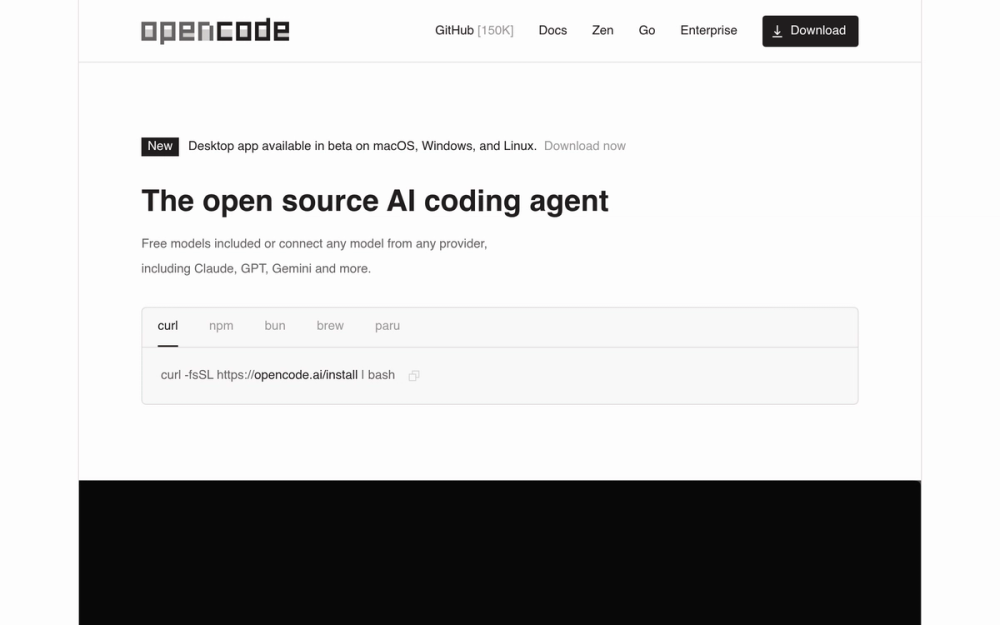
curl -fsSL https://opencode.ai/install | bash

npm install -g opencode-aiWhat it's built on#
- Languages
- TypeScript
- Frameworks
- React
- Infrastructure
- AWS
FAQ#
Is OpenCode open source?
Yes. OpenCode is MIT licensed, which means developers can inspect, modify, and use it commercially under permissive terms.
How is OpenCode different from GitHub Copilot?
GitHub Copilot focuses heavily on editor assistance and hosted account workflows. OpenCode is an agent workflow for terminal, desktop, and IDE use, with more emphasis on provider choice, tools, rules, and repo-level tasks.
Does OpenCode require an API key?
Yes, you need credentials for the LLM providers you want to use. OpenCode supplies the agent interface and tool workflow, while the model provider handles inference.
Similar open-source tools#

jcode
Next-gen coding agent harness for efficient workflows

Goose
Run repeatable multi-step coding workflows from CLI or desktop

OpenHands
Delegate scoped coding tasks in isolated, reviewable agent sessions

garden-skills
Production-ready agent skills for Claude Code, Cursor, and Codex

fx
Native Zig CLI coding agent, 7.8 MiB, any AI model.

codex
OpenAI's terminal coding agent, Apache-2.0 licensed