

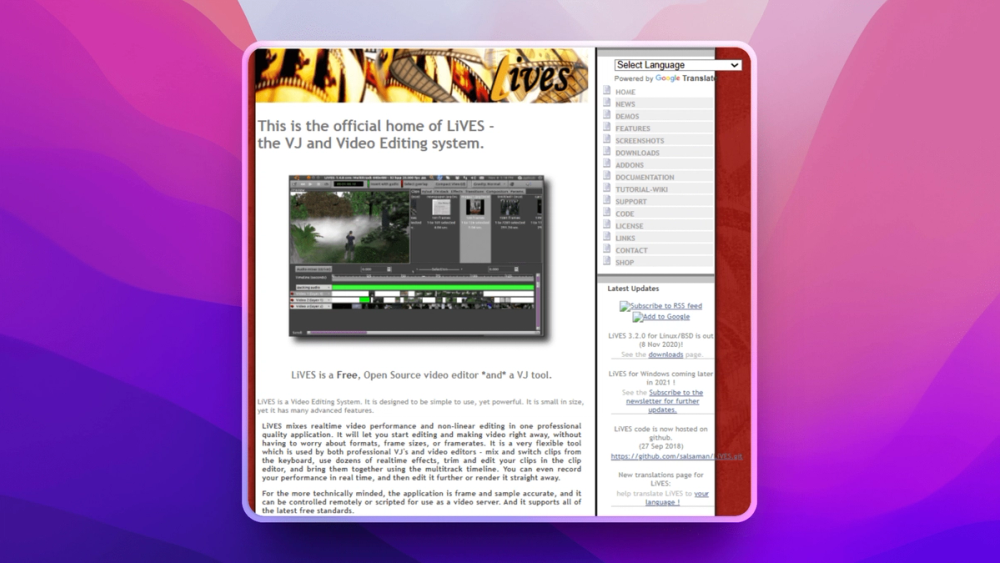
Who LiVES is for#
Live visual performance
LiVES fits VJs who need to trigger and manipulate video in real time on Linux systems.
Skip if:
You only need a conventional timeline editor for polished studio production.
Experimental open video editing
Artists can use LiVES for projects that mix prepared edits, effects, and performance-driven playback.
Skip if:
Your workflow depends on commercial plugin ecosystems or team review tools.
The problem it solves#
Most video editors optimize for timeline post-production, not live performance. VJs and experimental artists need to trigger, mix, process, and manipulate clips in real time while still keeping editing tools available.
Linux creators also face a smaller set of mature media tools than macOS and Windows users. LiVES fills a niche for people who want an open video workflow that can move between editing, effects, and live playback.
How it solves it#
Real-time video manipulation
LiVES is built for live visual work where clips, effects, and playback need to respond during performance.
Non-linear editing workflow
The tool also supports timeline-style editing, which helps creators prepare and refine material before performance.
Linux-first media tooling
LiVES gives GNU/Linux users an open video editor and VJ tool without depending on proprietary desktop suites.
Strengths and trade-offs#
Strengths
- Strong live-performance fitLiVES is more relevant to VJs and experimental video artists than many standard open-source editors.
- Flexible creative workflowCombining editing and performance features lets artists keep one tool in the loop from preparation to live output.
Trade-offs
- -Niche interface and workflowEditors coming from Premiere Pro, Final Cut Pro, or DaVinci Resolve should expect a different workflow and should test project-format needs first.
What it's built on#
- Languages
- CC++PerlPython
FAQ#
What is LiVES used for?
LiVES is used for video editing and live VJ performance, especially on GNU/Linux systems.
Is LiVES only for live performance?
No. LiVES includes non-linear editing features as well as real-time performance capabilities.
Who should choose LiVES?
LiVES is best for Linux creators, VJs, and experimental video artists who need open tools for editing and live manipulation.
Similar open-source tools#

Shotcut
Open source video editor for native timeline workflows on desktop

OpenShot
Free open source video editor for Linux, Mac, and Windows

Pitivi
Non-linear video editor for Linux, powered by GStreamer

Kdenlive
Free non-linear video editor for Linux, Mac, and Windows

Cinelerra GG Infinity
Professional video editing software for Linux, fully free

Flowblade
Free non-linear video editor for Linux with GPU support