

Who PostHog is for#
SaaS teams consolidating analytics tools
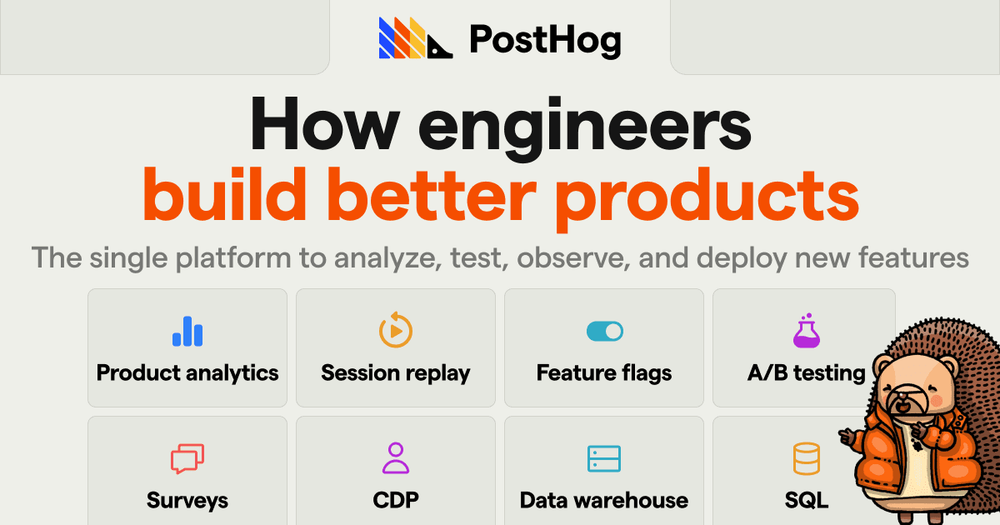
Use PostHog to combine funnels, web analytics, session replay, feature flags, experiments, surveys, and errors in one stack.
Skip if:
Skip if your only need is lightweight website traffic reporting.
Developers instrumenting product growth
Use SDKs, SQL, feature flags, and event pipelines to measure and ship product changes without a separate marketing analytics stack.
Skip if:
Skip if non-technical marketers need a pure ad attribution platform.
The problem it solves#
Product teams often stitch together analytics, flags, session replay, surveys, errors, and pipelines from separate SaaS tools. That creates duplicate instrumentation, fragmented user data, and pricing that grows across several vendors at once.
How it solves it#
Product and web analytics
PostHog tracks event-based product analytics and GA-like web analytics, with visualization, SQL, conversion, web vital, and revenue reporting.
Replay, flags, and experiments
Session replay, feature flags, and experiments let teams diagnose behavior, roll out changes safely, and measure statistical impact.
Data pipelines and LLM analytics
PostHog can transform incoming data, send it to 25+ tools, sync warehouse data, and capture LLM traces, generations, latency, and cost.
Strengths and trade-offs#
Strengths
- One product stackTeams can replace several analytics and growth tools with one event model, reducing duplicate SDKs and scattered customer data.
- Developer-friendly setupThe README highlights SDKs for popular frontend, mobile, and backend stacks plus API setup options.
Trade-offs
- -Self-hosting has scale limitsPostHog's README recommends cloud for the fastest path and notes open source hobby deployments should scale to about 100k events per month before migration is recommended.
PostHog vs alternatives#
PostHog vs Mixpanel
PostHog is better when a developer team wants product analytics plus flags, replay, experiments, surveys, errors, and pipelines in one stack. Mixpanel is still worth considering when analytics depth, managed reliability, and mature enterprise reporting are more important than consolidation or self-hosting.
Quick start#
/bin/bash -c "$(curl -fsSL https://raw.githubusercontent.com/posthog/posthog/HEAD/bin/deploy-hobby)"What it's built on#
- Languages
- JavaScriptPythonRustTypeScript
- Frameworks
- React
- Databases
- PostgreSQL
- Infrastructure
- AWS
- Cache
- Redis
FAQ#
What does PostHog include?
PostHog includes product analytics, web analytics, session replay, feature flags, experiments, surveys, error tracking, pipelines, and LLM analytics.
Can PostHog be self-hosted?
Yes, but the README positions cloud as recommended and describes self-hosting as an advanced hobby deploy with scale guidance.
What does PostHog replace?
PostHog can replace parts of Mixpanel, Amplitude, Hotjar, LaunchDarkly, Google Analytics, and survey tools.
Similar open-source tools#

openpanel
7,152 GitHub starsOpen-source analytics with funnels, replay, and self-hosting
Alternative to Mixpanel

Umami
39,431 GitHub starsSelf-hosted analytics for product and marketing teams
Alternative to Google Analytics

Trench
1,662 GitHub starsOpen source analytics infrastructure powered by ClickHouse
Alternative to Amplitude

Plausible
29,518 GitHub starsCookie-free web analytics for privacy-focused teams
Alternative toGoogle Analytics

Traffic Source
667 GitHub starsOpen source self-hosted analytics for total data ownership
Alternative to Google Analytics 360

Matomo
21,958 GitHub starsSelf-hosted Google Analytics alternative, 100% data ownership
Alternative toGoogle Analytics