

Who Stirling PDF is for#
Operations teams processing contracts and approvals
Use Stirling PDF to centralize document preparation, add signatures, and apply redaction or conversion rules before records move into internal systems.
Skip if:
You need a prebuilt signature policy engine with built-in legal audit trails as a managed enterprise product and cannot run or maintain open-source infrastructure.
Product teams building document workflows
Connect Stirling PDF API calls to form pipelines and automation triggers to reduce manual document cleanup and keep conversion quality consistent across teams.
Skip if:
Your team needs deep machine learning extraction features that are only available through a specialized API-focused platform.
Developers requiring local testing for PDFs
Use local instances for repeatable testing of PDF transformations and UI automation around signing, compressing, or splitting documents before publishing to production services.
Skip if:
You only need a basic viewer with no editing, signing, or workflow automation requirements.
The problem it solves#
Teams that process PDFs in growth systems often move sensitive files through external SaaS tools and lose control over retention, access, and routing. That creates risk, unpredictable pricing, and extra admin overhead when simple operations like merge, redaction, OCR, or e-signing need to run across multiple apps. Stirling PDF addresses that gap by combining editing tools, conversion features, and automation hooks in one self-hosted stack.
How it solves it#
Full PDF tool set in one interface
Stirling PDF groups edit, split, merge, rotate, convert, sign, redact, and compress workflows behind one web UI, so teams avoid juggling separate tools for core document handling tasks.
No-code automation for document pipelines
Workflows in Stirling PDF let operators build repeatable document jobs and route files through chained actions, reducing manual handoffs and enabling repeatable operations for onboarding, QA, and compliance checks.
REST APIs for system integration
A REST API layer covers the same operations as the UI, which helps teams embed PDF actions into existing services without custom screen automation.
Multi-form factor deployment
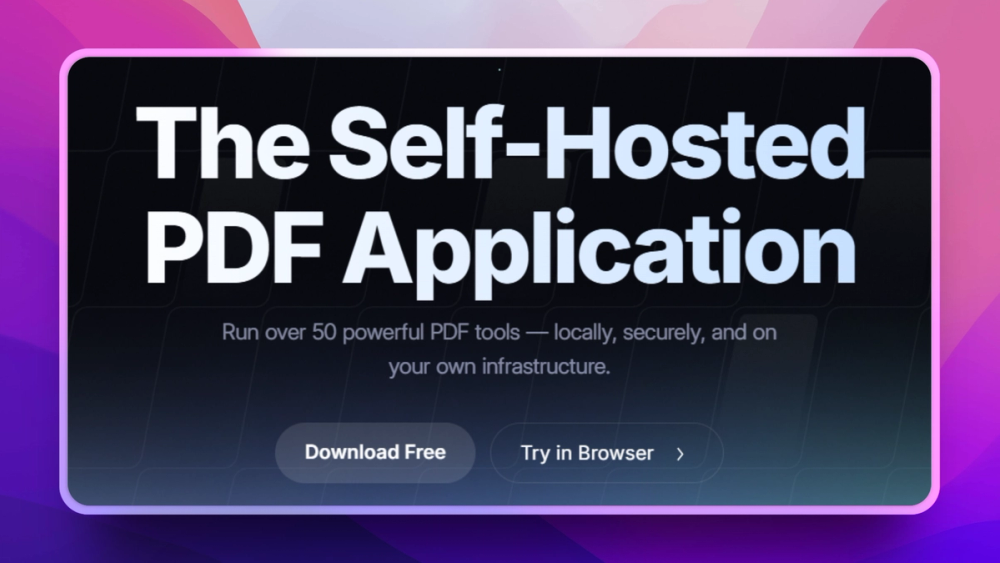
The README shows desktop, browser, and server deployment options with a private API path, useful for teams that need local workstations for some staff and centralized deployment for others.
Multi-language and enterprise controls
The platform advertises global language coverage and enterprise-grade controls including SSO and auditing, which supports distributed teams using standardized operating procedures.
Strengths and trade-offs#
Strengths
- Privacy-first processing pathFiles can be processed in your private environment instead of being sent to a separate commercial PDF SaaS, which aligns with teams that need tighter privacy posture and predictable storage governance.
- Open-core code base with MIT baseThe project is open source with a mixed license model; core areas are MIT licensed while some optional directories may carry stricter terms. This lets teams build and extend without being locked to a single binary.
- Broad use case coverageCore PDF editing and automation features are broad enough for operations teams, legal workflows, and product teams that do both manual edits and scripted document jobs.
- Self-hosted API pathThe private API and container-first install path simplify secure integration into internal infrastructure and reduce reliance on per-document API metering.
Trade-offs
- -Mixed licensing surfaceThe repository marks some directories as non-MIT, so teams that depend on those optional modules should review included components and confirm license fit before shipping internal commercial offerings.
- -OCR and heavy transformations need resourcesPDF rendering, OCR, and large conversion jobs can add CPU and memory load. Under-provisioned hosts can slow large batches, so sizing matters more than a standard office add-on tool.
- -Community support versus paid support modelFaster issue response depends on community and maintainer activity, which may lag enterprise support contracts if your team requires strict SLA coverage for every production use.
Stirling PDF vs alternatives#
Stirling PDF vs Adobe Acrobat Pro and PDF-XChange Editor
Adobe Acrobat Pro and PDF-XChange Editor are strong desktop-first PDF choices when teams want long-standing enterprise UI polish and mature support channels. Acrobat Pro has a commercial model with built-in service reliability and premium signing and review features. PDF-XChange is also polished for annotating and desktop workflows with a broad plugin history in many regulated environments.
Stirling PDF is the better fit when you need to keep PDF processing inside your own perimeter and combine document editing with self-hosted automation through a private API. If your team already routes high-volume filings through internal systems, this control model lowers recurring SaaS cost and avoids sending every file to a third-party processor.
Adobe Acrobat Pro can still win in teams that prioritize a single packaged commercial support path and feature parity across niche desktop-only edge cases. Choose PDF-XChange when your workflow depends on legacy templates and desktop ergonomics with stable IT approval patterns. For teams moving toward API-driven operations and stronger data residency controls, Stirling PDF usually gives a cleaner path.
Quick start#
# Run Stirling PDF locally
docker run -p 8080:8080 docker.stirlingpdf.com/stirlingtools/stirling-pdfWhat it's built on#
- Languages
- JavaJavaScriptPythonRustTypeScript
- Frameworks
- React
- Infrastructure
- Docker
FAQ#
Does Stirling PDF run without a remote SaaS subscription?
Yes, Stirling PDF can run as a self-hosted service in your own environment and process files through a local web UI or private API. If you need zero third-party PDF handling for regulated workflows, this deployment path is the key advantage.
Can I automate PDF tasks with APIs?
Yes. Stirling PDF exposes API support for core PDF operations, which enables scripted batch jobs for merge, split, convert, and related actions. You can pair it with your own queue and monitoring stack for repeatable workflows.
What is the canonical install command?
You can start a local container with the published Docker image using docker run -p 8080:8080 docker.stirlingpdf.com/stirlingtools/stirling-pdf, then open http://localhost:8080.
Does Stirling PDF replace Adobe Acrobat Pro workflows?
It covers core editing, signing, redaction, OCR, and conversion workflows for many teams, especially those prioritizing self-hosting. Acrobat Pro may still fit better if you need specific legacy enterprise plugins, advanced template-heavy forms, or a long-established compliance product line.
Similar open-source tools#

Okular
1,541 GitHub starsMulti-platform document viewer supporting PDF, EPUB, and more
Alternative to Adobe Acrobat

PDF4QT
1,499 GitHub starsOpen source PDF editor and viewer for Windows and Linux
Alternative toAdobe Acrobat

OCRmyPDF
35,068 GitHub starsMake scanned PDFs searchable and copy-pasteable in one command.
Alternative to ABBYY FineReader PDF

PDFsam Basic
4,627 GitHub starsSplit, merge, rotate, and extract PDF pages for free
Alternative toAdobe Acrobat

Vorssaint Utils
27,734 GitHub starsOne menu bar icon replacing a dozen paid macOS apps
Alternative to iStat Menus

FckSignups
4,495 GitHub starsOpen-source tools that work instantly, no signup required