
Replace a paid PDF subscription
If you pay for Adobe Acrobat or Nitro Pro mainly to sign documents, fill out forms, and reorganize pages, PDF4QT does all of those things for free on Windows or Linux.
Skip if:
You need a macOS app or a mobile editor.
Black Friday at Hostinger: 15% off yearly and longer plans with BFVPS15, until 6 Dec. See plans
Black Friday: 15% off hosting with BFVPS15

Open source alternative to Adobe Acrobat, Foxit PDF Editor and Nitro Pro
Last verified
Edit and view PDF files on Windows and Linux with a free MIT-licensed desktop suite, C++ library, and command-line tool.
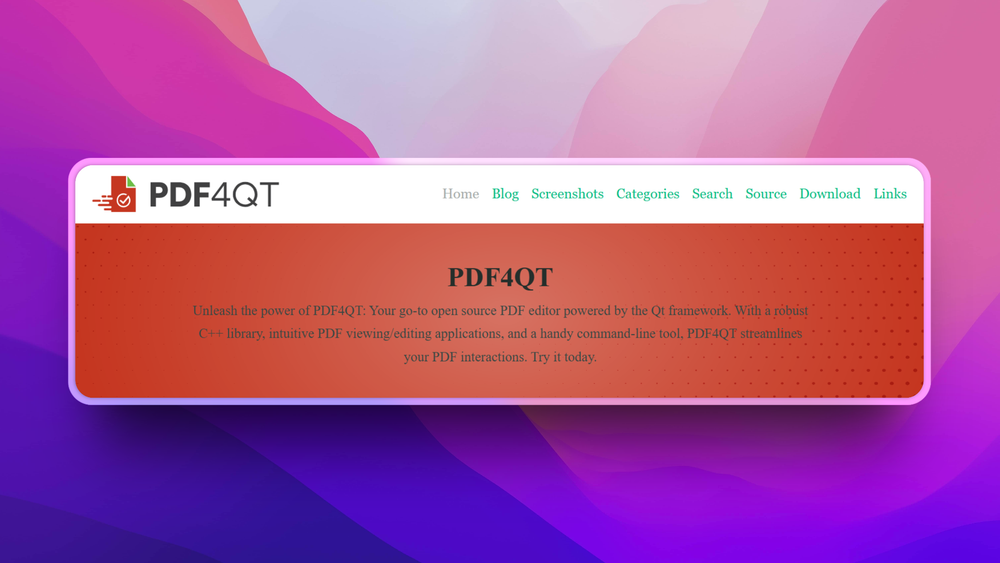
If you pay for Adobe Acrobat or Nitro Pro mainly to sign documents, fill out forms, and reorganize pages, PDF4QT does all of those things for free on Windows or Linux.
You need a macOS app or a mobile editor.
Developers can use the PDF4QT C++ library to add PDF reading, editing, and rendering to their own applications. The MIT license means you can include it in a commercial product without paying a fee.
Your app needs a PDF library for a language other than C++.
Commercial PDF editors mostly skip Linux. PDF4QT is one of the few full-featured editors that runs on Linux, with Flatpak and AppImage packages for most distributions.
You are on Windows or macOS.
PDF editing tools cost money. Adobe Acrobat charges a monthly subscription. Foxit PDF Editor and Nitro Pro ask for a one-time payment that runs to hundreds of dollars. For most people, that is a lot to spend on a tool they mainly use to sign forms and move pages around.
The situation is worse on Linux. Most commercial PDF editors do not run on Linux at all. You end up choosing between a Windows virtual machine, a web tool that sends your files to someone else's server, or doing without.
PDF4QT ships four apps: a full editor with annotations and signatures, a simple viewer for everyday reading, a page organizer for merging and splitting files, and a document comparison tool that shows differences between two versions side by side.
Add comments, highlights, and sticky notes to any PDF. Fill out interactive forms directly in the app. Sign documents digitally, and check whether a signature on a received document is genuine.
OCR (text recognition for scanned pages) uses the Tesseract engine to add a searchable text layer to image-based PDFs. After that you can search, copy, and edit text from documents that were originally scanned.
Protect documents with password-based encryption. Use redaction to permanently remove sensitive text before sharing a file. Once redacted, the original content cannot be recovered from the PDF.
PdfTool is a command-line program for automating PDF tasks in scripts. It supports conversion, compression, document inspection, and other operations without opening the desktop apps.
Adobe Acrobat is the most well-known paid PDF tool. It charges a monthly subscription. For most people that runs to $20 a month or more for the full editor.
PDF4QT is free and MIT licensed. It covers editing, annotations, digital signatures, and document comparison on Windows and Linux. What it does not have: a mobile app, cloud document storage, or the automated workflows in Acrobat's higher tiers.
Pick PDF4QT if you work on Windows or Linux and mainly need to edit, sign, and organize PDFs. Pick Adobe Acrobat if you need a mobile app, cloud sync, or integration with other Adobe tools.
Foxit PDF Editor is often seen as a lower-cost answer to Adobe Acrobat. It still charges a one-time fee or a subscription.
PDF4QT covers much of the same ground: editing, forms, signatures, encryption, and document comparison. The difference shows in team features. Foxit has collaboration tools and cloud sync. PDF4QT runs on your own machine with no built-in team features.
Pick PDF4QT if you work alone or in a small team where everyone works from their own files. Pick Foxit PDF Editor if you need shared document workflows or cloud access.
Nitro Pro is a one-time purchase aimed at business users. It runs on Windows only.
PDF4QT also runs on Windows and adds Linux support. Both tools handle the core PDF tasks. Nitro Pro has business features such as team management and reporting. PDF4QT has a C++ library and command-line tool for developers.
Pick PDF4QT if you want a free tool for desktop PDF work, especially on Linux. Pick Nitro Pro if you need a business-focused tool with team management and are willing to pay.
Install PDF4QT on Linux with Flatpak (a package format that runs on most Linux systems) or download the Windows installer from GitHub Releases.

```bash
flatpak install flathub io.github.JakubMelka.Pdf4qt
```

Windows installer: https://github.com/JakubMelka/PDF4QT/releases/latestYes. PDF4QT is MIT licensed and free to download and use. There is no paid plan, no subscription, and no trial period. You can also use it in a commercial product or build on the source code without paying a fee.
No. PDF4QT runs on Windows and Linux only. macOS is not currently supported. If you need a free PDF editor on a Mac, you will need to look at a different tool.
Yes. The MIT license allows commercial use without restriction. You can use PDF4QT in a business, ship it as part of a commercial product, or modify and build on the source code freely.
The easiest way is Flatpak from Flathub: run flatpak install flathub io.github.JakubMelka.Pdf4qt in a terminal. An AppImage is also available from the GitHub Releases page if you prefer not to use Flatpak. On Arch Linux, there is a package in the AUR (a community-maintained package repository).
Yes. PDF4QT includes an OCR feature built on the Tesseract engine. It adds a searchable text layer to a scanned document. After that you can search and copy text from documents that were originally image-only files.

Alternative to Adobe Acrobat
Self-hosted PDF editor with 50+ tools for every PDF task

Alternative toAdobe Acrobat
Multi-platform document viewer supporting PDF, EPUB, and more

Alternative to Smallpdf
Browser-based PDF toolkit with 100+ tools, zero uploads, no signup.

Alternative to ABBYY FineReader PDF
Make scanned PDFs searchable and copy-pasteable in one command.

Alternative toAdobe Acrobat
Split, merge, rotate, and extract PDF pages for free

136 file tools for images, PDFs and video, no uploads or accounts.
Sponsors

Live monitoring on LinkedIn, X, Reddit & more. Agentic social listening for startups.

Alternative to Jira
Self-hosted work management for teams leaving Jira

Alternative to Conductor
Agent workspace for teams running Claude Code or Codex
The projects we add and every new guide. Free, unsubscribe any time.
 Claude Code to
 OpenCode
 Jira to
 Windshift
 Notion to
 AppFlowy
 Slack to
 Mattermost
 Linear to
 GitLab
 Wispr Flow to
 Handy
 Microsoft To Do to
 Super Productivity
 Arc to
 Zen Browser
 CapCut to
 Concat
 Grok Bot to
 Rakazo
 Superhuman to
 Inbox Zero
 Discord to
 Stoat
 Airtable to
 AITable
 Datadog to
 SigNoz
 Muse to
 OpenClaw
 Railway to
 Coolify
 GitHub Copilot to
 ClineConfluence to
 Wiki.js
 Microsoft Teams to
 Rocket.Chat
 1Password to
 KeePassXC
 Zapier to
 n8n
 Pinecone to
 Qdrant
 Contentful to
 Strapi
 Firebase to
 Supabase


