

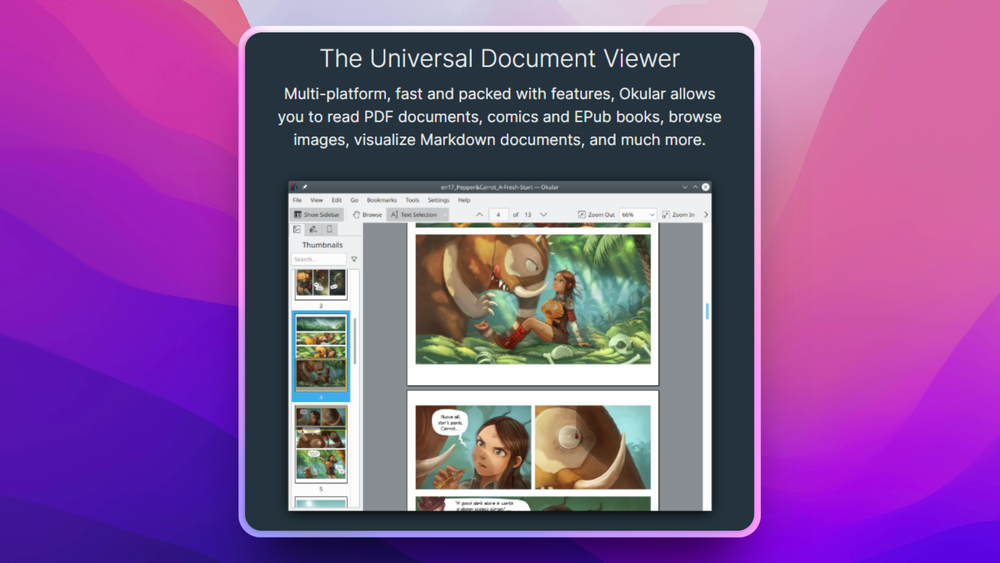
Who Okular is for#
Researchers annotating documents locally
Use Okular to read and mark up PDFs and related document formats without relying on a proprietary cloud viewer.
Skip if:
Your workflow requires collaborative web review and shared comments.
Linux users needing one document viewer
Use Okular as a broad document viewer for PDFs, PostScript, comics, images, and annotated files.
Skip if:
You need a specialized editor for rewriting PDF text or performing OCR.
The problem it solves#
Many document viewers are either narrow PDF readers or commercial editors with features most readers do not need. Users working across PDFs, books, comics, and image-based documents can end up juggling multiple apps.
Annotations add another layer of friction. Students, researchers, and knowledge workers need highlights, notes, forms, and signatures without turning every document into a cloud workflow.
How it solves it#
Multi-format document viewing
Views and annotates formats including PDF, PostScript, comic book formats, and image formats, so one app can cover several reading workflows.
PDF annotations
Supports native PDF annotations, giving users local tools for highlights, notes, and review workflows.
KDE desktop integration
Comes from the KDE ecosystem, making it a natural document viewer for Linux desktop users while also offering broader platform availability.
Strengths and trade-offs#
Strengths
- More than a PDF readerOkular covers several document and image formats, so users do not need a separate app for every reading format.
- Strong local annotation workflowNative PDF annotation support makes Okular useful for study, review, and document markup without uploading files to a cloud service.
Trade-offs
- -Not a full PDF editorOkular is primarily a viewer and annotation tool. Users who need deep PDF editing, OCR, redaction, or layout changes should use a dedicated editor.
What it's built on#
- Languages
- CC++
FAQ#
What is Okular used for?
Okular is used to view and annotate documents such as PDFs, PostScript files, comic books, and image-based documents.
Can Okular annotate PDFs?
Yes. Okular supports native PDF annotations for local document review workflows.
Is Okular a PDF editor?
Okular is primarily a document viewer and annotation tool. It is not a full PDF editor for OCR, redaction, or layout rewriting.
Similar open-source tools#

Stirling PDF
Self-hosted PDF editor with 50+ tools for every PDF task

PDF4QT
Open source PDF editor and viewer for Windows and Linux

PDFsam Basic
Split, merge, rotate, and extract PDF pages for free

OpenClaw
Self-hosted AI assistant for WhatsApp, Telegram, and more

Inbox Zero
AI email assistant that drafts replies and clears your inbox

rakazo
AI teammates you own: your keys, your model, your machine.