

Who Ycode is for#
Marketing teams wanting visual site control
Ycode fits teams that need non-developers to edit pages while developers retain a path to inspect and self-host the platform.
Skip if:
You need a simple static site generator with no database or hosted dependencies.
Agencies building client sites
The visual builder and CMS combination can help agencies create editable sites without committing each client to a closed hosted builder.
Skip if:
Your clients require a fully managed vendor with support, templates, and hosting included.
The problem it solves#
No-code website builders are convenient until teams need ownership, export control, or custom workflows outside a hosted platform. Designers and marketers want visual editing, while developers want a codebase and deployment model they can inspect.
The hard balance is keeping the builder approachable without hiding every operational detail. A self-hosted visual CMS needs clear setup requirements and realistic infrastructure expectations.
How it solves it#
Visual website builder
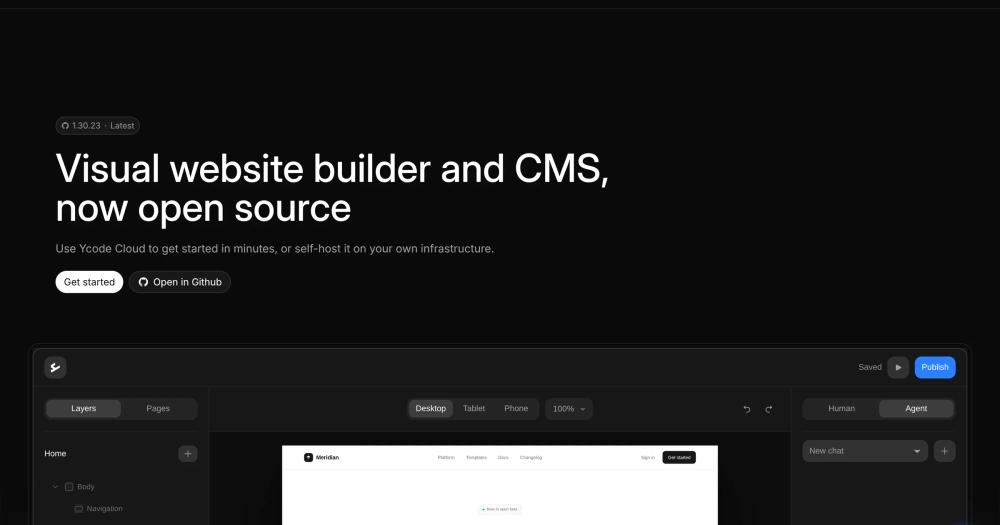
Ycode lets users create and manage websites without writing code, making it a fit for marketing and content teams.
CMS built into the builder
The README describes Ycode as both a visual website builder and CMS, so content management is part of the product rather than a separate add-on.
Self-hosted and cloud options
Ycode is available as a self-hosted open source project or as a managed cloud service, giving teams a choice between control and convenience.
Strengths and trade-offs#
Strengths
- Visual editing with source controlYcode is strongest for teams that want a Webflow-like visual workflow but still value access to an open source project.
- Clear self-hosting prerequisitesThe README names GitHub, Supabase, and Vercel as self-hosting requirements, which helps teams assess the deployment path before trying it.
Trade-offs
- -Self-hosting depends on external servicesYcode's open source setup requires accounts with GitHub, Supabase, and Vercel. Teams wanting a single-server install should evaluate that architecture carefully.
What it's built on#
- Languages
- TypeScript
- Frameworks
- Next.jsReact
- Databases
- PostgreSQL
- Infrastructure
- AWS
FAQ#
Is Ycode open source?
Yes. The README describes Ycode as available as a self-hosted open source project, and GitHub reports MIT licensing.
Can Ycode be used without coding?
Yes. Ycode is a visual website builder and CMS designed for creating and managing websites without writing code.
What accounts are needed to self-host Ycode?
The README says self-hosting requires GitHub, Supabase, and Vercel accounts.
Similar open-source tools#

WordPress

GrapesJS
Build drag-and-drop page editors inside your own stack.

Webstudio
Open source website builder with visual design and CMS

Grav
Flat-file CMS for fast, self-hosted websites.

VvvebJs
Open source drag-and-drop page builder for Bootstrap 5 sites
