
- OpenClaw: 29 channels including WhatsApp, MIT licensed, state and credentials on your own machine, nothing sent home by default beyond a daily version check.
- Hermes Agent: persistent memory across 7 platforms and natural-language scheduling that runs unattended while you are away.
- Rakazo: runs on your existing Claude Pro/Max or ChatGPT Plus/Pro subscription with no API key or second model bill required.
M
Open-source alternatives guide
Best Muse Alternatives: 5 Open Source Options (2026)
The best open source alternative to Muse is OpenClaw because it covers 29 channels including WhatsApp, keeps state, memory, and credentials on your machine, and by default sends the Foundation nothing but a daily version check. MIT licensed and stewarded by an independent US 501(c)(3) non-profit.
Move to Hermes Agent when scheduled memory is the actual job: morning briefings, overnight backups, and recurring research that runs without you. Choose Rakazo if you already pay for Claude or ChatGPT and want that subscription doing the inference work rather than adding a second bill.
Muse is rolling out in the US and trains Meta's models on your interactions unless you opt out. Those are the 2 things that sent me looking, so I'd check each tool's model provider terms on training before you switch.
TL;DR
Overview
What Muse is and what it costs
Muse, built by Meta, takes action on your behalf: it sends emails, books travel, fills out forms, and completes transactions through a full web browser it controls. You get an isolated Linux VM with its own browser, storage, CPU, and memory, so the agent can compile code it writes, develop custom skills, and run concurrent sub-agents.
Meta describes Muse Spark, the model underneath, as its most capable to date, built for real-world agentic work. Connect it to email, calendar, and Instagram, and you decide what it can see and do. A separate host-side agent called Sentinel is the only authority on permissions for third-party connectors and network egress: Muse proposes an action, and Sentinel decides whether it goes through.
Most use is free, with subscription plans for heavier use. Check Muse's current plan details in the app before you switch. It runs on iOS, Android, and muse.ai, rolling out in the US.
Pain points
Why people leave Muse
The practical reasons teams compare Muse with open-source alternatives before they migrate.
Most people here look at alternatives for 1 of 2 common reasons. Muse is still rolling out in the US, so if you're outside it, you may not be able to get it yet. The other is the data default: Muse opts you in to having your interactions used to train Meta's models. The switch to change that is in Muse settings, and Muse doesn't pass conversations or VM data to Meta's ad systems, but the opt-in default is enough for many people to want something else.
Either way, you want an open source agent on your own hardware, under your own keys, that you install yourself. OpenClaw is the first option when channel coverage including WhatsApp matters most. Hermes Agent fits when you want memory that builds across sessions and tasks that run on their own. Rakazo is the right pick when you already pay for Claude or ChatGPT and want to run on that subscription. Khoj handles research and automated newsletters. Leon is the option when the MIT licence and a skills-based architecture on your own server is the hard requirement.
The 5 tools below are the ones that hold up for someone leaving Muse. They are drawn from Open Source Alternatives, a directory of open source replacements for paid software, and each is open source and self-hostable.
At a glance
Quick comparison
| Name | License | Best For |
|---|---|---|
| OpenClaw | MIT | Multi-channel personal agent across 29 surfaces |
| Hermes Agent | MIT | Persistent memory and scheduled tasks across 7 platforms |
| rakazo | Apache-2.0 | Desktop agent with your own model keys and an audit log you own |
| Khoj | AGPL-3.0 | Research and personal knowledge agent you host yourself |
| Leon | MIT | MIT-licensed personal assistant built on a skills architecture |
Channel coverage
iOS, Android, muse.ai, WhatsApp (US rollout)
OpenClaw: 29 channels including WhatsApp; Hermes Agent: Telegram, Discord, Slack, WhatsApp, Signal, Email and CLI, plus a growing list; Leon: check which chat apps it connects to before you switch
Data residency
Hosted VM; interactions used to train Meta's models by default unless opted out
All 5 alternatives: self-hostable. Check each tool's model provider terms on training before you switch.
Model choice
Muse Spark (Meta's model)
OpenClaw: hosted, subscription-backed, gateway, or local models; Hermes Agent: Nous Portal, OpenRouter, OpenAI, or your own endpoint; Rakazo: Claude, ChatGPT, Anthropic, OpenAI, OpenRouter, Grok, Ollama, LM Studio; Khoj, Leon: configurable
Licence
Proprietary closed source; Meta's hosted model
OpenClaw, Hermes Agent, Leon: MIT; Rakazo: Apache 2.0; Khoj: AGPL-3.0
Setup
Download mobile app, no configuration required
OpenClaw, Rakazo: desktop app installer; Hermes Agent: one-line curl; Leon: npm CLI; Khoj: local install or cloud app
Editorial ranking
5 Best Open Source Muse Alternatives (Ranked)

Rank 1
OpenClaw
Multi-channel personal agent across 29 surfaces
392.3K stars82.5K forksTypeScriptMIT
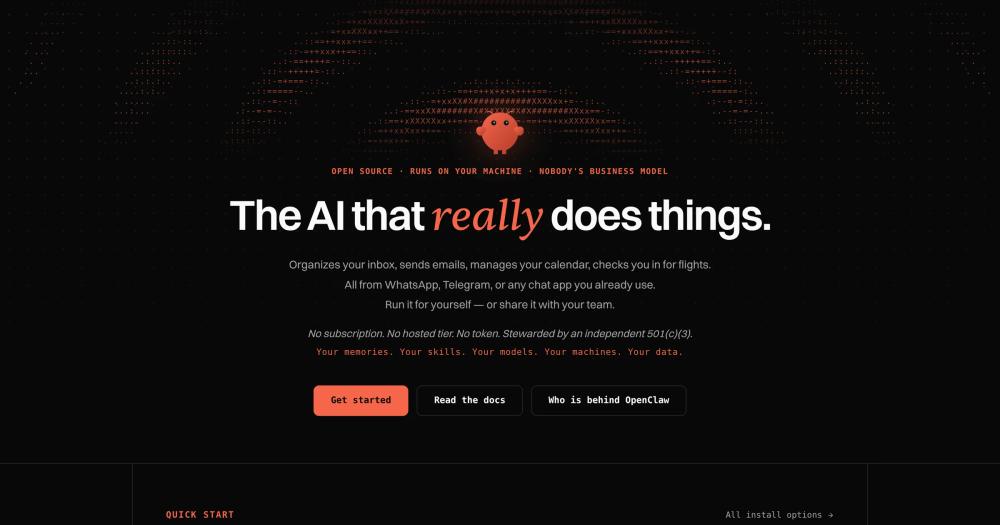
OpenClaw is an open source AI assistant that runs on your own computer and meets you in the channels you already use: Discord, iMessage, Slack, Teams, Telegram, WhatsApp, and 20+ more, plus native apps for macOS, iOS, Android, Windows, and Linux. If Muse's reach into WhatsApp was the feature you were paying for, this is the match. I'd reach for it first.
Hermes Agent also lists WhatsApp among its named platforms plus a growing list, and OpenClaw lists 29 channels, so weigh the channel count.
Key Features
- Works across 29 channels: WhatsApp, Telegram, Discord, Slack, Signal, iMessage, and more, plus native desktop apps for macOS, Windows, and Linux
- Persistent memory that carries your preferences, projects, and people from one conversation to the next
- Full system access: browses the web, fills forms, reads and writes files, and runs shell commands, with full access or sandboxed depending on what you configure
- Organizes your inbox, sends emails, manages your calendar, and checks you in for flights
- Extendable with community skills or custom ones, and can write its own skills
- Team support with shared sessions, live presence, and commits credited to the people behind them
Pros
- Your state, memory, and credentials stay on your own hardware. The data-residency question follows your model provider and connected platforms, so check their terms before you switch.
- By default an install sends the OpenClaw Foundation nothing but a daily version check, and you can turn that off
- MIT licensed, stewarded by an independent US 501(c)(3) non-profit that employs the core team and signs every release. The Foundation has no paid enterprise version, no hosted service, and no token.
- Models including Claude, Codex, and local models are plugins you swap without changing anything else
- Donor funding from the University of Michigan, OpenAI, Amazon, Red Hat, Offline Holdings, and Lobster Computer Company. None of them own, control, or direct the project
Cons
- Tools run on the host unless you configure sandboxing, so read the sandboxing guide before you connect other users or expose the gateway.
- Channel configuration has more steps than a desktop app that installs everything; check what the channels you want need before you start.
License & Hosting
- License: MIT, stewarded by the OpenClaw Foundation. The MIT licence covers modification, commercial use, and self-hosting.
- Where it runs: local-first, with state on your machine. Desktop apps available for macOS, Windows, and Linux install the gateway, chat, setup, and node features in one pass
- Setup: download the desktop app for your platform and it installs everything including the gateway and node features
- Costs: no subscription, no hosted tier, no token required. Model costs depend on which provider you plug in (hosted, subscription-backed, gateway, or local)
Best For
I'd start with OpenClaw when the channel count is the deciding factor: 29 surfaces, WhatsApp included, with everything running on your own machine.
If searching your own notes and documents matters more than channel count, Khoj is worth a look.

Rank 2
Hermes Agent
Persistent memory and scheduled tasks across 7 platforms
254.6K stars55.3K forksPythonMIT
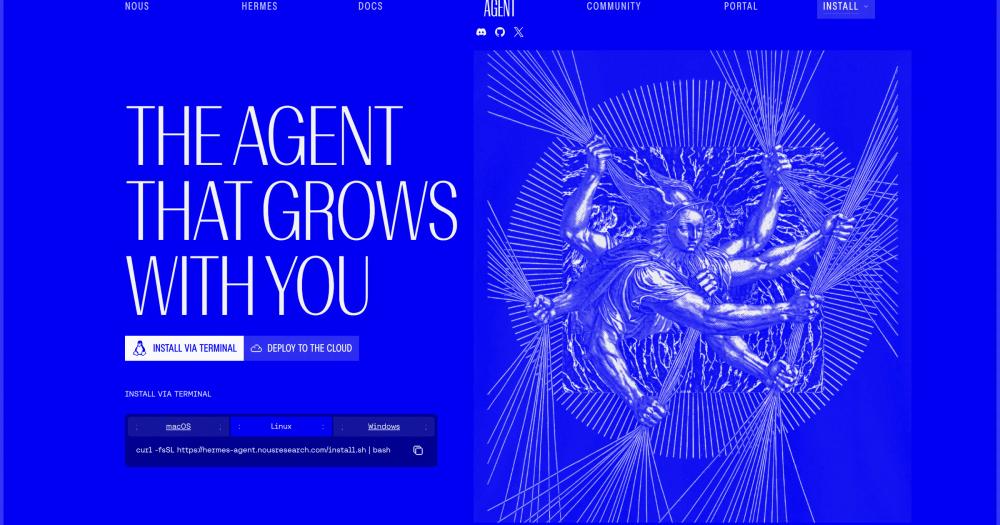
Hermes Agent is open source, built by Nous Research, and carries one memory across every platform you connect it to. OpenClaw reaches more channels. Hermes Agent keeps context when you move between them, and can run scheduled work on your behalf while you are away. I'd reach for it when that unattended run is the actual job.
Natural-language scheduling is worth knowing about before you decide: tell it to send a morning briefing or run a nightly backup, and it does that through the gateway on its own, no keyboard required.
Key Features
- Runs across Telegram, Discord, Slack, WhatsApp, Signal, Email, and CLI, plus a growing list of platforms, with one memory across all of them
- Natural-language scheduling for reports, backups, and briefings, running unattended through the gateway
- Supports any model provider including Nous Portal, OpenRouter, OpenAI, and your own endpoint, switchable with a single command
- Spawns isolated subagents with their own conversations and terminals, with Python RPC scripts for zero-context-cost pipelines
- Desktop app available for macOS 12 and above and Windows 10/11
- All paid Nous Portal tiers include monthly credits and access to 200 or more models with built-in tool use
Pros
- Context does not reset when you switch from Telegram to Slack, because the memory is shared across the platforms you connect, such as Telegram, Discord, Slack, WhatsApp, Signal and Email.
- Model flexibility is genuine: any provider, any endpoint, and switching takes one command, not a config file rewrite
- A free tier at $0 a month covers free models at standard rate limits, so you can test before paying anything
- Install on Linux or macOS with a single curl command
Cons
- The free tier is limited to free models. Getting the full 200-model roster means a paid Nous Portal plan starting at $20 a month
- Scheduled tasks run through the gateway, so check where your gateway will run before you depend on them.
License & Hosting
- License: MIT, open source. Self-host freely
- Where it runs: self-hosted on Linux or macOS. Desktop app for macOS 12 and above and Windows 10/11. One agent, one memory, across all connected platforms
- Setup: install on Linux or macOS with a one-line curl command. Desktop apps available for download
- Costs: free tier available with free models only. Nous Portal paid plans start at $20 per month (Plus) for access to 200 or more models, $100 per month (Super), or $200 per month (Ultra), each with monthly credits and a rollover cap
Best For
Pick Hermes Agent when scheduled memory is the core job: daily briefings, overnight backups, recurring reports you want running without touching a keyboard. It is also the pick when you want to swap model providers from day one without touching any configuration beyond a single command.
Need more channels? OpenClaw reaches 29, WhatsApp included.

Rank 3
rakazo
Desktop agent with your own model keys and an audit log you own
4.4K stars797 forksTypeScriptApache-2.0
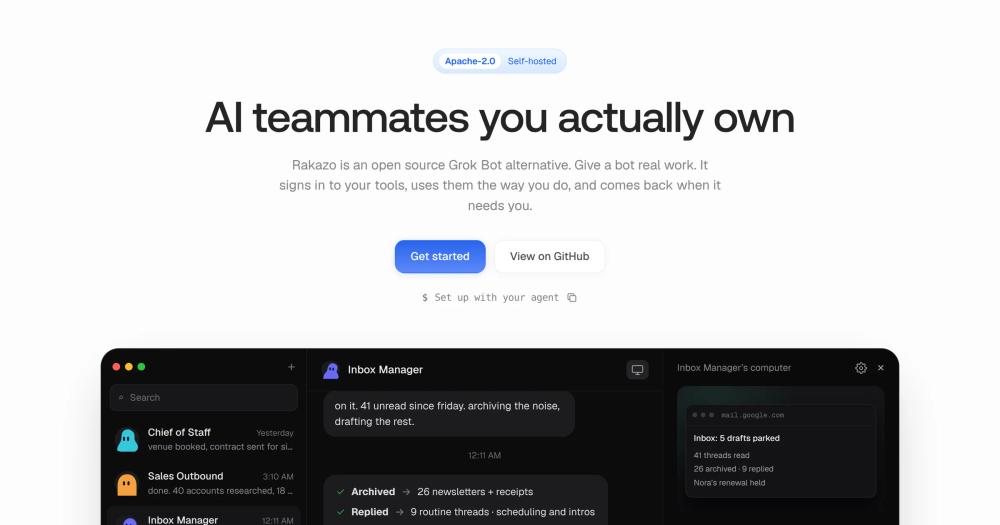
Rakazo runs on your Claude Pro/Max (Sonnet or Opus) or ChatGPT Plus/Pro subscription with no API key required. Inbox Zero Inc. designed it so your keys drive the inference, your data stays on your machine, and nothing phones home. For anyone who does not want a second AI bill, I'd make it the pick.
Every action the agent takes lands in an audit log you own. You decide in advance what it may handle on its own and what it must ask you about first.
Key Features
- Sign in with Claude Pro/Max (Sonnet or Opus) or ChatGPT Plus/Pro, or use an Anthropic or OpenAI API key. OpenRouter, Grok, SuperGrok, Ollama, and LM Studio also work, and you can swap models per bot
- Set what a bot may do alone and what it must ask about. Every action lands in an audit log you own
- Routines are saved as plain Markdown you can read, edit, and commit
- Bring your own model and computer provider, or run the complete stack locally
- App integrations through Composio or Pipedream Connect, plus Treg, remote MCP, and OpenAPI tool sources
- Self-host tier includes a Docker runner and sandboxed browser, unlimited bots, routines, memory, and audit log with no seats or limits
Pros
- No API key needed if you already pay for Claude Pro/Max or ChatGPT Plus/Pro: no separate model bill.
- Apache 2.0 licensed. Rakazo says nothing is gated and nothing phones home.
- Routines and the audit log are plain files you own: read them, edit them, commit them alongside your code.
Cons
- Rakazo's community is smaller than OpenClaw's or Hermes Agent's, so community issue volume is lower and fixes may move slower
- Running a local model means pointing a bot at a local OpenAI-compatible server like Ollama or LM Studio first, so count on extra setup if you are not already running one
License & Hosting
- License: Apache 2.0. Rakazo runs on your own machine with your own model keys.
- Where it runs: local-first, on your Mac or any machine you control. The desktop app's "This computer" option installs Rakazo locally. A Mac Mini kept on handles always-on scenarios
- Setup: The desktop app handles the install; Docker Desktop, OrbStack or Docker Engine must be on your machine. Docker runner and sandboxed browser included in the self-host tier
- Costs: Rakazo's self-hosted software is free under Apache 2.0, model access is the main cost, and Treg and some remote sandbox providers are usage-metered. Sign in with Claude Pro/Max or ChatGPT Plus/Pro to cover model costs with your existing subscription, or supply an Anthropic, OpenAI, OpenRouter, or Grok API key
Best For
Rakazo is the one if you already pay for Claude or ChatGPT and want that subscription doing the inference work rather than a second API bill. The audit log and per-bot permission model make it the right call when you need a record of exactly what the agent did and when.
For channel breadth rather than subscription reuse, OpenClaw.

Rank 4
Khoj
Research and personal knowledge agent you host yourself
37.7K stars2.5K forksPythonAGPL-3.0
Khoj earns its place on this list when research and recurring information tasks are the core job. If you used Muse mainly for reading, summarizing, and researching across your docs and the web, and shopping or travel bookings were not part of your day, I'd start here before the other options.
You can run it privately on your own computer, or use the maker's cloud app at app.khoj.dev if you want to try it before committing to a local install.
Key Features
- Build agents with custom knowledge, a persona, a chat model, and tools, so each agent takes on a specific research role
- Automate repetitive research tasks and get personal newsletters and smart notifications delivered to your inbox
- Run privately on your own computer, or use the maker's cloud app at app.khoj.dev
Pros
- Self-hosted means your notes and documents never leave your machine; the cloud app is there only if you want to try it first.
- Agent customization lets you shape a research assistant around your own workflow rather than a generic one
Cons
- Khoj is licensed under AGPL-3.0. Check the licence file in the repository before you build on it.
- Khoj lets you build agents with custom tools and schedule automations, so check whether they cover shopping, travel, or email workflows before you switch.
License & Hosting
- License: AGPL-3.0. Check the repository's LICENSE file before building on it.
- Where it runs: local-first on your own computer, or via the maker's cloud app at app.khoj.dev
- Setup: run locally with the project's install, or use the cloud app at app.khoj.dev
- Costs: no cost stated for self-hosted use. Check app.khoj.dev for current cloud app plan details
Best For
Khoj is the pick when your Muse use was mostly research and recurring information tasks (reading, summarising, researching across your docs and the web), not shopping or booking.
If you need the broader agent surface, OpenClaw covers more channels, WhatsApp included.

Rank 5
Leon
MIT-licensed personal assistant built on a skills architecture
17.6K stars1.5K forksTypeScriptMIT
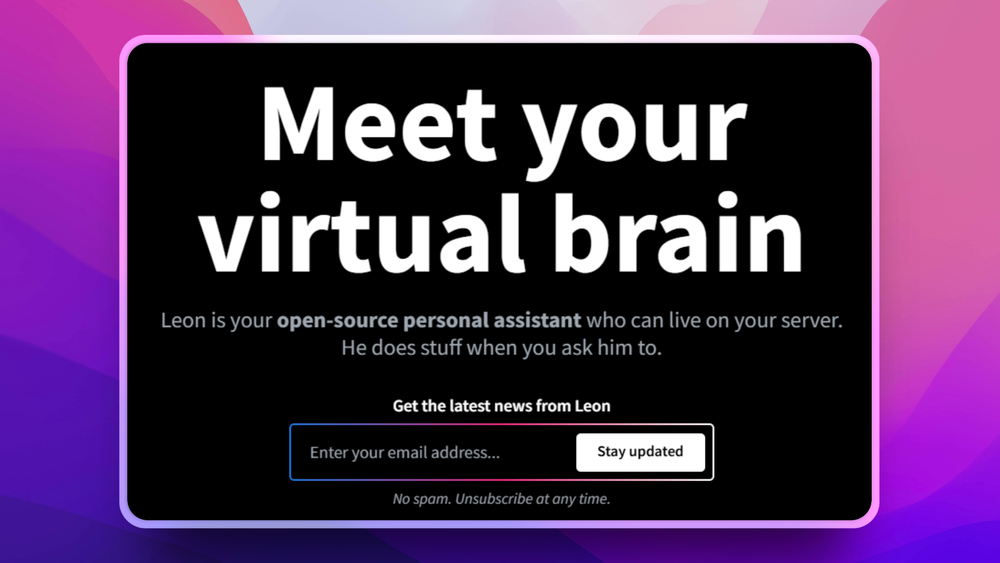
Leon is one of three MIT tools here, with OpenClaw and Hermes Agent. It is the one I'd reach for when a skills-based assistant on your own server is the hard requirement. Leon's skills architecture means you extend it with packages you write or install, on a server you run. Nothing goes to third-party infrastructure unless you wire it in yourself.
Key Features
- Self-hosted personal assistant: your server, your data, no platform dependency
- Modular skills architecture: add capabilities by installing or writing packages and modules, including custom skills
- Text-to-speech via Google Cloud, AWS, IBM Watson, and CMU Flite, with Alibaba Cloud and Microsoft Azure coming soon
- Speech-to-text via Google Cloud, IBM Watson, and Coqui STT, with Alibaba Cloud and Microsoft Azure coming soon
- MIT licensed
Pros
- MIT licence: fork it, change it and ship it commercially with no copyleft obligations.
- Runs on your own server with no required third-party dependency beyond the services you choose to connect
- Skills architecture lets you build exactly the capabilities you need without waiting for a platform update
Cons
- Leon has a smaller community than OpenClaw, which means a smaller pool for issue resolution and feature requests
- Setup needs Node.js and a command line install.
License & Hosting
- License: MIT. Leon's site calls it the most permissive licence in open source.
- Where it runs: self-hosted on your own server. You decide whether to connect any third-party services
- Setup: Leon 2.0 is a Developer Preview. Check the repository README for the current install steps and your Node.js version (24 or newer) before you install.
- Costs: no platform cost. Costs depend on which TTS, STT, or third-party services you connect (Google Cloud, AWS, IBM Watson, and others have their own pricing)
Best For
Leon fits when a skills-based assistant on your own server is the hard requirement. Leon is one of three MIT tools here, with OpenClaw and Hermes Agent.
If you want a ready-made chat-app setup, check which chat apps Leon connects to. OpenClaw lists 29 channels and Hermes Agent lists Telegram, Discord, Slack, WhatsApp, Signal and Email.
Decision framework
How to choose
Use this section to narrow the Muse replacement by team size, hosting model, license, and migration difficulty.
Muse's design tells you what to ask. Run 4 checks before you commit to any replacement.
Where does your data live? Muse's VM holds your files and your conversations, and it has its own browser. A replacement that phones home or stores state on a vendor cloud swaps one privacy risk for another. Ask whether the state lives on your machine or theirs. OpenClaw and Rakazo both run local-first with state on your machine.
Which model runs it? Muse is powered by Muse Spark. If the model matters to you, whether that means a local model, your own Anthropic key, or a specific hosted provider, check what the tool supports before you pay. Hermes Agent lets you swap providers with one command; Rakazo runs on your existing Claude or ChatGPT subscription.
Which channels does it meet you in? Muse works across mobile, web, and WhatsApp. A replacement that only runs in a terminal window changes your workflow more than the switch is worth. Count the surfaces. OpenClaw covers 29 channels including WhatsApp; Hermes Agent lists 7 surfaces including CLI, plus a growing list.
What computer access does it have? Muse has its own VM with a file system, terminal, and browser. An agent without those can answer questions but cannot finish the work. Check whether the tool has browser access, shell access, or both. OpenClaw provides full system access; check what Leon's tools and computer use cover for your task.
I'd start with OpenClaw unless one of these checks points somewhere else. When scheduled memory is what you are actually after, Hermes Agent is the right move. Rakazo makes sense if you already pay for Claude or ChatGPT and would rather not carry a second model bill. Use Khoj when research and automated newsletters are the main job.
Complete directory list
All alternatives to Muse
OpenClaw
FreeSelf-hosted AI assistant for WhatsApp, Telegram, and more
Key differentiator
Multi-channel personal agent across 29 surfaces
392.3K stars82.5K forksTypeScriptMIT
Hermes Agent
FreeSelf-hosted AI agent with persistent memory, multi-channel chat, and model choice across OpenAI, OpenRouter, and custom endpoints.
Key differentiator
Persistent memory and scheduled tasks across 7 platforms
254.6K stars55.3K forksPythonMIT

openhuman
FreePersonal AI agent with local memory and 100+ integrations
Key differentiator
Orchestrate AI agents from your desktop with a local-first memory engine, visual workflow canvas, and 100+ app integrations
42.1K stars4.2K forksRustGPL-3.0
Khoj
FreeSelf-hosted AI assistant that searches your notes and web
Key differentiator
Research and personal knowledge agent you host yourself
37.7K stars2.5K forksPythonAGPL-3.0
Leon
FreeSelf-hosted open source personal assistant for your server
Key differentiator
MIT-licensed personal assistant built on a skills architecture
17.6K stars1.5K forksTypeScriptMIT

OpenBot
FreeAI coworkers you can trust with real work
Key differentiator
Run AI coworkers in your own infrastructure: each agent gets its own browser, files, and tools, with every action gated and audited
6.5K stars898 forksTypeScriptMIT

OpenMausBot
FreeYour AI agent team in a chat app, local-first and Apache-2.0 licensed
Key differentiator
Manage a team of local-first AI bots in a messaging-style desktop app, running Claude and Codex on your own machine with no proxy or subscription fees
5K stars850 forksTypeScriptApache-2.0
rakazo
FreeAI teammates you own: your keys, your model, your machine.
Key differentiator
Desktop agent with your own model keys and an audit log you own
4.4K stars797 forksTypeScriptApache-2.0
Migration
Migration notes for leaving Muse
If you are in the US and want the full package without touching a config file, Muse is the pick. It opens in WhatsApp and works from the first message. The Stripe Link protections are the other reason to stay: single-use card numbers tied to a specific merchant, dollar amount, and time window, plus purchase protection covering damaged or lost items, price drops, no-fee returns, and a return guarantee on eligible purchases. Muse is the first AI agent covered by those protections.
Meta has announced Muse Confidential VM, where the entire VM is encrypted with a key only you hold, so not even Meta can reach it. That is planned for later this year. If you are in the US, the hosted experience matters more to you than data residency, and you can wait, that is the one to watch: if it ships as described, it addresses Meta's access to your VM, but the training default is a separate setting.
When making the move, I'd use a staged approach rather than a clean break. Start by running your new tool alongside Muse for one week before switching off notifications. Export any data Muse holds that you need, including conversation history if the tool supports it. Set up the channels you use most first, verify that memory and credentials transfer correctly, then move the rest.
Muse is the first AI agent covered by Stripe Link's purchase protections, so check what protection your replacement gives you on purchases before you rely on it for shopping or travel. OpenClaw comes closest on system access and channel breadth, but purchase protection through Stripe Link is unique to Muse. If you rely on those features, keep Muse available for that workflow while running your open source agent for everything else.
FAQ
Muse alternatives FAQ
Is Muse open source?
No. Muse is Meta's hosted product that runs on a cloud VM. All 5 alternatives on this list are open source and self-hostable.
Which open source Muse alternative is closest on features?
OpenClaw is the closest match. It covers 29 channels including WhatsApp, handles email and calendar, checks you in for flights, browses the web, fills forms, runs shell commands, and keeps its own memory between sessions. The channel breadth and the direct system access are the 2 things that put it closest to what Muse does.
Can I use these open source tools outside the US?
Yes. Muse is still rolling out in the US, so if you are outside it you may not be able to get it yet. All 5 tools install on your own machine. Check that the model provider you pick serves your country.
Do any of these tools need an API key to get started?
OpenClaw has no subscription, hosted tier, or token, but you still connect a model, and what that costs depends on the provider you pick. Hermes Agent has a free tier with free models only, and paid plans from $20 per month. Rakazo needs no API key if you already pay for Claude Pro/Max or ChatGPT Plus/Pro: signing in with that subscription covers the model.
What licence does each open source Muse alternative carry?
OpenClaw: MIT. Hermes Agent: MIT. Leon: MIT. Rakazo: Apache 2.0. Khoj: AGPL-3.0. Check the licence file in each repository before you build a product around it, because AGPL-3.0 rules out some commercial uses that MIT and Apache 2.0 allow.
How hard is setup compared to downloading Muse?
Most of these tools take more steps than a mobile app download. Khoj's cloud app is the exception. OpenClaw's desktop app installs everything in one pass. Rakazo's desktop app also handles setup, and Docker Desktop, OrbStack or Docker Engine must be installed on your machine. Hermes Agent installs on Linux and macOS with a single curl command. Leon needs Node.js and a command line install.