
- Handy: Best for cross-platform offline dictation on Windows, macOS, or Linux with no subscription and the largest community of the eight.
- VoiceInk: Best for Apple Silicon Mac users who want local AI enhancement and are open to a one-time purchase for the compiled binary.
- OpenWhispr: Best for users who need documented meeting transcription features, call diarization, and cross-platform desktop coverage.

Open-source alternatives guide
Best Open Source Wispr Flow Alternatives
If you have hit Wispr Flow's 2,000-word weekly desktop cap, weighed the Pro plan at $15 a month, or started wondering where your audio actually goes after each dictation, this guide is for you. I read Wispr Flow's security FAQ, its help center, and the READMEs for eight open source dictation tools to answer those questions honestly. I found eight local-first tools covering Windows, macOS, and Linux in various combinations and handling AI text cleanup in very different ways. Six document fully local transcription; openless also supports hosted and custom ASR routes alongside its on-device option on macOS. None is a perfect drop-in, but at least one fits most workflows.
TL;DR
Pain points
Why people leave Wispr Flow
The practical reasons teams compare Wispr Flow with open-source alternatives before they migrate.
Wispr Flow is a capable dictation tool. Its per-app styles, shared team dictionaries, and 100+ language support are genuine strengths, and the Notetaker meeting feature works well for Mac users. The pain points below are not about quality; they are about architecture, defaults, and pricing. Three specific limits push people toward alternatives: the free plan word cap (2,000 words per week on desktop, with the iPhone limited to a 1,000-word soft cap and a 1,500-word hard cap, while Android is unlimited), the Pro subscription at $15 per user per month, and the fact that Flow requires an internet connection for every voice transcription with no offline mode. The best open source alternative to Wispr Flow is Handy because it is MIT-licensed, runs fully offline on Windows, macOS, and Linux, and is described by its maintainers as free and not behind a paywall.
Beyond the pricing and offline gap, I read Flow's security and compliance FAQ and the Context Awareness documentation. Wispr Flow is multi-tenant SaaS hosted by a US cloud provider, and audio must be decrypted server-side to produce a transcription. With Privacy Mode off (the default for trial and standard accounts) your dictation audio and transcriptions may be used to evaluate, train, and improve Wispr's models. Turning Privacy Mode on and disabling Cloud Sync gives you Zero Data Retention, but it is not what you get at signup.
Context Awareness adds a third layer to consider. The feature is on by default on Mac and Windows. Unless Privacy Mode is on, each dictation request can send app information, text around your cursor, on-screen text, coding variable names, and conversation history. Support is full on Mac, partial on Windows, and limited to the focused text field on iOS. Screen OCR is a separate default-off opt-in: screenshots only flow when both Screen OCR and Context Awareness are enabled together. Disable Context Awareness under Settings > Data and Privacy. I would turn Context Awareness off on day one. It is on by default, and each dictation can send more data than most people expect.
Wispr Flow's platform page lists Mac, Windows, iPhone, and Android. Linux is listed as "coming soon" and is not currently supported. OpenWhispr and Handy both run on Linux today. The Growth and Enterprise plan starts at $23 per user per month and bundles SAML SSO, directory provisioning, and org-wide HIPAA enforcement, with no published option to buy without them. The combination of the weekly word cap, cloud-only architecture, training default, and no Linux path is what makes these eight alternatives worth examining.
At a glance
Quick comparison
| Name | License | Best For |
|---|---|---|
| Handy | MIT | Cross-platform offline dictation on Windows, macOS, and Linux, with the largest community of the eight |
| VoiceInk | GPL-3.0-only | Apple Silicon Mac dictation with local AI enhancement and no subscription |
| FluidVoice | GPL-3.0 | macOS 15+ dictation with live transcription preview and optional on-device AI cleanup |
| OpenWhispr | MIT | Cross-platform dictation with documented meeting transcription, live diarization, and optional cloud processing |
| openless | AGPL-3.0 | AI-polished text at the cursor with bring-your-own credentials, Android support, and local ASR on macOS |
| SpeakoFlow | MIT | Offline dictation plus an AI assistant panel on Windows, macOS, and Linux, with no word caps |
| FreeFlow | MIT | Mac-only hotkey dictation with context-aware LLM cleanup, a voice-driven Edit Mode, and configurable per-provider API endpoints |
| Voquill | AGPL-3.0 | Cross-platform hybrid dictation: switches between offline, BYO-provider, and managed cloud with glossary and snippet features intact |
Pricing model
Free: 2,000 words/week (desktop), capped on iPhone, unlimited on Android. Pro $15/mo ($12 annual). Growth/Enterprise from $23/mo ($18 annual).
All eight are free to build from source. VoiceInk's compiled Mac app is a $25 to $49 one-time purchase; Voquill's Pro plan adds cloud and sync at $12/month; the other six publish free binaries or documented builds.
License
Proprietary, closed source.
Handy, OpenWhispr, SpeakoFlow, and FreeFlow are MIT. VoiceInk and FluidVoice are GPL-3.0. openless is AGPL-3.0 as of its 2.0 beta. Voquill is AGPL-3.0 with a proprietary enterprise directory.
Where audio is processed
Cloud (US-hosted SaaS). Audio is decrypted server-side for every transcription. No offline mode.
Handy, VoiceInk, FluidVoice, OpenWhispr, SpeakoFlow, and Voquill document on-device transcription; OpenWhispr and Voquill also support cloud or BYO-provider paths. openless: local ASR on macOS, experimental on Windows. FreeFlow: user-configured provider only.
Platforms
Mac, Windows, iPhone, Android. Linux listed as coming soon, not currently supported.
Handy, OpenWhispr, SpeakoFlow, Voquill: Windows/macOS/Linux. VoiceInk: macOS Apple Silicon; iOS companion in beta. FluidVoice: macOS (Intel via Whisper only). openless: macOS/Windows/Android, plus Linux packages. FreeFlow: macOS only.
Offline use
No. Voice transcription requires an internet connection for every request.
Handy, VoiceInk, FluidVoice, OpenWhispr, SpeakoFlow, and Voquill document fully local transcription. openless: local ASR on macOS, experimental on Windows. FreeFlow requires a running local endpoint; no bundled on-device model.
AI text cleanup
AI cleanup: cloud-executed, documented styles, Whisper Mode, per-app behavior. Team dictionaries and snippets; Growth/Enterprise team styles not confirmed.
VoiceInk, FluidVoice: local enhancement. SpeakoFlow: local English model. Voquill: BYO or cloud cleanup with styles; local mode returns raw text. Handy: post-processing toggle (undocumented). openless: hosted/custom endpoints. OpenWhispr: AI agents. FreeFlow: LLM via configured endpoint.
Team features
Shared team dictionary and snippets. SAML SSO and directory provisioning on Growth/Enterprise from $23/user/month.
OpenWhispr Cloud documents org policy and SSO/SCIM (no stated pricing). Voquill has Enterprise with on-premise deployment (custom pricing). No other tool documents shared team dictionaries.
Editorial ranking
8 Best Open Source Wispr Flow Alternatives (Ranked)

Rank 1
Handy
Cross-platform offline dictation on Windows, macOS, and Linux, with the largest community of the eight
34K stars3.2K forksRustMIT
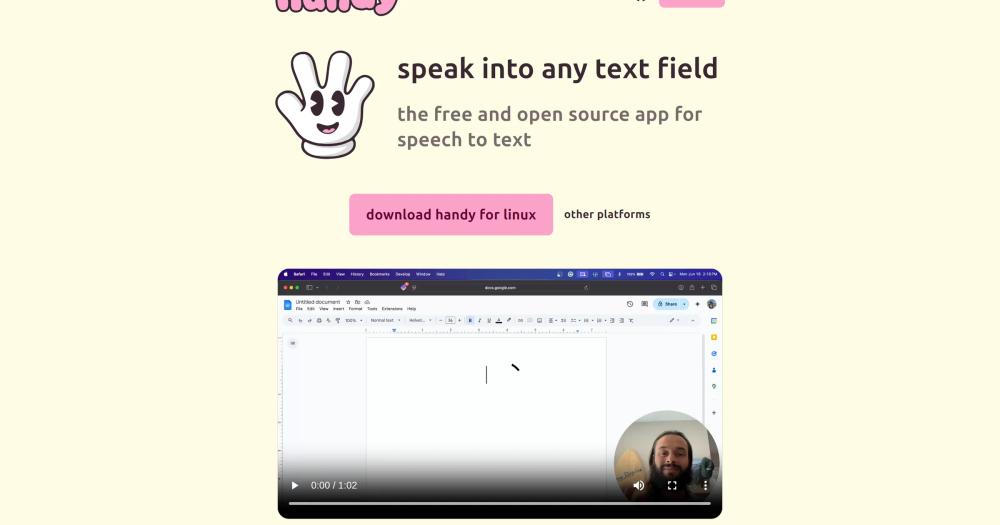
Handy is the one I would point a Linux user toward first. Hold a shortcut, speak, release, and it pastes the transcription into whatever app is under your cursor using only local processing.
Key Features
- Hold-or-toggle recording: hold the shortcut to record and release to stop, or tap once to start and once to stop; all modes configurable in Settings
- Whisper model support: Small, Medium, Turbo, and Large variants; GPU acceleration when hardware supports it
- Parakeet V3 on CPU: automatic language detection; approximately 5x real-time speed on mid-range hardware
- Fully offline pipeline: Silero VAD filters silence; audio never leaves your device
- Personal dictionary: documented in the README and manageable through its Raycast integration; replacement and expansion semantics are not described
Pros
- Handy documents Windows, macOS, and Linux support with detailed setup guidance for X11 and Wayland.
- The largest community of the eight: an active Discord and issue tracker with more troubleshooting resources than any other tool here.
- Free and open source; official materials say it is not behind a paywall, and all transcription runs locally.
Cons
- Dictionary replacement and expansion semantics are not described, so Wispr Flow-style snippet behavior is unclear; the post-processing toggle's implementation is also undocumented.
- Wayland text input generally requires
wtypeordotool; on Ubuntu 26.04 the README directs users toydotool. Compositor-level shortcut setup is also required on Wayland. - No mobile companion app.
License & Hosting
- License: MIT; free for personal and commercial use, modification, and redistribution
- Where it runs: local-first; no server required; Windows (x64), macOS (Intel and Apple Silicon), and Linux (x64)
- Setup: Homebrew (
brew install --cask handy), winget on Windows, or AppImage/deb on Linux; speech models download on first run - Costs: none; no API key or subscription required
Best For
I would start here for any Linux user and for anyone wanting the simplest offline setup I found on any desktop platform. Skip it if you need verified on-device AI text cleanup, a mobile companion app, or snippet-style text expansion.

Rank 2
VoiceInk
Apple Silicon Mac dictation with local AI enhancement and no subscription
6.8K stars958 forksSwiftGPL-3.0-only

VoiceInk is the one I would pick among the Apple Silicon options for its documented AI cleanup modes: per-app and per-URL detection that adapts formatting automatically. It runs on-device transcription with a personal dictionary and smart text replacements.
Key Features
- Local transcription models: Whisper, Parakeet V3, WhisperKit, and SenseVoice; all process audio on-device with no network request
- AI-powered enhancement modes: per-app and per-URL detection applies different cleanup settings; uses local Ollama, a local CLI, or cloud providers on your own API key
- Personal dictionary: custom words, industry terms, and smart text replacements
- Push-to-talk and toggle recording: configurable global shortcuts
- iPhone and iPad companion: a separate iOS companion app is in beta (documented on the product site)
Pros
- All voice transcription runs on-device; if cloud enhancement is enabled, only transcribed text is sent, not voice audio.
- AI enhancement modes produce polished output with filler removal, formatting, and per-app style adaptation.
- One-time purchase with lifetime updates, a free trial, and a 14-day money-back guarantee; no recurring subscription.
Cons
- Apple Silicon and macOS 14.4+ only: no Windows, no Linux, and Intel Macs are not supported for the full model set.
- AI enhancement requires local Ollama, a local CLI, or your own cloud API key; there is no bundled cloud subscription.
- Pull requests are not currently accepted in the upstream repo; contribution is limited to issues and forks.
License & Hosting
- License: GPL-3.0 per LICENSE file and README (GitHub API reports NOASSERTION); the compiled app is a separate one-time purchase; source is free to build under GPL-3.0
- Where it runs: local-first; no server required; macOS only; Apple Silicon required for the compiled app and full model set
- Setup: free trial or
brew install --cask voiceink; source build requires Xcode - Costs: $25 (Solo, 1 device) to $49 (Extended, 3 devices) one-time purchase for the compiled binary; optional cloud enhancement requires your API key; source build is free
Best For
I would pick VoiceInk over FluidVoice if documented AI cleanup modes matter more to you than a live transcription preview, and local audio processing without a subscription is the goal. Skip it if you need Windows, Linux, or a compiled binary at no cost.

Rank 3
FluidVoice
macOS 15+ dictation with live transcription preview and optional on-device AI cleanup
12.3K stars890 forksSwiftGPL-3.0
FluidVoice is the tool whose live transcription overlay I noticed first: words appear in a notch-supported preview as you speak, rather than waiting for a batch result. Fluid Intelligence, its optional on-device AI layer, adds formatting and tone adaptation without any data leaving your Mac.
Key Features
- Live transcription overlay: real-time notch-supported preview; words appear as you speak
- Fluid Intelligence: separate, privately maintained on-device AI (approximately 3.5 GB); strips filler and adapts tone per active app
- Multi-engine model support: Nemotron (40 languages), Parakeet v3 (25), Cohere (14), Apple Speech, and Whisper (up to 99)
- Optional cloud AI: your own OpenAI or Groq key for cloud post-processing, as an alternative to Fluid Intelligence
- Per-app configuration and voice commands: different prompt sets per app; Command Mode and Write Mode for voice control and rewriting
Pros
- FluidVoice supports Nemotron (40 languages), Parakeet (25), Cohere (14), Apple Speech, and Whisper (up to 99), from fast low-latency to maximum coverage.
- Live transcription preview meaningfully improves on tools that show nothing until transcription completes.
- Intel Mac support via Whisper from version 1.5.1+ broadens the hardware target beyond Apple Silicon.
Cons
- macOS 15 (Sequoia) required; macOS 14 cannot run FluidVoice.
- Fluid Intelligence is separately and privately maintained, so its source is not publicly available for audit.
- iOS and Windows are listed as coming but not yet shipped; macOS only today.
License & Hosting
- License: GPL-3.0 for the core app (since 2026-02-23; Apache 2.0 before then); Fluid Intelligence is a separate, privately maintained local runtime with no published source
- Where it runs: local-first; no server required; macOS only (requires macOS 15+; Apple Silicon for all models; Intel supported via Whisper)
- Setup:
brew install --cask fluidvoiceor download from the releases page; Fluid Intelligence downloads during onboarding - Costs: free; optional cloud enhancement (OpenAI, Groq, or custom providers) requires your API key
Best For
FluidVoice's live overlay is the clearest UX improvement over any tool here that shows nothing until the batch completes; it is the pick for macOS 15+ users who want that plus multilingual models and on-device AI cleanup. Skip it if you run macOS 14 or earlier, need Windows or Linux, or require auditable on-device AI source code.

Rank 4
OpenWhispr
Cross-platform dictation with documented meeting transcription, live diarization, and optional cloud processing
9.5K stars1.2K forksJavaScriptMIT
OpenWhispr is the one tool in this roster with documented meeting transcription and speaker diarization: a full meeting stack alongside standard voice dictation, including call auto-detection for Zoom, Teams, and FaceTime, live diarization, voice fingerprinting, and Google, Microsoft, and Apple Calendar integration.
Key Features
- Voice dictation: global hotkey to dictate into any app with automatic pasting
- Meeting transcription: auto-detects Zoom, Teams, and FaceTime calls; live speaker diarization and voice fingerprinting with on-device speaker labelling
- Calendar integration: Google, Microsoft, and Apple Calendar support for meeting context
- Local or cloud processing: fully offline with local Whisper or Parakeet, or BYOK cloud models via your own API key (OpenAI, Anthropic, Gemini, Groq)
- Enterprise controls: OpenWhispr Cloud documents organization policy, SSO/SCIM, and centrally managed access; Cloud pricing not stated
Pros
- The only open source tool here with documented call auto-detection, live diarization, and voice fingerprinting, making it the most direct Wispr Notetaker replacement.
- Cross-platform with fully offline transcription and an optional BYOK cloud path not locked to any single vendor.
- Public API and MCP server for programmatic access to notes and transcriptions.
Cons
- OpenWhispr Cloud is documented for organizations but without stated pricing; evaluate the managed path before committing.
- OpenWhispr documents AI agent and reasoning features but not an explicit dictation-polish pass.
- The project is newer than Handy; check issue handling and recent releases before committing to a production workflow.
License & Hosting
- License: MIT; fully open; no per-use fee for local transcription
- Where it runs: local-first; no server required for the desktop app; macOS, Windows, and Linux; cross-platform Electron app (Node.js 24+); cloud processing is optional and user-configured
- Setup: download a release package for macOS, Windows, or Linux; source builds require Node.js 24+ and npm
- Costs: free for local transcription; optional cloud integrations (BYOK via OpenAI, Anthropic, Gemini, Groq) and enterprise paths (Bedrock, Azure OpenAI) require your credentials; OpenWhispr Cloud pricing not stated
Best For
I would pick OpenWhispr over Handy specifically if meeting transcription with speaker diarization is a requirement, not a nice-to-have; it is also the choice for a cross-platform tool with documented enterprise controls. Skip it if you only need basic dictation and do not need its meeting, cloud, or team features.

Rank 5
openless
AI-polished text at the cursor with bring-your-own credentials, Android support, and local ASR on macOS
3.9K stars363 forksRustAGPL-3.0
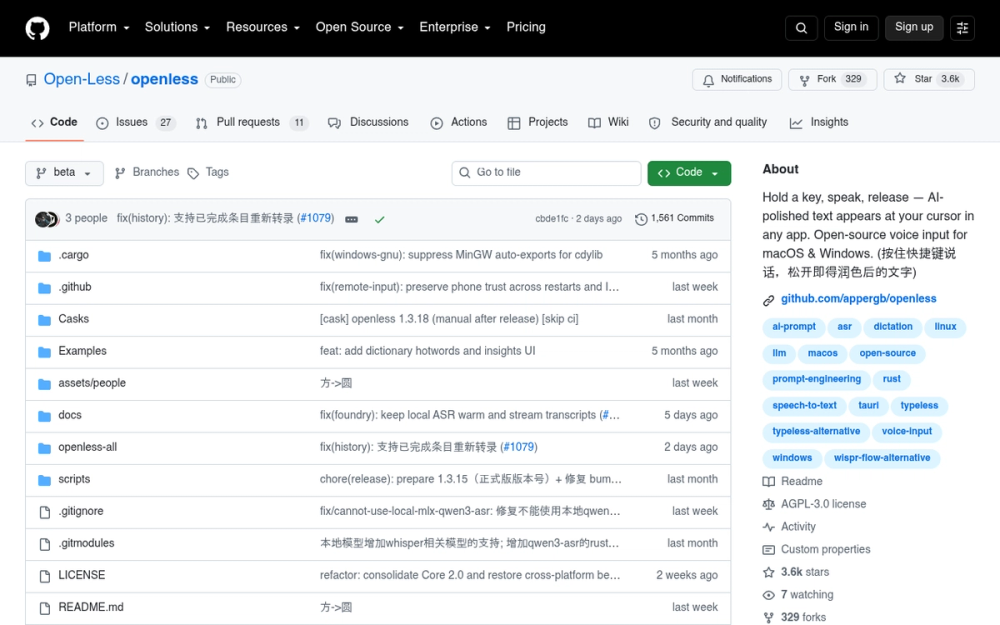
openless is the tool most oriented toward polished, structured output rather than raw transcription; hold a hotkey, speak, and the result streams to your cursor after passing through your chosen AI provider.
Key Features
- AI-prompt mode: structures loose speech into a context-rich prompt for ChatGPT, Claude, or Cursor
- Streaming insertion: polished text flows to the cursor as generated, with a one-shot paste fallback
- Personal dictionary: hotwords, contextual substitutions, and opt-in learning from corrections reviewed before saving
- Local ASR on macOS: bundled Qwen3-ASR (0.6B / 1.7B); experimental Windows ASR via Foundry Local Whisper and sherpa-onnx
- Android support: APKs published on the GitHub Release page
Pros
- The only tool here with documented Android support, relevant for users who move between desktop and mobile.
- Broad cloud provider support (Volcengine, iFlytek, OpenAI-compatible, DeepSeek, Gemini, and more) avoids vendor lock-in on the AI side.
- The personal dictionary supports opt-in correction learning, with review before any entry is saved.
Cons
- openless does not document a bundled local polish model; verify endpoint and credential requirements for your intended route.
- Local ASR on macOS is documented; Windows ASR is experimental, and Linux package labeling is inconsistent despite packages existing in current releases.
- openless was created in April 2026 with a lower star count than Handy, OpenWhispr, or FluidVoice when last checked.
License & Hosting
- License: AGPL-3.0 for the current 2.0 beta; published 1.x releases remain under MIT
- Where it runs: local-first ASR on macOS (Qwen3-ASR bundled); experimental local ASR on Windows; macOS, Windows, Android (APKs), and Linux (packages); Tauri 2 (Rust) desktop app
- Setup: download DMG (macOS), EXE (Windows), or APK (Android) from the releases page; Homebrew cask available; macOS requires a one-time Gatekeeper bypass (
xattr -cr /Applications/OpenLess.app) - Costs: free; polish providers (cloud AI or custom OpenAI-compatible endpoint) require your API key; no local polish runtime is included
Best For
I found openless the most polish-oriented tool in this roster; start here if you care about structured output rather than raw transcription, Android support, or voice-generated prompts for AI tools. Skip it if you want fully offline operation with no external endpoint, or entirely on-device cleanup.

Rank 6
SpeakoFlow
Offline dictation plus an AI assistant panel on Windows, macOS, and Linux, with no word caps
321 stars36 forksRustMIT
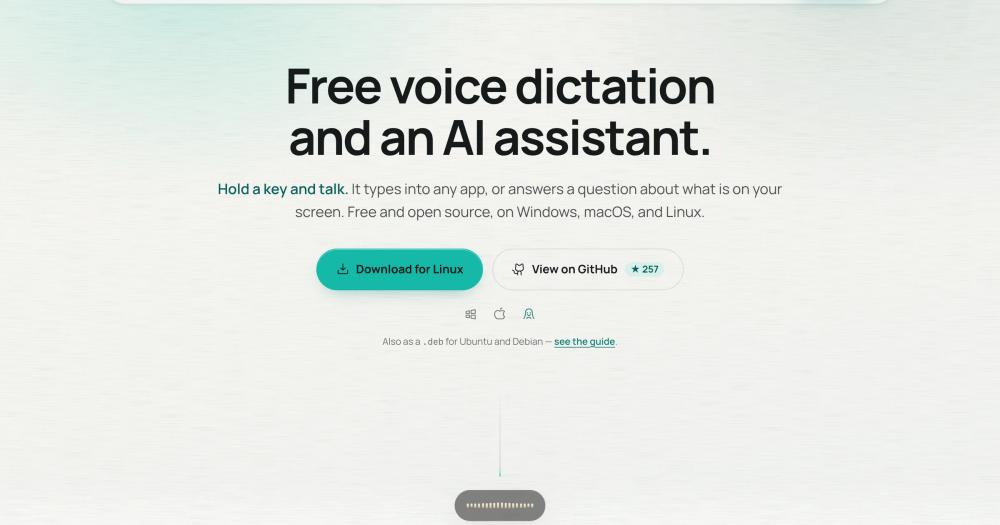
SpeakoFlow goes beyond hotkey dictation with a floating AI assistant for voice Q&A, screen vision, and a "Generate with Flow" mode that turns a spoken description into a finished reply or email.
Key Features
- Offline dictation: hotkey, speak, text types into any app; whisper.cpp or Parakeet, GPU or CPU, fully on-device
- SpeakoFlow Mini: a local 795 MB cleanup model; strips filler, fixes grammar, applies vocal editing commands; English only
- Generate with Flow: a spoken description becomes a finished written result (reply, email, draft) pasted at the cursor
- Floating assistant panel: voice or text Q&A, streaming answers, text-to-speech replies; collapses to a pill
- Screen vision: the assistant reads what's on screen when asked; nothing is captured without your trigger
Pros
- SpeakoFlow combines dictation, a floating AI assistant, and screen-aware Q&A in one free cross-platform tool; OpenWhispr documents similar capabilities.
- SpeakoFlow Mini provides local AI cleanup without any API key; no cloud contact required for the core workflow.
- Runs on Windows, macOS, and Linux (including ARM64) with no subscription, account, or word cap.
Cons
- Smallest community here; point-in-time star counts do not establish resolution speed, and fewer third-party resources exist.
- Apple signing is not in place; each macOS version requires a one-time Gatekeeper bypass in Terminal.
- SpeakoFlow Mini handles English only; multilingual cleanup requires a different local or cloud model.
License & Hosting
- License: MIT; fully open; no per-use fee for local transcription or cleanup
- Where it runs: local-first; no server required; Windows, macOS (Intel and Apple Silicon), and Linux; Tauri 2 (Rust) desktop app
- Setup: EXE (Windows), deb/AppImage (Linux), or download from the releases page; macOS requires a one-time Gatekeeper bypass in Terminal (no signing in place)
- Costs: free; optional cloud AI assistant providers require your own API key; the local SpeakoFlow Mini cleanup model (795 MB) has no ongoing cost
Best For
I like the floating assistant concept, but I would weigh the smaller community before committing to a production workflow. It is the pick for dictation plus an AI assistant in one free tool; skip it if community health or maintenance record are deciding factors, or you need multilingual on-device cleanup.

Rank 7
FreeFlow
Mac-only hotkey dictation with context-aware LLM cleanup, a voice-driven Edit Mode, and configurable per-provider API endpoints
2.9K stars298 forksSwiftMIT
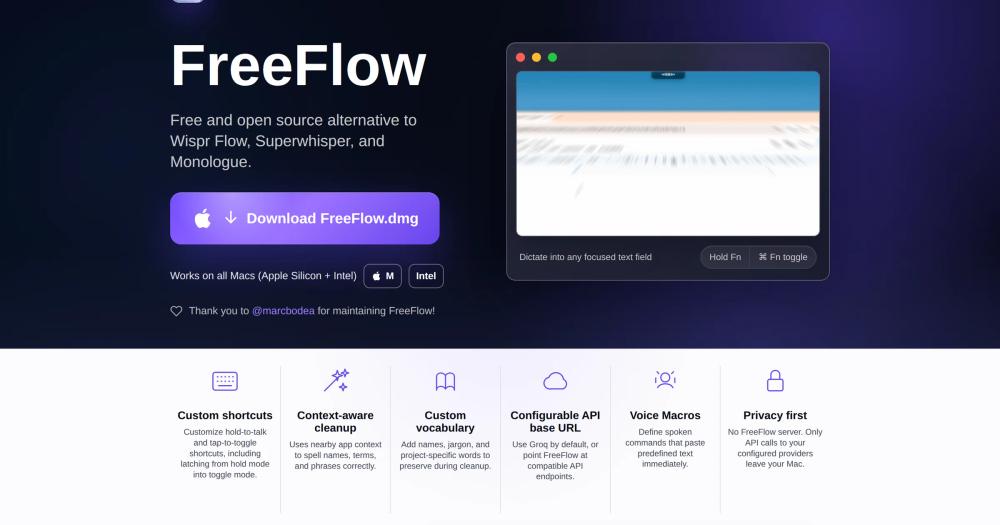
FreeFlow takes Wispr Flow's hold-to-talk shape but routes audio to a provider you configure rather than Wispr's servers; I would pick it specifically for Edit Mode. Select text in any app, speak an instruction, and FreeFlow rewrites the selection through your configured LLM.
Key Features
- Hold-to-talk or toggle: hold
Fnto record and release;Command-Fntoggles; shortcuts are configurable; a hold can latch into toggle mode mid-recording - Edit Mode: speak a rewriting instruction over a text selection in any app, without switching windows
- Configurable endpoints: transcription and cleanup can point to separate OpenAI-compatible URLs, covering Groq (the default), local Ollama or LM Studio, or any compatible service
- Context-aware cleanup: corrects punctuation, grammar, and filler words using nearby app context and custom vocabulary
- Custom vocabulary: names, jargon, and project-specific terms that cleanup should preserve
Pros
- Edit Mode for voice-driven text rewriting is not documented in any other tool in this guide.
- Separate transcription and cleanup URLs let you run a two-endpoint self-hosted pipeline with one configuration change.
- Audio flows only to the providers you configure; FreeFlow has no intermediary server or retention layer.
Cons
- macOS only; Windows and Linux are not supported.
- No bundled on-device transcription model; local use requires a separately running compatible endpoint such as Ollama or LM Studio.
- Snippets are not documented in the README; the core workflow overlaps openless closely for Mac users who do not need Edit Mode.
License & Hosting
- License: MIT; fully open; no per-use fee
- Where it runs: macOS (Apple Silicon and Intel); no server required; all transcription and cleanup route to your configured provider endpoint
- Setup: download
FreeFlow.dmgfrom the GitHub Releases page; no Homebrew or App Store path is documented - Costs: provider API key or local endpoint required (Groq free tier by default; swap for Ollama or LM Studio for fully offline use); no FreeFlow subscription
Best For
I would choose FreeFlow over openless specifically for Edit Mode; without that need, openless covers the same ground with Android support. Skip it if you are on Windows or Linux, if you want offline transcription without a local endpoint, or if Edit Mode is not a priority.

Rank 8
Voquill
Cross-platform hybrid dictation: switches between offline, BYO-provider, and managed cloud with glossary and snippet features intact
1K stars129 forksTypeScriptAGPL-3.0
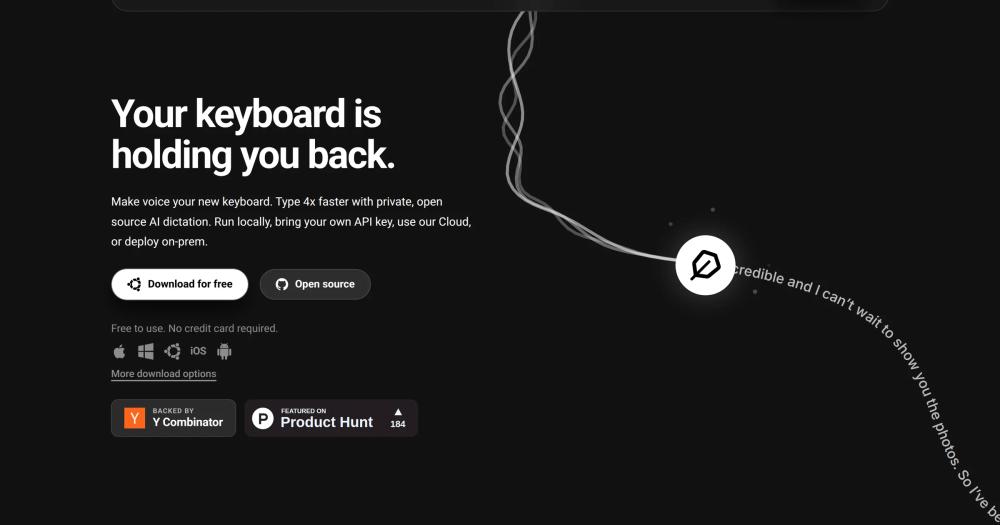
Voquill is the tool I would choose if I needed one dictation tool that switches between offline, BYO-provider, and managed cloud without losing glossary and snippet rules. It bundles local Whisper, supports bring-your-own-provider transcription, and offers a managed cloud, all sharing the same glossary and replacement-rule snippets; push and hold the global hotkey, speak, release, and text inserts into any focused application on macOS, Windows, and Linux.
Key Features
- Three transcription modes: on-device Whisper (Metal on macOS, Vulkan on Windows/Linux), direct API to providers such as Groq, or Voquill Cloud
- Writing styles: Light, Casual, Formal, Business, and Punny built-in; custom prompt-based styles supported
- Glossary and replacement rules: vocabulary hints for recognition, correction rules, and trigger expansion as snippets
- Native packages: DMG/Homebrew (macOS), EXE/MSI (Windows), AppImage/DEB/RPM (Linux)
- Mobile companions: iOS and Android apps with cross-device sync on Pro
Pros
- The glossary, correction-rule, and snippet implementation is the most complete dictionary feature of the eight.
- Switching between modes is a settings change; your dictionary and styles carry over.
- Offline mode requires no account or API key after the initial model download.
Cons
- Open core: the desktop app is AGPL-3.0, but the
enterprise/directory uses a separate proprietary license. - Bundled local transcription returns raw text; offline AI cleanup requires a separately installed Ollama instance.
- Cross-device sync and mobile companions require Pro; the community is smaller than Handy or OpenWhispr.
License & Hosting
- License: AGPL-3.0 for the desktop app; the
enterprise/directory has a separate proprietary license (open core) - Where it runs: local-first; no server required for the Personal plan; Windows, macOS, and Linux; Linux hotkeys may need
xdotoolorydotool - Setup: Universal DMG or Homebrew (macOS), EXE/MSI (Windows), AppImage/DEB/RPM (Linux)
- Costs: Personal plan is free with offline mode and BYO API key; Pro is $12/month (or $8/month billed annually) adding Voquill Cloud transcription, sync, and unlimited words; Enterprise is custom with on-premise deployment
Best For
Voquill's glossary and snippet implementation is the most complete dictionary feature of the eight; choose it over OpenWhispr if that plus a managed cloud option matter more than meeting diarization. Skip it if you need fully local AI cleanup without configuring Ollama, or if open-core licensing is a concern.
Decision framework
How to choose
Use this section to narrow the Wispr Flow replacement by team size, hosting model, license, and migration difficulty.
I compared all eight tools against the hold-to-talk workflow Wispr Flow uses, and platform is the fastest filter. If you need Linux, Handy is the most natural starting point: it has the largest community of the eight tools, documented support across X11 and Wayland (with extra input tool setup), and the simplest install. OpenWhispr, SpeakoFlow, and Voquill also run on Linux. openless publishes Linux packages in current releases, though with inconsistent README labeling.
If you are on macOS 15+ with Apple Silicon and want on-device AI cleanup, the choice is between FluidVoice and VoiceInk. FluidVoice is free and GPL-3.0, with a live transcription preview and Fluid Intelligence for on-device enhancement (a privately maintained runtime, approximately 3.5 GB). VoiceInk uses local Ollama or a local CLI for AI enhancement alongside cloud providers on your own key; the compiled binary is a one-time purchase ($25 to $49), but building from source under GPL-3.0 is free.
If you need meeting transcription with speaker diarization, OpenWhispr is the only tool here that documents call auto-detection, live diarization, and voice fingerprinting. If you want a single app that can switch between offline Whisper, a configured API provider, and a managed cloud without losing your glossary and snippet rules, Voquill is that pick. It also runs across macOS, Windows, and Linux, and supports both fully offline transcription and an optional BYOK cloud path.
If your goal is polished prose rather than raw transcription, openless is oriented around a speech, transcript, cleanup, and cursor-insertion workflow. It documents hosted polish providers, Codex OAuth, and compatible custom endpoints, plus local ASR on macOS and experimental local ASR on Windows. Verify the endpoint and credential requirements for the route you intend to use. openless also documents Android APKs. FreeFlow covers the same Mac cursor-insertion workflow and adds a voice-driven Edit Mode for rewriting selected text; it also supports separate transcription and cleanup endpoints.
For the most common reader (a macOS or Windows user switching from Wispr Flow and looking for something free and offline), I would start with Handy: single download, and the hold-to-record workflow has the same hold-to-talk shape as Flow's. If raw transcription leaves you wanting AI cleanup after a week, add FluidVoice and enable Fluid Intelligence alongside it (assign different hotkeys to each so they do not conflict), or try SpeakoFlow for the AI assistant features.
If community activity matters, compare repository history, recent releases, issue handling, and maintainer responses directly. Handy had the largest community and SpeakoFlow the smallest of these eight when checked, while all eight repositories showed recent pushes. Community size alone does not establish response time or long-term reliability.
Complete directory list
All alternatives to Wispr Flow
Handy
FreeFree offline speech-to-text: runs on Windows, macOS, and Linux
Key differentiator
Cross-platform offline dictation on Windows, macOS, and Linux, with the largest community of the eight
34K stars3.2K forksRustMIT
FluidVoice
FreeVoice-to-text for macOS with on-device AI and zero cloud dependency
Key differentiator
macOS 15+ dictation with live transcription preview and optional on-device AI cleanup
12.3K stars890 forksSwiftGPL-3.0
OpenWhispr
FreeLocal-first voice dictation with Whisper, offline mode, and AI cleanup
Key differentiator
Cross-platform dictation with documented meeting transcription, live diarization, and optional cloud processing
9.5K stars1.2K forksJavaScriptMIT
VoiceInk
FreePrivate voice dictation for Mac, no subscription required.
Key differentiator
Apple Silicon Mac dictation with local AI enhancement and no subscription
6.8K stars958 forksSwiftGPL-3.0-only
openless
FreeDictate to any app; AI polishes it. AGPL-3.0, no subscriptions.
Key differentiator
AI-polished text at the cursor with bring-your-own credentials, Android support, and local ASR on macOS
3.9K stars363 forksRustAGPL-3.0
FreeFlow
FreeFree, open source Mac dictation with AI cleanup and voice macros
Key differentiator
Mac-only hotkey dictation with context-aware LLM cleanup, a voice-driven Edit Mode, and configurable per-provider API endpoints
2.9K stars298 forksSwiftMIT
Voquill
FreeOpen source voice dictation with local AI and custom glossary
Key differentiator
Cross-platform hybrid dictation: switches between offline, BYO-provider, and managed cloud with glossary and snippet features intact
1K stars129 forksTypeScriptAGPL-3.0
SpeakoFlow
FreeVoice dictation and AI assistant for your desktop, fully offline
Key differentiator
Offline dictation plus an AI assistant panel on Windows, macOS, and Linux, with no word caps
321 stars36 forksRustMIT

Diction
FreeiOS keyboard with self-hosted speech-to-text, no word limits
Key differentiator
Run voice dictation in any iPhone app with an open-source, self-hosted speech-to-text gateway
239 stars15 forksGoMIT

FU Flow
FreeFree offline voice typing for Windows 10/11 and Ubuntu Linux
Key differentiator
Run local voice dictation on Windows or Ubuntu Linux with no subscription, account, or word cap
1 stars0 forksRustMIT License with third-party component notice
Migration
Migration notes for leaving Wispr Flow
Wispr Flow gives you more data portability than most paid dictation tools, but the migration is not one-click. Your starting point is the GDPR data export, which covers your dictionaries and stored dictation history. Snippets and configuration data can be retrieved through the Admin Portal. The bulk import tool lets eligible paid and trial users import dictionary CSV and snippets JSON into Flow (up to 1,000 items and 3 MB per import), but this is an import path into Flow, not an export path out of it. None of the reviewed alternative documentation describes a direct Wispr Flow dictionary import. Check the target tool's accepted format and expect that manual re-entry or reformatting may be necessary.
The API export path has been sunset, which removes programmatic bulk export. What remains is the GDPR export and the Admin Portal. Treat your dictionary as a data set you will rebuild incrementally: as you correct the new tool's transcriptions over the first few weeks, you will reconstruct the most important entries naturally. Priority-first, not bulk-first.
No reviewed alternative documents a direct import of Wispr Flow styles, shared team dictionaries and snippets, Notetaker data, or mobile settings. Equivalent capabilities do exist in parts of the roster: OpenWhispr documents meeting transcription with call detection, diarization, and calendar integrations. VoiceInk has an iPhone and iPad companion in beta. openless publishes Android APKs. Plan to configure those features manually rather than expecting a one-click migration.
Of the eight alternatives, five support a dictionary or replacement feature you can rebuild into. VoiceInk (available at tryvoiceink.com with a free trial) has custom words, industry terms, and smart text replacements. openless has hotwords, contextual substitutions, and opt-in learning from corrections: when you correct a word it wrote, it asks once whether to remember it. Handy documents a dictionary, but replacement semantics are not described in its README. FreeFlow documents custom vocabulary for names, jargon, and project-specific terms that cleanup should preserve. Voquill has a glossary, replacement rules, and trigger-expansion snippets. For FluidVoice, OpenWhispr, and SpeakoFlow, a dictionary equivalent is not documented in their READMEs, so you cannot assume it exists.
A staged migration is safer than a hard cutover. Most tools here are desktop-first, although VoiceInk has an iPhone and iPad companion in beta and openless publishes Android APKs. Move desktop dictation first, run both in parallel for a week, and commit only once you have verified that the new tool handles your most common dictation contexts without friction. Trying to move mobile at the same time removes your fallback before you have confirmed the desktop replacement works.
FAQ
Wispr Flow alternatives FAQ
What is the best open source alternative to Wispr Flow?
Handy is the strongest open source alternative to Wispr Flow for most users. It is MIT-licensed, runs fully offline on Windows, macOS, and Linux, and offers a hold-to-record workflow. Its README documents a post-processing toggle but not whether it is AI-powered or on-device, so users who need documented local cleanup should also evaluate FluidVoice or VoiceInk.
Are there free open source alternatives to Wispr Flow?
Yes. All eight tools in this guide provide source code under MIT, GPL-3.0, or AGPL-3.0 licenses and document build instructions. FluidVoice says it is free with no tiers, SpeakoFlow says it is free with no account, and Handy says it is free and not behind a paywall. VoiceInk is GPL-3.0 with a free trial; the compiled Mac binary costs $25 to $49 one-time, but building from source is free. OpenWhispr also documents a Cloud offering without README pricing; openless and FreeFlow do not document a paid edition. Voquill's Personal plan is free; Pro is $12/month.
Does Handy run offline and on-device?
Handy runs entirely on your device. Transcription uses Whisper or Parakeet V3 models that are downloaded once on first launch and then run locally with no network connection required. Audio is never sent to a server. This is the central architectural difference from Wispr Flow, which requires an internet connection for every transcription request.
Does Wispr Flow work offline?
No. Wispr Flow requires an internet connection for every voice transcription request. The service runs as multi-tenant cloud-hosted SaaS, and audio must be decrypted server-side to produce a transcription. There is no on-premise deployment option and no offline mode. Handy, VoiceInk, FluidVoice, OpenWhispr, SpeakoFlow, and Voquill all document fully local transcription; openless documents local ASR on macOS and experimental local ASR on Windows; FreeFlow has no bundled on-device model and requires a running compatible endpoint.
How hard is it to migrate from Wispr Flow to an open source alternative?
Migration is manageable but not instant. A GDPR data export covers your dictionaries and stored dictation history. Snippets and configuration can be retrieved through the Admin Portal. The API export path has been sunset, so programmatic bulk export is not available. None of the reviewed alternative documentation describes a direct Wispr Flow dictionary import; check the target tool's accepted format and expect that manual re-entry or reformatting may be necessary. VoiceInk, openless, Handy, FreeFlow, and Voquill have dictionary or hotword features to rebuild into.
Which open source Wispr Flow alternatives run on Linux?
Handy, OpenWhispr, SpeakoFlow, and Voquill all document Linux support. Voquill publishes AppImage, DEB, and RPM packages. openless publishes Linux packages in current releases, though its README platform labeling is inconsistent. VoiceInk, FluidVoice, and FreeFlow are macOS-only. Wispr Flow itself does not currently support Linux; the platform is listed as coming soon.
Can these open source tools be used for commercial work?
Yes. The MIT-licensed tools (Handy, OpenWhispr, SpeakoFlow, and FreeFlow) permit commercial use, modification, and redistribution provided the copyright and permission notice is retained. VoiceInk and FluidVoice are GPL-3.0 and also permit commercial use. openless (2.0 beta onward) and Voquill (desktop app; the enterprise/ directory is proprietary) are AGPL-3.0 and also permit commercial use; if you run a modified version as a network service, AGPLv3 copyleft applies. If you convey GPL-covered binaries or modified versions, GPLv3 license, notice, and corresponding-source obligations apply; review the license text for a specific distribution model.
How do I know if an open source dictation project will stay maintained?
Check the date of the last commit, whether the maintainer responds to issues, and the frequency of recent releases. Handy has the largest community of the eight tools here with an active Discord and issue tracker. FluidVoice and OpenWhispr both have recent commits. SpeakoFlow has the smallest community of the eight; all eight repositories showed recent pushes when checked, but community size alone does not establish long-term maintenance.