Open-source alternatives guide
Best Open Source Jira Alternatives
By SurajReviewed Verified
I built this list for teams running Jira that want the same job done on software they can host and read. Atlassian is winding down Data Center, and seat billing that penalizes roster churn adds to the case for looking elsewhere. I wrote this one to say who each tool is for, and when staying on Jira makes more sense than switching.
The best open source alternative to Jira is Windshift because it keeps familiar concepts for work items, custom fields, workflows and backlogs, with boards renamed to collections and sprints to iterations in the import, all on a single AGPL-3.0 binary. I make an exception for OpenProject when a team needs Gantt charts alongside the tracker, or for Taiga when the job is Scrum sprints and burndown.
TL;DR
- Windshift: the closest open source match to how Jira works, with a documented Jira Cloud and Data Center importer covering work items, custom fields, backlogs, boards and sprints on a single AGPL-3.0 binary.
- OpenProject: for teams that need a full planning suite alongside the tracker, including Gantt charts, roadmaps, work packages and sprint burndown under a GPL-3.0 license.
- Taiga: for teams whose entire workflow is Scrum, with native backlog management, sprint planning and burndown charts in the open-source edition.
Pain points
Why people leave Jira
The practical reasons teams compare Jira with open-source alternatives before they migrate.
Under Atlassian's Cloud licensing terms, monthly Cloud subscriptions bill at the highest seat count reached during a billing period; a user added mid-period is prorated from the addition date, but removing a user does not lower that period's bill. The Jira pricing page showed Standard at about $7.91 per user per month and Premium at about $14.54 at the 300-user monthly setting, so a period with contractor churn can carry a larger bill than anticipated.
The Data Center wind-down creates a harder deadline. Atlassian stopped selling Data Center to new customers on March 30, 2026. Existing customers lose the ability to add apps or expand subscriptions on March 30, 2028, and all affected products including Jira reach end of life on March 28, 2029 and turn read-only for customers without an approved Atlassian extension.
A Jira project can accumulate separate issue-type schemes, field configuration schemes, screen schemes, permission schemes, notification schemes and workflow schemes, each managed independently. The r/selfhosted 'Free Jira Alternative?' thread raises the same difficulty of replicating custom business workflows and processes. The same thread surfaced a second concern: moving off Jira means deciding what to do with Confluence integration, since the two products are closely tied, and that connection does not follow you to a self-hosted tracker.
Beyond the tracker itself, Jira Marketplace apps can be central to specific workflows. Reporting tools, approval plugins and integration bridges from third parties do not transfer to a self-hosted replacement. Any team considering a move needs to audit which apps it actually depends on and find equivalents first.
Staying on Jira is the right call in several situations. If the team relies on Jira Service Management, no tool on this list documents JSM-level service-desk parity. GitLab Free documents an email-based Service Desk that routes inbound email into confidential issues, but that is narrower than what Jira Service Management provides. Migration work for unmatched Marketplace apps must be included when comparing migration cost with billing savings. Compliance attestations are not data an importer moves; a team that needs specific attestations should check each vendor's own documentation. And if no one on the team can operate a server, every self-hosted option here needs an operator. Even Windshift, which runs as a single binary, requires HTTPS, persistent storage and ongoing maintenance attention; OpenProject runs a multi-service Docker Compose stack. The argument for moving only holds if the team can manage what it builds.
At a glance
Quick comparison
| Name | License | Best For |
|---|---|---|
| Windshift | AGPL-3.0 | Jira-shaped tracker with a documented Cloud and Data Center importer on a single AGPL-3.0 binary |
| OpenProject | GPL-3.0 | Full project planning suite with work packages, Gantt charts, roadmaps and Scrum backlogs in the Community edition |
| Plane | AGPL-3.0 | Modern Linear-style tracker with cycles, modules and burndown in the AGPL-3.0 Community edition |
| Taiga | AGPL-3.0 | Focused Scrum and Kanban tracker with native sprints, burndown, epics and configurable issue types in the open-source edition |
| Leantime | AGPL-3.0 | Task and sprint tracker designed for non-project-managers, with OIDC and LDAP in the AGPL-3.0 core |
| GitLab | MIT | Issue tracker and boards built into the code forge, with a Free Jira importer and OIDC in the MIT-licensed core |
| Huly | EPL-2.0 | Tracker with custom task types and process states bundled with team chat and documents in one EPL-2.0 platform |
| Kaneo | MIT | Minimal MIT-licensed tracker with backlog, workflow columns and time tracking, designed to exclude Jira complexity by intent |
| WeKan | MIT | Pure Kanban board with custom fields, swimlanes, WIP limits, a direct Jira JSON importer and externally documented burndown utilities |
| Gitea | MIT | Self-hosted code forge with issues, labels, milestones and basic Kanban boards built into the MIT-licensed binary |
Native sprints or iterations
Jira Free (up to 10 users) includes backlog, board, timeline and reports; sprint creation, monitoring and sprint reporting are not documented as paid-only.
Windshift, OpenProject Community, Plane, Taiga and Leantime document native sprints or cycles. GitLab iterations are Premium/Ultimate only. Huly, Kaneo, WeKan and Gitea do not document native sprint planning.
Jira import path
Jira exports issue searches to CSV; no vendor-provided migration package to third-party tools is documented.
Windshift: Cloud and Data Center. OpenProject: test-only beta, DC 10.x/11.x. Plane: Jira Cloud advertised, Community path unverified. Taiga: legacy through Jira 8.3.5. GitLab Free: partial fields. WeKan: direct JSON. Kaneo: scripted. Leantime, Huly: not documented. Gitea: no built-in Jira importer.
Deployment shape
Jira Cloud is SaaS; Data Center is a self-managed deployment for existing customers under wind-down through March 2029.
Windshift and Gitea: single binary with SQLite default. Kaneo and WeKan: one container plus database. Leantime: Compose with MySQL. Plane, OpenProject, Taiga: multi-service Compose stacks. Huly: Compose with 2 vCPU/8 GB minimum. GitLab: Compose with gitlab-ce image.
License family
Jira is commercial proprietary software with no open-source edition.
AGPL-3.0: Windshift, Plane Community, Taiga frontend, Leantime core. GPL-3.0: OpenProject. MIT: GitLab CE core, Kaneo, WeKan, Gitea. EPL-2.0: Huly. Taiga backend and Docker repo are MPL-2.0.
Paid edition boundary
Jira Cloud has Free (up to 10 users), Standard, Premium and Enterprise tiers with progressively more features.
OpenProject Enterprise: OIDC, multiple active sprints. Plane Pro: custom properties, OIDC. GitLab Premium: iterations. Leantime plugins: fields, SAML. Kaneo: all self-hosted. Taiga: no separate paid edition documented. Huly, WeKan: undocumented. Windshift Pro: unshipped. Gitea Enterprise: SAML.
Editorial ranking
10 Best Open Source Jira Alternatives (Ranked)

Rank 1
Windshift
Best for Jira-shaped tracker with a documented Cloud and Data Center importer on a single AGPL-3.0 binary
- 363 stars
- AGPL-3.0
- Active this week
- Last commit 1 day ago
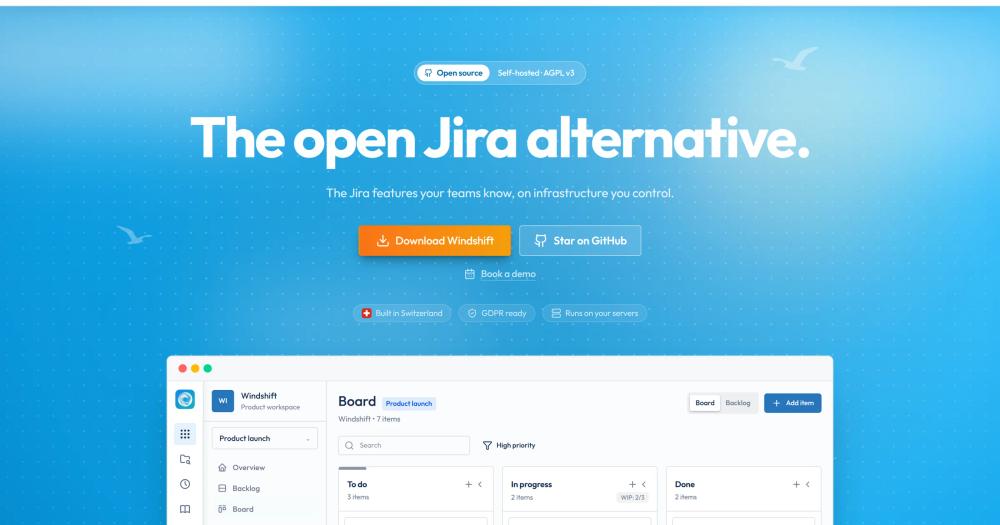
Windshift models work items, custom fields, configurable workflow statuses and backlogs. The project documents an importer for both Jira Cloud and Jira Data Center that covers projects, issues, comments, attachments, worklogs, boards and sprints. It is a newer tool, and I ranked it first because Windshift keeps the Jira-facing vocabulary with only two documented renames (boards become collections, sprints become iterations), ships one importer that covers both Jira Cloud and Data Center with an enumerated object list, and runs as a single binary with embedded SQLite or PostgreSQL.
Read moreShow lessKey Features · Pros · Cons · License & Hosting · Best For
Key Features
- Hierarchical work items with parent/child relations, custom fields and configurable workflow statuses
- Boards (collections), backlogs and iterations; Jira sprints map to iterations in the import
- Jira importer covers Jira Cloud and Data Center projects, issues, comments, attachments, worklogs, boards, sprints, custom fields and Assets
- OpenID Connect login in the free self-hosted server
- Single Go binary with embedded SQLite by default or PostgreSQL; attachments require persistent storage outside the binary
Pros
- One documented importer covers both Jira Cloud and Data Center, so the migration path is the same regardless of which deployment the team currently runs.
- Work items, custom fields, workflow statuses and backlogs carry familiar names into the import; existing process docs that reference those terms need fewer rewrites than a full vocabulary change would require.
- With embedded SQLite, the deployment can use one application process and one persistent data location plus attachments to back up, with PostgreSQL as the alternative for an existing database; I'd weigh that against the multi-service Compose stacks that OpenProject, Taiga and Huly require.
Cons
- Pre-1.0 (v0.8.7 at this writing); the API and feature set may shift between releases before the project declares stability
- Burndown and velocity reports are not documented; teams that rely on Jira's Scrum chart reporting should check whether the project adds them before committing to a migration
- The pricing page describes the Pro tier in the future tense; SAML, SCIM, audit logs, commercial licensing and Pro support are listed as capabilities to be added when Pro becomes available, and none is currently established as shipped
License & Hosting
- License: AGPL-3.0 covers the entire codebase.
- Where it runs / install: Self-hosting uses the official server binary or a Docker or Podman image; embedded SQLite is the default database with PostgreSQL as an alternative. Attachments need persistent storage outside the binary, and a production setup requires HTTPS and a backup schedule.
- Paid boundary: The Pro tier is future-tense at this writing; SAML, SCIM and audit controls remain unavailable.
Best For
I'd start here for most teams moving off Jira Cloud or Data Center where familiar concepts matter and someone is available to manage the server. I would not choose Windshift if the team needs sprint burndown or velocity reporting, or if pre-1.0 project maturity makes building workflows on it uncomfortable.

Rank 2
OpenProject
Best for Full project planning suite with work packages, Gantt charts, roadmaps and Scrum backlogs in the Community edition
- 16.6K stars
- GPL-3.0
- Active this week
- Last commit 2 days ago
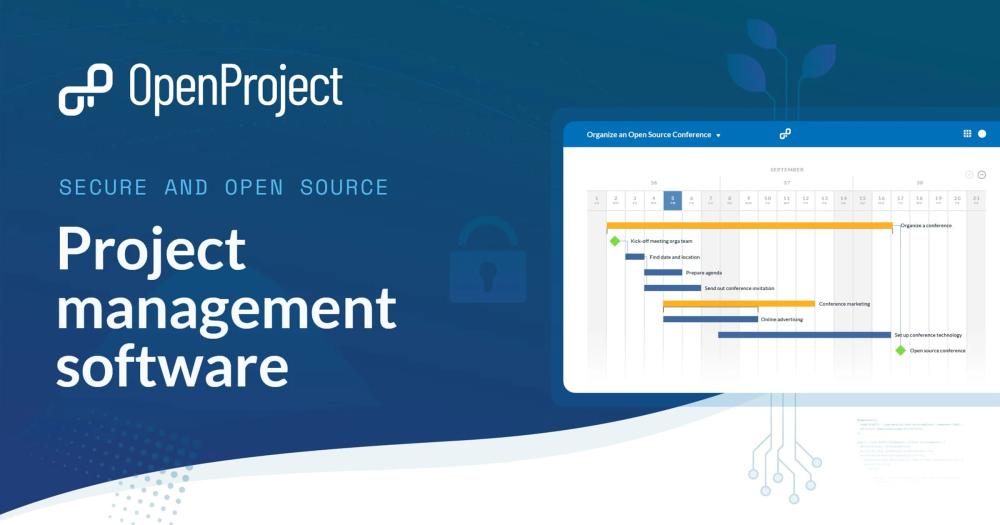
OpenProject covers work packages with parent/child hierarchy, Gantt charts, roadmaps, Scrum backlogs, sprint planning and sprint burndown in the Community edition, all without a paid upgrade. Teams that found Jira's issue model too narrow for project-level planning get all of that in the Community edition.
Read moreShow lessKey Features · Pros · Cons · License & Hosting · Best For
Key Features
- Work packages with configurable types, statuses and allowed transitions; standard custom fields in Community
- Gantt chart with task dependencies and predecessors
- Scrum backlogs and sprint planning with sprint burndown in Community; multiple active sprints and sprint sharing are Enterprise
- Basic boards are in Community; action boards, including status/Kanban boards, require an Enterprise add-on and are available starting with the paid Basic plan.
- Work-package lists export to PDF, XLS and CSV
- Docker Compose, DEB/RPM packages, a single container and Helm all documented as install paths
Pros
- Gantt charts, roadmaps and sprint burndown are all in Community; the team does not need a paid license to start planning at the project level.
- Standard custom fields are available in Community; the hierarchy and weighted item list custom-field types require Enterprise.
- Work-package lists export to PDF, XLS and CSV; a team can pull work-package data at any point without depending solely on the beta importer.
Cons
- OpenID Connect is an Enterprise feature, not Community; self-hosted teams that need OIDC must license the paid tier
- The Jira import is a test-only beta for Jira Data Center 10.x and 11.x only; Jira Cloud is unsupported, and relations, sprint assignments, workflows and permission schemes are incomplete or out of scope for the current beta
- Multiple active sprints per project and sprint sharing across projects are Enterprise; Community supports one active sprint per project
License & Hosting
- License: GPL-3.0 covers the Community edition.
- Where it runs / install: Self-hosted installs follow Docker Compose for smaller deployments or Helm for Kubernetes; DEB/RPM packages and a single container are also documented.
- Paid boundary: OpenProject sells hosted Cloud plans and self-managed Enterprise plans. The Community edition carries no commercial dependencies and is free to run.
Best For
I'd pick OpenProject when the team has outgrown Jira's issue model and needs Gantt charts, cost tracking or project roadmaps alongside a tracker. I would not choose OpenProject if the team's entire workflow is sprints and boards with no need for Gantt or roadmaps, or if Cloud SSO is required from the open-source tier.

Rank 3
Plane
Best for Modern Linear-style tracker with cycles, modules and burndown in the AGPL-3.0 Community edition
- 61.3K stars
- AGPL-3.0
- Active this week
- Last commit 2 days ago
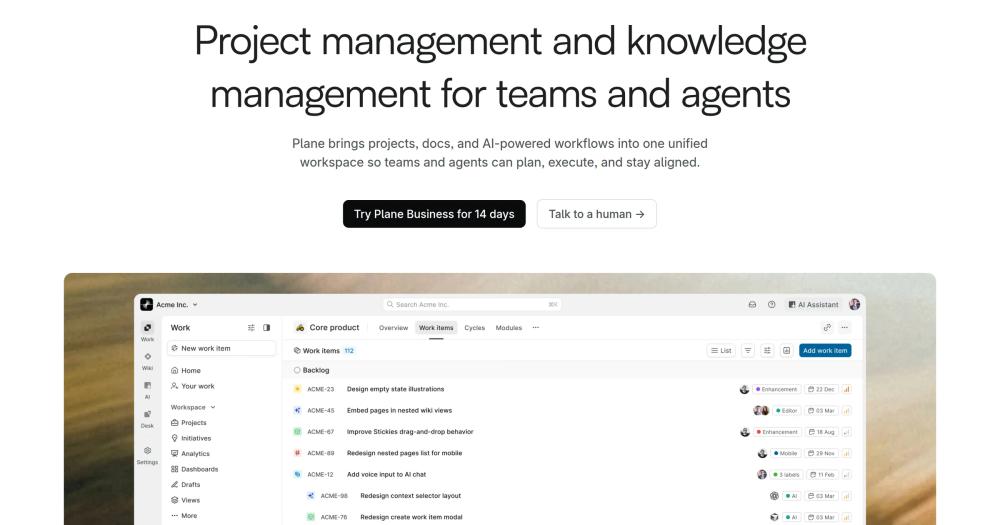
Plane Community edition includes work items with sub-items, cycles (sprint-like timeboxes with burndown charts), modules for grouping related work, saved views and pages, all on an AGPL-3.0 codebase. Teams coming from Linear who want a self-hosted option are a natural fit, and so are Jira teams that want cycle-based work tracking without Jira's configuration layers.
Read moreShow lessKey Features · Pros · Cons · License & Hosting · Best For
Key Features
- Work items with sub-work-items, cycles with burndown, modules and saved views
- Kanban, list and other board layouts in core Community projects
- Configurable states on core projects; advanced single and multiple workflows are paid
- Pages for lightweight documentation alongside project work
- Docker Compose install with database, Redis and storage services; editions page documents the Community/Commercial split
- Plane Cloud available as a vendor-hosted option if self-hosting is not yet feasible
Pros
- Cycle burndown charts are in Community; a team tracking sprint-like work can see progress against a timebox without purchasing a paid plan.
- The Community edition runs on AGPL-3.0 with no commercial dependencies; switching to the Commercial or Airgapped edition requires a separate setup, so the Community install is self-contained.
- Configurable states on core projects let teams map their Jira status names into Plane without a paid upgrade; the Pro paywall starts at custom work-item types and properties, not at state configuration.
Cons
- Custom properties and work-item types are paid (Pro); OIDC SSO is also paid (Pro and Business), not in Community
- Plane advertises native importers on every edition and a Jira Cloud importer for Plane Cloud and self-hosted Plane; the Community Edition importer rests on the vendor's advertisement alone, so I would not rely on it without testing it first
- Advanced exports and approvals are paid; no portable Community work-item export is documented
License & Hosting
- License: AGPL-3.0 covers the Community edition with no commercial dependencies.
- Where it runs / install: Self-hosted deploys through Docker Compose with configurable database, Redis and storage; production deployments are recommended to use external database and storage. Switching to the Commercial or Airgapped edition requires a separate setup path.
- Paid boundary: Plane Cloud is the vendor-hosted option.
Best For
I'd choose Plane Community when cycle burndown matters more than custom properties; it delivers without a paid upgrade. I would not choose Plane Community if the team depends on Jira import working out of the box, since the importer has only the vendor's word behind it, or if OIDC SSO is required for the self-hosted install; OIDC SSO is paid.

Rank 4
Taiga
Best for Focused Scrum and Kanban tracker with native sprints, burndown, epics and configurable issue types in the open-source edition
- 385 stars
- AGPL-3.0
- Active this month
- Last commit 11 days ago
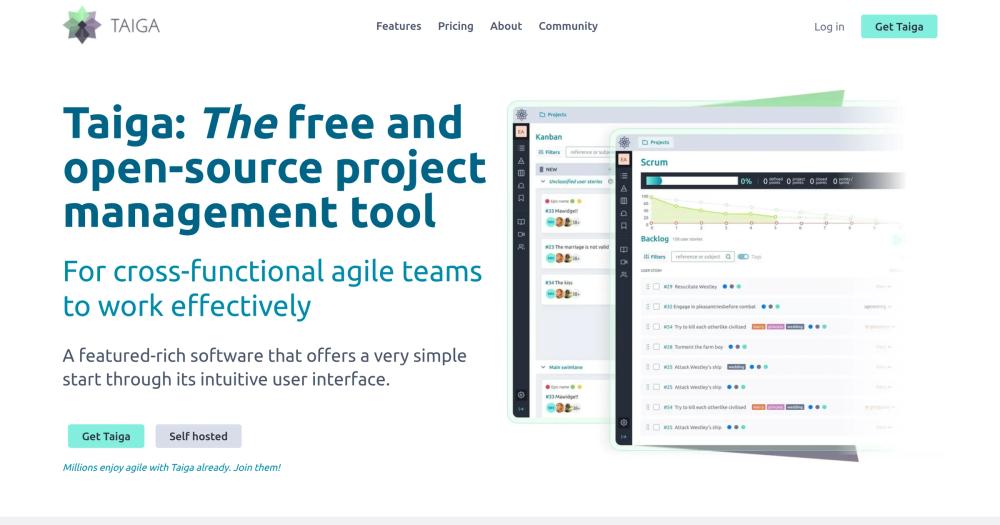
Taiga ships native backlog management, sprint planning, sprint and project burndown, epics with user stories and tasks, configurable issue types with priorities and severities, and Kanban with swimlanes and WIP limits, all without a paid software feature tier. Running it means a Docker Compose stack with multiple services, and the Jira importer only covers old Jira versions.
Read moreShow lessKey Features · Pros · Cons · License & Hosting · Best For
Key Features
- Epics, user stories, tasks, issues and subtasks with custom fields
- Scrum backlog and sprint planning with sprint and project burndown
- Kanban with swimlanes and WIP limits
- Configurable issue types, priorities, severities and statuses
- Project export and import as JSON; report export as CSV
- OIDC through a public plugin repository in the official Taiga organization, not as a built-in toggle
Pros
- All Scrum features, including burndown, are in the open-source edition with no paid software feature tier; the team gets the full Scrum model without a paid gate.
- Taiga's hosted plans are deployment options, not a gated software tier; no separate paid feature edition is documented.
- Project export and import as JSON means the team can move data between Taiga instances or keep an archive without accessing the database directly.
Cons
- The Jira importer is a legacy path: tested through Jira 8.3.5, versions from 8.3.5 to 8.5.x may work, and 8.6 and later are not supported; current Jira Cloud support is not established
- The Docker Compose stack is substantial: PostgreSQL, RabbitMQ, backend, async workers, frontend and events services all run together
- OIDC requires an external plugin rather than a core configuration toggle
License & Hosting
- License: AGPL-3.0 covers the frontend, with the backend and Docker deployment repo under MPL-2.0.
- Where it runs / install: Self-hosted production installs use the stable branch of taiga-docker with PostgreSQL and RabbitMQ; the setup script creates the superuser after the stack comes up.
- Paid boundary: Taiga Cloud, dedicated and managed deployment options are sold for teams that prefer a hosted path. There is no separate paid software feature tier.
Best For
If Scrum is the full job, I'd use Taiga; backlog management, sprint planning and burndown are all present without any software feature paywall. I would not choose Taiga if the team is on current Jira Cloud and needs automated import, or if operating PostgreSQL and RabbitMQ alongside the tracker is more infrastructure than the team wants to manage.

Rank 5
Leantime
Best for Task and sprint tracker designed for non-project-managers, with OIDC and LDAP in the AGPL-3.0 core
- 11.9K stars
- AGPL-3.0
- Active this week
- Last commit 3 days ago
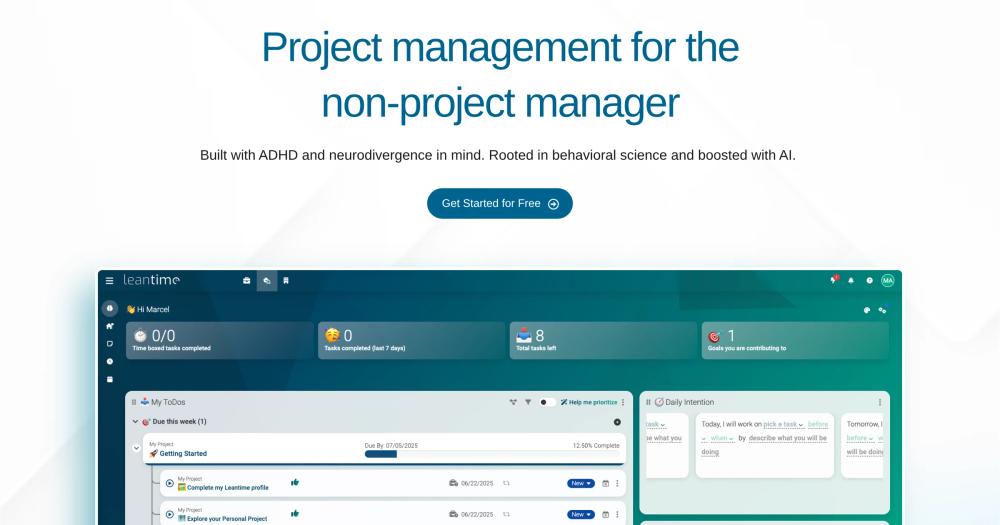
Leantime describes itself as a planning tool for non-project-managers, with ADHD and neurodivergence in mind, per its own site. Its AGPL-3.0 core includes tasks, subtasks, dependencies, milestones, Kanban boards, sprint management, time tracking and project permissions, with OIDC and LDAP authentication both configured in core without a paid plugin.
Read moreShow lessKey Features · Pros · Cons · License & Hosting · Best For
Key Features
- Tasks, subtasks, dependencies and milestones in core
- Kanban boards and sprint management listed as open-source features
- Time tracking and project permissions built in
- OIDC and LDAP authentication in core; SAML is a paid Advanced Auth plugin
- Docker Compose with MySQL 8.4 and persistent volumes; manual installs need PHP 8.2+ and MySQL 8.0+ or MariaDB 10.6+
- Hosted Pro and managed options available if self-hosting is not preferred
Pros
- OIDC and LDAP are configured in the AGPL core without a paid plugin; a team already running an identity provider can connect Leantime without purchasing the Advanced Auth plugin.
- Leantime's documented focus is non-project-managers, with ADHD and neurodivergence in mind; tasks, milestones and time tracking are the core features.
- Sprint management and Kanban boards are listed as open-source features; the paid plugin boundary starts at custom fields and SAML, so a team that does not depend on Jira's custom field model may not encounter a paywall in day-to-day use.
Cons
- Custom fields are sold as a paid marketplace plugin and are not included in the AGPL core; teams that depend on Jira's custom field model would require the paid plugin
- No Jira importer is documented; teams migrating from Jira would start from a CSV export of their Jira data
- Configurable workflow transition schemes are not covered in the core documentation
License & Hosting
- License: AGPL-3.0 covers the core; plugins under /app/Plugins may carry other licenses.
- Where it runs / install: Self-hosting uses a Docker Compose file with MySQL 8.4 and persistent volumes; manual installs need PHP 8.2+.
- Paid boundary: Custom Fields and Advanced Auth (SAML) are sold as separate marketplace plugins. Leantime Pro and managed plans are available through the vendor's pricing page.
Best For
I'd choose Leantime for non-developer teams and small groups where Jira's model creates more friction than value. I would not choose Leantime if the team needs custom fields in the open-source tier, a documented Jira import path, or sprint burndown reporting; none of those appear in the core documentation.

Rank 6
GitLab
Best for Issue tracker and boards built into the code forge, with a Free Jira importer and OIDC in the MIT-licensed core
- 24.5K stars
- MIT
- Active this week
- Last commit 2 days ago

GitLab Community Edition puts issue tracking, boards and milestones inside the same tool as the code repository. When the team's Jira work is mainly tracking what code changes need to happen and who is working on them, and the team also wants to consolidate code hosting, GitLab Free handles both without a separate tracker. Code, merge requests and issues share a single interface.
Read moreShow lessKey Features · Pros · Cons · License & Hosting · Best For
Key Features
- Issues with labels, milestones and nested work-item children (issue to task) in Free; epics and multi-level epic hierarchies require Premium or Ultimate
- Issue boards with Kanban layout in Free; some multi-board and group-board controls are paid
- Free Jira importer maps selected fields; other metadata becomes plain text; comments and assignees are not supported in the documented path
- OIDC via OmniAuth in Free; no paid plan required
- Project export and import via API in Free
- Docker Engine or Compose install with the gitlab-ce image and persistent configuration, logs and data
Pros
- Code, merge requests and issues in one place means a development team does not need a separate issue tracker alongside the code forge; the issue boards and Jira importer are in the same tool that holds the code.
- OIDC is free and the Jira importer is free; a team moving from Jira to GitLab CE does not need a paid plan for either.
- Free includes project export and import via API; a team that later migrates to a different GitLab instance has a documented path out.
Cons
- Iterations and iteration cadences are Premium/Ultimate only; Free has no native sprint planning
- Custom fields, native custom statuses and burndown/burnup charts are also Premium/Ultimate; the Free experience is boards and issue lists
- GitLab's documented single-node baseline is 8 vCPU and 16 GB RAM, with at least 8 GB RAM for memory-constrained single-node installs; resource requirements scale with load
License & Hosting
- License: MIT, the Expat license, covers the Community Edition core; the ee/ and jh/ directories carry separate terms.
- Where it runs / install: Self-hosted Docker Engine or Compose installs use the gitlab-ce image with persistent configuration, logs and data volumes. The current official product release is GitLab 19.3, released August 20, 2026; the GitHub repository is a mirror, not the authoritative release channel.
- Paid boundary: GitLab.com is a hosted commercial option, and GitLab Dedicated is a managed single-tenant offering.
Best For
I'd use GitLab Free when the team wants code and issues in the same place, with no separate tracker to operate alongside the code forge. I would not choose GitLab Free if the team's workflow depends on sprints, burndown charts or custom fields; those require a paid plan, and the gap in Free is significant if Jira's agile model is the point of comparison.

Rank 7
Huly
Best for Tracker with custom task types and process states bundled with team chat and documents in one EPL-2.0 platform
- 28K stars
- EPL-2.0
- Active this week
- Last commit 2 days ago

Huly packages issue tracking, team chat and documentation together in a single self-hosted platform. The tracker lets administrators define project types with custom task types that carry their own process states, so the status model adapts to the project rather than sharing a global list. Issues and sub-issues, Kanban and list views, milestones, estimates, priorities and labels are included alongside the custom task types.
Read moreShow lessKey Features · Pros · Cons · License & Hosting · Best For
Key Features
- Custom task types with configurable process states and statuses per project type
- Issues and sub-issues, Kanban and list views, milestones, estimates and priorities
- Team chat and documents in the same platform as the tracker; no separate messaging tool needed
- OIDC documented in the open-source self-host stack
- Docker Compose self-hosting with an official Helm chart for Kubernetes; minimum 2 vCPU and 8 GB RAM
Pros
- One self-hosted Compose stack covers tracker, chat and documents; no separate messaging tool is needed alongside the tracker.
- EPL-2.0 permits commercial use of a self-hosted instance without the network-use source obligation that AGPL carries.
- Custom task types carry their own process states, so a team that ran several differently shaped Jira projects can model each project type's workflow separately rather than managing a shared global status list.
Cons
- Self-hosting runs as a multi-service Docker Compose stack or via the official Helm chart, with a documented minimum of 2 vCPU and 8 GB RAM and 4 vCPU and 16 GB recommended
- The docs describe no native Scrum sprints or iterations; milestones exist, but sprint planning as a distinct workflow is not established
- Nothing in the documentation covers a Jira import path; a generic unified-format import tool exists without a documented Jira transformer
License & Hosting
- License: EPL-2.0 covers the platform. EPL-2.0 is a weak copyleft license; source obligations trigger on distribution, not on network use, so running a self-hosted instance does not carry the AGPL condition that fires when you run a modified version as a network service. The exact scope of obligations depends on the specific deployment.
- Where it runs / install: Self-hosting uses a multi-service Docker Compose stack; an official Helm chart is available for Kubernetes.
- Requirements: The minimum documented hardware for a self-hosted install is 2 vCPU and 8 GB RAM, with 4 vCPU and 16 GB recommended.
Best For
I'd pick Huly when the goal is one self-hosted platform covering tracker, chat and documents, and the team meets the hardware floor. I would not choose Huly if the team needs native sprints or a Jira import path; neither appears in the documentation. The hardware floor also makes it a poor fit for resource-constrained self-hosting.

Rank 8
Kaneo
Best for Minimal MIT-licensed tracker with backlog, workflow columns and time tracking, designed to exclude Jira complexity by intent
- 9.6K stars
- MIT
- Active this week
- Last commit 1 day ago
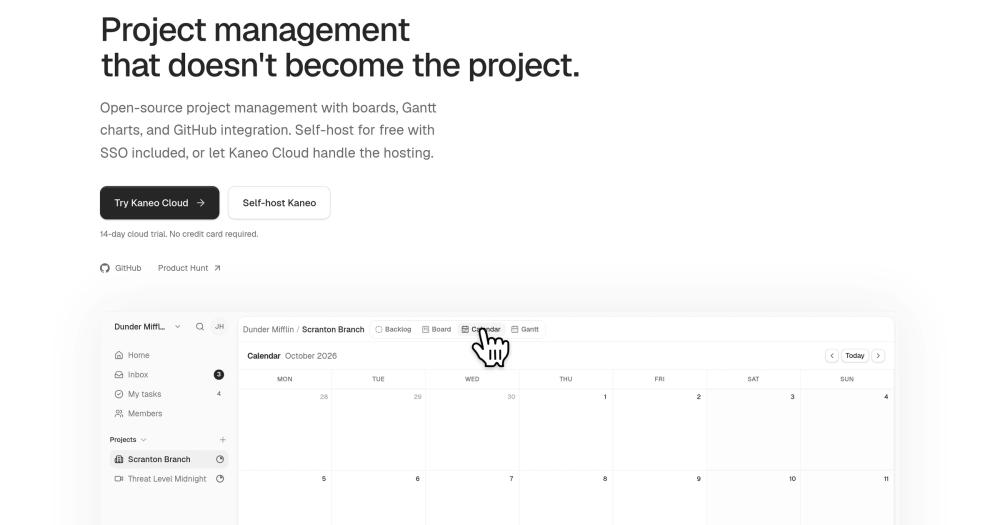
Kaneo excludes Jira's complexity by design. The vendor's Jira comparison page states directly that Jira-style issue-type hierarchies, permission scheme management and Marketplace app support are absent. What is present is a backlog, per-project configurable workflow columns, labels, priorities, subtasks, time tracking and workspace roles, deployed as a single Docker Compose stack with PostgreSQL; the vendor states that self-hosting includes every feature, with the paid boundary being the hosted cloud service only.
Read moreShow lessKey Features · Pros · Cons · License & Hosting · Best For
Key Features
- Boards and backlog with per-project configurable workflow columns and statuses
- Parent task to subtask relations, plus 'blocks' and 'related' relation types
- Labels, priorities, assignees, comments and time tracking
- OIDC in the open-source configuration
- Self-hosting includes all features; Kaneo Cloud is the paid boundary
- Docker Compose with Kaneo and PostgreSQL; Redis is optional
Pros
- Self-hosting includes every feature per the vendor's comparison page; the paid boundary is Kaneo Cloud only, so a team that installs Kaneo gets the same capabilities as a cloud subscriber without a plugin wall.
- Project-scoped task JSON export/import are documented.
- The Compose stack runs one Kaneo container plus PostgreSQL, with Redis optional; those are the only mandatory services, with no cache tier, queue or background worker required at minimum.
Cons
- Admin-defined custom fields, native sprint planning, burndown and velocity reporting are all absent from the documentation; the tool is intentionally scoped below Jira's feature depth
- Jira migration is a DIY scripted route: extract with Jira's CSV export or REST API, transform the data, then import via Kaneo's public API or project-scoped task JSON export/import; there is no migration wizard
- Jira-style scheme management, custom issue-type hierarchies and Marketplace app equivalents are explicitly outside the product's scope
License & Hosting
- License: MIT covers the project.
- Where it runs / install: Self-hosted Docker Compose uses a Kaneo container with PostgreSQL; Redis is configurable but optional. Database and auth secrets plus the public URL are required at setup. Every feature is included in the self-hosted configuration.
- Paid boundary: Kaneo Cloud is the hosted service option; the pricing page lists Kaneo Cloud from $4 a month.
Best For
I'd use Kaneo for teams that want a Kanban and backlog tracker without Jira-style permission and workflow scheme management. I would not choose Kaneo if the team needs native sprints, admin-defined custom fields, or an automated Jira import; the docs cover neither sprint planning nor custom fields, Jira-style scheme management is absent by design per the vendor's comparison page, and moving Jira data here requires hands-on scripting.

Rank 9
WeKan
Best for Pure Kanban board with custom fields, swimlanes, WIP limits, a direct Jira JSON importer and externally documented burndown utilities
- 21.1K stars
- MIT
- Active this week
- Last commit 2 days ago
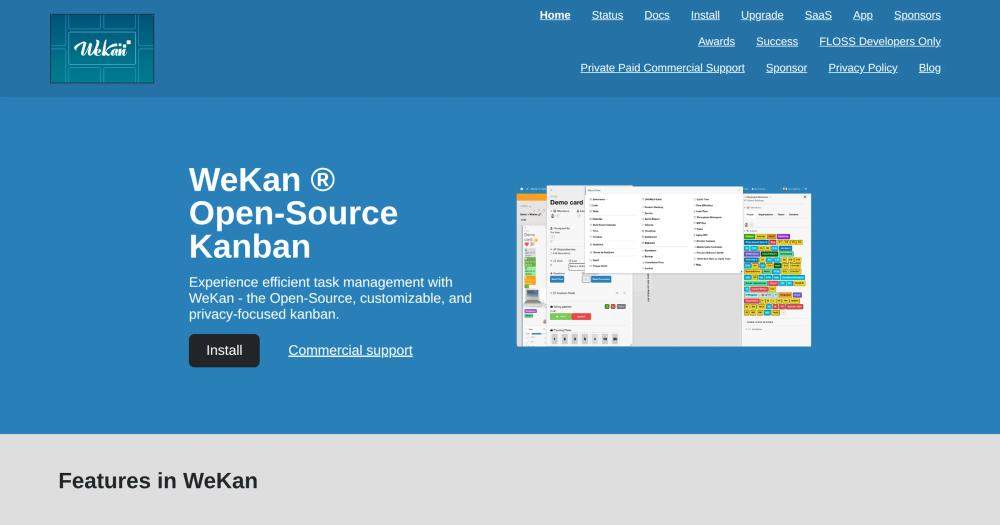
WeKan is a Kanban-first tracker. The feature index lists custom fields, subtasks, swimlanes, WIP limits and a visual trigger-and-action rule editor; the docs also link external burndown utilities including a Python project and a browser extension. A direct Jira importer accepts Jira issue-search JSON and maps statuses to lists and issues to cards with common-field mapping; it is not documented as lossless.
Read moreShow lessKey Features · Pros · Cons · License & Hosting · Best For
Key Features
- Cards with subtasks, custom fields, labels, comments and attachments
- Kanban boards with swimlanes and WIP limits
- Trigger-and-action rules with a visual editor for board automation
- The docs link external burndown utilities, including a Python project and a browser extension, for teams that want reporting layers on top of the Kanban board
- Direct Jira issue-search JSON importer: statuses become lists, issues become cards
- Docker Compose with FerretDB v1 backed by SQLite as default; a separate MongoDB 7 Compose file is provided
Pros
- The direct Jira importer accepts Jira issue-search JSON; statuses become lists and issues become cards, so a team can start a migration without a third-party conversion tool.
- The visual trigger-and-action rule editor encodes board automation on card events; a team can define workflow rules without scripting access to the server.
- Custom fields on cards let a team carry structured metadata beyond labels; priority, component or other field data can appear on WeKan cards without the per-project field configuration Jira requires.
Cons
- The docs cover no native sprint or iteration planning; the linked external utilities do not imply a Scrum workflow model
- A stable feature-by-edition boundary is not documented; WeKan SaaS is advertised at 50 euro per year with admin panel access
- The Docker Compose default uses FerretDB backed by SQLite, adding a compatibility layer; the README recommends at least 4 GB RAM and daily backups
License & Hosting
- License: MIT covers the project.
- Where it runs / install: Self-hosted Docker Compose defaults to a WeKan container with FerretDB v1 backed by SQLite; a separate MongoDB 7 Compose file is provided for teams that prefer native MongoDB. ROOT_URL and persistent database and upload paths are required; HTTPS is recommended for public production deployments.
- Paid boundary: An official WeKan SaaS is advertised at 50 euro per year with admin panel access.
Best For
I'd choose WeKan when the team used Jira mainly as a Kanban board and can export Jira issue-search JSON to start the migration. I would not choose WeKan if the team's primary need is sprint planning; the docs describe no sprint workflow, and the external burndown utilities are separate from any sprint planning model.

Rank 10
Gitea
Best for Self-hosted code forge with issues, labels, milestones and basic Kanban boards built into the MIT-licensed binary
- 58.7K stars
- MIT
- Active this week
- Last commit 2 days ago
Gitea is a repository-centered tracker. Issues live alongside code and pull requests in the Gitea server binary; Gitea Actions is built in, but executing CI jobs requires a separate Gitea Runner. The built-in tracker covers labels, milestones, multiple assignees, time tracking, issue dependencies and project boards with Basic Kanban and Bug Triage templates. Teams that use Jira mainly to record what pull requests need to happen, and want to host their own code repository, get both in a single binary.
Read moreShow lessKey Features · Pros · Cons · License & Hosting · Best For
Key Features
- Issues with templates and forms, labels, multiple assignees, time tracking and dependencies
- Milestones and project boards with Basic Kanban and Bug Triage templates
- OAuth2 and OpenID Connect providers in core; Gitea Enterprise adds SAML and audit compliance controls
- Docker container with embedded SQLite or external MySQL/PostgreSQL; binary install also available
- Official migration sources cover Gogs, a built-in GitHub migration form, a non-affiliated GitLab tool and AWS CodeCommit; no built-in Jira importer is provided
- Gitea Cloud is a managed single-tenant hosted option; comparison table shows feature gaps versus other forges
Pros
- The binary ships with embedded SQLite, so a working Gitea instance runs on a single process without a separate database service; persistent /data and mapped HTTP and SSH ports are the only external requirements for a basic install.
- OIDC is in the free core, not gated behind Gitea Enterprise; a team that already runs an OIDC provider connects it without a paid license.
- Gitea Enterprise adds security and compliance features including SAML, audit logs, branch-protection inheritance and mandatory two-factor authentication; OIDC, issue tracking, boards and time tracking remain in the MIT-licensed core.
Cons
- No built-in Jira importer; official migration sources explicitly omit Jira
- Parent/child issue hierarchy, queryable custom fields, configurable status transitions, sprints and burndown are not covered in the docs; issue forms render inputs into the issue body rather than storing them as structured data
- Gitea is a forge tracker, not a work-management platform; teams that used Jira for roadmaps, workflow schemes or project planning will find the model fundamentally narrower
License & Hosting
- License: MIT covers v1.27.3.
- Where it runs / install: Self-hosting runs as a pre-built binary or Docker container with embedded SQLite or external MySQL/PostgreSQL; persistent /data and mapped HTTP and SSH ports are required.
- Paid boundary: Gitea Enterprise is a separate paid offering with SAML and compliance features; OIDC remains in core. Gitea Cloud offers a managed single-tenant path for teams that prefer not to operate the instance.
Best For
I'd pick Gitea for developer teams that need a self-hosted code forge and want basic issue tracking inside their repository, not a standalone work tracker. I would not choose Gitea if the team needs Scrum sprints, custom fields, configurable workflow transitions, or a built-in Jira importer; Gitea is a forge with a tracker built in, not a Jira replacement.
Decision framework
How to choose
Use this section to narrow the Jira replacement by team size, hosting model, license, and migration difficulty.
The practical split in replacing Jira is whether to match the existing workflow model or just move the issue backlog.
Taiga is the closest match for teams whose work centers on sprints, backlog grooming and burndown; the full Scrum model is in the open-source edition without feature paywalls. Operating it requires PostgreSQL and RabbitMQ alongside the application, so factor that in before committing.
If the team needs Gantt charts, cost tracking or roadmaps alongside a tracker, OpenProject covers work packages, Gantt charts, roadmaps and sprint burndown in the Community edition. The trade-off is that OIDC SSO requires the paid Enterprise tier.
Development teams that want issue tracking next to pull requests can consolidate into GitLab Free without a separate tracker. The limit is clear: iterations, custom fields and burndown charts are paid, so teams that relied on Jira's Scrum reports will find the Free tier too shallow.
Gitea runs as a single binary with issues built into the forge. It is a code forge first; the docs do not describe Scrum sprint workflow or admin-defined custom fields.
Redmine is a long-established self-hosted tracker with a large plugin ecosystem and configurable workflows. It is not in this catalog but handles many Jira-style features. Teams with an existing Redmine setup may find it a reasonable destination before committing to a new migration.
YouTrack appears in many Jira-alternative comparisons but is not an open-source alternative; its server license is proprietary, and the free tier is a use entitlement, not an open-source license for the code.
When none of those cases fits the team, I would start with Windshift. Work items, custom fields, workflows and backlogs keep familiar names; the documented importer covers both Jira Cloud and Data Center from the same binary. Move one project first, validate the data, then extend from there.
Stay on Jira if the team depends on Jira Service Management, Marketplace apps with no open-source equivalent, or Atlassian's cloud compliance infrastructure.
No listed tool establishes JSM-level service-desk parity; the GitLab Free Service Desk discussed above is the nearest example. Marketplace integrations have no general migration path, and compliance attestations are not data an importer moves; a team that needs specific attestations should check each vendor's own documentation.
Complete directory list
All alternatives to Jira


Alternative to GitHub
Self-hosted Git server with CI, issues, and pull requests
- 58,654 GitHub stars
- Licence MIT
- #Git

Alternative to Linear
One open source workspace to replace Jira, Slack, and Notion
- 27,971 GitHub stars
- Licence EPL-2.0

Alternative to Trello
Open source project management: Kanban, Scrum, and lists
- 26,518 GitHub stars

Alternative toGitHub
Self-hosted Git server with CI/CD, security scans, and planning
- 24,536 GitHub stars
- Licence MIT

Alternative toTrello
Private self-hosted Kanban boards for Trello migration
- 21,131 GitHub stars
- Licence MIT

Alternative to Jira
Jira
Plan projects with Gantt, Scrum, and Kanban, all self-hostable
- 16,584 GitHub stars
- Licence GPL-3.0

Alternative to Asana
Asana
Focus-first project management designed for neurodivergent teams
- 11,889 GitHub stars
- Licence AGPL-3.0

Alternative toLinear
Self-hosted project management without the bloat
- 9,573 GitHub stars
- Licence MIT

Alternative toTrello
Local-first Kanban board that stores all data in a JSON file
- 2,068 GitHub stars
- Licence GPL-3.0

Alternative toJira
Agile project management for Scrum, Kanban, and hybrid teams
- 385 GitHub stars
- Licence AGPL-3.0

Alternative toJira
Self-hosted work management for teams leaving Jira
- 363 GitHub stars
- Licence AGPL-3.0

Alternative to Claude Code
Open source collaborative workspace for debugging issues
- 23 GitHub stars
- Licence MIT
Migration
Migration notes for leaving Jira
What transfers depends entirely on which tool you choose and which Jira export you can produce.
Windshift's importer, documented for Jira Cloud and Data Center, covers the broadest scope on this list: projects, issues, comments, attachments, worklogs, boards, sprints, custom fields and Assets. That is documentation-only; the docs do not cover what happens to linked issues, automation rules or permission configurations; I would check each of those on a test import before committing.
OpenProject 17.8 ships a test-only beta importer for Jira Data Center 10.x and 11.x; Jira Cloud is unsupported. Relations, sprint assignments, workflows, permissions and schema configurations are incomplete or later work. No supported built-in route is documented for other Jira versions or for Jira Cloud.
GitLab's Free Jira importer maps selected fields; comments and assignees do not transfer in the documented path. Other metadata becomes plain text in the issue body. It is a partial migration, not a full one.
WeKan's direct importer accepts Jira issue-search JSON: statuses map to lists and issues map to cards with common-field mapping. Sprint data, custom field types and permission rules are outside the mapping.
Taiga's official importer is tested through Jira 8.3.5; versions from 8.3.5 to 8.5.x may work, and 8.6 and later are not supported. Plane advertises importers on every edition and a Jira Cloud importer for Plane Cloud and self-hosted Plane; the Community Edition path has only Plane's own announcement behind it. Kaneo documents a scripted route (extract with Jira's CSV export or REST API, transform, then import through Kaneo's public API or project-scoped task JSON export/import), with no migration wizard.
Permission schemes, issue-type hierarchy configurations above basic parent/child, workflow transition automation, Marketplace app integrations and notification schemes have no documented migration path in any importer on this list.
The practical fallback for any target tool is Jira's CSV export of issue searches. The export includes all fields and comments, and attachment URLs are included, but the attachment files themselves are not bulk-downloaded. It gives a starting point for any tool without a native Jira path.
A staged approach makes the data risk manageable: start with one active project, validate that the fields the team depends on survived the move, and run both systems on new work while the team closes out remaining Jira issues. Do not decommission Jira until the replacement has carried a full sprint or work cycle. The timeline for that depends on the team's pace, not an arbitrary number of days.
FAQ
Jira alternatives FAQ
Is there a free open source alternative to Jira?
I'd start with Windshift for a Jira-shaped tracker with a documented Jira Cloud and Data Center importer, or OpenProject for teams that need Gantt charts and roadmaps alongside the tracker. Taiga covers Scrum sprints and burndown if that is the primary need. All ten tools on this list are free to run under open-source licenses; the real cost is the server and the person operating it. For teams that cannot self-host, OpenProject, Plane, Taiga, Leantime, GitLab, Kaneo, WeKan and Gitea document hosted or managed options.
Is Jira being phased out?
No. Jira Cloud continues under Atlassian's standard SaaS model. What is ending is Jira Data Center. Atlassian stopped selling Data Center to new customers on March 30, 2026. Existing customers can no longer add apps or expand subscriptions after March 30, 2028. All affected Data Center products, including Jira, reach end of life on March 28, 2029 and turn read-only at that point. Cloud is Atlassian's ongoing path; Data Center is the product that ends.
Is there any free version of Jira?
Yes. Jira's Free plan is $0 for up to 10 users and includes boards, backlog and reports along with 2 GB of storage and community support, per the Atlassian pricing page. Standard, Premium and Enterprise tiers add seats, storage, automation and compliance features at progressively higher costs. The Free plan is a limited entry point, not a full replacement for the paid tiers.
Can I import my Jira projects into an open source tool?
Windshift documents an importer for Jira Cloud and Data Center covering projects, issues, comments, attachments, worklogs, boards, sprints, custom fields and Assets. WeKan imports Jira issue-search JSON into lists and cards. GitLab Free maps selected fields without comments or assignees. OpenProject 17.8 ships a test-only beta for Jira Data Center 10.x and 11.x. Taiga's importer covers Jira through 8.3.5. Plane advertises importers on every edition and a Jira Cloud importer for Plane Cloud and self-hosted Plane; nothing beyond that announcement backs the Community Edition path. Kaneo documents a scripted CSV and API route. None is documented as lossless.
Which open source Jira alternative is closest to Scrum in Jira?
Taiga is my first choice for native Scrum; it ships backlog management, sprint planning, sprint burndown and project burndown in the open-source edition without any paid feature gates. OpenProject is the alternative if the team also needs Gantt charts and roadmaps alongside sprints, though multiple active sprints per project and sprint sharing are Enterprise there. I would not use GitLab Free for this job; iterations require a paid plan.
Is YouTrack an open source alternative to Jira?
No. YouTrack's server license is proprietary; the code is not released under an open-source license. JetBrains offers a free tier for small teams and a separate license for open-source projects, but those are use entitlements. They grant the right to run the software; the license does not grant the right to inspect, modify or redistribute YouTrack's source code.
By category
Open source tools in these categories


Product & Project Management
freeCodeCamp, agency-agents, Gstack199


Business & Productivity
OpenClaw, Excalidraw, RustDesk129

Communication & Collaboration
iptv, freeCodeCamp, Excalidraw478


Developer Tools
REA (Reverse Engineer Anything), superpowers, Skills for Real Engineers110


Cloud & Hosting
dify, RuView, rtk128


IT Management
RustDesk, Immich, Stirling PDFKeep reading