
TL;DR: The best open source coding agent for most developers is OpenCode: 75-plus providers, zero code storage, and no lock-in to a single model. When the terminal is not your primary workspace, Cline gives you per-action approval inside VS Code (JetBrains on its enterprise tier) against any OpenAI-compatible API. If you are already on a ChatGPT plan, Codex CLI reuses it with no second API key.
Most teams meet coding agents through a vendor's per-seat plan. The 10 below run on your own API key, a subscription you already pay for, or a server you control, and that is the reason I keep coming back to them.
10 open source coding agents compared
The 2 axes that cut this list fastest are approval model and surface. Do you want to sign off on every file edit, or hand off the task and review the result? Does the agent run in your terminal, your IDE, or as a full editor replacement?
| Tool | Surface | Approval model | License | GitHub stars |
|---|---|---|---|---|
| OpenCode | Terminal, desktop app, IDE extension | Build agent (full access) or Plan agent (read-only, asks before bash) | MIT | 212.1k |
| Cline | VS Code, JetBrains, CLI, desktop app | Plan and Act: every file edit and terminal command requires approval, or auto-approve | Apache 2.0 | 70.0k |
| OpenHands | Docker sandbox, web GUI, CLI | Sandboxed runs in Docker | MIT | 90.1k |
| Aider | Terminal | Auto-commits every change. User reviews diffs via git | Apache 2.0 | 49.4k |
| Goose | Desktop app, CLI, embeddable API | Tool permission controls, sandbox mode, and an adversary reviewer | Apache 2.0 | 55.0k |
| Codex CLI | Terminal | OS-enforced sandbox with configurable approval policy | Apache 2.0 | 128.1k |
| Kilo Code | VS Code, JetBrains, CLI | Per-action prompts or fully autonomous with | MIT | 27.5k |
| Zed | Full editor (macOS, Linux, Windows) | Parallel agents. User reviews diffs via git worktree | GPL-3.0 (core) | 91.4k |
| Tabby | Self-hosted inference server, IDE extensions | Completions and Answer Engine | Apache 2.0 (core) | 33.9k |
| fx | Terminal binary | Interactive shell, one-shot, or embedded via libfx | Apache 2.0 | 3.3k |
Cost to start:
| Tool | API key only | Existing subscription | Flat monthly option |
|---|---|---|---|
| OpenCode | Yes (pay provider rates, Zen adds $1.23 per $20 top-up for processing) | GitHub Copilot, ChatGPT Plus/Pro via sign-in | OpenCode Go (low-cost subscription) |
| Cline | Yes (pay inference only, no seat fee) | GitHub Copilot via provider key | ClinePass at $9.99/mo |
| OpenHands | Yes (self-hosted MIT core) | Varies by provider you connect | OpenHands Cloud (managed service) |
| Aider | Yes | GitHub Copilot via provider key | None |
| Goose | Yes | Claude, ChatGPT, or Gemini via ACP | None |
| Codex CLI | Yes (API rates) | ChatGPT Go ($8/mo), Plus ($20/mo), Pro (from $100/mo), Business, Edu, Enterprise | ChatGPT Go at $8/mo |
| Kilo Code | Yes (provider rates, zero markup) | Varies by provider you connect | Kilo Pass Starter $19/mo, Pro $49/mo, Expert $199/mo |
| Zed | Yes (own API keys, free plan) | Claude Agent and Codex CLI as external agents, GitHub Copilot with your own key | Zed Pro at $10/mo |
| Tabby | Self-hosted. Pay your own GPU or cloud compute | Varies by model you connect | Open source, self-hosted |
| fx | Vercel AI Gateway, ChatGPT or Grok subscription, or Ollama/OpenRouter | ChatGPT or Grok subscription | None |
How to choose an open source coding agent
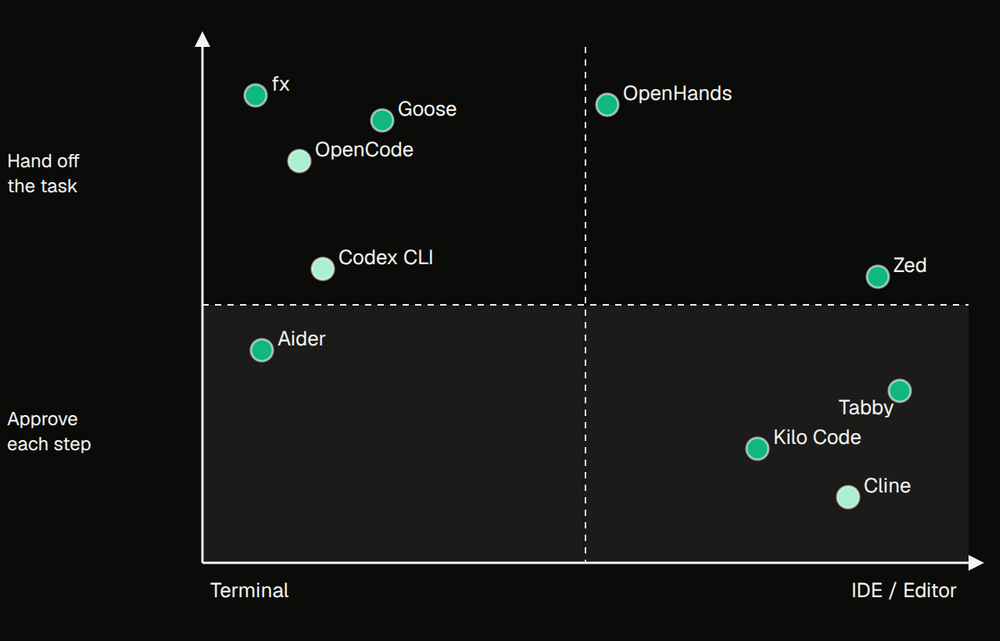
3 things sort the list. The first is surface: a terminal agent puts the whole workflow in a shell session, an IDE extension wraps the editor you already have open, and a full editor replacement asks you to move your daily work to a new application. Surface is not a quality difference, it is a fit question, and the wrong one adds friction to every task.
The second is control level. Approving each file edit and terminal command as it happens keeps you in the loop and catches a wrong turn before it compounds. Handing off a whole task and reviewing the result is faster when the task is well-defined and the stakes of a wrong edit are low. Cline, OpenCode, Codex CLI, and Kilo Code each let you dial this, and each tool's default shapes what working with it actually feels like.
The third is deployment fit. Your own API key means you pay only for what you use. A flat subscription smooths the bill when you are running the agent heavily. A self-hosted inference server like Tabby is one option when the code cannot leave your network, though Goose with Ollama also runs fully offline, and Cline runs local models through Ollama or LM Studio.
The matrix above maps all 10 tools on the 2 axes that decide the choice most.
10 best open source coding agents in 2026
The list runs from the widest fit to the more specialised tools. Start at the top and move down until the trade-offs stop matching your situation.
1. OpenCode: Terminal-first agent with 75-plus providers and zero code storage
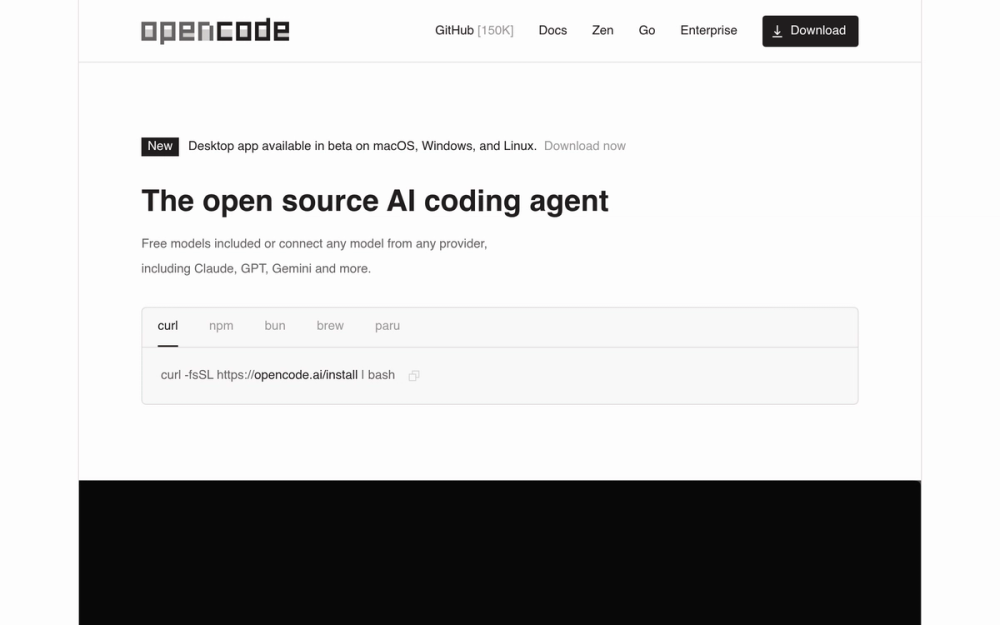
OpenCode connects to 75-plus LLM providers without storing any of your code or context data. It runs as a terminal interface, a desktop app, or an IDE extension, so the surface is wherever you work.
You are not locked to one model or one vendor. If a model performs badly on your codebase you can connect a different provider with the /connect command, and that flexibility, combined with zero code storage, makes it the right pick when company policy rules out code going to a vendor's servers, or when you don't want your workflow dependent on one provider's roadmap.
Key Features
- 75-plus LLM providers supported via the AI SDK and Models.dev, including local models, with credentials stored locally in
~/.local/share/opencode/auth.json - 2 built-in agents switchable with the Tab key: build (full-access, default for development) and plan (read-only, denies file edits by default, asks permission before running bash commands)
- Multi-session support lets multiple agents run in parallel on the same project
- GitHub Copilot sign-in uses an existing Copilot account, and ChatGPT Plus or Pro sign-in uses an existing OpenAI account
- LSP integration loads the right language server for the model automatically
- Available as a terminal interface, desktop app (macOS, Windows, Linux), and IDE extension
Pros
- Zero code or context storage means it can operate in privacy-sensitive environments
- Provider flexibility means a model underperforming on your stack is a one-command fix, not a plan change
- The plan agent's read-only default gives you a safe browse-before-build mode with no separate configuration
- MIT licence permits commercial use, modification and self-hosting with only copyright notice preservation required
Cons
- The desktop app is still in beta
- OpenCode Zen's pass-through pricing adds a $1.23 card processing fee per $20 top-up
License & Hosting
- License: MIT. Modify, self-host, and use commercially with only copyright notice preservation required.
- Where it runs: Inference goes to whichever provider you configure, or to a local model.
- Setup: Install via
curl -fsSL https://opencode.ai/install | bash, npm, bun, pnpm, yarn, Homebrew, Arch pacman/AUR, Chocolatey, Scoop, Mise, or Docker. - Costs: Inference runs on a provider API key, an existing Copilot or ChatGPT Plus or Pro sign-in, or a local model. OpenCode Zen charges provider pass-through rates plus a $1.23 processing fee per $20 top-up. OpenCode Go is a low-cost subscription for popular open coding models.
Best For
I'd pick OpenCode when provider flexibility matters, when your company rules out storing code on a vendor's server, or when you want local models on the same interface as cloud providers. For per-file diff review before every edit lands, Cline's Plan and Act mode with VS Code's diff panel covers that use case.
Proof
212.1k stars on GitHub · MIT License
2. Cline: IDE agent with step-by-step approval across every action
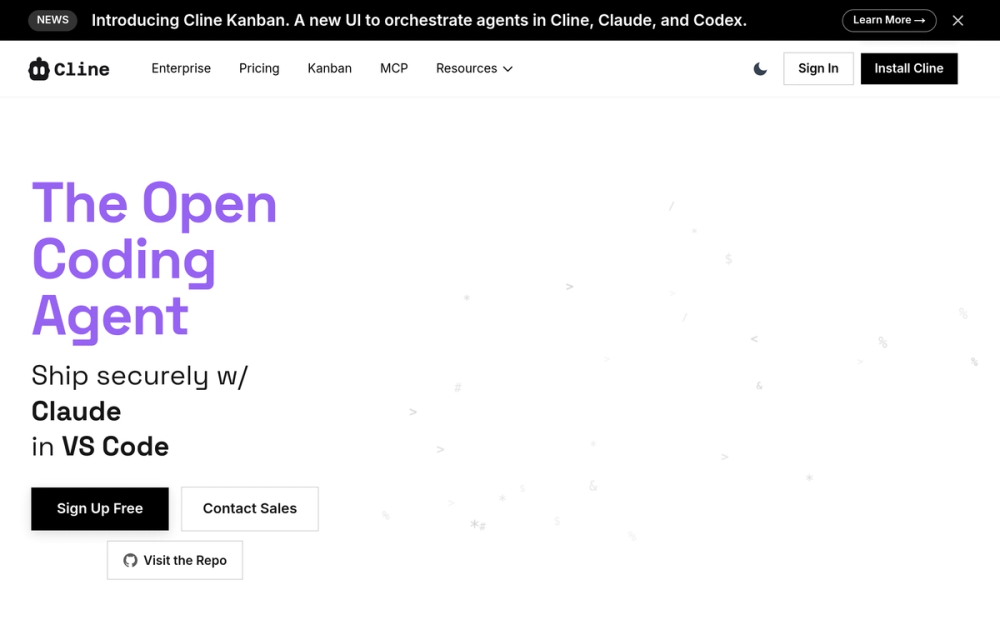
Every file edit and terminal command in Cline requires your explicit approval before it runs, whereas OpenCode's default build agent has full access. Plan mode maps the codebase and asks clarifying questions first. Then Act mode executes, and the diff panel in VS Code and JetBrains shows exactly what will change before you confirm.
On a shared codebase, one wrong automated edit can compound across files before you notice. Cline stops that at each step. Toggle auto-approve if you want it to run unattended instead: the level of oversight is your choice, not a fixed setting.
Key Features
- Plan mode explores the codebase and asks clarifying questions before Act mode executes. Every file edit and terminal command requires approval, or auto-approve for autonomous operation
- Works across VS Code, Cursor, Windsurf, JetBrains (IntelliJ, PyCharm, WebStorm), Antigravity, Zed, and Neovim via ACP mode
- Supports providers including Anthropic, OpenAI, Google, OpenRouter (200-plus models), AWS Bedrock, Azure/GCP Vertex, Cerebras/Groq, Ollama/LM Studio, and any OpenAI-compatible API
- Kanban board runs multiple agents in parallel with per-card git worktrees, auto-commit, and dependency chains, compatible with Claude Code and Codex
- Headless CLI operation via
npm i -g clinesupports piped input, JSON output, and CI/CD integration - Multi-agent coordination: a coordinator agent breaks work into subtasks and delegates to specialist agents, with team state persisting across sessions
Pros
- Per-action approval means you can catch a wrong turn before it compounds across a multi-file task
- In VS Code and JetBrains every edit shows as a diff you can review, modify, or revert, with all changes tracked via checkpoints so you can easily undo the agent's work
.clinerulesfiles let you encode project-specific coding standards and deployment procedures that Cline picks up automatically across the CLI, VS Code, and JetBrains- MCP support connects external APIs and services through local STDIO or remote HTTP/SSE servers
- ClinePass at $9.99/month gives a predictable bill for heavy use instead of API meter anxiety
Cons
- The desktop app (v0.0.44) ships frequent new builds and is described as beta, so rough edges are expected
- JetBrains extension, SSO, RBAC, and centralised billing sit behind the enterprise tier, which is priced by custom quote, so a team with policy requirements will need to contact sales before comparing total cost
License & Hosting
- License: Apache 2.0, copyright 2026 Cline Bot Inc. Permits commercial use, modification, distribution, patent use, and private use, with copyright and licence notice preservation required.
- Where it runs: Inference goes to whichever model provider you configure.
- Setup: VS Code extension installs from the marketplace. CLI installs via
npm i -g cline(Node.js 22+ required). JetBrains plugin available in the enterprise tier. Desktop app downloads from GitHub. - Costs: Free for individual developers with BYOK API keys. ClinePass subscription at $9.99/month for 2 to 5x usage on popular open coding models versus the standard API rate.
Best For
Pick Cline when you want to review every file edit in a diff panel before it lands, or when the project is a shared repo where an unapproved automated edit is not acceptable. For parallel multi-agent work, the Kanban board with git worktrees is the right shape. Working entirely in the terminal with no IDE open? OpenCode is the better fit: it's built around a terminal interface and connects to 75-plus LLM providers plus local models.
Proof
70.0k stars on GitHub · Apache 2.0 License
3. OpenHands: Autonomous software-engineering platform in a Docker sandbox
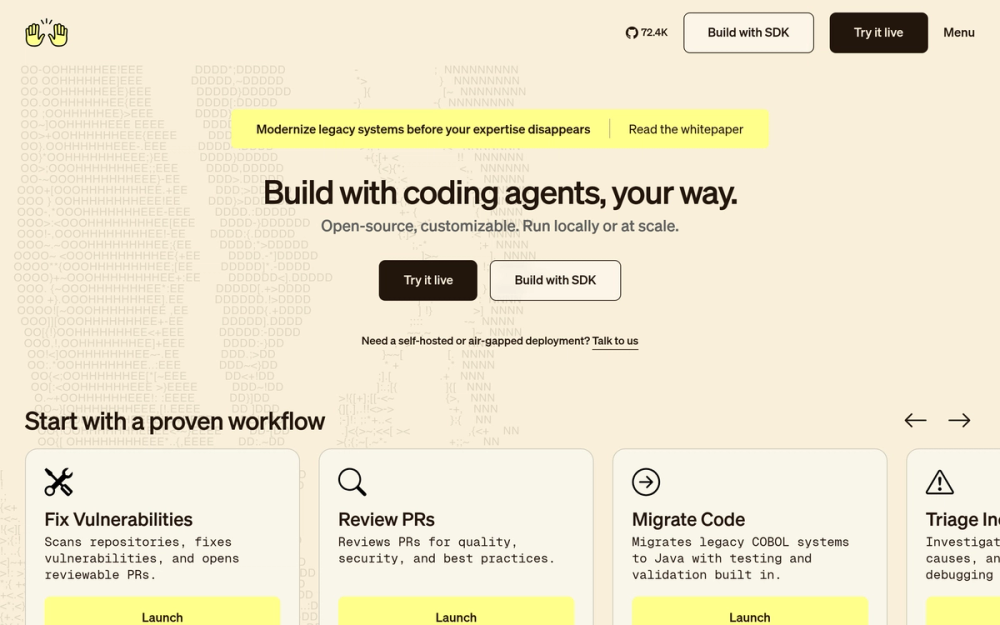
Running the agent inside a Docker container is what puts OpenHands in a different category from the other tools on this list. The sandbox provides isolation and reproducibility, which reduces risk when the agent runs commands, so it can take on whole software-engineering tasks such as vulnerability remediation, automated QA, and COBOL modernisation.
If you are handing off a complete task, not a single edit, and you want it isolated from your local environment, OpenHands is the right shape.
Key Features
- Docker sandbox is the default and recommended option for local use, providing isolation and reproducibility
- Agent Canvas can run OpenHands, Claude Code, Codex, Gemini, or any ACP-compatible agent across local, remote, and cloud backends from one control surface
- Model-agnostic: works with closed models and open-weight models including Kimi, DeepSeek, and Qwen, locally, in the cloud, or inside a VPC
- Documented use cases include vulnerability remediation, automated code review, automated QA testing, incident triage, COBOL modernisation, and dependency upgrades
- Automations and workflows integrate with Slack, GitHub, and Linear, running on a schedule or in response to webhook events
- Web-based GUI, terminal UI, CLI, and git integrations in the open source local plan
Pros
- Docker sandbox isolation reduces risk when the agent runs commands, which matters for tasks that run build tools, test suites, or network commands
- 571 contributors and an MIT licence give the project a broad maintenance base with permissive commercial use
- The Software Agent SDK is a composable Python library for teams that want to build on top of the platform rather than just use it
- MCP support connects internal tools, APIs, and data sources so agents act across the full engineering workflow
Cons
- The Individual SaaS plan caps daily conversations at 10 and is limited to 1 user. Teams that need more need the Enterprise tier, which is priced by custom quote
- OpenHands is designed for autonomous multi-step tasks, not per-action review. If your workflow requires approving every file edit, Cline is the better fit
License & Hosting
- License: MIT, copyright 2025 OpenHands contributors. Permits commercial use, modification, distribution, and private use, with only copyright and licence notice preservation required.
- Where it runs: Self-hosted via Docker (default and recommended), or via OpenHands Cloud (managed commercial service). The Agent Canvas also runs against local, remote, and cloud backends.
- Setup: Install Agent Canvas via
npm install -g @openhands/agent-canvas(Node.js 24+ and uv required), or run from source via git clone andnpm run dev. Docker must be running for the sandbox, Docker Desktop on macOS and Windows. - Costs: The MIT-licensed open source core carries no software fee. Model inference requires an API key or subscription for whichever provider you connect. OpenHands Cloud adds managed hosting, collaboration, access controls, usage reporting, and budget management.
Best For
Choose OpenHands when you want to hand off a whole task to an autonomous agent in an isolated environment, especially for tasks like dependency upgrades or automated QA that touch many files and run build commands. Skip OpenHands if Docker is not available in your environment: Goose runs on your machine as a native app or a CLI.
Proof
90.1k stars on GitHub · MIT License
4. Aider: Git-native pair programmer that commits every AI change
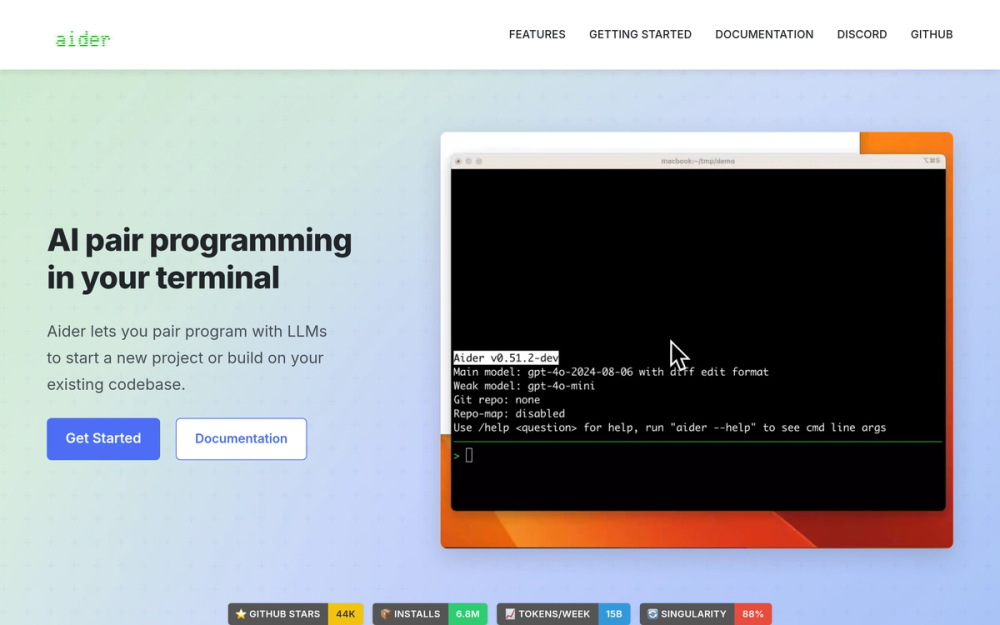
Aider automatically commits its changes with a sensible commit message, so you diff, manage and undo them with the git tools you already use. If your workflow is already diff-and-commit, Aider fits into it without a new mental model.
Aider builds a concise map of the whole git repository using a graph ranking algorithm, selecting the most relevant classes and functions within the active token budget. That map is what lets it work on larger codebases without losing track of how files relate.
Key Features
- Auto-commits every change with sensible commit messages. Familiar git tools handle diff, management, and undo of AI changes
- Repo map builds a ranked view of the whole codebase by analysing file dependencies with a graph ranking algorithm, fitting the most relevant parts into the token budget
- Works with 100-plus code languages including Python, JavaScript, Rust, Ruby, Go, C++, PHP, HTML, and CSS
- Connects to nearly any LLM including Claude 3.7 Sonnet, DeepSeek R1 and Chat V3, OpenAI o1, o3-mini, GPT-4o, GitHub Copilot, and local models via Ollama and LM Studio
- Automatic lint and test on every change, and Aider can fix problems detected by the linter or test suite
- Voice-to-code lets you request features, test cases, or bug fixes using your voice
Pros
- Its changes land as commits, so you undo a step with standard git tools
- The polyglot benchmark tests models on 225 Exercism exercises across C++, Go, Java, JavaScript, Python, and Rust, which shows how much model choice changes the output
- Apache 2.0 licence permits commercial use, with preservation of copyright and licence notices as its main condition
- Image and web page attachments provide visual context for the model without a separate workflow step
Cons
- Models weaker than GPT-3.5 may have problems working well with Aider
- The primary workflow lives in the terminal, though Aider can also be used from within an IDE or editor by adding comments to code
License & Hosting
- License: Apache 2.0. Permits commercial use, modification, distribution, patent use, and private use, with copyright and licence notice preservation required.
- Where it runs: Terminal tool. Runs on your machine against whichever model provider you configure.
- Setup: Install via
python -m pip install aider-installfollowed byaider-install. Python required. - Costs: Free and open source with no paid plan. Pay only for the model provider you choose.
Best For
Start here when your workflow is already diff-and-commit and you want every AI change to be a proper git event you can undo or review in your normal git tooling. The auto-commit trail is a distinguishing feature among the terminal agents on this list. Skip Aider if you need to review every edit in a diff panel before it lands: Cline's Plan and Act mode fits that requirement better.
Proof
49.4k stars on GitHub · Apache 2.0 License
5. Goose: General-purpose autonomous agent at the Linux Foundation
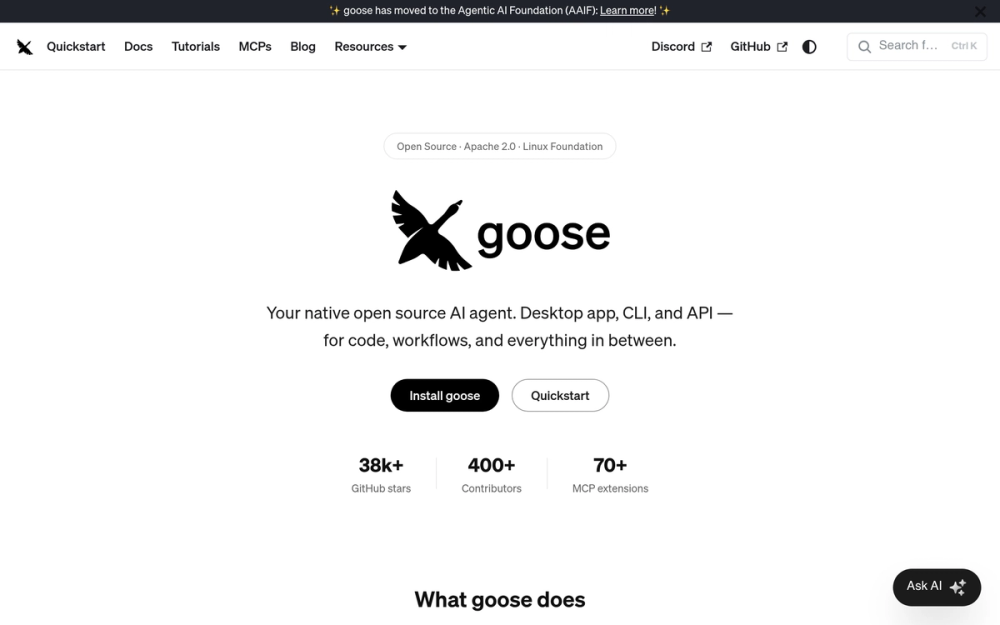
Block donated Goose to the Agentic AI Foundation at the Linux Foundation alongside Anthropic's Model Context Protocol and OpenAI's AGENTS.md, so no single company controls the project's roadmap. That matters if you are building team workflows around a tool you need to trust will still exist and be maintained in 3 years.
Goose runs on your machine as a native app, a CLI or an API, a different deployment shape from OpenHands' Docker sandbox.
Key Features
- Works with 15-plus providers including Anthropic, OpenAI, Google, Ollama, OpenRouter, Azure, and Bedrock, and accepts existing Claude, ChatGPT, or Gemini subscriptions via ACP
- 70-plus extensions connectable via the Model Context Protocol, including databases, APIs, browsers, GitHub, and Google Drive
- Recipes are portable YAML configs that capture workflows, can be shared with a team, run in CI, and include instructions, extensions, parameters, and subrecipes
- Security features: prompt injection detection, tool permission controls, sandbox mode, and an adversary reviewer watching for unsafe actions
- Spawns independent subagents to handle tasks in parallel, such as code review, research, and file processing
- Connects as an ACP server from Zed, JetBrains, or VS Code, and can use ACP agents like Claude Code and Codex as providers
Pros
- Linux Foundation governance means no single vendor can pull the rug: the project's direction is community-controlled
- Recipes let you capture a workflow once as a portable YAML config and run it in CI or share it with a team
- Apache 2.0 licence permits commercial use, modification, distribution, patent use and private use, with the main conditions being preservation of copyright and licence notices
- Built in Rust for performance and portability across macOS, Linux, and Windows
Cons
- Goose relies heavily on tool calling and currently works best with Claude 4 models. Local models without tool calling support can only do chat completion and require disabling all extensions
- No flat monthly plan of its own: you pay the model provider's rate, and not all providers offer a free tier
License & Hosting
- License: Apache 2.0. Permits commercial use, modification, distribution, patent use, and private use, with copyright and licence notice preservation required.
- Where it runs: Local-first. Native desktop app for macOS, Linux, and Windows. Full CLI. Embeddable API.
- Setup: Install the desktop app from the project page or install the CLI via the Goose install docs. GitHub repository is at github.com/aaif-goose/goose after the donation to the Agentic AI Foundation.
- Costs: Free and open source. Pay only for the model provider you connect. Existing Claude, ChatGPT, or Gemini subscriptions work via ACP.
Best For
Governance and long-term project stability are where Goose earns its place on this list. A team that needs an autonomous agent running directly on the machine, with YAML recipes it can share in CI, and no Docker dependency, fits here well. Docker-level isolation for every task is a different requirement: OpenHands is the right tool there.
Proof
55.0k stars on GitHub · Apache 2.0 License
6. Codex CLI: OpenAI terminal agent that reuses a ChatGPT subscription
Codex CLI lets you sign in with your existing ChatGPT account, and the agent is included in your Plus, Pro, Business, Edu, or Enterprise plan. ChatGPT Go covers lightweight use at $8 per month, Plus covers a few focused sessions a week at $20 per month, and Pro starts from $100 per month. No second API key, no second bill.
On macOS the sandbox uses Seatbelt policies via sandbox-exec. On Linux it uses bwrap plus seccomp. The sandbox limits write permissions to the active workspace and turns network access off by default, so the default posture is conservative even when you are running the agent autonomously.
Key Features
- Sign in with ChatGPT to use Codex as part of a Plus, Pro, Business, Edu, or Enterprise plan, or use an API key for usage-based access
- OS-enforced sandbox limits network access to off by default and write permissions to the active workspace, using Seatbelt (macOS) or bwrap and seccomp (Linux)
codex execsupports non-interactive commands in repeatable workflows and pipelines- VS Code, Cursor, Windsurf, and Visual Studio Code Insiders IDE extension. Xcode and JetBrains provide their own separate integrations
- MCP server support adds external tools to the active session
- Opt-in OpenTelemetry monitoring is off by default and helps teams audit usage for compliance requirements
Pros
- ChatGPT subscription reuse means developers already on a Plus or Pro plan get a terminal coding agent at no additional cost
- The conservative sandbox default reduces the blast radius of an autonomous run gone wrong
- Apache License, Version 2.0, open source, with the full OpenAI repository at github.com/openai/codex
- Subagent delegation sends focused work to specialised agents inside the main terminal session, keeping complex tasks organised
Cons
- When used with an API key, cloud-based features like GitHub code review and Slack integration are not available. Those require a ChatGPT workspace sign-in
- Model availability follows the API models available to your key, not the full ChatGPT model selection, when using the API key route
- Custom model providers can be defined in the Codex CLI configuration, but the default experience is designed around OpenAI's ecosystem
License & Hosting
- License: Apache License, Version 2.0. Permits commercial use, modification, distribution, patent use, and private use.
- Where it runs: Local-first terminal agent. Runs on your machine. The sandbox limits write permissions to the active workspace by default.
- Setup: Install via
npm install -g @openai/codex, Homebrew (brew install --cask codex), or a PowerShell installer on Windows. Sign in via a browser flow that returns credentials to Codex. - Costs: Included in ChatGPT Go ($8/mo), Plus ($20/mo), Pro (from $100/mo), Business, Edu, and Enterprise plans. API key access billed at standard API rates through an OpenAI Platform account.
Best For
I would pick Codex CLI if you are already on a ChatGPT Plus or Pro plan and want a terminal agent without a second API key. The conservative default sandbox makes it a reasonable choice for teams running agents on shared machines. Custom model providers are configurable in the Codex CLI config, though the default experience centres on OpenAI. OpenCode covers the multi-provider case if you need to swap providers freely.
Proof
128.1k stars on GitHub · Apache 2.0 License
7. Kilo Code: Multi-surface agent across VS Code and JetBrains and the CLI
A developer who moves between a JetBrains IDE and a terminal gets IDE-level agentic help in both from Kilo Code without installing 2 separate tools. It offers 500-plus models with mid-task switching at provider rates with zero markup, and Cline also covers VS Code, JetBrains, and a CLI, so the choice between them comes down to community size versus Kilo's zero-markup pricing and --auto flag for CI.
The kilo run --auto flag enables fully autonomous CI/CD operation, auto-approving permission prompts unless a rule explicitly denies the action.
Key Features
- Works in VS Code, JetBrains, and the CLI
- 500-plus models with mid-task switching at exact provider rates and zero markup
- Specialised agent modes: Code, Plan, Ask, and Debug, with support for building custom agents
kilo run --autoenables fully autonomous CI/CD operation, auto-approving permission prompts unless a rule explicitly denies the action- Kilo Marketplace installs agents, skills, MCP servers, and plugins that extend what the agent can do
- Cloud Agents let you start an agent from any browser with an isolated Linux container. Automatic commit and push can be enabled
Pros
- JetBrains coverage with the same tool you use in VS Code and the CLI saves the context switch between editor environments
- Zero markup on provider rates means the cost at Kilo is exactly what the provider charges, which is easy to audit and compare
- MIT licence permits unrestricted commercial use and modification
- Teams plan at $15 per user per month includes team management for organisations that want centralised billing
Cons
- 27.5k GitHub stars is the lowest count among the IDE agents in this list
- Cloud Agent containers are ephemeral and inactive sessions are deleted after 7 days during beta, though expired sessions are still accessible via the CLI
- Kilo Pass ($19, $49 or $199 per month) is a monthly credit bundle. With your own keys you pay the provider's rates instead.
License & Hosting
- License: MIT. Permits commercial use, modification, distribution, and private use, with only copyright and licence notice preservation required.
- Where it runs: VS Code extension, JetBrains plugin, and CLI run on your machine. Cloud Agents run in an isolated Linux container on Kilo's infrastructure. Remote Connections let you access local CLI sessions from the cloud interface.
- Setup: VS Code extension from the marketplace (VS Code 1.84.0 or later). JetBrains plugin. CLI via
npm install -g @kilocode/cli, curl, pnpm, bun, Homebrew, or Arch AUR. - Costs: Free with BYOK API keys at exact provider rates. Kilo Pass Starter $19/mo, Pro $49/mo, Expert $199/mo for credit bundles. Teams plan at $15 per user per month. Cloud Agent Standard compute billed at $1.20 per hour, measured per second.
Best For
Pick Kilo Code when you need IDE-level agentic help across both VS Code and JetBrains in the same workflow. The --auto flag makes CI integration a one-flag change. VS Code is your only IDE? Cline's larger community and higher star count make it the more established choice for that surface, and the migration cost of adding Kilo just for that is not worth it.
Proof
27.5k stars on GitHub · MIT License
8. Zed: AI-native editor with parallel agents and a built-in debugger
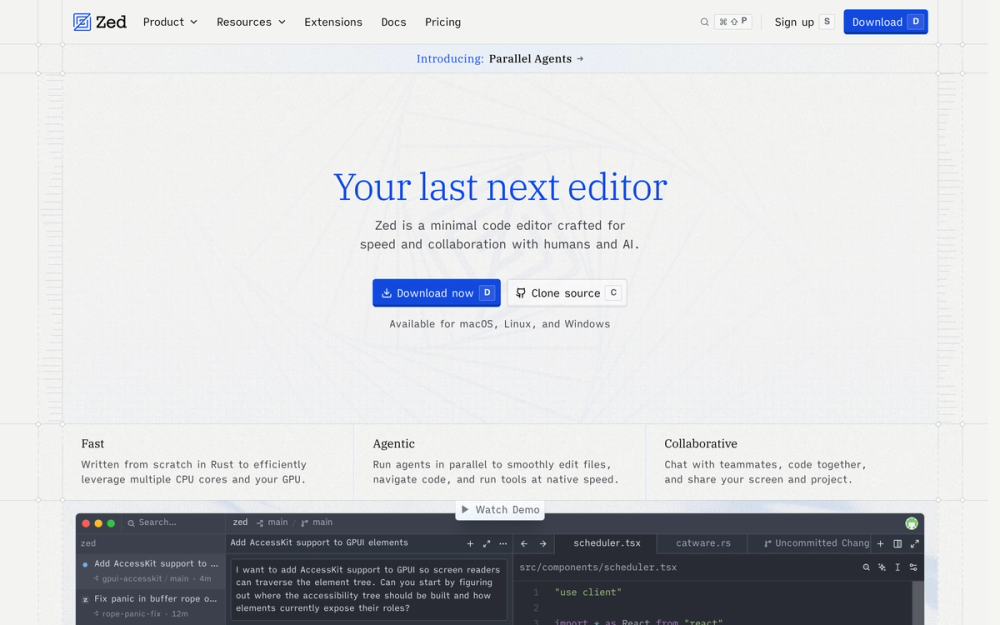
The only tool in this list that replaces your editor entirely rather than adding to it is Zed. Zed is written from scratch in Rust to make efficient use of multiple CPU cores and the GPU, and it runs agents in parallel to edit files, navigate code and run tools at native speed. If your goal is to switch editors and get agentic features at the same time, Zed is the one pick that does both.
The built-in debugger built on the Debug Adapter Protocol, the Edit Prediction powered by Zeta2 (an open-weight model), and the parallel agent threads are all native features of the editor, not plugins attached to an existing host. That integration depth is what separates Zed from every extension-based agent on this list.
Key Features
- Parallel Agents lets you run multiple agent threads and Terminal Threads at once from the Threads Sidebar, each with its own agent, context window, and conversation history
- Built-in debugger built on the Debug Adapter Protocol with native support for multiple programming languages
- Edit Prediction powered by Zeta2, an open-weight language model, with 2,000 accepted edit predictions on the free plan
- External Agents support via ACP lets you run Claude Code, Codex, or any ACP agent in a thread alongside Zed's built-in agent
- Supports provider API keys from Amazon Bedrock, Anthropic, GitHub Copilot, DeepSeek, Google AI, LM Studio, Mistral, Ollama, OpenAI, OpenRouter, Vercel, and more
- Git worktrees let you start a parallel agent in an isolated checkout so 2 threads editing the same files do not conflict
Pros
- The GPL-3.0 and Apache-2.0 components are open source with a large contributor community, and Zed Industries is a for-profit company, so the project has commercial backing behind the open source release
- Personal plan free at $0 forever (2,000 accepted edit predictions, unlimited use with your own API keys or external agents)
- Data governance controls, org-wide AI model policies, and role-based access controls are in the Business tier at $30 per seat per month
Cons
- Zed's core is GPL-3.0-or-later. If you embed or distribute the GPL-licensed components in a commercial product, the GPL's distribution conditions apply, which is a different compliance posture from the MIT or Apache tools on this list
- Zed Pro bills hosted model usage at API list price plus 10%, which is a small premium over using a provider key directly
- Zed is a full editor replacement: if you are committed to VS Code or JetBrains, the migration cost is real, and none of the other tools here requires it
License & Hosting
- License: GPL-3.0-or-later for the core editor with Apache-2.0 components where marked. GPL-3.0 copyleft conditions apply to distribution of GPL-licensed components.
- Where it runs: Native desktop application for macOS, Linux, and Windows. Provider API keys configured in settings.
- Setup: Download the desktop app from zed.dev. Provider API keys configured in settings.
- Costs: Personal plan free at $0 forever (2,000 accepted edit predictions, unlimited with own API keys or external agents). Pro at $10 per month (unlimited edit predictions, $5 of tokens included, usage-based beyond $5). Business at $30 per seat per month.
Best For
Zed suits a developer who wants to replace their editor and get a Rust-native coding environment with parallel agents, a built-in debugger, and Edit Prediction in one install. Staying in VS Code or JetBrains? Cline and Kilo Code are the right tools there, and the editor migration is not worth it just for the agent.
Proof
91.4k stars on GitHub · GPL-3.0 License
9. Tabby: Self-hosted inference server for team code completion
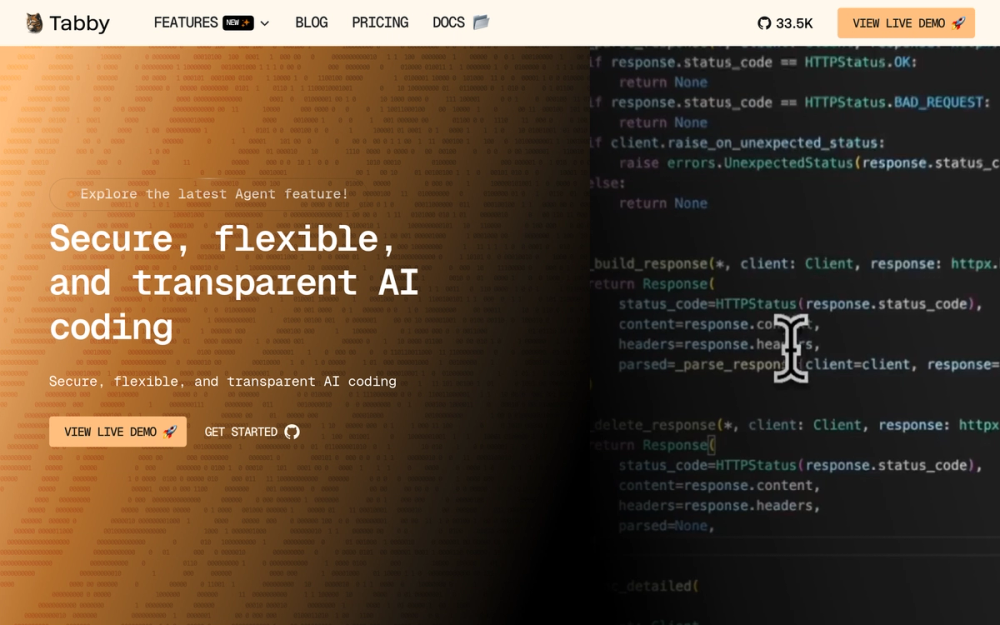
Every other tool here puts one developer in front of a model. Tabby puts a server in front of a whole team. It is an open source, self-contained alternative to GitHub Copilot that runs on your own infrastructure with no DBMS or cloud service required, compatible with CodeLlama, StarCoder, and CodeGen on consumer-grade GPUs.
The OpenAPI interface plugs into existing infrastructure including cloud IDEs. IDE extensions use adaptive caching to deliver streaming completions in under a second. Inference stays on your servers, which is the point if your team has strict data residency requirements.
Key Features
- Self-hosted AI coding assistant and server: every team member connects to the same instance via IDE extensions
- Self-contained with no DBMS or cloud service required. Runs via Docker with CUDA support using the NVIDIA Container Toolkit, or via Homebrew, Linux, Windows, and WSL2
- Compatible with CodeLlama, StarCoder, and CodeGen. Supports consumer-grade GPUs
- IDE extensions use adaptive caching for streaming completion in under a second
- OpenAPI interface for integration with existing infrastructure including cloud IDEs
- v0.32.0 is the latest release of 249. Primarily written in Rust (92.9% of the codebase)
Pros
- Inference stays on infrastructure you control, which suits teams with strict data residency requirements
- Apache 2.0 core (content outside
ee/) permits commercial self-hosting. Check theee/LICENSEfor enterprise-feature terms - Tree Sitter tag parsing provides effective prompts for the model
- 249 releases and 129 contributors point to an active maintenance record
Cons
- Setting up a self-hosted inference server, GPU drivers, Docker, and the NVIDIA Container Toolkit is a real ops task compared to installing a terminal agent with
curl - Content under
ee/is not Apache 2.0: enterprise features are licensed separately, and the terms require reading before using those capabilities commercially
License & Hosting
- License: Apache 2.0 for content outside
ee/. Content underee/is licensed under a separate licence defined inee/LICENSE. Checkee/LICENSEbefore using enterprise features in a commercial product. - Where it runs: Self-hosted. Run on your own server or VM via Docker, Docker Compose, Homebrew, Linux, Windows, or WSL2. Hugging Face Space is also listed as a deployment option.
- Setup: Docker is the recommended path. CUDA support requires the NVIDIA Container Toolkit. Homebrew available for Apple M1/M2. After launch, accessible at
http://localhost:8080. - Costs: Free and open source for the Apache 2.0 core. You pay for the compute (a GPU server or cloud VM) and the energy to run inference.
Best For
Tabby fits a platform or infrastructure team that wants code completion for every developer from one self-hosted server, with the code staying on the network. Skip Tabby if what you want is an agent that plans and edits across files from a chat. The rest of this list is built for that.
Proof
33.9k stars on GitHub · Apache 2.0 License (core)
10. fx: Tiny embeddable agent in a single native binary
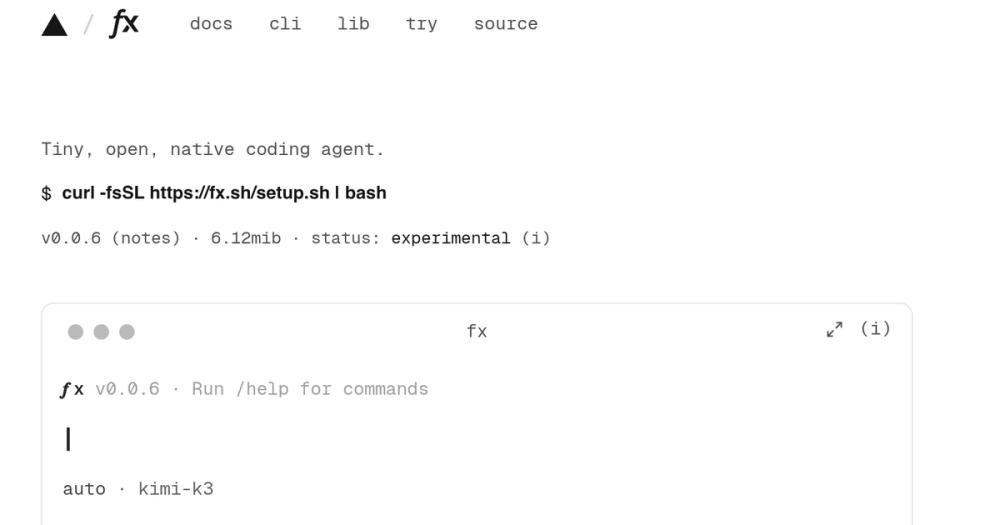
fx is the outlier on this list: a coding agent CLI written in Zig whose entire binary weighs 6.74 MiB. Cline's CLI requires Node.js 22+ and Aider installs through Python, but fx builds as a native binary or WebAssembly, which means you can embed it as an agent shell inside a larger system, a CI pipeline, or another program.
The tool is experimental by its own README (v0.0.13). fx routes through Vercel AI Gateway as one of its provider paths, which matters if you want to keep Vercel's software stack out of your pipeline. ChatGPT or Grok subscriptions and any OpenAI-compatible endpoint such as Ollama or OpenRouter are also supported, so the Vercel path is not the only option.
Key Features
- 6.74 MiB native binary written in Zig. Builds as a native binary or WebAssembly via the
libfxnpm SDK (experimental) - Supports Vercel AI Gateway, ChatGPT or Grok subscription sign-in, or any OpenAI-compatible endpoint including Ollama and OpenRouter
- Interfaces: interactive shell, one-shot
fx askfor scripts, or embedded through libfx and ACP - Extensible via skills, MCP servers, and subagents
- Automatic context compaction starts at 80% of the model's usable input and is configurable
- MCP server support including Slack via
/mcp add slack
Pros
- A small native binary with no Node.js or Python runtime is the right shape for embedding in a larger system or shipping as part of a CI container where image size matters
- Apache 2.0 licence permits commercial use, modification, distribution, patent use and private use, subject to preserving copyright and licence notices
- AI Gateway provider routing lets you prefer specific inference providers and optionally restrict fallback
- One-shot
fx askmode fits scripted pipelines that need a single AI call in a shell workflow
Cons
- fx is experimental (v0.0.13) and the README documents that status explicitly. Production use before a stable release carries real risk
- This is not a daily-driver IDE or terminal agent in the same class as OpenCode or Cline: it is an embeddable shell, and using it that way requires integrating libfx or ACP into a host system
- The WebAssembly SDK for libfx is also described as experimental
License & Hosting
- License: Apache 2.0. Permits commercial use, modification, distribution, patent use, and private use.
- Where it runs: Local-first native binary. WebAssembly via libfx for browser and Node.js embedding.
- Setup: Install via
curl -fsSL https://fx.sh/setup.sh | bash. Building from source requires Zig 0.16.0+. The libfx WebAssembly SDK is published to npm aslibfx. - Costs: Free and open source. Pay for model access via Vercel AI Gateway, a ChatGPT or Grok subscription, or your own Ollama/OpenRouter endpoint.
Best For
I'd pick fx to embed an agent shell inside a pipeline, a CI sandbox, or another program, where a small binary with a one-shot mode is exactly the right shape and the bigger tools do not fit. This is not the right daily driver. If Vercel's Gateway is a concern, ChatGPT, Grok and OpenAI-compatible endpoints also work.
Proof
3.3k stars on GitHub · Apache 2.0 License
Frequently Asked Questions
Which open source coding agents run with local models?
Most tools on this list support local models. Goose works with Ollama, LM Studio, Atomic Chat, Docker Model Runner, and Ramalama for fully offline use, though local models without tool calling can only do chat completion and require disabling all Goose extensions. Cline connects to Ollama and LM Studio alongside its cloud provider list. Aider connects to Ollama and LM Studio as part of its broad provider support.
OpenCode supports local models via the AI SDK. Kilo Code supports local models via Ollama or LM Studio. Zed supports LM Studio in its provider list. fx accepts any OpenAI-compatible endpoint, including Ollama. Tabby runs its own local inference server with models like CodeLlama and StarCoder on consumer-grade GPUs.
Do any of these agents store my code on a server?
OpenCode explicitly documents that it stores none of your code or context data, which is why it works in privacy-sensitive environments. Tabby is self-contained and self-hosted, with no DBMS or cloud service required. Other tools like Goose can run fully offline and privately with local models. With a cloud model, your code goes to whichever provider you configure, so check that provider's privacy and data-retention policy before connecting a work codebase to any cloud model.
What does it cost to run an open source coding agent?
The agent software itself is free for every tool on this list. The ongoing cost is model inference. Aider and Goose are free with no paid plan: you pay the provider's rate. Cline charges nothing beyond API inference when you bring your own keys, with ClinePass available at $9.99 per month as a flat-rate alternative.
Codex CLI is included in ChatGPT Go at $8 per month, Plus at $20 per month, and Pro starting from $100 per month if you sign in with ChatGPT. Kilo Code lets you bring your own keys, with Kilo Pass Starter at $19 per month if you want a credit bundle. For very low-volume use, bringing your own provider API key means you pay only for the inference you use. ClinePass, at a flat $9.99 per month, offers 2 to 5 times the usage on popular open coding models compared to the standard API rate.
Which agents fit a CI/CD pipeline or a non-interactive script?
At least 5 tools document a route for non-interactive or pipeline use. Cline's headless CLI supports piped input, JSON output, and chained commands. Kilo Code's kilo run --auto flag enables fully autonomous operation, auto-approving prompts unless a rule denies the action. Codex CLI's codex exec runs non-interactive commands in repeatable workflows and pipelines.
fx's one-shot fx ask mode is a direct fit for scripts that need a single AI call. Goose's Recipes are portable YAML configs that can run in CI alongside a team sharing them.
Can I approve every file edit and terminal command before it runs?
Yes. Cline is built around this workflow. In Act mode, every file edit and terminal command requires approval unless you toggle auto-approve, and in VS Code and JetBrains every edit shows as a diff you can review, modify, or revert. All changes are tracked with checkpoints, so you can easily undo the agent's work.
OpenCode's plan agent is read-only by default, denies file edits, and asks permission before running bash commands, which is a lighter version of the same idea. If per-action approval at the file diff level is the requirement, Cline is the right tool.
My pick among open source coding agents
I'd start with OpenCode. It connects to 75-plus providers, stores no code or context data, and the MIT licence permits commercial use, requiring only that copyright and licence notices are kept.
For IDE users who want to approve each action before it lands, Cline is the better fit. The Plan and Act loop runs inside VS Code, and JetBrains on the enterprise tier, against Anthropic, OpenAI, Google, OpenRouter, or any OpenAI-compatible API.
If you already pay for ChatGPT, Codex CLI reuses that subscription at no extra cost, and the OS-enforced sandbox is the right default for a machine shared with others. If you want to leave your editor behind entirely, Zed gives you a Rust-native editing experience, parallel agents, a built-in debugger, and Edit Prediction in one install.
Skip OpenCode if your team needs completions from a private inference server. Tabby is built for that. Skip all of these if you are embedding a lightweight agent shell inside another system. fx's small binary is the right fit there.
Compare the full set at Open Source Alternatives.