

Who Threadlines is for#
Developers running Claude Code alongside Codex
Use separate threads per task and add a second agent to verify the first agent's output before you review. The thread inbox shows which tasks are active and which need your attention, so you can direct multiple agents across a project without losing track.
Skip if:
You work exclusively with one agent account and don't need to compare outputs or split work across models. A single Claude Code or Codex terminal is simpler for single-agent workflows.
Teams running a PR review loop with coding agents
Review the pull request a coding agent opened, check CI status, and send review comments back to the agent, all from one screen. Reduces the round-trip time between agent output and your feedback, which is the main bottleneck in agent-assisted development.
Skip if:
Your review process is fully async and lives in GitHub. If your team reviews PRs in GitHub notifications and your agents don't need inline feedback quickly, Threadlines adds no meaningful advantage over a terminal.
Developers on long multi-session projects
Resume sessions after restarts with the full conversation and work history in place. Fork threads to explore alternative approaches without losing the original context. Assign each exploration its own Git worktree so agents work in separate checkouts without collisions.
Skip if:
Your projects are short enough that a fresh agent context each session costs you nothing. If each coding task starts from a clean state anyway, session persistence adds no value.
Self-hosters running agent workspaces on a server
The Docker path puts a full Threadlines workspace on a VPS or home server, accessible from any browser. Pair a phone with a QR code to monitor running threads remotely. Useful for agents running long background tasks you want to check on without being at your desk.
Skip if:
You need enterprise SSO, team-level access controls, or audit logging. Threadlines targets individual developers and small teams; it does not include multi-user access management in current releases.
The problem it solves#
Running multiple coding agents on the same project means juggling separate terminals, browser tabs, and editor windows at once. Each agent has its own output, its own conversation, and its own view of the codebase. When Claude Code finishes one subtask and you want Codex to pick up another, you manually copy context, restart sessions, and track which branch each agent is working on.
Code review compounds the problem. An agent opens a pull request and you leave the workspace entirely to check CI status, review diffs, and write comments. Feedback then needs to be relayed back into a new conversation with the agent that did the work, with no record of what you said alongside the diff.
How it solves it#
Multi-agent threads
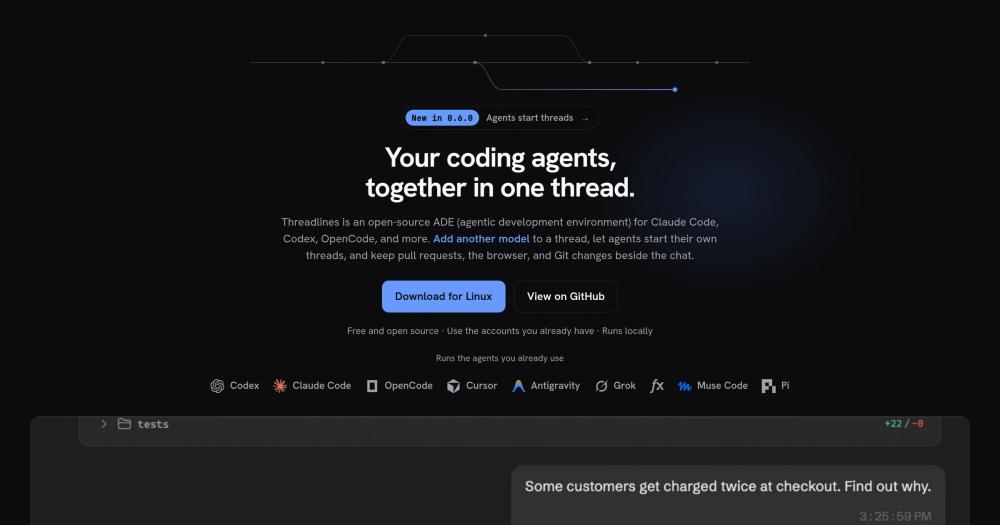
Add a second or third agent to an active conversation thread. Both agents share the same history, so you can ask Codex to verify Claude Code's output, or switch agents mid-task without losing the conversation. Any thread can run two agents in the same view.
Agents start sub-threads
An agent can split a large task across new sub-threads, each handled by the agent it picks. Results return to the parent thread when each finishes. By default the app asks for your confirmation before spawning new threads, and the new threads sit under the parent in the sidebar.
Pull requests and CI inline
Review a GitHub pull request beside the thread that opened it. CI status appears above the composer, changed files and Git history are a click away, and you can send review feedback straight back to the agent without opening a separate browser tab.
Built-in browser
Load a URL inside Threadlines and attach a screenshot or the exact page state to the next agent message. Useful for frontend work where the agent needs to see a rendered page to diagnose a visual issue, without switching to an external browser.
Git and source control actions
Browse changed files and commit history from within the app, then commit, push, and open a pull request without leaving the workspace. Each thread can be assigned its own Git worktree so multiple agents work in separate checkouts simultaneously.
Exact context pinning
Select lines from project files, terminal output, or a note and pin them to the next agent message. Avoids pasting long snippets manually or repeating context the agent needs to reconstruct from scratch at the start of each session.
Strengths and trade-offs#
Strengths
- MIT license, locally runThreadlines is MIT-licensed and runs on your machine against the agent accounts you already have. You pay nothing to Threadlines itself; costs come only from Claude API usage, OpenAI credits, or whichever providers you connect. No per-seat pricing and no managed infrastructure.
- Nine coding agents at launchClaude Code, Codex, OpenCode, Cursor, Antigravity, fx, Grok Build, Muse Code, and Pi can each run in their own thread or share one. Switching agents mid-thread keeps the conversation history intact. New agents from the open ACP registry can be added as community agents.
- Docker self-hosting with phone accessOne Docker command starts a Threadlines server on a VPS or home server. The server is accessible from any browser, and a QR code lets you pair a phone to check on running threads without sitting at your desk.
- Durable sessions with fork supportSessions persist across restarts. Reopen the app and pick up the conversation and work history exactly where you left off. Fork a thread to explore an alternative approach with the same context, without losing the original thread.
Trade-offs
- -Early-stage projectAt 20 GitHub stars and version 0.x as of late 2026, Threadlines is new. Core workflows are functional, but the repository has 2 open issues and a small contributor base. Stability and agent coverage improve as the project matures; production teams should evaluate before committing.
- -Requires installed agent CLIsThreadlines drives Claude Code, Codex, and other agents as processes on your machine, so those CLI tools must be installed and authenticated. The first-run setup automates this with one-click installs, but teams on locked-down machines may need to configure the CLIs manually beforehand.
- -No cloud-managed optionUnlike Devin or Conductor, there is no managed hosted tier. All compute and context management happens locally or on your own server. This gives you full control but means you own the infrastructure overhead: updates, uptime, and remote-access configuration are yours to manage.
Threadlines vs alternatives#
Threadlines vs Conductor
Conductor is a paid multi-agent orchestration platform for building and running coding agent workflows in the cloud. Threadlines fills a similar coordination role as an MIT-licensed desktop app you run locally rather than subscribe to as a managed service.
| Feature | Threadlines | Conductor |
|---|---|---|
| License | MIT | Proprietary |
| Deployment | Local desktop or self-hosted Docker | Managed cloud |
| Agents | Claude Code, Codex, Cursor, and more | Managed agent pool |
| Pricing | Free (use your own agent accounts) | Paid subscription |
| PR and Git integration | Built-in | Cloud-managed |
Threadlines is the better choice when code must stay on your machine, you already have Claude Code or Codex set up, and you prefer a visible workspace where you can steer and interrupt work at any point. Conductor suits teams that need managed infrastructure, enterprise access controls, and orchestration that runs without a local machine to maintain.
Threadlines vs Devin
Devin is an autonomous cloud agent that handles entire engineering tasks in isolation, with its own browser and terminal. Threadlines coordinates the coding agents you already use and keeps you in the loop rather than handing work off entirely.
| Feature | Threadlines | Devin |
|---|---|---|
| License | MIT | Proprietary |
| Deployment | Local desktop or Docker | Managed cloud |
| Agent model | Multi-agent threads you direct | Single fully autonomous agent |
| Human involvement | You review and steer | Hands-off delegation |
| Pricing | Free (your API costs) | Paid per-task |
Threadlines is the better fit when you want to stay involved, compare outputs from multiple models, and review pull requests as they are opened. Devin suits repetitive, well-scoped tasks where full delegation is the goal and a black-box workflow is acceptable.
Threadlines vs Claude Code Standalone
Claude Code is a terminal-based coding agent by Anthropic. Threadlines is an orchestration layer built around Claude Code rather than a replacement for it: you keep using Claude Code sessions while gaining a shared workspace, browser, and Git review beside the conversation.
| Feature | Threadlines | Claude Code (terminal) |
|---|---|---|
| Interface | Desktop app | Terminal |
| Multi-agent | Yes (Codex, Cursor, and more) | No |
| PR review | Built-in beside the thread | External browser |
| Session resume | Built-in | --resume flag |
| Self-hosting | Desktop or Docker server | Local machine only |
Threadlines adds value over Claude Code standalone when you need to run multiple agents on the same task, review pull requests without leaving the workspace, or access sessions from a phone or browser. Claude Code alone is the leaner path when a single terminal session covers your full workflow.
Quick start#
Self-hosting uses Docker with a persistent volume for workspace data.
```bash
docker run -d --name threadlines --restart unless-stopped \
  -p 3773:3773 \
  -v threadlines-home:/home/threadlines \
  -v /path/to/your/repos:/workspace \
  ghcr.io/threadlines/threadlines:latest
```What it's built on#
- Languages
- TypeScript
FAQ#
Is Threadlines free to use?
Yes. Threadlines is MIT-licensed and free to download, run, and self-host. You connect your own agent accounts (Claude API key, OpenAI account, etc.) and pay only the usage costs those providers charge. There is no Threadlines subscription or per-seat fee.
Which coding agents does Threadlines support?
The current stable release supports Claude Code, Codex, OpenCode, Cursor, Antigravity, and fx. Grok Build, Muse Code, and Pi are available in nightly builds ahead of the 0.7.0 release. Community agents from the open ACP registry can also be installed, though Threadlines has not tested them directly.
How does Threadlines differ from Devin?
Devin is a fully autonomous cloud agent that handles an entire engineering task in isolation. Threadlines is an orchestration layer for the coding agents you already use: you stay in the loop, direct which agent handles which task, and review output in a shared workspace. Threadlines does not replace Claude Code or Codex; it runs them together.
Can I self-host Threadlines on a server?
Yes. One Docker command starts the server on a VPS or home machine, and it is then accessible from any browser. A QR-code pairing flow connects a phone to the running instance. See docker/README.md in the repository for the full setup guide including remote-access configuration.
Does Threadlines require Claude Code or Codex to be installed first?
Threadlines drives agents that are installed on your machine, but the first-run setup includes one-click installation of supported agents so you can go from zero to running in a single session. If your environment restricts CLI installs, set up the agents manually beforehand and then connect them through Threadlines settings.
Similar open-source tools#

Parallel Code
1,051 GitHub starsRun AI coding agents in parallel, each in its own worktree
Alternative to Conductor


Multica
53,049 GitHub starsAssign GitHub issues to AI coding agents. They run on your machine.
Alternative toConductor

Jean
1,338 GitHub starsA dev environment for running AI agents in isolated git worktrees
Alternative toConductor
