
TL;DR: For model control and a permissive licence, I pick ComfyUI with Wan2.2 weights. MoneyPrinterTurbo handles a finished short with no GPU required. I'd open LTX Desktop for generation and editing in a single window. OpenMontage and Hypit cover agent-driven production and batch variant work.
What to look for in an open source AI video generator
Start with VRAM. Wan2.2's 5B model needs a consumer GPU in the RTX 4090 range. LTX Desktop needs at least 15 GiB VRAM on NVIDIA hardware for local generation on Windows and Linux, and 32 GiB total RAM on Apple Silicon. MoneyPrinterTurbo skips local generation entirely, matching stock clips to a script instead, so no GPU is required. The list splits on that line: tools that generate footage locally need capable hardware, and tools that assemble finished shorts do not.
Job fit is the second cut. 4 dimensions separate the tools: model control versus finished output, hardware floor, licence clarity, and setup cost. If you want to run specific model weights, adjust generation parameters, and reach community workflows, ComfyUI is where newcomers start. If you want a topic in and a video file out, MoneyPrinterTurbo or Pixelle-Video fit better. A timeline editor alongside generation is LTX Desktop, which ships both in one desktop app.
Licence clarity matters most if you are building commercially. Apache 2.0 (Wan2.2, LTX Desktop app, Pixelle-Video) gives the widest permissions. MIT (MoneyPrinterTurbo) is equally permissive. GPL-3.0 (ComfyUI) rules out embedding in some proprietary products. AGPL-3.0 (OpenMontage) requires source disclosure when a modified version is used to provide a network service, and that is worth reading before you ship a SaaS product.
Hypit's modified Apache 2.0 permits individual use and commercial work for your own organization or clients, but operating a multi-tenant service or commercially redistributing Hypit requires a commercial licence. LTX Desktop's model weights carry a separate community licence that is free for commercial use under $10M annual revenue.
ComfyUI and Wan2.2 both ask more of you upfront. ComfyUI takes time to learn node graphs. Wan2.2 requires cloning a repository, running pip install, and downloading weights separately. Both give you a level of control no finished-output tool on this list matches, and that is what the setup time buys.
The table below routes by situation: if no GPU is available, go to MoneyPrinterTurbo or OpenMontage's free-provider path. If a desktop app matters, go to LTX Desktop or Artcraft. If an agent skill fits the workflow, go to Hypit or OpenMontage. If model control is the job, start at ComfyUI.
Open source AI video generators compared
Setup and hardware
| Tool | Min GPU VRAM | OS support | Install route | GPU required | GitHub stars |
|---|---|---|---|---|---|
| ComfyUI | Varies by model. NVIDIA, AMD (Linux ROCm 7.2, Windows ROCm 10.0), Intel Arc, Apple M1-M4, CPU | Windows, macOS, Linux | pip + Python 3.13 | No (CPU fallback available) | 138k |
| Wan2.2 | RTX 4090 class for 5B model | Not specified in README | git clone + pip install | Not specified | 18.0k |
| LTX Desktop | 15 GiB VRAM (NVIDIA, Windows/Linux). 32 GiB RAM (Apple Silicon) | macOS, Windows, Linux | Desktop installer or source | No (API fallback below threshold) | 2.1k |
| MoneyPrinterTurbo | None required (GPU recommended) | Windows 10+, macOS 11+, Linux | pip install mpt | No | 132.2k |
| Pixelle-Video | Depends on ComfyUI backend | Windows (all-in-one), macOS, Linux (source) | Windows package or uv from source | No (with hosted API) | 29.1k |
| OpenMontage | Depends on provider | Not specified in README | Python 3.10+, FFmpeg, Node.js 18+ | No (provider-dependent) | 69k |
| Hypit | None (agent skill) | Not specified in README | npx skills add hypit-ai/hypit -g | No | 22.9k |
| Artcraft | None (desktop app calling hosted models) | Windows, macOS, Linux (source) | Desktop installer | No | 31.2k |
Ongoing costs after installation
| Tool | What you still pay for |
|---|---|
| ComfyUI | Nothing for local inference. Comfy Cloud Standard from $16/month billed yearly ($20 billed monthly) |
| Wan2.2 | Nothing. Optional Dashscope API key for prompt extension |
| LTX Desktop | Nothing for local generation. LTX API fees for API video generation (used on hardware below the local threshold). Free API key for text encoding |
| MoneyPrinterTurbo | LLM API key (provider of your choice). TTS API key if not using free Edge TTS |
| Pixelle-Video | Nothing with Ollama + local ComfyUI. Approximately $0.01 to $0.05 per 3-scene video with Qwen LLM |
| OpenMontage | Provider API costs. Default total budget cap of $10 |
| Hypit | Model service fees at rates you choose. Starter plan from $9.90/month or pay-as-you-go top-ups from $15 for 2,000 credits |
| Artcraft | Your own compute and provider subscriptions. No Artcraft subscription required. Basic plan from $8/month billed yearly ($10 billed monthly) for bundled credits |
8 open source AI video generators
The 8 tools below run from model-first to output-first. Start at 1 if you want control over the generation layer. Start at 8, and work back, if you want a finished video file with minimal setup.
1. ComfyUI: node canvas for running open video model workflows
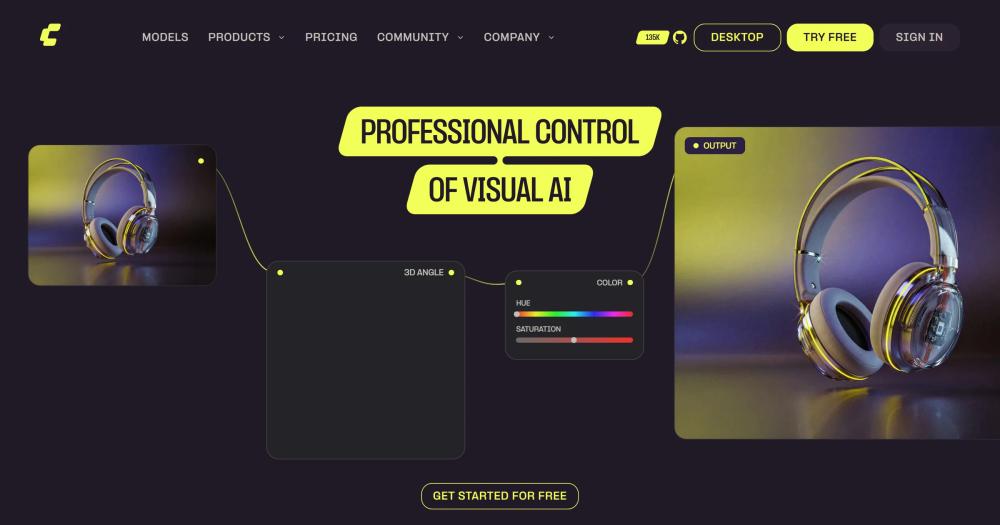
ComfyUI is a node-based workflow canvas for running open video models, powered by 60,000 or more nodes and thousands of workflows, with native support for Wan2.2, LTX-2 and Wan Dancer. You bring the weights, wire the nodes, and control every step of generation.
Key Features
- Native support for Wan2.2 5B hybrid text-to-video and image-to-video, 14B text-to-video, image-to-video, and first-last-frame workflows
- Native support for LTX-2, a 19B parameter audio-video foundation model that generates synchronized video and audio in a single pass
- Native support for Wan2.2-S2V, an audio-driven video generation model that transforms static images and audio into synchronized video with minute-level generation
- Native support for Wan Dancer, an audio-driven dance video generation model using a reference image and audio track
- Comfy Agent builds and runs workflows from a plain-language description directly inside the canvas
- Comfy Cloud cloud GPU option with a pre-installed library of 900 or more models, running on Blackwell RTX 6000 Pro GPUs with 96 GB VRAM
Pros
- The community node ecosystem of 60,000 or more nodes and thousands of workflows means models such as Wan2.2, LTX-2, Wan2.2-S2V, and Wan Dancer are natively supported so you can stay in one tool as the open model space grows
- Multi-hardware support covers NVIDIA, AMD on Linux (ROCm 7.2) and Windows (ROCm 10.0), Intel Arc, Apple Silicon M1 through M4, Ascend NPU, and CPU
- Wan2.2 weights on ComfyUI are under Apache 2.0, so the generation layer is commercially usable without the GPL-3.0 concerns that apply to ComfyUI itself
Cons
- GPL-3.0 rules ComfyUI itself out for embedding in some proprietary products. Anyone distributing a product that includes ComfyUI code needs to read the licence before shipping
- Node graphs take real time to learn. The gap people hit is workflow setup, not model quality, and you will not be generating on the first afternoon
- Comfy Cloud runs from $20 per month if local hardware is the bottleneck
License & Hosting
- License: GNU General Public License v3.0 - permits free use, modification, and distribution. Requires derivative works to be GPL-3.0
- Where it runs: local-first on your own hardware. Comfy Cloud is an optional hosted path
- Setup: Python 3.13 recommended (3.14 works but some custom nodes may have issues). pip install. Hardware-specific torch installation for AMD, Intel, or Apple Silicon
- Costs: nothing for local inference. Comfy Cloud Standard from $20/month ($16/month billed yearly), Creator from $35/month ($28/month billed yearly), Pro from $100/month ($80/month billed yearly). New users get 5 free cloud runs
Best For
I'd start with ComfyUI when the job is running the latest open video models with full generation control and you're willing to spend time on workflow setup. The 60,000-node ecosystem and native Wan2.2 and LTX-2 support make it a strong place to run open video models as they are released. MoneyPrinterTurbo is the faster path to a finished short, and LTX Desktop is the pick if you want a polished editing app.
2. Wan2.2: permissive open weights for text and image to video
The 2 things that separate Wan2.2 from closed-weight alternatives are the Apache 2.0 licence and a 5B model that runs on a consumer RTX 4090. The full suite includes 14B MoE variants as well, for a larger GPU budget.
Key Features
- TI2V-5B: 5B model with a high-compression VAE, text-to-video and image-to-video at 720P and 24fps, runs on a consumer GPU
- T2V-A14B and I2V-A14B: MoE architecture with 27B total parameters but only 14B active per step, so inference cost stays close to a 14B dense model
- S2V-14B: speech-to-video at 480P and 720P
- Animate-14B: character animation and replacement
- Multi-GPU inference via PyTorch FSDP and DeepSpeed Ulysses
- Integrated into ComfyUI and Diffusers
Pros
- Apache 2.0 permits commercial use, modification, distribution, and patent use. Its main condition is preserving the copyright and licence notices.
- The 5B model generates a 5-second 720P video in under 9 minutes on a single consumer GPU with no specific optimization needed
- Generation runs entirely on your own hardware with no required cloud service. The optional Dashscope prompt extension is the one exception to that
- Wan2.2 was trained on 65.6% more images and 83.2% more videos than Wan2.1, which broadens what it handles across motions, semantics, and aesthetics
Cons
- Weights are downloaded separately via huggingface-cli or modelscope-cli after cloning the repository. Setup needs torch 2.4.0 or later, which adds a step compared to a desktop installer
- Prompt extension needs either a Dashscope API key or a local Qwen model download. That dependency only matters if you want the feature
- Getting strong results takes time to dial in, and that is a setup cost, not a flaw in the model
License & Hosting
- License: Apache License 2.0 - commercial use, modification, distribution, and patent use permitted. Main conditions are preserving copyright and licence notices
- Where it runs: fully self-hosted. Weights run on your own hardware with no required cloud service
- Setup: git clone the repository, pip install with requirements.txt (torch 2.4.0+), download weights via huggingface-cli or modelscope-cli
- Costs: nothing for local inference. Optional Dashscope API key for prompt extension
Best For
I'd pick Wan2.2 when the Apache 2.0 licence matters for commercial work and a consumer GPU is on hand. The 5B model is the most accessible entry point. The 14B MoE variants are for higher-quality work when you have the GPU budget. Skip Wan2.2 if you need a desktop app or a finished pipeline rather than weights to wire up yourself. LTX Desktop is the path if you want generation and editing in one window.
3. LTX Desktop: local video editor with generation built in from Lightricks
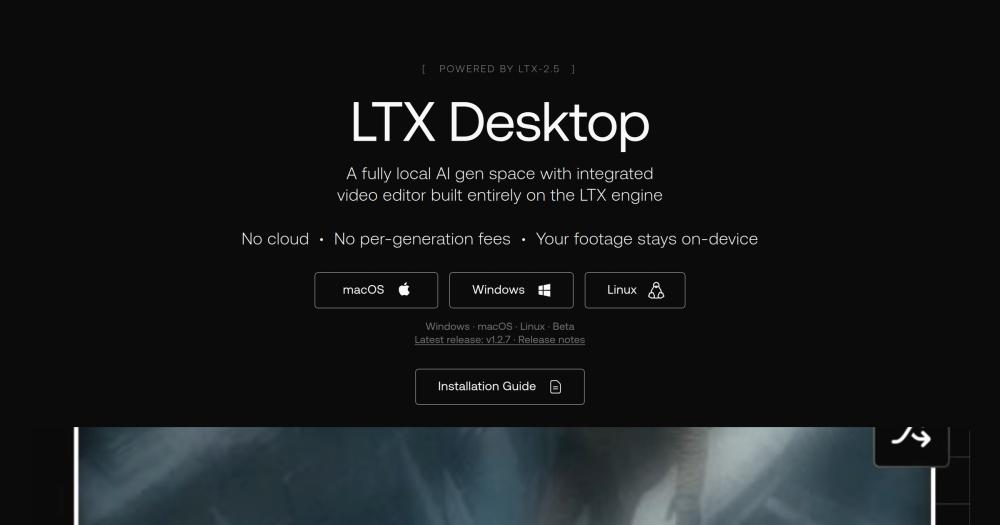
Lightricks built LTX Desktop as a fully local, open source AI video suite with an integrated non-linear editor alongside text-to-video, image-to-video, and audio-to-video generation. Lightricks built it, local generation runs on your own hardware on supported machines, and the timeline reads and writes XML that Premiere Pro, DaVinci Resolve, and Final Cut Pro can open.
Key Features
- Full non-linear video editor with professional trim tools, built-in transitions, primary color correction, and timeline import and export compatible with Premiere Pro, DaVinci Resolve, and Final Cut Pro
- Text-to-video, image-to-video, audio-to-video, and video edit generation (Retake), plus text-to-image and image editing
- Runs on LTX-2.5, a 22B parameter multimodal model from Lightricks
- LoRA adapter support with a built-in library and custom .safetensors files
- Queue and batch generation with progress tracking and cancellation
- Automatic API fallback when local hardware falls below the generation threshold, using the same interface
Pros
- Local generation runs entirely offline once setup and the model download are done. Your footage, prompts, and generated content never leave your machine
- No per-generation fees for local inference. You pay for hardware once
- Apache 2.0 app licence with no revenue threshold. The model weights are free for commercial use under $10M annual revenue
- Available for macOS, Windows, and Linux
Cons
- Local generation on Windows and Linux requires an NVIDIA GPU with at least 15 GiB VRAM. AMD and Intel GPUs are not currently supported for local generation, which is the clearest hardware constraint on this list
- macOS local generation requires Apple Silicon with at least 32 GiB total RAM. Intel Macs have no MPS backend and cannot run local generation
- Full offline operation adds an extra approximately 26 GB download for the text encoder. A free LTX API key covers text encoding if you skip the local encoder, but video generation via the API is paid
- The app is in beta, with the frontend architecture under active refactor
License & Hosting
- License: App: Apache 2.0, no revenue threshold. Model weights: LTX-2.x Community License Agreement - free for commercial use under $10M annual revenue. Commercial licence required above that threshold
- Where it runs: local-first on your own hardware. Automatic API fallback for hardware below the generation threshold
- Setup: desktop installer for macOS, Windows, and Linux. Approximately 72 GB free disk for the LTX-2.5 Fast core pack. Hugging Face sign-in required to accept the model licence on first launch
- Costs: nothing for local generation. LTX API paid for cloud video generation. Text encoding via the LTX API is free
Best For
Generation and editing in a single window is what LTX Desktop is built for, and it is the right pick when you have NVIDIA hardware on Windows or Linux or Apple Silicon available. The XML import and export for Premiere Pro, DaVinci Resolve, and Final Cut Pro timelines is what makes it worth the setup over a generation-only tool. AMD and Intel GPU users get an API fallback only, where video generation is paid.
4. MoneyPrinterTurbo: topic to finished short video with no GPU required
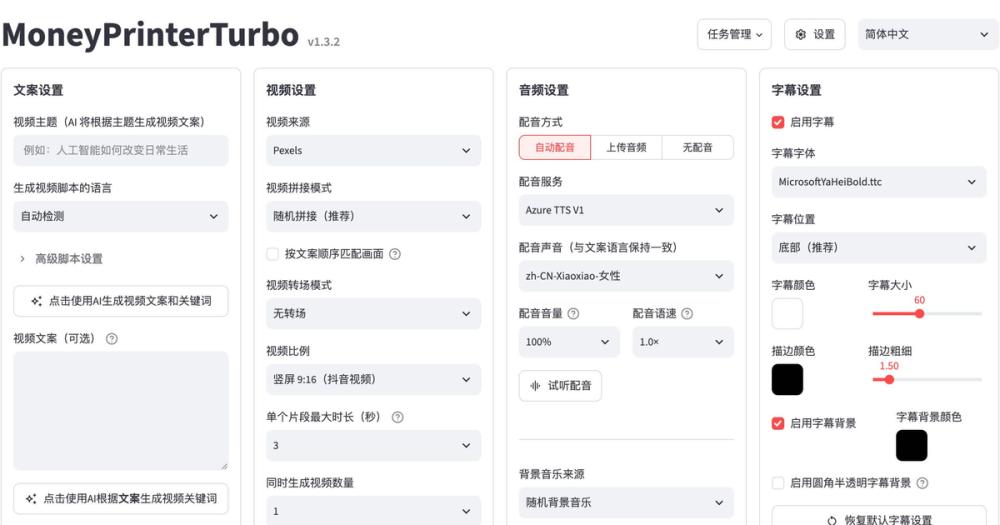
Give MoneyPrinterTurbo a topic or a keyword and it writes the script, pulls stock footage, generates subtitles, adds background music, and exports a finished HD short. No GPU needed, MIT licence. That end-to-end pipeline is what puts it in a different category from every model-first tool on this list.
Key Features
- Full pipeline from topic to finished short: script generation, stock footage matching from Pexels, Pixabay, and Coverr, subtitle generation, background music, and video export
- Supports AI Agent, WebUI, API, and CLI workflows
- LLM provider support including OpenAI, Anthropic Claude, Google Gemini, DeepSeek, Qwen, Grok, and others
- AI-generated footage option via Metaso MiniMax H3 at 768P or 2K, with 4 to 15 second clips in 9:16, 16:9, or 1:1
- Direct publish to TikTok, Instagram, and YouTube Shorts
- Batch generation of multiple video variants with task history, import and export of settings
Pros
- No GPU required for the core pipeline. A minimum of 4 CPU cores and 4 GB RAM is enough to run it
- MIT licence permits commercial use, modification, and distribution with no revenue threshold and no conditions beyond preserving copyright notices
- Installation via pip install mpt, no repository clone needed
- Docker deployment available via the GitHub Container Registry prebuilt image
Cons
- The core pipeline pulls stock footage from Pexels and Pixabay (free) and Coverr. One early user reported that a niche topic got unrelated footage. How well the clips fit depends on how common the topic is
- AI-generated source footage can come from Metaso MiniMax H3.
- Edge TTS is free but Azure Speech, ElevenLabs, and most other voice services require an API key
License & Hosting
- License: MIT License - commercial use, modification, distribution, and private use permitted. Preserve copyright notices
- Where it runs: local on your own machine. No server required
- Setup: pip install mpt with Python 3.11 or later. Docker option via docker-compose.release.yml. Windows 10+, macOS 11+, or Linux
- Costs: an LLM provider of your choice for script generation, unless you supply your own script. Edge TTS is free. Azure Speech, ElevenLabs and the other cloud voices need their own API keys, and Chatterbox and Kokoro run locally. AI footage generation can use Metaso MiniMax H3
Best For
I'd pick MoneyPrinterTurbo when the job is producing finished shorts fast, the topic is broad enough to find matching stock footage, and no GPU is available. Skip MoneyPrinterTurbo if you need AI-generated footage rather than stock clips matched to a script. Pixelle-Video covers that path with ComfyUI workflow swap-outs.
5. Pixelle-Video: automated short video engine with ComfyUI swap-outs
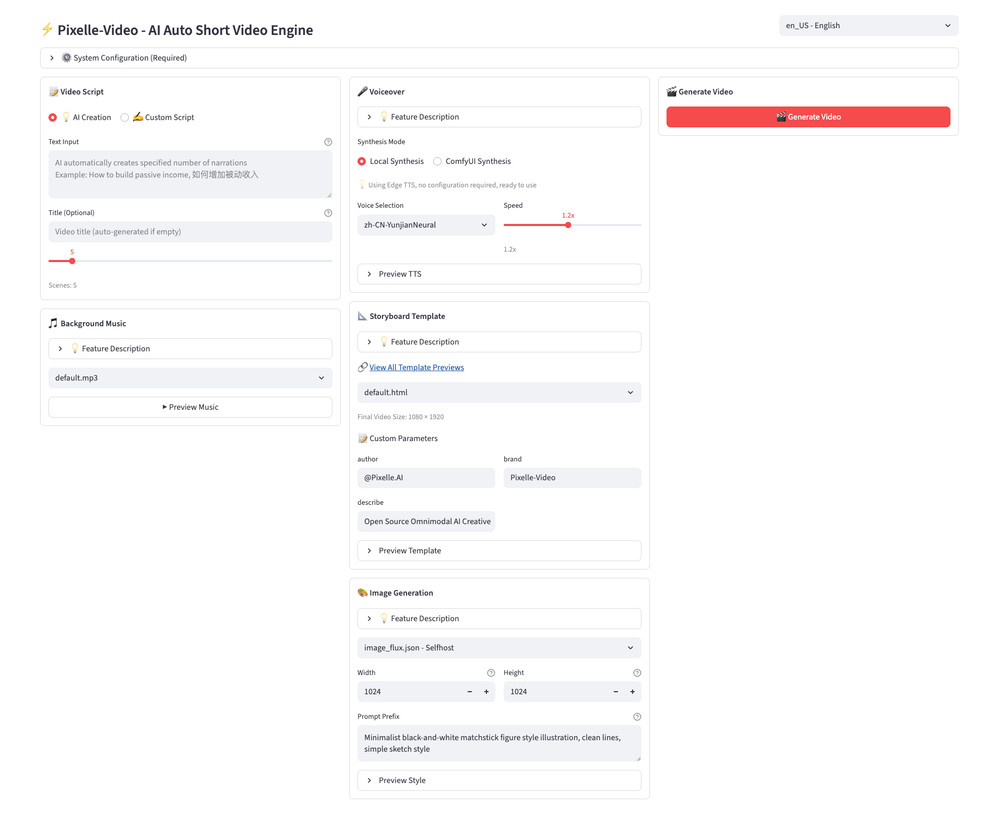
Pixelle-Video takes a single topic and produces a finished short video: script, AI images and footage, narration, music, and final cut, all in one pass. The generation layer is swappable: point it at a ComfyUI or RunningHub workflow instead of the defaults, and you change what the images, video, TTS, and VLM come from. MoneyPrinterTurbo pulls its footage from stock libraries, your uploads or Metaso MiniMax H3.
Key Features
- Full pipeline: script writing, AI image and video generation, voice narration, background music, and final composition from a single topic
- ComfyUI and RunningHub workflow swap-outs for image, video, TTS, and VLM capabilities
- Direct API integration with DashScope, OpenAI, Seedream, Seedance, and Kling for image and video generation
- AI video generation via WAN 2.1 for dynamic video content
- Digital Human avatar, Image-to-Video, and Motion Transfer pipeline modules
- Custom Media feature: upload your own photos and videos with AI-powered script generation from those assets
Pros
- Runs completely free with Ollama for a local LLM and a local ComfyUI deployment, no external spend required
- The Windows all-in-one package needs no Python, uv, or ffmpeg on your machine
- Apache 2.0 licence permits commercial use with no revenue threshold
- The ComfyUI swap-out means you can swap the image, video, TTS, and VLM capabilities by pointing the generation layer at ComfyUI or RunningHub workflows
Cons
- The interface is a Streamlit page in the browser at localhost:8501. If a native desktop app matters, LTX Desktop or Artcraft is the path.
- macOS and Linux require source setup via uv plus ffmpeg, and the all-in-one package is Windows only
License & Hosting
- License: Apache License 2.0 - commercial use, modification, distribution, and private use permitted
- Where it runs: local on your own machine via Streamlit
- Setup: Windows: all-in-one package, no Python install needed. macOS and Linux: uv package manager from source, plus ffmpeg
- Costs: free path: Ollama local LLM plus local ComfyUI. Paid path: Qwen LLM with a local ComfyUI at approximately $0.01 to $0.05 per 3-scene video
Best For
Pixelle-Video fits when the job is automated short video with AI-generated footage and you want to plug in a specific ComfyUI workflow for the generation layer, especially when MoneyPrinterTurbo's stock-clip approach is not enough. Skip it if a native desktop app matters to you.
6. OpenMontage: agent-driven production pipeline for coding assistants
Model-first tools on this list leave scripting, asset generation and editing to you: you script here, generate assets there, edit somewhere else. OpenMontage turns an AI coding assistant into a full video production studio, handling research, scripting, asset generation, editing, and final composition through 10 or more production pipelines and 100 or more tools. Your AI coding assistant is the orchestrator, not a separate system.
Key Features
- 10+ production pipelines covering explainers, talking heads, screen demos, cinematic trailers, animations, podcasts, localization, documentary montages, character animation, and more
- Agent-first architecture: no separate code orchestrator. Your AI coding assistant is the orchestrator
- Compatible with Claude Code, Cursor, GitHub Copilot, Codex, and Windsurf, with dedicated instruction files for each
- Provider scoring engine across 7 dimensions: task fit (30%), output quality (20%), control features (15%), reliability (15%), cost efficiency (10%), latency (5%), and continuity (5%)
- Renders without a watermark with a provenance record for every asset
- Post-render self-review using ffprobe validation, frame extraction, audio level analysis, and subtitle checks. A video that fails the review is not delivered
Pros
- Works with no paid API keys using Piper TTS, Archive.org, NASA, Wikimedia Commons, Pexels, Unsplash, Pixabay, Remotion, HyperFrames, FFmpeg, and built-in subtitle generation
- Supports 20 or more video generation providers, 15 or more image generation providers, and 10 or more TTS providers
- Output formats cover YouTube Landscape, YouTube 4K, YouTube Shorts, Instagram Reels, Instagram Feed, TikTok, LinkedIn, and Cinematic
- Default total budget cap of $10 with a per-action approval threshold of $0.50, giving cost control by default
Cons
- AGPL-3.0 requires that a modified version used to provide a network service make its complete source code available. Anyone building a SaaS product on OpenMontage needs to read that condition before shipping
- OpenMontage Studio, the desktop app, is in private alpha with beta cohorts releasing soon. What you get today is the repository and agent workflow, not a polished GUI
- Setup requires Python 3.10+, FFmpeg, and Node.js 18+, and comfort working inside a coding assistant
License & Hosting
- License: GNU Affero General Public License v3.0 - source disclosure required when a modified version is used to provide a network service. Commercial use is permitted
- Where it runs: local on your own machine via your AI coding assistant. Productions stored as ordinary files
- Setup: Python 3.10+, FFmpeg, Node.js 18+. Install via the repository and configure your AI coding assistant with the provided instruction files
- Costs: nothing for the free-provider path. Provider API costs otherwise. Default total budget cap $10
Best For
I'd reach for OpenMontage when the job is complex multi-step production inside a coding assistant and the AGPL-3.0 licence fits the project. The structured research-to-compose pipeline and 10+ production types let a coding assistant handle the whole run in one flow. A GUI workflow points to Hypit for the single-command agent-skill path with a lighter setup.
7. Hypit: agent skill that clones a video format into new variants
Drop in a reference video and Hypit clones it into a complete workflow covering footage, captions, B-roll, and effects, anchored to words rather than timecodes. It runs as an agent skill for Claude Code, Codex, and any compatible agent, installs with 1 command, and can produce 100 or more variants in a single batch run.
Key Features
- Full-video cloning covering face, lines, B-roll, captions, and effects from a reference video
- Batch scale of 10, 50, or 100 or more variants per run
- Start from a reference video, a description, or a proven template. Generation models are optional
- BYOK or Hypit API (HypiHub) for model freedom. Supports local models
- Compatible with Claude Code, Codex, and any agent that can use skills
- Before paid work, the agent explains the selected account, planned work, and available rates or estimated cost. Change the account, scope, or budget and you get a fresh decision
Pros
- Installed with one command: npx skills add hypit-ai/hypit -g
- No Hypit seat pricing, per-render fees, or added watermark for the open-source core. Model-service usage is billed by the service you choose
- A workflow can compile captions, motion graphics, and code-rendered visuals into a finished video without calling a generation model at all
- Content you create belongs to you, including for commercial use
Cons
- A commercial licence is required if you operate a multi-tenant service or redistribute Hypit commercially. Building for your own clients or organization is fine without one. If you plan to resell, read the licence before you build
- You need a coding agent that can use skills. If you want a click-and-generate interface, this is not it
- Hosted model costs via HypiHub add up: a 5-second 720P clip costs about 47 credits on Seedance 2.0 Mini and about 204 credits on Seedance 2.0. The Starter plan provides 1,800 credits per month at $9.90/month
License & Hosting
- License: Hypit Open Source License (modified Apache 2.0): individual use and commercial work for your own organization or clients permitted without a commercial licence. Operating a multi-tenant service or commercially redistributing Hypit requires one. Content you create belongs to you
- Where it runs: as a skill inside your coding agent (Claude Code, Codex, or any compatible agent)
- Setup: one command: npx skills add hypit-ai/hypit -g. Requires a coding agent (Claude Code, Codex, or compatible)
- Costs: open-source core is free. Model service costs billed by your chosen provider. HypiHub Starter from $9.90/month (1,800 credits). Pay-as-you-go top-ups from $15 for 2,000 credits (never expire)
Best For
For producing many variants of a reference video format fast, Hypit is the tool. The batch scale and the word-anchored cloning workflow are what make that practical at 10, 50, or 100 or more per run. Skip it if you want to generate from a topic rather than clone a format. OpenMontage or MoneyPrinterTurbo are better starting points for that job.
8. Artcraft: open source desktop studio for hosted models
3D compositing and character posing in a single desktop window are what separate Artcraft from every other tool on this list. Artcraft is an open source desktop studio for controllable AI image and video creation, with 3D compositing, character posing, image-to-location placement, and image-to-video, with providers including Artcraft's own 62-model catalogue, Grok, Midjourney, Sora, and World Labs.
Key Features
- Image to Video: animate an image using a choice of video models and generation controls
- 3D Image Compositing: layer backdrops, foregrounds, and props in 3D to build compositions with depth
- Character Posing: pose characters and set a camera angle before generating the final shot
- Image to Location: place virtual actors in a consistent environment across multiple shots in the same room
- Canvas Image Editing with drawing, masks, and inpainting
- 62-model catalogue covering ArtCraft's own models, Grok (Grok Imagine and Grok Video), Midjourney, Sora (Sora 1, Sora 2, and GPT Image 1), and World Labs marble world generation
Pros
- No Artcraft subscription required. Bring your own compute and provider subscriptions
- Dual-licensed under MIT or Apache-2.0 at your option, both permitting commercial use, modification, and distribution. That is the most flexible licence arrangement on this list
- Stable desktop releases for Windows and macOS, with Linux built from source
- One-time credit packs available that never expire, and credits are refunded if a generation fails
Cons
- Generation runs through hosted providers: Grok, Midjourney, Sora, and others. If you need generation to run on your own GPU after setup, LTX Desktop is the path, not Artcraft
- Additional provider integrations for Kling, Google, Runway, and Luma are planned but not yet available
- Bringing your own compute and third-party subscriptions means you pay those providers separately
License & Hosting
- License: MIT or Apache-2.0 at your option. Both permit commercial use, modification, and distribution
- Where it runs: desktop app calling hosted provider APIs. Generation does not run on your local GPU
- Setup: desktop installer for Windows and macOS. Build from source for Linux. Bring your own compute and provider subscriptions, or buy bundled credits
- Costs: no Artcraft subscription required. Provider costs for generation. Basic plan from $10/month ($8/month yearly) for 1,000 bundled credits (approximately 63 seconds of Seedance 2.0 video). Pro from $35/month ($28/month yearly) for 3,750 credits. Max from $60/month ($48/month yearly) for 6,600 credits
Best For
The 3D compositing and 62-model catalogue make Artcraft the pick when the job needs those capabilities in a single desktop window and you are fine with generation running on a hosted provider's GPU rather than your own. LTX Desktop is the fully local path if generation has to run entirely on your own hardware after setup.
AI music video from a song with open source tools
You can make a music video with open source tools, and it costs real time. What it takes: a reference image or character, a GPU that clears the local generation floor, a workflow built around 5-second clips, and a pass in open source video editors at the end.
ComfyUI is where this work happens. Wan2.2's 5B model handles text-to-video at 720P and 24fps, covering the clip generation layer. Wan2.2-S2V takes a static image and an audio input and outputs synchronized video, which makes it the right fit for speech and performance segments. Wan Dancer takes a reference image and an audio track and produces dance video synchronized to the music. LTX-2, natively supported in ComfyUI, runs a 19B parameter audio-video model and generates synchronized video and audio in a single pass, so audio-driven scene work can stay in one tool.
One workflow maker on Reddit reported that even with community workflows automating clip generation and stitching, a polished video took several generation runs and an editing pass afterward, the step that open source video editors cover. One person who built a full music video with Flux, LTX 2.3, and Wan 2.2 on a high-end GPU reported about 2 weeks of work, with character consistency as the part that still has no clean answer. Wan Dancer output draws criticism for visible joins at 5-second segment boundaries where clips are stitched.
The open tools give you full control over the generation setup, the workflow and the models you run. What they do not give you today is a one-click path from song file to finished video. Plan for that gap: it's real work.
How to choose your open source AI video generator
I'd start with ComfyUI and Wan2.2 weights. The 5B TI2V model fits on a consumer RTX 4090, the Apache 2.0 licence covers commercial use, and ComfyUI handles Wan2.2 text-to-video, image-to-video, and first-last-frame workflows in one canvas alongside LTX-2, Wan2.2-S2V, and Wan Dancer, so you stay in one tool.
3 things flip that choice:
No GPU available. MoneyPrinterTurbo is the pick. It runs on 4 CPU cores and 4 GB RAM, no GPU needed, and takes you from topic to finished short under an MIT licence. The trade-off is that footage comes from stock libraries or your uploads, with AI-generated source footage available through Metaso MiniMax H3.
You want a desktop app with generation and editing in one window. LTX Desktop. The non-linear editor imports and exports XML timelines for round-trip edits with Premiere Pro, DaVinci Resolve, and Final Cut Pro. You need an NVIDIA GPU with 15 GiB VRAM on Windows or Linux, or Apple Silicon with 32 GiB RAM on macOS. AMD and Intel GPU users get an API fallback, where video generation is paid.
You want agent-driven production inside a coding assistant. OpenMontage for full multi-step pipelines, Hypit for reference-video cloning at batch scale.
ComfyUI supports AMD GPUs on Linux via ROCm 7.2 and Intel Arc. LTX Desktop local generation does not support AMD or Intel GPUs. For editing rather than generation, open source CapCut alternatives is the right starting point.
Open source AI video generator FAQ
How much VRAM do I need to run an open source AI video generator?
It depends on the model. Wan2.2's 5B TI2V model runs on a consumer GPU in the RTX 4090 range. LTX Desktop requires at least 15 GiB VRAM on NVIDIA hardware for local generation on Windows and Linux, and at least 32 GiB total RAM on Apple Silicon. ComfyUI has a CPU fallback via the --cpu parameter, though generation is slower. The VRAM floor is set by the model, not the app.
Which open source video generators work without a GPU?
MoneyPrinterTurbo needs a minimum of 4 CPU cores and 4 GB RAM. No GPU required. OpenMontage runs on the free-provider path with no paid API keys, pulling from open footage sources and using Piper TTS. LTX Desktop switches to API mode automatically when local hardware falls below the generation threshold. API mode requires an internet connection, text encoding through the LTX API is free, and video generation through the API is paid.
Which licences allow commercial use?
- Apache 2.0 (Wan2.2, LTX Desktop app, Pixelle-Video): commercial use, modification, distribution, and patent use permitted. Preserve copyright and licence notices.
- MIT (MoneyPrinterTurbo): commercial use and modification permitted with minimal conditions.
- MIT or Apache-2.0 (Artcraft): your choice of either permissive licence.
- GPL-3.0 (ComfyUI): commercial use permitted. Embedding in a proprietary product requires reading the licence carefully before you distribute.
- AGPL-3.0 (OpenMontage): commercial use permitted. A modified version used to provide a network service must make its complete source code available.
- Hypit modified Apache-2.0: individual commercial use and client work permitted. Operating a multi-tenant service or commercially redistributing Hypit requires a commercial licence.
- LTX Desktop model weights: free for commercial use under $10M annual revenue.
What is the difference between an open video model and an open video app?
A model is weights: a file you download and run through inference code. A generator is an app or pipeline that turns a prompt into a finished video file. Search results tend to surface models and leave you to figure out the running infrastructure. The tools on this list are the apps and pipelines, from ComfyUI, which is a canvas for running model weights, to MoneyPrinterTurbo, which takes a topic and outputs a finished short.
Can these tools generate a full music video automatically?
The open path exists, but it requires a GPU, chunked generation, and a manual editing pass at the end. ComfyUI with Wan Dancer, Wan2.2-S2V, and LTX-2 covers the audio-driven generation layer. One person who built a full music video this way reported about 2 weeks of work on a high-end GPU, with a final editing pass in a separate editor. A polished music video is not one-click with any of these tools today.
Does ComfyUI run on Apple Silicon?
Yes. ComfyUI supports Apple Silicon M1 through M4 with Metal acceleration. LTX Desktop also supports Apple Silicon, and needs at least 32 GiB total RAM for local generation.
Is Wan2.2 free for commercial projects?
Yes. Wan2.2 is released under the Apache License 2.0, which permits commercial use, modification, distribution, and patent use. The main conditions are preserving copyright and licence notices. That licence covers the weights and inference code. If you run Wan2.2 through ComfyUI, ComfyUI's GPL-3.0 applies to ComfyUI itself.
If You Would Rather Not Run Any of This
If you have no song yet, Suno makes the track from a prompt. Take that file to HeyBop, pick a visual style, and it generates beat-synced scenes cut to the music, ready for TikTok, Reels, and YouTube.
Which open source AI video generator to pick
I'd start with ComfyUI and Wan2.2. The 5B model runs on a consumer RTX 4090, Apache 2.0 covers commercial use without a revenue threshold, and ComfyUI's 60,000+ nodes and thousands of workflows cover Wan2.2, LTX-2, Wan2.2-S2V, and Wan Dancer.
For a finished short with no GPU, MoneyPrinterTurbo is the pick. MIT licence, no VRAM floor, and stock footage matching and subtitle generation are built in.
LTX Desktop is the pick if you want local generation inside a non-linear editor. Apache 2.0, Premiere Pro and DaVinci round-trips, and fully offline generation after setup. It needs an NVIDIA GPU with 15 GiB VRAM on Windows or Linux, or Apple Silicon with 32 GiB RAM on macOS.
AMD and Intel GPU users should go with ComfyUI, which supports AMD on Linux via ROCm 7.2. If you want a desktop app for generation and editing but fall short of the LTX Desktop hardware requirement, LTX Desktop in API mode covers that workflow, with video generation paid per use.
Compare all 8 tools and the rest of the open source catalogue at Open Source Alternatives.