

Who Capso is for#
Mac builders replacing paid capture tools
Capso fits Mac users who want a native screenshot and recording app with source visibility.
Skip if:
You need Windows, Linux, or older macOS support.
Support teams recording quick demos
Screen recording and screenshots help support teams show product behavior without a heavier video editing workflow.
Skip if:
You need team asset libraries, hosted sharing, and enterprise device management built in.
The problem it solves#
Screenshots and screen recordings are daily communication tools for builders, designers, support teams, and educators. Paid Mac utilities work well, but they make a basic workflow depend on a proprietary app and ongoing commercial roadmap.
A native capture tool also needs deep OS integration. Permissions, recording, camera, microphone, OCR, annotation, and export behavior all have to feel reliable because the tool sits in the user's constant workflow.
How it solves it#
Native macOS capture app
Capso is built with Swift 6.0 and SwiftUI, targeting macOS 15.0 and later.
Screenshot and screen recording
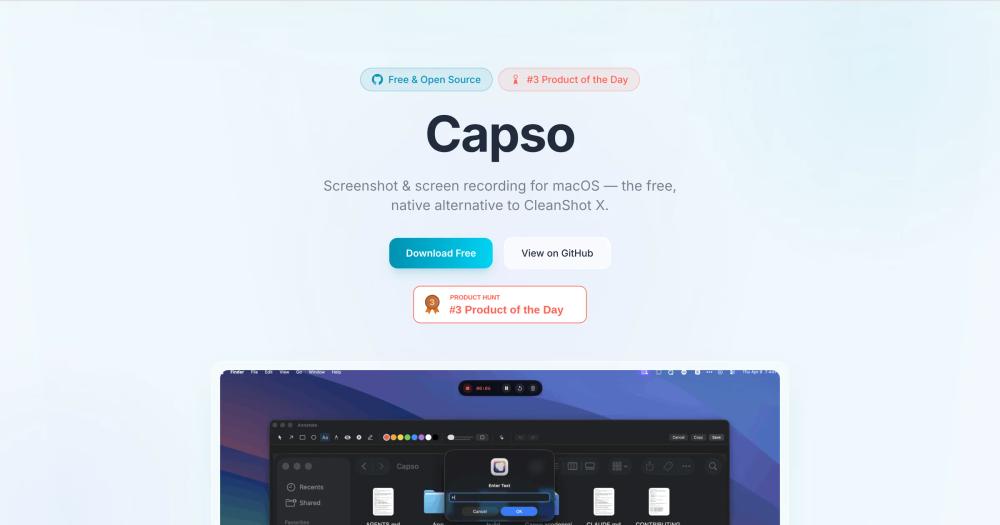
Capso covers both screenshot and screen recording workflows, positioning itself as a native alternative to CleanShot X.
Homebrew install path
Capso provides a Homebrew tap and cask install command, giving Mac users a familiar package manager path.
Strengths and trade-offs#
Strengths
- Focused CleanShot X alternativeThe project directly targets the Mac screenshot and recording workflow, making its value clear for users replacing a paid capture app.
- Native SwiftUI implementationA native macOS codebase matters for capture tools because OS permissions, recording APIs, and UI responsiveness are central to the experience.
Trade-offs
- -macOS-only and version-specificCapso targets macOS 15.0 and later. Windows, Linux, and older macOS users need a different capture tool.
Quick start#
brew tap lzhgus/tap
brew install --cask capsoWhat it's built on#
- Languages
- Swift
FAQ#
What is Capso?
Capso is an open source screenshot and screen recording app for macOS.
What macOS version does Capso target?
Capso targets macOS 15.0 and later.
What permissions does Capso need?
Capso requires screen recording, camera, and microphone permissions and prompts on first use.
Similar open-source tools#

Flameshot
Open source screenshot tool with annotation and upload

Kap
Open source screen recorder for macOS with web tech

Cap
Self-hosted screen recorder with custom S3 bucket support

ShareX
Screenshot and record with 80+ upload destinations on Windows

OBS Studio
Record and stream with multi-source scenes and hardware encoding

Excalidraw
Open source whiteboard for hand-drawn style diagrams