

Who Upscayl is for#
Designers improving low-resolution assets
Upscale icons, product shots, and old brand assets locally before using them in design work.
Skip if:
You need guaranteed professional batch controls and vendor support.
Archivists restoring personal images
Enhance scans or old images without uploading them to a cloud processing service.
Skip if:
Your computer lacks compatible GPU support.
The problem it solves#
Designers, archivists, and ecommerce teams often need to rescue low-resolution images without sending them to a cloud editor or buying a specialized proprietary app. The hard part is getting acceptable upscaling quality while keeping the workflow local and predictable.
How it solves it#
Local AI upscaling
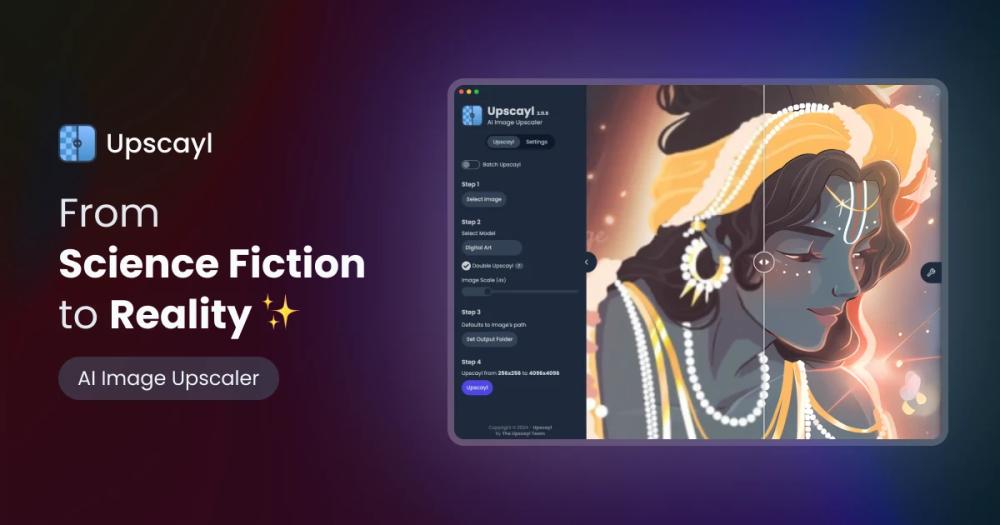
Upscayl enlarges and enhances low-resolution images on the desktop, keeping image processing on the user machine.
Cross-platform desktop releases
The README lists Linux AppImage, RPM, DEB, ZIP, macOS, and Windows download options.
GPU-backed processing model
The project states that a Vulkan-compatible GPU is needed, which sets clear hardware expectations before users install it.
Strengths and trade-offs#
Strengths
- Good fit for privacy-sensitive image workUpscayl avoids a cloud upload workflow for users who need to process private or client-owned images locally.
- No proprietary desktop lock-inAGPL-licensed source gives users an inspectable alternative to paid upscaling apps.
Trade-offs
- -Hardware compatibility can block adoptionMany integrated GPUs may not work well because the app depends on Vulkan-compatible graphics hardware.
- -Professional tools still have more controlsTopaz Gigapixel and similar paid tools may offer more polished batch workflow, model selection, and vendor support.
Upscayl vs alternatives#
Upscayl vs Topaz Gigapixel
Upscayl is better when creators want local open source upscaling without buying a proprietary desktop app. Topaz Gigapixel remains stronger for professional workflows that need vendor-supported models, polished batch controls, and commercial support. Upscayl fits designers, archivists, and hobbyists who can work within GPU and model limits.
What it's built on#
- Languages
- JavaScriptPythonTypeScript
- Frameworks
- Next.jsReact
FAQ#
Can Upscayl replace Topaz Gigapixel?
Upscayl can replace Topaz Gigapixel for basic local upscaling needs. Topaz remains stronger for professional workflows that require polished controls and support.
Does Upscayl need a GPU?
Yes. The README says Upscayl needs a Vulkan-compatible GPU for image upscaling.
Is Upscayl free?
Yes. Upscayl is free and open source, with AGPL-3.0 reported in GitHub metadata.
Similar open-source tools#

Compositor
Free Photoshop-style image editor for Apple silicon Macs

Pinta
Free open source image editor inspired by Paint.NET

Krita
Free open source digital painting app for artists

GIMP
Free image editor for graphic designers and photographers

MyPaint
Free open source painting app optimized for drawing tablets

presenton
Self-hosted AI slide generator with BYOK support and PPTX export.