
Illustrators sketching with tablets
Use MyPaint for freehand sketches, concept work, and painting practice with a pressure-sensitive tablet.
Skip if:
You need professional photo retouching or complex print production workflows.

Open source alternative to Corel Painter, Adobe Photoshop and Clip Studio Paint
Last verified
Build digital paintings with a distraction-free desktop app built for graphics tablets, expressive brushes, and an infinite canvas.
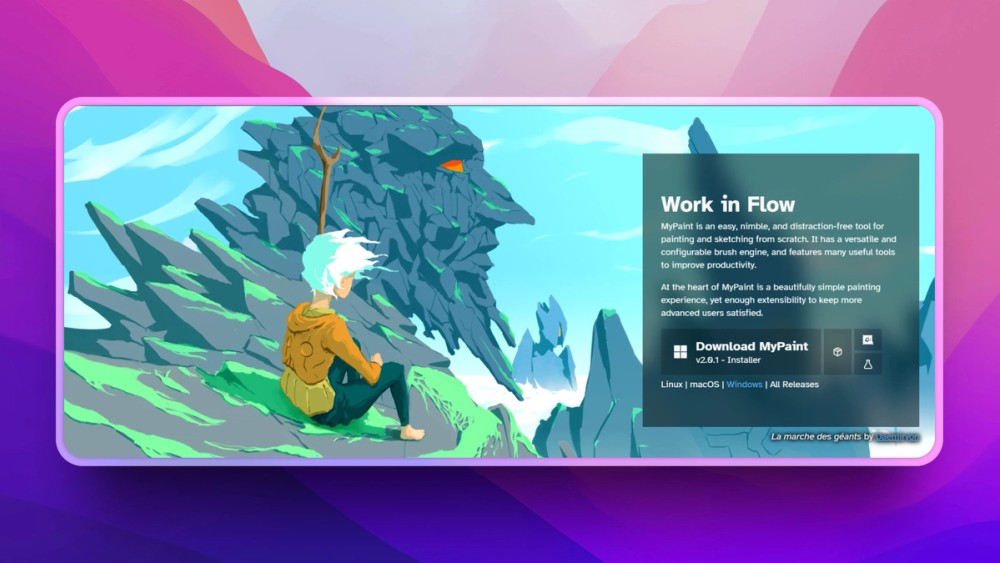
Use MyPaint for freehand sketches, concept work, and painting practice with a pressure-sensitive tablet.
You need professional photo retouching or complex print production workflows.
Use MyPaint when you want a native-feeling open painting app on Linux without a subscription.
Your clients require Photoshop, Procreate, or Clip Studio project compatibility.
Many creative tools bundle painting, photo editing, vector design, cloud libraries, and asset management into one paid suite. Artists who mainly want a fast drawing surface can end up fighting the interface instead of sketching.
Digital painting also depends on tablet feel, brush behavior, and low-friction canvas movement. A focused local app can be better than a broad commercial suite when the job is drawing rather than production design management.
MyPaint is designed for Wacom-style graphics tablets, which makes pressure-sensitive drawing and brush control central to the experience.
The app emphasizes drawing and painting rather than dense editing panels, helping artists stay focused during sketching sessions.
MyPaint includes painting-oriented brush behavior rather than treating brushes as a small part of a larger photo editor.
MyPaint replaces Photoshop only for drawing and painting workflows. It is not meant to cover the full photo editing and production design surface.
Yes. MyPaint is designed around graphics-tablet painting and drawing workflows.
MyPaint is best for artists who want a focused local sketching and painting app, especially on Linux.

Alternative to Clip Studio Paint
Free open source digital painting app for artists

Alternative to Adobe Photoshop
Free Photoshop-style image editor for Apple silicon Macs

Alternative toAdobe Photoshop
Free open source image editor inspired by Paint.NET

Alternative toAdobe Photoshop
Free image editor for graphic designers and photographers

Alternative to Topaz Labs Gigapixel AI
Free open source AI image upscaler for Mac, Linux, and Windows

Alternative toFlightradar24
Real-time global intelligence on a 3D globe
Featured

Alternative to Grok Bot
AI teammates you own: your keys, your model, your machine.

Alternative to Superhuman
AI email assistant that drafts replies and clears your inbox

Alternative toClaude Managed Agents
Open-source agent deployment API. Self-host or use Omnara Cloud.
The projects we add and every new guide. Free, unsubscribe any time.
 Claude Code to
  OpenCode
 Jira to
  Windshift
 Notion to
  AppFlowy
 Slack to
  Mattermost
 Linear to
  GitLab
 Wispr Flow to
  Handy
Handy CapCut to
  Concat
 Grok Bot to
  rakazo
 Superhuman to
  Inbox Zero
 Airtable to
  AITable
 Muse to
  OpenClaw
 GitHub Copilot to
  Cline
Cline Datadog to
  Netdata
 Microsoft Teams to
  Rocket.ChatConfluence to
  Docmost
 Pinecone to
  Qdrant
 Zapier to
  n8n
n8n Devin AI to
  OpenHands
 Firebase to
  Supabase
 1Password to
  KeePassXC
 Contentful to
  Strapi
 Adobe Premiere Pro to
  Shotcut
 ChatGPT to
  AnythingLLM
 LangSmith to
  Langfuse


