

Who CC-Beeper is for#
Mac developers running long Claude Code tasks
CC-Beeper fits developers who start agent tasks and then move to other work while still needing prompt, error, or permission alerts.
Skip if:
You do not use Claude Code or need Windows and Linux support.
Solo builders using voice with coding agents
Voice response support can help users keep an agent moving while away from the keyboard.
Skip if:
Your work environment cannot use voice input or desktop notification tools.
The problem it solves#
Claude Code sessions can pause for permissions, errors, or user input while the developer is focused elsewhere. If the operator misses that moment, agent work stalls even though the next action might be simple.
Terminal-only monitoring is especially awkward on macOS when developers move between apps or step away from the desk. A lightweight desktop widget can keep agent state visible without requiring constant terminal attention.
How it solves it#
Floating macOS pager
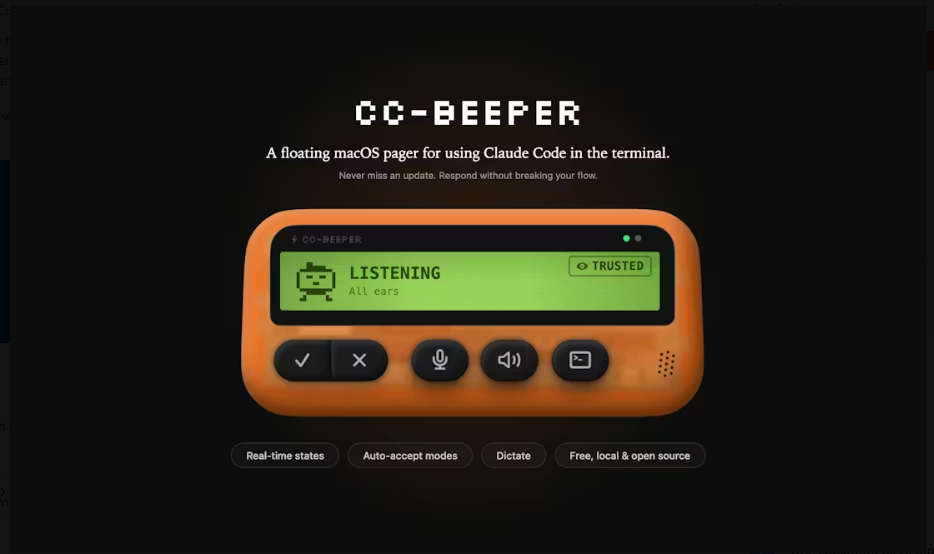
CC-Beeper presents Claude Code activity in a desktop widget, making agent state visible outside the terminal.
Permission-request awareness
Repository metadata says the app helps users avoid missing permission requests, one of the most common reasons coding-agent sessions stop.
Voice response support
The project description mentions responding by voice, which helps users answer Claude Code without returning immediately to the terminal.
Strengths and trade-offs#
Strengths
- Targets a real agent-operator painCC-Beeper focuses on the moment where an otherwise useful Claude Code session waits for attention, which makes it practical for daily users.
- Native SwiftUI directionRepository topics include Swift and SwiftUI, which fits a Mac utility that needs to feel lightweight and always available.
Trade-offs
- -Claude Code and macOS specificCC-Beeper is not a general agent dashboard. Its value depends on using Claude Code on macOS and wanting a desktop companion.
What it's built on#
- Languages
- PythonSwift
FAQ#
What is CC-Beeper for?
CC-Beeper is a macOS desktop widget for monitoring Claude Code activity and responding when the agent needs attention.
Does CC-Beeper support voice?
Yes. The repository description says users can respond by voice.
What license does CC-Beeper use?
The README badge reports GPL-3.0 licensing. Teams that require license automation should confirm the repository license file before adoption.
Similar open-source tools#

VibePad
Control your AI coding assistant with a gamepad, open source

tinycast
One hotkey, everything you reach for all day.

go-modern-guidelines
Modern Go idioms for every AI coding agent, free

Superlearn
Interactive study boards for any topic, no new subscription needed
garden-skills
Production-ready agent skills for Claude Code, Cursor, and Codex
free-claude-code
Route 9 AI coding agents through 1.3B+ free monthly tokens