

Who Claudoscope is for#
Mac developers reviewing Claude Code usage
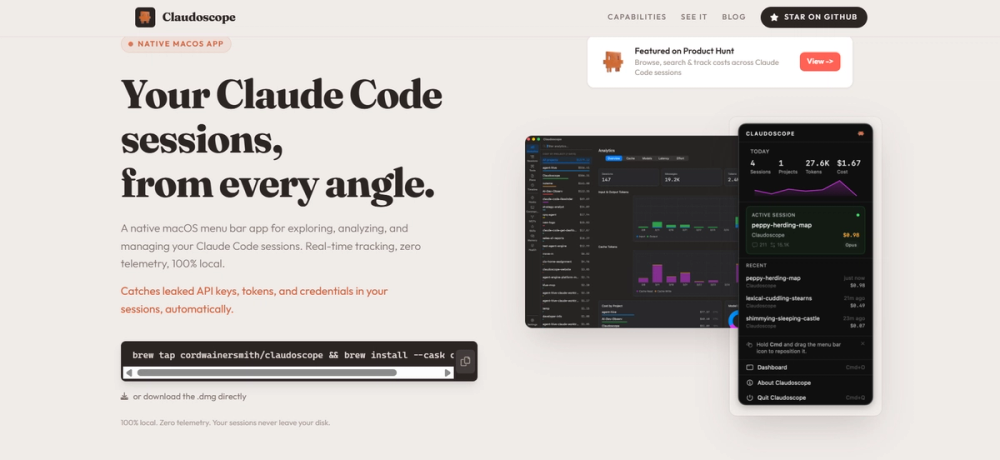
Claudoscope fits developers who run Claude Code heavily and want session history, analytics, and project insights from the menu bar.
Skip if:
You do not use Claude Code or you work primarily on Windows or Linux.
Teams auditing sensitive agent sessions
The secrets-detection positioning helps teams inspect agent sessions for sensitive data exposure during coding work.
Skip if:
You need centralized enterprise audit retention across many operating systems.
The problem it solves#
AI coding sessions create useful history, but that history is hard to inspect once the terminal moves on. Developers need to understand what happened, which projects consumed time, whether secrets appeared, and how agent work evolved across sessions.
Without a local dashboard, teams rely on memory, scattered logs, or vendor UI surfaces that may not match their workflow. A native session viewer makes agent usage easier to audit and learn from.
How it solves it#
Claude Code session dashboard
Claudoscope focuses on Claude Code and Cowork sessions, giving users a purpose-built view of coding-agent activity rather than a generic log browser.
Native macOS menu bar app
The README describes Claudoscope as native macOS and shows macOS 14.0+ support, making it a desktop companion for Mac-based agent users.
Security and secrets analysis
Repository metadata mentions security hardening and realtime secrets detection, which helps developers audit sensitive agent interactions.
Strengths and trade-offs#
Strengths
- Built for real agent session reviewClaudoscope is strongest for developers who want to review agent history, analytics, and project context after sessions finish.
- Local desktop workflowA native macOS app fits users who want Claude Code visibility without pushing session analysis into another hosted dashboard.
Trade-offs
- -Mac-only product fitThe source evidence positions Claudoscope for macOS 14.0+. Windows and Linux users need a different session-review workflow.
Quick start#
Requires macOS 14.0 or later, an Apple Silicon Mac, and Claude Code used at least once so `~/.claude/projects/` exists.

Install with Homebrew:

```bash
brew tap cordwainersmith/claudoscope
brew install --cask claudoscope
```

Update later with:

```bash
brew upgrade --cask claudoscope
```

Manual install is also available from the GitHub Releases page by downloading the latest DMG and moving Claudoscope to Applications.What it's built on#
- Languages
- Swift
FAQ#
What does Claudoscope analyze?
Claudoscope analyzes Claude Code and Cowork sessions, including history, analytics, project insight, and security-oriented checks.
What operating system does Claudoscope support?
The README positions Claudoscope as a native macOS app and shows macOS 14.0+ support.
How can Claudoscope be installed?
The README badge shows a Homebrew cask install path for Claudoscope.
Similar open-source tools#

agentswarms
Self-hosted AI agents, swarms, RAG, and BI in one platform

guaardvark
Self-hosted AI workstation with agents, video, voice, and RAG.

thoughtdag
Make LLM context visible, editable, and graph-structured

maka
Local-first AI agent workspace with append-only execution logs

ECC
Cross-harness skills, agents, and security for AI coding

Breadcrumb
Open source LLM tracing and monitoring for AI agents