

Who thoughtdag is for#
Researchers doing multi-source literature reviews
Select passages from multiple PDFs directly in the built-in reader, wire the most relevant excerpts into a shared conclusion node, and ask the model to synthesize across sources. The page provenance chip lets you verify any claim against the original page without losing your place on the canvas.
Skip if:
If your research workflow is linear (one paper at a time, no need to merge threads), a standard chat interface is simpler. ThoughtDAG's value comes from managing multiple simultaneous context paths.
Developers debugging LLM prompt behavior
Wire specific system prompt nodes, user turn nodes, and retrieved context nodes into a single generation node, then prune one edge at a time to isolate which input is causing unexpected output. The staleness tracker re-runs only affected nodes after each edit, reducing the iteration cost of prompt debugging.
Skip if:
If you need logging, tracing, and team-shared prompt history across many LLM API calls, PromptLayer or LangSmith are built for that workflow. ThoughtDAG is a single-session, interactive context editor, not a monitoring backend.
Writers structuring long-form content with LLM assistance
Branch a research canvas into separate argument paths, develop each one with the model, then merge the strongest threads into an outline node. Export the context chain as Markdown to carry the structured reasoning into a writing tool.
Skip if:
If you do not need to maintain and merge multiple concurrent argument threads, a simpler chat session or writing assistant covers the workflow without the canvas overhead.
The problem it solves#
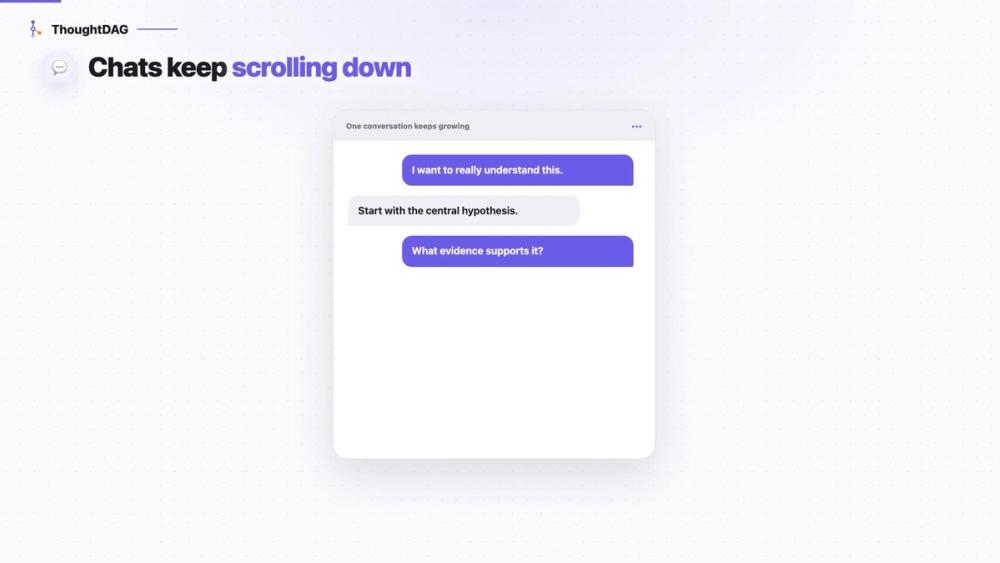
LLM conversations have an invisible context problem. Linear chat interfaces pass the full conversation history to the model, accumulating noise and outdated reasoning as the thread grows. When you explore multiple research paths in a single conversation, every path competes for context space, and the model cannot distinguish which prior messages are still relevant.
The existing tools that address this are either fully automated (RAG systems retrieve context for you, without showing you what was selected) or developer-facing observability dashboards (PromptLayer, LangSmith) that log what happened after the call. Neither approach lets a researcher or writer see, shape, and edit the exact context graph before the model sees it. The result: long conversations produce drifting, noise-contaminated answers, and users have no direct way to fix them.
How it solves it#
Graph-based context control
Every edge in the graph defines what the model sees in the next request. Deleting a wire removes that node's content from the prompt; reconnecting it brings it back. The change takes effect immediately: the same prompt returns a different answer depending on which edges are active.
PDF clipping with page provenance
Select a passage in the built-in PDF reader and ask about it directly on the canvas. The answer lands as a new node tagged with the page number, and a page chip lets you jump back to the original source. Complete a paper and the canvas holds the full map of your reading.
Multi-path branching and merging
Start multiple research branches from any node, explore different hypotheses in parallel, then merge selected paths into a single conclusion node. The merged node reflects only the paths you wire in, so the model sees a synthesized context rather than every branch at once.
Staleness tracking and dependency replay
When you edit a node that other nodes depend on, ThoughtDAG marks the downstream answers as stale. A replay pass re-runs only the affected nodes in dependency order, with a token estimate shown before you confirm. This keeps the entire graph consistent without re-running everything from scratch.
Read-only graph sharing via link
Export a read-only link to share the full graph with collaborators or for reference. The link carries the entire graph structure with no account required and no server storage: the recipient sees the canvas exactly as you shared it.
Local-first backup and Markdown export
ThoughtDAG writes the canvas as a real .thoughtdag.json file to any folder you choose, including a synced folder for cross-device access. PDFs never leave your machine; only extracted text travels when you ask. Markdown export converts any context chain or selection to a plain .md file that coding agents can read without a plugin.
Strengths and trade-offs#
Strengths
- Edges change model input, not just visual layoutIn ThoughtDAG, wires between nodes change what the model actually receives. This is different from mind maps or whiteboard tools, where edges organize ideas for the reader but do not alter model input. The distinction is backed by the project's Context Intervention Benchmark: across 126 test cases, 116 recovered clean answers after deleting only the misleading source node.
- Fully local: no cloud account, works offlineUnlike PromptLayer or LangSmith, which require cloud accounts and send prompt data to their servers, ThoughtDAG keeps canvases, API keys, and documents on your machine. You can connect a local Ollama instance and work entirely offline. PDFs never leave the local environment.
- MIT license with no paid tier or feature gatesEvery ThoughtDAG feature is available under the MIT license. There is no paid tier, no feature-gated cloud plan, and no per-seat cost. The free model tier (including local Ollama) covers the full feature set including desktop app, PDF reader, sharing, and export.
- Works alongside coding agents without a pluginThe automatic folder backup keeps the canvas as a live .thoughtdag.json file in your project directory. Coding agents can read it without a plugin, API, or server. Markdown export turns any context chain into a plain .md, which fits standard agent workflows without additional tooling.
Trade-offs
- -Windows builds are unsignedThe macOS desktop build is signed and notarized, but the Windows build is not yet code-signed. Windows users will see a SmartScreen warning on first run. Running from source (two npm commands) avoids this but requires Node.js installed.
- -Early-stage project with minimal in-app documentationThoughtDAG was created in February 2026 and is under active development. The feature set is documented in a 60+ item features.md file, but in-app documentation and onboarding are minimal. Users who need polished setup guides may find the README and docs/setup.md coverage thin.
- -No live multi-user collaborationThoughtDAG is a single-user, local-first tool. The read-only share link lets you send a snapshot to others, but there is no live multi-user editing or shared canvas. Teams that need real-time collaboration on the same graph will need a different approach.
thoughtdag vs alternatives#
ThoughtDAG vs PromptLayer
PromptLayer is a paid API layer that logs every LLM request, tracks prompt versions, and surfaces analytics across multiple model providers. Teams use it to manage prompt templates and monitor production LLM calls.
ThoughtDAG addresses a different problem. It is a local context editor for individual research sessions, not a production monitoring backend. You author the context graph before the model call rather than observing calls after they happen.
| Feature | ThoughtDAG | PromptLayer |
|---|---|---|
| License | MIT (open source) | Proprietary |
| Self-hosting | Yes (desktop or source) | No |
| Context visibility | Visual graph editor | Post-call logs |
| Collaboration | Read-only share link | Team dashboards |
| Cost | Free | Paid (usage-based) |
ThoughtDAG is the better choice when you need to see and manually shape context before each LLM request, or when your use case is individual research and knowledge work rather than a deployed application. PromptLayer remains the better fit for teams that need centralized prompt version control and usage analytics across many production API calls.
ThoughtDAG vs LangSmith
LangSmith is LangChain's paid debugging and evaluation tool for LLM chains and agents. It traces execution across multiple model calls, stores run histories, and provides a team-accessible dashboard for evaluating prompt quality.
ThoughtDAG is a single-user canvas for manually authoring and editing the context that goes into each call. Where LangSmith instruments production systems from the outside, ThoughtDAG is an interactive tool where the graph structure itself is the memory.
| Feature | ThoughtDAG | LangSmith |
|---|---|---|
| License | MIT (open source) | Proprietary |
| Self-hosting | Yes (local-first) | Limited (cloud-first) |
| Primary use | Context authoring | Chain tracing and eval |
| Team access | Read-only share | Multi-user dashboards |
| Cost | Free | Paid tiers |
For researchers and writers who want to control what enters each LLM prompt and explore multiple reasoning paths, ThoughtDAG is the open source choice. LangSmith is the better fit for engineering teams who need to trace, debug, and evaluate LLM chains in deployed applications.
Quick start#
Run from source with Node.js to start the local server and dev environment.
```bash
npm install
npm run server
npm run dev
```What it's built on#
- Languages
- JavaScriptTypeScript
- Frameworks
- ExpressReactReact Flow
FAQ#
Does ThoughtDAG require a cloud account or internet connection?
No. ThoughtDAG is local-first: canvases, API keys, and documents live on your machine. You can connect a local Ollama instance to run entirely offline. The web demo requires internet, but the desktop app and source build do not need a cloud account.
What LLM models does ThoughtDAG support?
ThoughtDAG connects to any OpenAI-compatible endpoint, including local Ollama instances, as well as built-in presets for commercial providers. You configure the connection inside the app; no .env file is required to get started. Text-only models can read images through a companion text fallback.
How is ThoughtDAG different from LangSmith or PromptLayer?
LangSmith and PromptLayer log and trace LLM calls after the fact for developers building production pipelines. ThoughtDAG is a before-the-fact context editor: you draw the graph, decide which nodes wire into the next request, and see exactly what the model receives. It is designed for individual research and knowledge work, not application monitoring.
Can I use ThoughtDAG on Windows?
Yes. Windows builds are available on the GitHub Releases page. The Windows installer is not yet code-signed, so you may see a Microsoft SmartScreen warning on first run. macOS builds are signed and notarized. Running from source (npm install, npm run server, npm run dev) works on any platform with Node.js installed.
Is the ThoughtDAG backup format stable across versions?
Yes. The README explicitly states that the backup format stays backward compatible. Markdown export is the documented permanent escape hatch: any context chain or selection can be exported as plain .md, which is readable by any tool without ThoughtDAG installed.
Similar open-source tools#

Helicone
Monitor LLM spend and catch prompt anomalies in production

rakazo
AI teammates you own: your keys, your model, your machine.

n8n
Self-hosted workflow automation with 400+ node connectors

agentswarms
Self-hosted AI agents, swarms, RAG, and BI in one platform

guaardvark
Self-hosted AI workstation with agents, video, voice, and RAG.

maka
Local-first AI agent workspace with append-only execution logs