

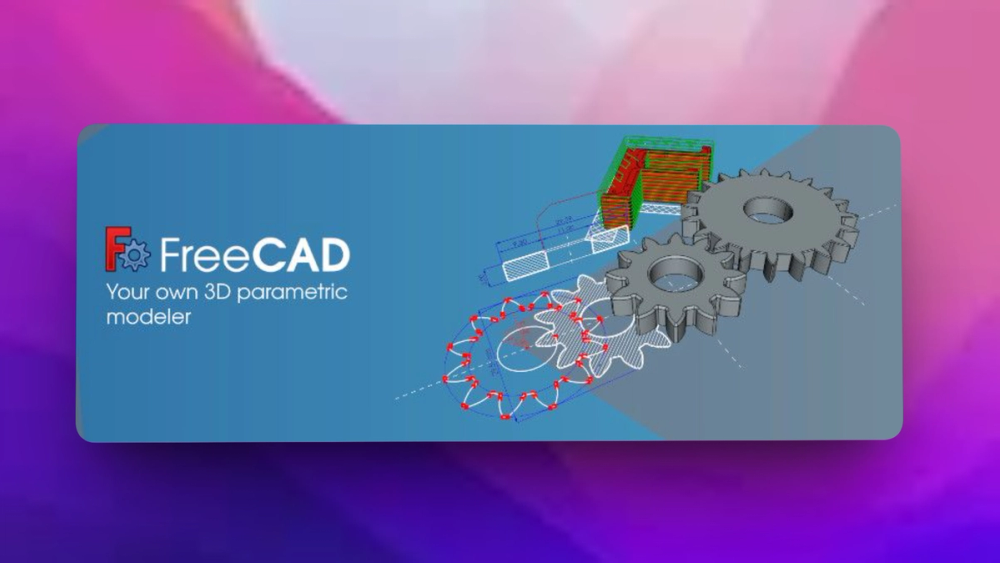
Who FreeCAD is for#
Makers designing printable parts
FreeCAD fits makers who need constraint-based sketches, parametric part changes, and cross-platform access for 3D printing or workshop projects.
Skip if:
You only need quick sculpting or decorative meshes with no dimensional constraints.
Small teams avoiding CAD license lock-in
FreeCAD gives small engineering, hardware, and architecture teams an open source CAD option that runs across operating systems and supports real parametric modeling.
Skip if:
Your workflow requires proprietary cloud collaboration, certified vendor support, or a specific commercial CAD file workflow.
Students and teachers learning CAD concepts
FreeCAD is useful in education because students can install it on common desktop operating systems, inspect the source, and learn sketches, constraints, model history, and technical drawings.
Skip if:
The course must match a commercial vendor exam or a school-mandated CAD package.
Technical users scripting CAD workflows
FreeCAD suits programmers and power users who want to automate model creation, build macros, or extend CAD behavior through Python and workbench APIs.
Skip if:
You want a locked-down GUI-only CAD tool with minimal scripting surface.
The problem it solves#
Professional CAD tools can be expensive, restrictive, and hard to keep available across mixed Windows, macOS, and Linux environments. Small teams, students, hobbyists, and open hardware projects often need real parametric modeling without accepting proprietary file lock-in or per-seat licensing pressure.
The harder problem is depth. Simple 3D modelers do not cover model history, constraint-based sketches, drawings, scripting, architecture, mechanical design, CAM, or custom workflows. Teams need a CAD tool that can grow from part modeling into a broader engineering workspace.
How it solves it#
Parametric model history
FreeCAD lets users change a design by editing parameters earlier in the model history. That matters when part dimensions, constraints, or design assumptions change after the first model is built.
2D sketches to 3D objects
The README says users can sketch geometry-constrained 2D shapes and use them as the base for 3D objects, which is a standard workflow for mechanical parts and product models.
Production drawing support
FreeCAD can extract design details from 3D models to create production-ready drawings, giving teams a path from model to dimensions and documentation.
Cross-platform desktop app
The README states that FreeCAD runs on Windows, macOS, and Linux, and stable precompiled packages are available through GitHub releases and distribution software centers.
Python automation API
FreeCAD exposes a broad Python API, so advanced users can automate modeling tasks, build macros, script custom behavior, and extend workflows beyond manual GUI operations.
Engineering workbench ecosystem
Official docs list workbenches for areas such as Sketcher, Part Design, BIM, CAM, FEM, TechDraw, Mesh, Draft, and more, letting users switch tools by discipline.
Strengths and trade-offs#
Strengths
- Real open source CAD ownershipGitHub reports FreeCAD under LGPL-2.1, and the project publishes its official source code openly. Users can inspect the CAD stack instead of depending entirely on a proprietary desktop vendor.
- Broad engineering scopeFreeCAD is not limited to casual modeling. The README and docs cover mechanical design, product design, architecture, constrained sketches, technical drawings, scripting, and multiple workbenches.
- Useful for mixed operating systemsFreeCAD runs on Windows, macOS, and Linux, which helps classrooms, makerspaces, and distributed teams standardize around one CAD tool without matching every user's workstation.
- Scriptable for custom workflowsThe Python API and macro documentation give technical users a path to automate repeat modeling tasks, integrate with other engineering tools, or build domain-specific commands.
Trade-offs
- -Learning curve is realFreeCAD covers many disciplines and workbenches. New users coming from simpler 3D modeling tools may need time with the wiki, tutorials, and forum before the workflow feels natural.
- -Not a managed cloud CAD serviceFreeCAD is a desktop CAD application, not a browser-first managed collaboration platform. Teams that need live multiplayer editing, cloud PDM, and vendor-hosted review workflows may need extra tools.
- -Development builds can be unstableThe README directs users to stable packages for normal use and weekly development releases for newer builds. Development releases should be treated as test builds, not the default choice for critical work.
What it's built on#
- Languages
- CC++Python
FAQ#
What is FreeCAD?
FreeCAD is an open source parametric 3D modeler for designing real-life objects. It supports workflows such as product design, mechanical engineering, architecture, BIM, CAM, 3D printing, scripting, and technical drawings.
Does FreeCAD run on Windows, macOS, and Linux?
Yes. The README says FreeCAD runs on Windows, macOS, and Linux, and stable precompiled packages are available from the latest releases page.
Is FreeCAD parametric?
Yes. The README says FreeCAD uses parametric modeling so users can modify a design by going back into model history and changing parameters.
Can FreeCAD be scripted?
Yes. FreeCAD offers a broad Python API, and the official wiki includes Python scripting documentation, macros, workbench docs, and developer resources.
What license does FreeCAD use?
GitHub reports FreeCAD under the GNU Lesser General Public License v2.1. Teams should still review the project's license documentation for policy-sensitive commercial use.
Similar open-source tools#

God's Eye View
Real-time global intelligence on a 3D globe

Drift
Desktop CapCut alternative. GPL-3.0, no subscription, no watermark.

Tabler Icons
6,238 free MIT-licensed SVG icons for web and app design

Lyrimuse
Word-by-word lyrics for Mac, nine players, Last.fm built in

Artcraft
Open source AI studio for artists who want real control
InvokeAI
Self-hosted AI image generation for artists and professionals