

Who Homeio is for#
Homelab enthusiasts running a media and productivity stack
Homeio's 166+ catalogue covers Nextcloud, Jellyfin, AdGuard Home, Vaultwarden, and similar self-hosted staples. The app store, file manager, and monitoring panel replace the need to manage each service separately via SSH. You get one browser bookmark instead of multiple admin URLs.
Skip if:
If you run containers across multiple machines and need team access or per-host dashboards, a multi-node tool like Portainer Business scales better than Homeio's single-host, single-user architecture.
Raspberry Pi users who want a desktop UI without a monitor
The install script targets Raspberry Pi OS, and the GitHub topics list Pi 4+ as a supported platform. The browser desktop gives full server control from any device on the network. Real-time metrics and the built-in terminal reduce the need for a monitor or an SSH session.
Skip if:
Raspberry Pi models older than Pi 4 may not have sufficient RAM to run Homeio alongside multiple Docker apps comfortably. The README does not document minimum hardware requirements.
Solo developers hosting personal tools behind Tailscale
The built-in Tailscale integration sets up remote access without manual config file edits. Cloudflare Tunnel gives a public HTTPS hostname for an app without opening a port. The browser terminal and container log viewer work over the same Tailscale connection.
Skip if:
If you already manage Tailscale and Cloudflare Tunnel externally and have no need for a desktop metaphor, a lighter admin panel may have less overhead than a full browser-shell environment.
The problem it solves#
Managing a home server typically involves opening multiple browser tabs: Portainer or the raw Docker CLI for containers, a separate web file manager, a stats dashboard, and another panel for remote access configuration. Each service stores its own state, and deploying a new Docker app often means editing compose files over SSH and troubleshooting port conflicts.
Paid server management tools like Unraid and Portainer Business address parts of this, but Unraid requires purchasing a per-machine license, and Portainer Business charges per node above the free-tier limit. Neither product includes a file manager, a browser terminal, or desktop-level window management. Most home server operators end up either paying for something they eventually outgrow or maintaining a fragmented setup that depends on knowing which ports map to which service.
How it solves it#
Browser desktop shell
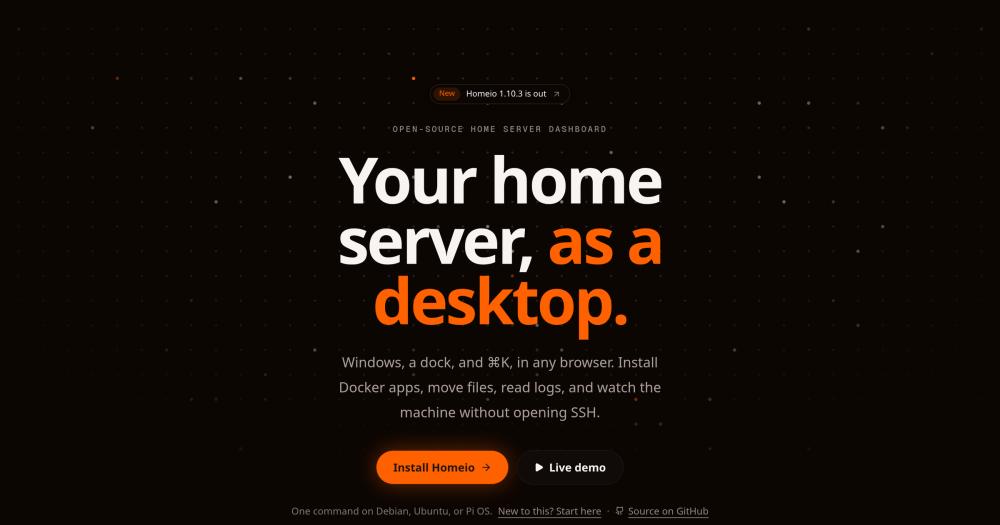
Homeio renders a full windowed desktop in the browser with a dock, draggable windows, a command palette (⌘K), widgets, and a lock screen. Every app and system view opens inside this shell, so there is no separate admin URL to remember for each service.
Docker app store with 166+ catalogue entries
Install, update, and uninstall Docker Compose apps from a built-in store with 166+ prebuilt stacks. Homeio accepts CasaOS store archives as additional catalogue sources and shows live per-container CPU and memory stats alongside app controls. Compose files are editable in the browser, and container logs stream in real time with a keyword filter.
File manager with disk and USB support
Manages local disks, USB drives, SMB network shares, and Google Drive from one file manager. Supports upload with progress, multi-select copy and move, audio/video/image/PDF preview, and a Monaco code editor for text and config files. Samba folder sharing and disk formatting and mounting are available from the same interface without SSH.
Real-time system metrics over SSE
CPU, memory, disk, network, and per-container stats update live over Server-Sent Events. No page refresh is needed: the monitor view streams changes as they happen, and container-level CPU breakdowns make it straightforward to spot which app is consuming resources.
Remote access with Tailscale and Cloudflare Tunnel
Tailscale and Cloudflare Tunnel are built into Settings. Connecting a Tailscale node or creating a Cloudflare Tunnel with a DNS record happens from the UI without CLI work. Two-factor login and backup and restore sit in the same Settings panel.
Scheduled tasks and built-in terminal
A built-in cron scheduler runs shell commands, app restarts, backups, and image pulls on a schedule without SSH or an external cron service. The terminal opens a real login shell on the server or inside any container, so you can debug apps directly from the browser.
Strengths and trade-offs#
Strengths
- AGPL-3.0 with no paid tier or feature limitsAll features are available without a license purchase. Unlike Portainer Business (which restricts team features to paid plans) or Unraid (which requires a per-machine license), Homeio is free to run on as many machines as you own. The AGPL-3.0 license requires publishing source changes if you distribute a modified version as a service, but has no restrictions on private or internal use.
- One-command install on Debian, Ubuntu, and Raspberry Pi OSA single curl command installs Docker if missing, configures Homeio as a systemd service, and puts it behind Nginx on port 80. The Docker Compose path works on any platform that runs Docker. Updating later is also one command.
- CasaOS store archive compatibilityHomeio accepts CasaOS store archives as additional app catalogue sources, so users migrating from CasaOS can import their existing app lists without rebuilding them. The GitHub repo description positions Homeio explicitly as a CasaOS and Umbrel alternative with this migration path.
- SSE-based live metrics with no pollingSystem and container stats stream over Server-Sent Events, so there is no polling interval to configure and no page refresh needed. Container-level stats cover CPU and memory for every running container, including those Homeio did not deploy.
Trade-offs
- -Single-user onlyEach Homeio installation supports one account. Registration closes after the first user is created, and there is no role-based access, team workspace, or path to add a second user without reinstalling. Portainer Business and Unraid both support multiple accounts if shared access is a requirement.
- -Linux-only for full feature setThe install script targets Debian, Ubuntu, and Raspberry Pi OS. Docker Compose works on any platform, but USB drive management requires udisks2 and udev on the host, which is not available inside Docker without extra configuration. WiFi and Ethernet management needs NetworkManager with D-Bus, limiting the network panel to bare-metal and VM installs.
- -Early-stage project with a small communityThe repository was created in February 2026 and has 90 stars and 5 open issues as of mid-October 2026. The release cadence is active (last push October 2026), but the project is young. Planned features still on the roadmap include metrics history graphs, SMART disk health alerts, a Docker image manager, and webhook support.
Homeio vs alternatives#
Homeio vs Portainer Business
Both Homeio and Portainer Business manage Docker containers from a web interface, but they serve different scales. Portainer Business is built for multi-node, multi-team environments; Homeio is a single-user home server tool with a desktop metaphor and built-in services that Portainer does not include.
| Feature | Homeio | Portainer Business |
|---|---|---|
| License | AGPL-3.0 (free) | Proprietary (paid above 5 nodes) |
| Self-hosting | Yes | Yes |
| File manager | Yes | No |
| Browser terminal | Yes (host shell + container shell) | Yes (container shell only) |
| App catalogue | 166+ Compose stacks | No |
| Remote access tunnels | Tailscale + Cloudflare Tunnel built in | No |
| Multi-user support | No | Yes |
| Multi-node management | No | Yes |
Homeio is the better choice for a single home server operator who wants Docker management, file browsing, system metrics, and remote access in one browser tab. Portainer Business is the better choice when you manage Docker across multiple hosts or need team-based access control. At that scale, Homeio's single-user, single-host architecture is a hard constraint.
Homeio vs Unraid
Unraid is a NAS and server operating system focused on parity storage, media serving, and VM management, with a web UI that includes a Docker tab. Homeio and Unraid overlap in Docker app management but differ in scope and cost.
| Feature | Homeio | Unraid |
|---|---|---|
| License | AGPL-3.0 (free) | Proprietary (per-machine license) |
| Self-hosting | Yes (any Linux) | Yes (dedicated boot drive required) |
| App catalogue | 166+ Compose stacks | Community Applications plugin |
| File manager | Yes | Yes |
| Parity storage / RAID | No | Yes |
| VM management | No | Yes |
| Multi-user support | No | Yes |
Homeio is a better fit for standard Linux servers and Raspberry Pi machines where you want a free, open-source control plane without committing to the Unraid boot drive model. Unraid is the stronger choice when parity-protected storage, virtual machine management, or the mature Unraid ecosystem are priorities. Its per-machine license cost is the main friction for operators running several machines.
Quick start#
Install Homeio on Debian, Ubuntu, or Raspberry Pi OS with a single command that handles Docker setup and server configuration automatically.
```bash
curl -fsSL https://get.homeio.app | sudo bash
```What it's built on#
- Languages
- JavaScriptTypeScript
- Frameworks
- Next.jsReact
- Databases
- PostgreSQL
- Infrastructure
- Docker
FAQ#
Is Homeio free to use?
Yes. Homeio is licensed under AGPL-3.0 with no paid tier and no feature gates. The app catalogue, remote access tools, file manager, and terminal are all available without a purchase. The AGPL-3.0 license means you can run and modify it freely; if you distribute a modified version as a hosted service for others, you must publish your source changes under the same license.
Does Homeio support multiple users on one server?
No. Each Homeio installation supports exactly one account. Registration closes immediately after the first user signs up, and there is no role system, shared access, or secondary account path. If shared access is required, Portainer Business or another self-hosted tool with user management would be a better fit.
Can I run Homeio on a Raspberry Pi?
Yes. The install script targets Raspberry Pi OS and the project lists Pi 4+ in its GitHub topics as a supported platform. The one-command install handles Docker setup and Nginx configuration automatically on Pi OS.
How does Homeio compare to CasaOS and Umbrel?
Homeio positions itself as an alternative to both and supports importing CasaOS store archives for app catalogue migration. The main difference is the interface: Homeio uses a full windowed desktop shell while CasaOS and Umbrel use a launcher-style home screen. Homeio also includes a file manager, built-in terminal, scheduled tasks, and direct Tailscale and Cloudflare Tunnel integration that neither provides out of the box.
Does Homeio send any data externally?
Homeio sends an anonymous telemetry ping to homeio.app/api/stats once at startup and every 12 hours. The payload includes a random instance UUID, the Homeio version, CPU architecture, OS platform, and whether the install runs in Docker. No usernames, file paths, or app names are included. Telemetry can be disabled from Settings or by setting HOMEIO_TELEMETRY=false in the environment.
Similar open-source tools#

meshery
Manage your Kubernetes and cloud native infrastructure

1Panel
One-click Docker and SSL from a web-based Linux server panel

Keda
Event-driven Kubernetes autoscaling with 70+ scalers and scale to zero

Vela
OpenStreetMap and Google data, no account, no Play Services

Esp32 C3 Adblock
Pi-hole-style DNS ad-blocker on a $2 ESP32-C3 board

Obtainium
Android app updates direct from GitHub and F-Droid